Travel connectivity guide
Qcell eSIM in Sierra Leone: what to check
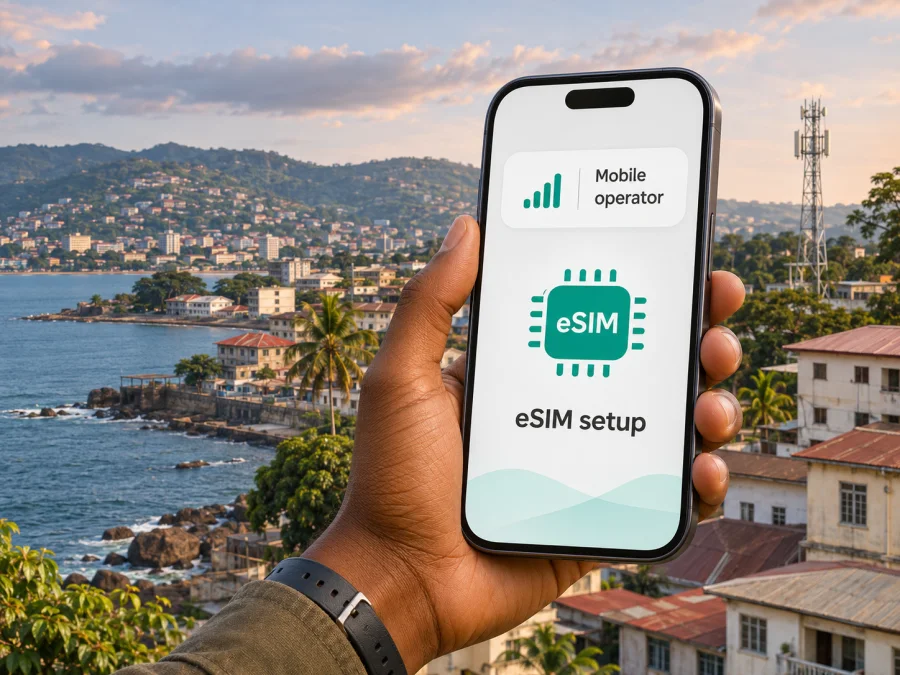
Qcell eSIM in Sierra Leone: availability, setup and travel checks
Checked on 5 November 2026. Qcell and Sierra Leone are named for identification only. Kaspersky eSIM Store is not affiliated with Qcell and is not its official partner or distributor.
If you are travelling to Sierra Leone, deciding between a local Qcell eSIM and a travel eSIM depends on what you need from the connection. Qcell’s official website currently has a Sierra Leone eSIM page. It says prospective customers should visit a QCell shop, have the device checked for eligibility, and receive a QR code for setup. That makes Qcell eSIM a practical option to investigate if you want a local Qcell connection and can complete the in-person process. It does not mean every eSIM phone, account type or visitor can activate one without assistance.
What Qcell’s eSIM information confirms
Qcell is a telecommunications company serving Sierra Leone. Its About Us page describes mobile services in the country, including 3G mobile internet, voice and SMS. The company also publishes a dedicated eSIM page for Sierra Leone. These pages were checked on 5 November 2026. The eSIM page describes an embedded digital SIM and gives a shop-based activation route; it does not provide a visitor-specific online application flow.
According to the Qcell eSIM page, you should take your device to a QCell shop so customer care can assess its eligibility. If the device is accepted, a representative provides a QR code. The page then gives separate setup steps for iPhone and Android and says the representative associates the SIM serial and PUK on the QR code with a mobile number. This is evidence that Qcell publicly offers eSIM in its Sierra Leone market. The practical process described is assisted and in person, rather than a self-service process completed entirely before arrival.
The page does not clearly answer every question an international visitor may have. It does not state whether a traveller can obtain a new line on eSIM, convert an existing Qcell number, or replace a physical Qcell SIM while keeping its number. It also does not explain which identity documents are accepted from visitors, how long a shop visit may take, or whether all listed shops currently issue eSIMs. Confirm those points directly with Qcell before relying on activation for a time-sensitive trip. The Qcell customer-care page lists 111 for calls from a QCell line and an international contact number for calls from another operator or outside the country; check the current contact details on the operator’s page.
Qcell also publishes information about prepaid and data services in general. Since offers can change, ask Qcell which services are currently available and whether the option you need can be provisioned on eSIM.
Qcell network in Sierra Leone: read coverage carefully
A network map or area list is a starting point, not a guarantee of signal inside a building, at a particular hotel, or along a road. Qcell’s official Coverage Areas page, checked on 5 November 2026, names places including Freetown, Bo, Kenema, Makeni, Lunsar, Segbwema, Moyamba, Port Loko, Kambia, Lungi, Bonthe, Kono, Kabala, Kamakwei, Kailahun and Pujehun. The page does not give a detailed street-level map or a service guarantee for every point in those places. Treat the list as a published indication of areas, and check directly for your route.
Qcell’s 4G LTE Equipment page says 4G LTE had been launched in Freetown and major parts of the western area as a test phase, with expansion to provincial areas described as a future plan. That page was checked on 5 November 2026. Since this wording does not establish present-day 4G availability across the country, do not infer that a listed town has Qcell 4G LTE, or that a phone will remain on one technology throughout a journey. Ask Qcell which technologies are available where you expect to use data, and recheck shortly before departure because deployments and service areas can change.
Qcell’s About Us page describes 3G mobile internet as part of its Sierra Leone service history, while the separate 4G page describes LTE availability with a narrower geographic qualification. The pages do not provide enough current detail to make a reliable claim about a particular site’s speed or network quality. A technology label alone cannot predict indoor reception, congestion, terrain effects, power availability, or service continuity. If you depend on mobile data for work, navigation or safety, plan for coverage gaps: save maps and bookings for offline use, keep important addresses available without a connection, and identify a second way to communicate.
Is Qcell eSIM suitable for a visitor?
A local operator eSIM and a travel eSIM solve related but different needs. A locally issued Qcell profile is associated with Qcell’s local service and, according to the operator’s setup description, with a mobile number. Ask Qcell what voice, SMS, data, identity-registration and top-up rules apply to the specific service offered to you. The public page does not fully describe those visitor conditions.
A travel eSIM is arranged for connectivity during a trip and is generally set up through its own provider’s checkout and installation instructions. It can be convenient when you want to prepare digitally before travelling, but its service depends on the destination, supported local networks, device compatibility and the conditions shown for that particular offer. Do not assume that every travel eSIM includes a local Sierra Leone number, voice calls or SMS. Kaspersky eSIM Store’s public FAQ describes its eSIM as data-only; regular cellular calls and SMS are not included unless an offer explicitly says otherwise. Messaging and internet calls can work through apps when mobile data is available.
Kaspersky eSIM Store is an app and website that helps travellers choose, purchase and activate an eSIM plan for mobile data abroad. It is not a mobile operator, network owner or internet service provider. Its Sierra Leone destination address redirected to the general store homepage when checked on 5 November 2026, so a country-specific listing could not be confirmed on that page. You can browse the Kaspersky eSIM Store homepage for currently available destinations and check whether Sierra Leone appears. This is a general browsing link, not a confirmation of a Sierra Leone plan, Qcell network access, or a country tariff.
Before you go to a QCell shop
Make the visit easier to complete by confirming the practical details first:
- Ask Qcell whether eSIM issuance is currently available to visitors and whether you need an existing account.
- Clarify whether you are requesting a new line, a physical-SIM replacement, or conversion of an existing number; these processes may differ.
- Ask which original identification documents non-residents must show. Qcell mentions valid ID for SIM registration but does not publish a visitor-specific eSIM document list.
- Confirm the shop address, opening hours and eSIM service availability. Qcell lists customer-care locations, including Lungi Airport, but visitors should verify before planning around a visit.
- Bring the unlocked phone itself and make sure it is charged. Qcell says staff will evaluate device eligibility.
- Ask what happens if QR installation fails and whether the code can be reissued. Keep the QR code private.
The Qcell eSIM page’s iPhone instructions use Apple’s “Mobile Data” and “Add Data Plan” wording, and its Android instructions refer to “Network & Internet,” “Mobile Network” and adding a carrier. Menu labels differ between operating system versions, manufacturers and regional models. Let the shop representative guide you when the names on your screen do not match those examples. Avoid deleting an existing profile or resetting network settings unless Qcell support tells you to do so; those actions can disrupt the current connection without solving an eligibility issue.
Check your phone before buying or installing
eSIM is a capability of a particular device variant, not just a phone family name. Different regional variants can omit eSIM support, and some devices are locked to a carrier. Confirm the exact model number and region in the manufacturer’s settings or documentation, then check that the phone offers an “Add eSIM” or equivalent option. If it is unclear, contact the manufacturer or your home carrier before departure.
The Qcell page says its staff will evaluate eligibility. That check should take precedence over a general compatibility list: Qcell may have conditions relating to device software, eSIM profile support or registration that are not fully described online. For a travel eSIM, check the seller’s compatibility guidance separately. Support by one provider does not guarantee acceptance by another, and an eSIM feature in the phone does not guarantee coverage in every destination.
Before installation, update the operating system if practical, charge the phone, and connect to reliable Wi-Fi. Keep the phone’s primary SIM active if you need its number for calls, authentication codes or messaging, but review data and roaming settings carefully to avoid unexpected charges from your home provider. You can label each profile clearly so that you know which line is selected for mobile data. Ask your home carrier what happens to roaming and voice service when you keep that line active abroad.
For a general travel eSIM, use the instructions that match your device: iOS eSIM installation instructions or Android eSIM installation instructions. Android menus vary by model and software version; the published Android guide is specific to Samsung. You can also check device compatibility before choosing a travel eSIM. These guides describe the Kaspersky eSIM Store installation flow, not the separate Qcell shop-issued QR-code process.
Setting up a Qcell or travel eSIM
Follow the issuing provider’s own instructions. Do not apply one provider’s QR code, APN or activation sequence to another eSIM.
Qcell’s published shop-assisted route
Qcell’s page describes this process: visit a QCell shop, have the phone checked, receive a QR code if the device is eligible, add an eSIM in the phone’s mobile-network settings, and let the representative associate the profile’s SIM serial and PUK details with a mobile number. Menu names vary by phone and software version, so follow the on-screen prompts or ask the representative for help. Test the profile before leaving the shop and confirm which line will handle calls, messages and mobile data. Qcell does not explain whether a code can be reissued or a profile transferred; ask before leaving if you may need either option.
General travel eSIM route
First confirm that the provider currently lists Sierra Leone and supports your exact device. Complete purchase and installation while you have reliable internet, using the provider’s app or QR-code directions. Check whether installation and data activation are separate steps. On arrival, select the eSIM for mobile data and follow the provider’s guidance about data roaming, network selection and APN settings. Test a page load or message, then contact provider support if service does not register. Keep offline copies of key travel details until you have confirmed that data works.
A travel eSIM may be convenient for data without a local shop visit, but it does not automatically provide a local number, ordinary voice calls or SMS. A local operator profile may involve registration or an in-person process. Choose based on the service needed and the steps you can complete.
During your stay: practical connection planning
An area listed by an operator does not guarantee reception inside every building or along every road. Download maps, directions, tickets and accommodation details for offline access, especially before travelling between towns. If your phone supports dual SIM, check which line handles mobile data and ask your home carrier about roaming charges for the primary line. Avoid automatic data switching unless you know which profile the phone may use.
If service drops, verify that the intended profile is enabled, mobile data is on and airplane mode is off. Move to an open area and let the phone search again. Change network or APN settings only as instructed by the provider. If the issue continues, note your location and contact support; the cause may be account registration, a device setting, coverage or a local outage.
Common questions about Qcell eSIM in Sierra Leone
Does Qcell offer eSIM in Sierra Leone?
Yes. Qcell’s official Sierra Leone eSIM page, checked on 5 November 2026, describes a shop-assisted service with a device eligibility check and QR-code setup. Ask whether issuance is currently available for your account type and at your intended shop.
Can I activate it before arrival, and what ID do I need?
Qcell’s published process involves visiting a shop; it does not describe remote pre-arrival activation for visitors. Its general SIM registration page mentions valid ID but does not specify accepted documents for foreign visitors. Confirm both points with Qcell directly.
Does it work on every iPhone or Android phone?
Qcell does not make that universal claim. Device eligibility is checked in the shop, and eSIM support can vary by exact model, regional variant, software and carrier lock. Confirm your specific device with Qcell and its manufacturer.
Is 4G available throughout Sierra Leone?
Qcell’s 4G page describes a test-phase rollout in Freetown and major parts of the western area. Its coverage list names other places but does not establish 4G technology at each one. Ask about your destinations.
Can I use a travel eSIM instead?
Possibly, if a provider currently lists Sierra Leone and supports your phone. The Kaspersky eSIM Store Sierra Leone destination link redirected to its general homepage on 5 November 2026, so a country-specific offer was not confirmed. Check the live destination list. Its FAQ describes the eSIM as data-only, without a regular phone number or standard cellular calls and SMS.
A sensible way to decide
Start by identifying what you need: a local number, mobile data, or both. If you want a Qcell subscription, the operator’s current public instructions point to a QCell shop, device assessment and QR-code setup. Contact the operator about eligibility, visitor documents, account type, opening hours and current coverage for your route. Qcell’s coverage list and LTE page offer useful context, but neither guarantees connectivity at every destination.
If you prefer to arrange data online, check whether a travel eSIM provider currently lists Sierra Leone and whether your exact phone variant is supported. Review what the connection includes, how to install it, when data use begins, and where to get help. Kaspersky eSIM Store helps users choose, purchase and activate an eSIM plan for mobile internet while travelling; it is not Qcell, a network owner or the provider of the underlying mobile connection. Its Sierra Leone link currently leads to the general store homepage, so use it to browse and verify availability rather than treating it as a country-specific offer. Browse available destinations in Kaspersky eSIM Store.
Check the operator’s latest eSIM, registration, coverage and support information again before departure. Network deployments, shop services, device eligibility and travel eSIM availability can change. The source pages named in this guide were checked on 5 November 2026; the final decision should be based on current information from Qcell and the chosen eSIM provider.


