Travel connectivity guide
Quartier d'Orleans eSIM for Travel | Saint Martin
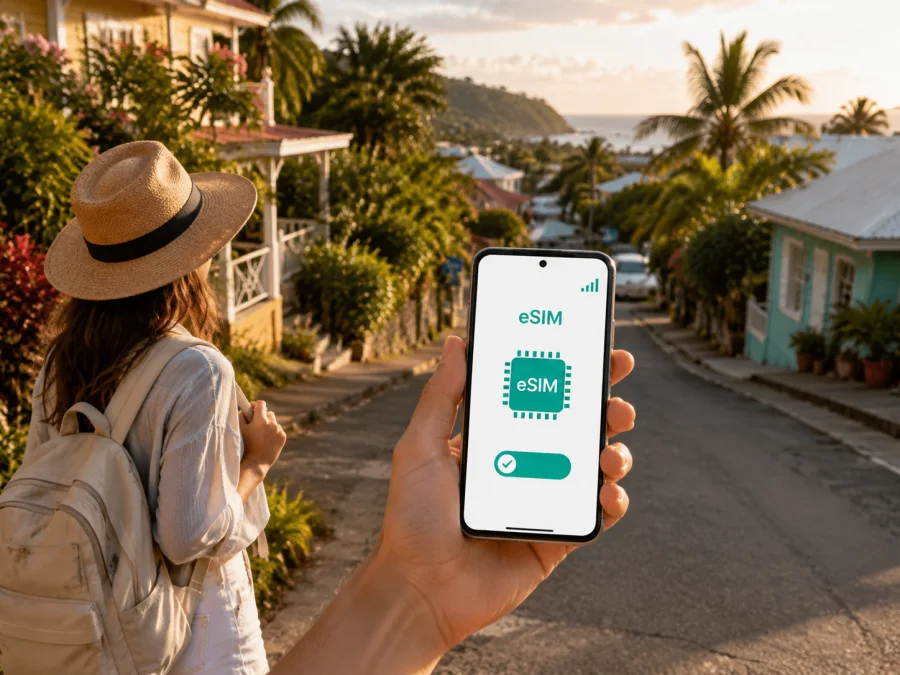
Quartier d'Orleans eSIM: mobile connection and internet for your trip
Quartier d'Orleans is a useful base for exploring the quieter eastern side of Saint Martin. From here, a trip may include Orient Bay, dinner in Grand Case, time in Marigot, and a transfer across the island before a flight home. Those plans are easier when your phone can handle maps, messages, reservations and transport information when you need them.
An eSIM, or digital SIM, adds a mobile-data profile without requiring you to remove your physical SIM card. Kaspersky eSIM Store is an app and website that helps you choose, arrange and activate an eSIM plan for mobile internet during an overseas trip. You select the destination and a suitable prepaid data package, then manage the plan from your profile or the app.
This guide covers connection planning in Quartier d'Orleans: arrival, accommodation, roads, beaches, workdays and trips from the village.
Why mobile data matters in Quartier d'Orleans
Quartier d'Orleans is not one resort complex with every service at one address. Accommodation may be a villa, apartment, guesthouse or small hotel, while beaches, restaurants and business appointments are spread across the island. Mobile data helps bridge those gaps.
On arrival, you may need to:
- open a transfer message or find the meeting point;
- contact a host about keys or arrival time;
- follow a map on unfamiliar roads;
- check a reservation before dinner;
- translate a message or read a menu;
- update a companion if your plans change.
The same connection can support work messages, a video call or a payment confirmation, reducing the need to search for public Wi-Fi each time you leave your accommodation.
An eSIM is convenient when you want to keep your usual number and physical SIM in the phone. On a compatible dual-SIM device, the home line can remain available for calls or messages while the eSIM is selected for mobile data. Check your phone and operator settings before departure so that the lines do not use data unintentionally.
Prepare the connection around your itinerary
Start with the way you will use the phone, rather than automatically choosing the largest allowance. A short beach break has different needs from a week with remote work, frequent navigation and several island crossings.
| Travel pattern | Typical data use | Planning point |
|---|---|---|
| Beach-focused break | Maps, messages, reservations and occasional photos | Limit automatic uploads if usage is light |
| Island exploring | Navigation, searches, restaurant research and coordination | Allow for repeated map use during a full day |
| Remote-work stay | Video calls, documents and messaging | Check allowance, validity and hotspot conditions |
| Short stopover | Transfer messages, directions and bookings | Prepare the profile before the rush of arrival |
Compare the data amount, validity period, destination or region, activation rules and top-up conditions. Plan details can change, so read the current information in Kaspersky eSIM Store before confirming. More data is not automatically better if your usage is modest, while a short validity period may be inconvenient if your return changes.
Pre-departure checklist
- Note the arrival airport and the full address or name of your accommodation.
- Save first-transfer instructions for offline access where possible.
- Check eSIM support and whether the phone is carrier-unlocked. Check your device compatibility before choosing a plan.
- Confirm that the destination is Saint Martin and that validity covers the stay.
- Update the phone and navigation app while you have a trusted connection.
- Decide which line will carry mobile data after landing.
- Turn off automatic downloads and photo backups if you want to conserve data.
- Keep the QR code or activation details available in your email or profile.
Arriving and reaching Quartier d'Orleans
Your route depends on the airport and the location of your accommodation. Princess Juliana International Airport is on the Dutch side of the island, while Grand Case-Espérance Airport is on the French side. Flights and transfers vary, so confirm the airport shown on your booking.
From Princess Juliana International Airport, the journey to Quartier d'Orleans may cross from the Dutch side to the French side. From Grand Case-Espérance Airport, it starts on the same side, but you still need an exact address. Traffic and weather can change a journey, so treat an estimated duration as a planning aid.
Before leaving the airport:
- Send your arrival status to the host or driver.
- Open the saved accommodation address.
- Compare the map route with the instructions you received.
- Confirm that the eSIM is the active data line and keep the phone charged.
- Keep the driver’s or host’s contact easy to reach.
Prepare the eSIM before the trip, cache map areas for a rental car, and share the property details with your driver. Keep Quartier d'Orleans in your notes.
Choose a base with movement in mind
Quartier d'Orleans suits travelers seeking eastern beaches and a quiet stay with outings elsewhere. The right setup depends on your daily rhythm.
| Priority | Organize around… |
|---|---|
| A calm east-coast stay | A saved route from the accommodation and bookmarked places |
| Orient Bay | Weather checks, meeting details and a return route |
| Dining in Grand Case | Reservation messages, directions and a group contact |
| Time in Marigot | A flexible route, opening information and return data |
| A meeting or workday | Charging access and controlled background usage |
| A flight on the other side | An early departure plan, airport details and driver contact |
Orient Bay suits a beach day, Grand Case a restaurant outing, and Marigot plans involving a larger town or onward movement. They are not interchangeable bases, so check each route from Quartier d'Orleans.
Build a simple “there and back” plan: save the accommodation, first stop, meeting point and return point. If you share a car, let a passenger watch the map. Check walking routes while stationary and protect the phone from heat, rain and sand.
Moving around by car, taxi, bus or on foot
Transport choice changes with the day. A rental car offers flexibility for beaches and cross-island plans, but the driver should set the route before moving. A taxi or arranged transfer may be simpler for an airport trip or an evening when nobody wants to drive. Local buses may suit some routes; walking is best reserved for short, familiar sections.
Use data for coordination, not as a substitute for judgment. Confirm pickup points and directions in writing, and share any new meeting point before leaving the original one.
Before setting out: enter the destination, check the route and note any crossing to another part of the island. Keep the accommodation address visible.
At pickup: compare vehicle or driver details with the information you received. Send concise directions before the vehicle arrives.
During a car journey: use a phone mount or let a passenger handle the map. Do not change settings while driving.
After arrival: save the car, entrance or meeting location. This helps when a beach access road, parking area or hotel entrance looks different on the return.
If the signal drops temporarily, continue with the loaded route, avoid repeated refreshes, and ask the driver or host for the next clear landmark. Keep essential contacts in your notes.
Choose an eSIM plan for Saint Martin
After mapping your route and data habits, you can choose an eSIM plan for your Saint Martin trip. Kaspersky eSIM Store helps you review the destination option, data allowance, validity and price in one place so you can select a package that fits your itinerary. It is an app and website for choosing, arranging and activating an eSIM plan, not a mobile operator or a replacement for the local networks used by the plan.
Match the plan to your Quartier d'Orleans schedule: maps and messages require less data than video, calls or laptop sharing. Keep activation details with your travel documents and review top-up conditions.
Installation and activation on your phone
Install the eSIM with a stable internet connection and enough battery. You can prepare it before flying or follow the plan’s conditions after arrival. Menu names differ by model and operating-system version; use the Android installation instructions or the iOS installation instructions for your device.
1. Check the prerequisites
Make sure the phone supports eSIM, is not operator-locked and can connect to the internet during setup. Open device compatibility check if needed. Keep the QR code or activation details from your Kaspersky eSIM Store profile available.
2. Open mobile-network settings
Go to mobile-network or cellular settings and choose the option for adding an eSIM or mobile plan. Read the prompts carefully if two lines are already active.
3. Add the profile
Scan the QR code from the email or profile, or use manual details if the phone offers that option. If the QR code is on the same phone, display it on another screen or use the supported manual method.
4. Label the line
Use a clear label such as “Saint Martin trip”. Keep your home line identifiable so you do not select the wrong number for calls or messages.
5. Select mobile data
Choose the travel eSIM for mobile data when you want to use the destination plan. Keep the home line for calls or messages only if that matches your intentions and operator settings. Disable automatic switching between lines if your phone offers that control.
6. Check roaming and activation
Some eSIM plans require data roaming to be enabled for that line. Follow the plan’s instructions and consider disabling roaming on the home line to avoid unplanned charges. Connection can take several minutes and depends on the device and local network conditions.
7. Test one task
Open a map or send a short message, then confirm that the travel line is being used for data. Start with a small test rather than a large download.
Four practical scenarios
A three-day beach break
Save the accommodation and return point, then use data for directions, messages and reservations. Limit continuous media uploads at the beach. In the evening, review usage and save the next day’s address.
A working week in an apartment
Before the first meeting, test the eSIM in the intended workspace. Confirm the travel line is selected for data, the phone is charging, and laptop sharing follows the plan’s conditions.
A cross-island day
Save the destination, return address and one backup contact. Let a passenger monitor the map, keep the driver focused, and save the vehicle location at long stops.
A short airport stopover
Prepare the eSIM while you have time and keep airport, accommodation and transfer details easy to open. Use data for messages, a route and a booking confirmation rather than troubleshooting while rushing between gates.
If something does not work
Troubleshoot in order:
- Confirm that the eSIM profile is present and switched on.
- Check that it is selected for mobile data.
- Check whether the plan requires data roaming on that line.
- Move to an open location and wait a few minutes for registration.
- Restart the phone if the device instructions recommend it.
- Review validity, remaining data and destination conditions.
- Contact support with the device model, steps taken and order details.
Do not delete the profile just because connection is delayed: some profiles cannot be reinstalled after removal. If the QR code will not scan, check screen brightness and try the supported manual method. Check the selected data line before making another purchase.
FAQ
Is Quartier d'Orleans a suitable base for a connected trip?
Yes, if your itinerary includes the eastern side of Saint Martin and you are prepared to plan transport to other areas. Mobile data is useful because accommodation, beaches, restaurants and airports are not all at one location.
Can I keep my usual SIM active?
Usually, a compatible dual-SIM phone can keep the physical SIM active while the eSIM carries mobile data. Options depend on the device and operator, so review line settings before departure.
Does the eSIM plan include a phone number?
No, unless the individual plan says otherwise. These plans are intended for mobile internet and do not normally include a separate number, standard voice calls or SMS. Messaging and calling apps can work over the internet.
When should I install the eSIM?
Install it before departure if you have a stable internet connection and the plan allows early installation. Otherwise follow the activation conditions after arrival. The profile may need several minutes to connect.
What should I do before a day trip?
Save the accommodation and return points, check the route, charge the phone, confirm the eSIM data line, and keep the driver or meeting contact easy to reach.
A calm connection plan for Quartier d'Orleans
Identify the arrival airport, save the accommodation, estimate daily data use, and choose a plan whose destination, allowance and validity fit the itinerary. Then install the eSIM on a compatible, unlocked phone, select it for data, and test one map or message before heading out.
Kaspersky eSIM Store helps you choose, arrange and activate an eSIM plan for mobile internet during an overseas trip. When you are ready, choose an eSIM plan for Saint Martin and prepare the connection that fits your Quartier d'Orleans route.


