Travel connectivity guide
Quatre Bornes eSIM: Mobile Internet Guide
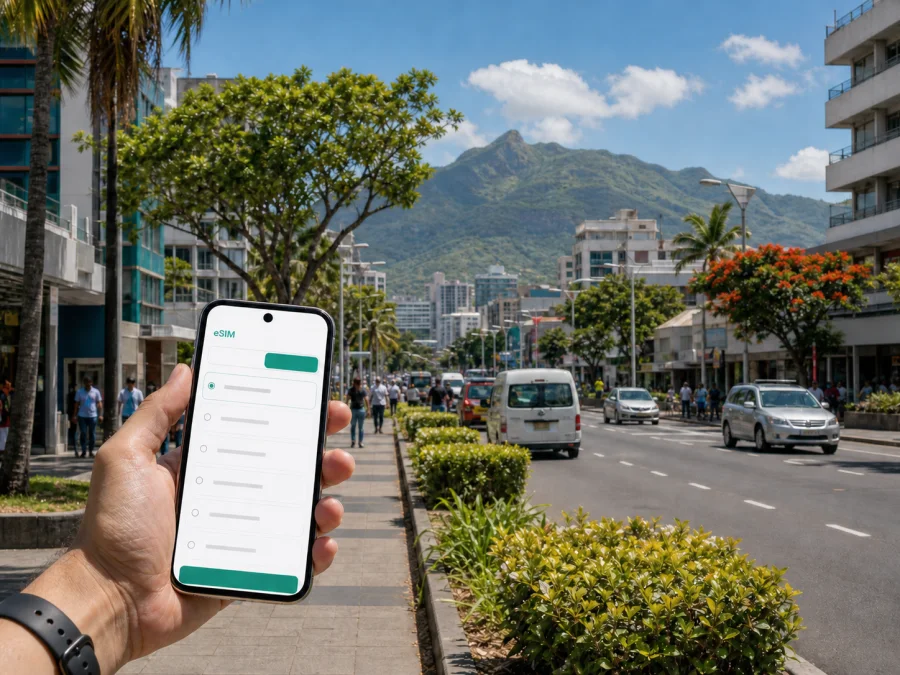
Quatre Bornes eSIM: mobile connection and internet for your trip
Quatre Bornes is a practical base in the central part of Mauritius. You may arrive through Sir Seewoosagur Ramgoolam International Airport, stay near the town centre, work from an office in Ébène, or use the town as a starting point for Port Louis, the western coast and the south. In each case, mobile internet helps with the first transfer, maps, messages, reservations and changes to your plan. An eSIM can prepare that connection without requiring a physical SIM card.
Kaspersky eSIM Store is an app and website that helps you choose, arrange and activate an eSIM with a suitable prepaid data plan for an overseas trip. You can review the destination, data allowance and validity period before choosing. The service is not a mobile operator and does not replace a local phone number: voice calls and SMS are not included unless the conditions of the selected plan say otherwise. For calls, messages and meetings, you can use internet-based apps when appropriate.
Why an eSIM is useful in Quatre Bornes
Quatre Bornes is a busy urban location rather than a single resort complex. You may need to find a transfer pickup point, confirm a hotel address, open a map in an unfamiliar neighbourhood, contact a host or join a work call before you have time to look for a shop selling a physical SIM card. Installing an eSIM before departure can make those first steps more orderly.
Bookings may use a neighbourhood name instead of “Quatre Bornes”, while a business appointment may be listed under Ébène Cybercity. Mobile data lets you check the exact pin, share your arrival status and adjust the route as you move between them.
An eSIM may be useful when you:
- want maps and messages as soon as you leave the airport transfer or hotel;
- are travelling for work and need email, calendars, authentication or a video meeting;
- will move between Quatre Bornes, Port Louis, Rose Hill and Vacoas-Phoenix, while keeping your everyday SIM available for important calls.
The useful benefit is preparation, not a promise of identical performance in every building or on every device. Service quality can vary with local conditions and the terms of the selected plan.
Arriving in Quatre Bornes
The international airport is in the south-east of Mauritius, while Quatre Bornes is in the central urban area. The transfer is a cross-island journey, and the time required depends on traffic, weather, the route and your chosen transport. If you are meeting a driver, mobile data helps you confirm the arrangement.
Before leaving the terminal, use your connection to complete a small arrival routine:
- Open the transfer or accommodation message and confirm the pickup instructions.
- Check the destination pin rather than relying only on a hotel name.
- Send your expected arrival time to your host, colleague or family member.
- Save the accommodation address in your map app, including a written version for a driver.
- Keep the route available in case the meeting point or transport plan changes.
Quatre Bornes has a dense mix of homes, shops, offices and local roads. A map pin can be more useful than a broad district label when a property is on a smaller side street. If you use a taxi or transfer arrangement, select the correct data line and keep enough battery for navigation.
Moving around the town
Quatre Bornes is served by roads and public transport links connecting it with neighbouring towns. The Metro Express network includes Quatre Bornes Central and nearby stations such as St Jean and Trianon, with services linking parts of the central corridor. Routes and operating details can change, so check current information when planning a particular journey. Buses, taxis and private transfers remain relevant for addresses that are not close to a station.
The best mode can change during the day. You may walk to a station in the morning, take a taxi with luggage, use a bus for a local errand and return on foot. Use this as a practical decision guide:
| Situation | First option to consider | What mobile internet helps you check |
|---|---|---|
| Arrival with luggage | Pre-arranged transfer or taxi | Pickup messages, address and live route |
| Crossing the central corridor | Metro Express if a nearby station suits the journey | Station location, service information and walking connection |
| Address away from a station | Bus, taxi or local transfer | Stop location, route changes and the final walk |
| Short walk between meetings | Walking directions | Entrance, building pin and estimated arrival |
This is a planning aid rather than a promise that one transport mode is best for every trip. A station may be convenient for one part of town but leave a final walk to a hotel or office. Keep the exact street or building name with the map pin and allow extra time during busy periods.
Choosing an area and estimating data
Confirm the address and nearby transport before booking, because Quatre Bornes is not one uniform hotel district.
- Town centre and Old Quatre Bornes: useful for errands, food, local services and central appointments.
- St Jean and Belle Rose: practical for town appointments and journeys along the central transport corridor; check the final walk.
- Trianon: a mixed urban area with shopping and residential addresses where a final-mile plan remains useful.
- Ébène and Cybercity: suited to offices and meetings; save the exact building and entrance.
- Sodnac, Palma and La Louise: residential areas where the nearest station or bus stop may not be obvious; confirm directions with your host.
Accommodation Wi‑Fi can be useful for large downloads, but it is not a complete arrival plan. You may need data while ordering a car, contacting a host or checking transport, so reserve mobile data for moments when you are moving.
Choose by behaviour, not only by the number of days. A traveller who uses maps occasionally has a different pattern from a consultant travelling between Ébène and client sites while joining meetings from a laptop.
Video calls, automatic photo backup, streaming and cloud updates can use much more data than text messages or map searches. Before departure, control automatic updates over mobile data and review which applications may use the eSIM. Match the destination, validity and allowance: if Mauritius is the only destination, a country plan may be straightforward; if your route crosses borders, confirm that a regional plan includes every country.
When you are ready, you can choose an eSIM plan for a trip to Mauritius and compare the allowance, validity and price shown for the selected option. Review the conditions at the time of purchase because offers and plan details can change.
Business travel in Ébène
A Quatre Bornes trip may include meetings in Ébène Cybercity or nearby offices. The need is not just internet in the abstract: you may receive an access code, open a calendar invitation, find a building entrance, share a document, join a call and then travel to a second appointment.
Prepare a short work checklist:
- Save the office, building, street, entrance and meeting contact before leaving your accommodation.
- Keep your work number or everyday SIM active if you need ordinary calls or SMS; treat the eSIM as a data line unless the chosen plan explicitly states otherwise.
- Check whether your laptop can use the phone’s hotspot and whether the plan permits that use.
- Download essential documents for offline access, and carry a charging cable or power bank.
For a conference or a day of meetings, tethering may consume more data than messaging. Check the allowance and hotspot terms before relying on a laptop, and use office or hotel Wi‑Fi for large files when appropriate.
Installing and activating an eSIM
The easiest time to prepare is usually before the flight, when you have stable Wi‑Fi, a charger and time to read the plan conditions. First, check your device compatibility. Your phone must support eSIM and should not be restricted by an operator lock. Confirm the exact model, since similar phones and tablets can have different capabilities.
Follow this sequence:
- Confirm the destination. Select Mauritius for a stay centred on Quatre Bornes, and check any additional countries separately.
- Match the plan to your routine. Consider the days, navigation, work, media and possible hotspot use.
- Read the activation terms. Note when validity begins, whether the profile must be installed by a certain date and what starts data use. Installation and activation are not necessarily the same step.
- Complete the purchase in the app or website. Keep the order information and QR code or installation details available in your profile.
- Install while you have a dependable connection. Follow the device prompts and do not delete a profile merely because it is not yet the active data line.
- Label the lines clearly. For example, use “Mauritius data” for the travel eSIM and keep your regular line identifiable for calls or SMS.
- Set the data line deliberately. Select the eSIM for mobile data at the appropriate point and disable automatic data switching if needed.
Detailed menus vary by operating system. Use the Android installation instructions or the iOS installation instructions for the device-specific flow. If a QR code is displayed on the same phone, use the manual details supplied with the order rather than trying to scan the screen with itself.
After landing, check that the profile is present and turned on, the eSIM is selected for mobile data, and data roaming is enabled for the eSIM if the plan instructions require it. Turn off automatic switching to your regular SIM, leave airplane mode, and allow the phone time to register. If the connection does not appear, recheck the destination, selected line, roaming setting and activation terms before deleting anything. Restarting can help a changed setting take effect. If the issue remains, contact support with the order details and device model.
Planning local days and trips from Quatre Bornes
Quatre Bornes can be a central base for a plan that mixes local time with trips elsewhere on Mauritius. You might spend the morning in the town centre, work in Ébène, travel toward Port Louis or connect to a coastal destination later. Each move adds small digital tasks: checking the next departure, confirming a reservation, locating a pickup point and telling someone when you will arrive.
Keep fixed points, flexible stops and a return plan in one note: hotel, meeting place, airport transfer, ticketed bookings and the last practical connection.
When leaving town for a day trip, check that the Mauritius plan’s geographical scope covers the whole route. A city article helps with the Quatre Bornes base, but the eSIM conditions apply to the destination and plan selected, not to a particular street. Save key addresses and tickets offline because local service conditions can vary.
Quatre Bornes eSIM checklist
- [ ] Your phone supports eSIM and is not operator-locked.
- [ ] The destination is Mauritius, with any additional countries considered separately.
- [ ] Allowance, validity, activation rule and price fit the trip.
- [ ] Order, QR code or installation details are available.
- [ ] Your everyday SIM is labelled and you know how calls and SMS will be handled.
- [ ] Hotel, transfer and meeting addresses are saved.
- [ ] Automatic updates and cloud backup are controlled over mobile data.
- [ ] Your phone is charged and you have a charging cable or power bank.
Frequently asked questions
Is an eSIM suitable for a short visit to Quatre Bornes?
It can be practical for a stopover or short city stay because you can prepare the digital SIM before travelling and choose a validity period that matches the trip. Check the exact activation conditions and allowance; a work visit may need more data than light map use.
Will the eSIM give me a Mauritian phone number?
Not necessarily. In this context, the eSIM is intended for mobile internet, and voice calls or SMS are not included unless the selected plan explicitly says so. Keep your regular line available for important calls where your operator conditions permit, and use internet-based calling or messaging when appropriate.
Can I use it for a laptop in Ébène?
Possibly, if the phone supports hotspot and the selected plan permits it. Tethering can consume data quickly, so check the allowance and conditions before making it part of a work plan. Keep important files available offline as a backup.
What if it does not connect after arrival?
Confirm that the profile is installed and enabled, Mauritius is the intended destination, the eSIM is selected for mobile data, and roaming is enabled if required. Turn off automatic switching, restart the phone and allow time for registration. If the issue continues, contact support with your order and device details. Do not delete the profile before checking the installation guidance.
Plan your Quatre Bornes connection
For a stay in Quatre Bornes, the preparation is straightforward: confirm the area and route, choose a Mauritius eSIM plan by allowance and validity, install it on a compatible unlocked device, and decide which line will handle mobile data after landing. Keep hotel, airport and meeting details offline, and treat transport times and local service conditions as changeable.
When your itinerary is clear, prepare an eSIM plan for your Mauritius trip. Kaspersky eSIM Store helps you choose, arrange and activate the travel eSIM through the app or website, while the plan conditions explain the available data, validity and activation details. That gives you a clear starting point for navigating Quatre Bornes, working in Ébène and moving through Mauritius with fewer avoidable connection tasks.


