
Travel connectivity guide
Quba eSIM: Mobile Internet Travel Guide
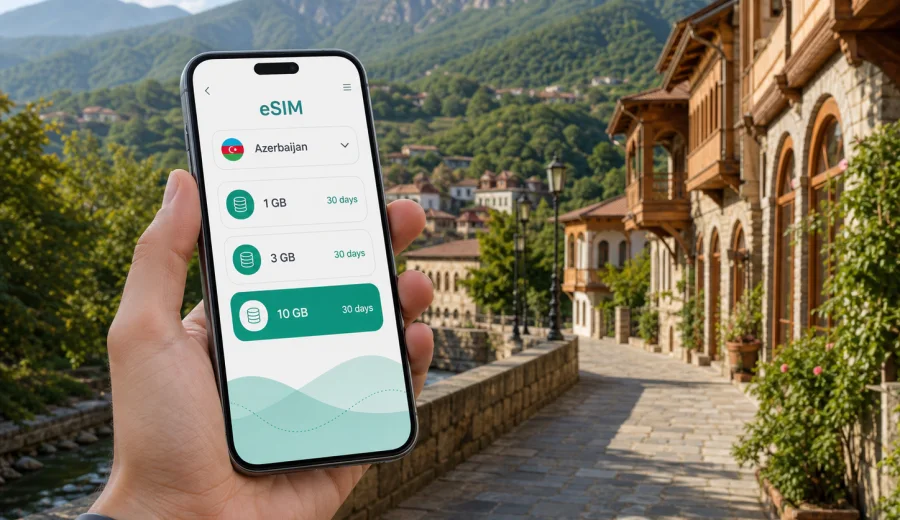
Quba eSIM: mobile connection and internet for your trip
Quba is one of the most practical bases for exploring northern Azerbaijan. The city sits close to the Greater Caucasus foothills, with mountain roads, forest stops, guesthouses, small museums, local markets and day trips that often depend on maps, ride coordination and quick messages. For this kind of trip, eSIM can make mobile connection and internet planning easier: you prepare a digital SIM before you travel, choose a data package for Azerbaijan and use mobile data without looking for a physical SIM card after arrival.
This guide is focused on Quba itself, not just Azerbaijan in general. It covers the moments when mobile internet matters most: the route from Baku or the airport, local movement around Quba, hotel check-in, navigation to mountain villages, business travel, weekend routes, short stopovers and day trips from the city.
Why mobile internet matters in Quba
Quba is not a city where every travel task happens inside one compact tourist zone. You may arrive by car from Baku, stay near the center, visit the Red Settlement across the river, continue to forest areas around Qachresh, or use Quba as a starting point for mountain routes. In each scenario, mobile data is useful for a different reason.
Typical online tasks in Quba include:
- checking the route from Baku to Quba and sharing your arrival time;
- finding your hotel or guesthouse after entering the city;
- using maps when walking between the city center, riverside areas and nearby sights;
- messaging a driver, guide, host or colleague;
- confirming restaurant, transfer or tour details;
- translating short messages, menus and signs;
- checking weather before mountain roads or forest stops;
- sending files, photos or location pins during a business trip.
Public Wi-Fi can help in hotels, cafés and some offices, but it is not a complete plan for a city-and-mountain itinerary. You may need internet before check-in, between stops, during a taxi ride or while your group is deciding where to go next.
Arrival scenarios: how eSIM helps in the first hours
Most international visitors reach Quba after arriving in Baku and then traveling north by road. Even if Quba is not your first stop in Azerbaijan, the first hours of the Quba part of the trip can be busy: you confirm transport, check the route, find the exact address and coordinate with people who may not be waiting at the same place.
| Travel moment | What you may need online | Why eSIM helps |
|---|---|---|
| Leaving Baku | Navigation, traffic, messages to the driver | You can use mobile data before reaching Quba |
| Entering Quba | Hotel address, map pins, local taxi coordination | You are not dependent only on Wi-Fi at arrival |
| First walk | Maps, cafés, restaurants, translation | You can move without returning to the hotel for internet |
| Mountain plan | Weather, route checks, guide messages | You can prepare before leaving the city |
| Business visit | Email, messengers, file access | You can stay reachable between meetings |
An eSIM is especially useful if you do not want your first travel task in Azerbaijan to be finding a SIM counter or waiting until you are settled at the hotel. With a compatible phone, you can install the eSIM before departure and activate it according to the instructions for the selected tariff.
Where mobile connection is useful around Quba
Quba combines city movement with regional movement. You may spend the morning in the center, cross toward the Red Settlement, have lunch near the riverside and then leave for a forest or mountain stop. The value of mobile internet changes as your day changes.
City center and hotels
In central Quba, mobile internet helps with everyday travel tasks: calling a ride through an app if available, checking walking routes, confirming booking details and using messengers with the hotel. If your accommodation is a guesthouse rather than a large hotel, a mobile data plan gives you a backup for arrival instructions, gate codes, payment messages or a late check-in.
Red Settlement and short local visits
The Red Settlement is close to Quba and often appears in local itineraries. Even when a place is nearby, a map pin is still useful: the entrance, walking route, bridge crossing and pickup point may not be obvious to a first-time visitor. Mobile data lets you keep the route open and coordinate with your group without relying on a café connection.
Qachresh and nature stops
Forest and mountain-edge trips around Quba are more flexible than museum visits. Plans can change because of weather, traffic, road conditions or the time your driver wants to return. Mobile internet helps you check the forecast, message your accommodation and share your live location when practical. Coverage and speed depend on local networks and terrain, so download critical maps or booking details before leaving the city.
Routes to mountain villages
If Quba is a base for trips deeper into the Caucasus, treat mobile data as part of your preparation rather than a guarantee for every road. eSIM is helpful for planning, messaging and navigation, but mountain valleys and remote roads may have weaker signal. Save offline maps, keep your phone charged and confirm return arrangements before the route starts.
How to choose an eSIM data plan for Quba
For a Quba trip, choose the country as Azerbaijan and then match the data package to the way you will use the city. The city itself matters because a Quba itinerary often mixes navigation, hotel coordination and day trips outside the center.
Start with these questions:
1. How many days will you spend in Azerbaijan?
2. Will Quba be a day trip, a weekend base or part of a longer route?
3. Will you use mobile data mainly for maps and messages, or also for video calls, cloud files and photo uploads?
4. Will you share internet with a laptop or another device?
5. Do you need a plan only for Azerbaijan, or are you visiting several countries in the region?
For light use, maps, messaging and booking checks may not require a large data package. For business travel, remote work, long video calls or frequent hotspot use, choose a larger package and check whether tethering is allowed under the selected tariff conditions. The right choice depends on the data volume, validity period, country coverage and the way the tariff starts counting usage.
Choosing a tariff through Kaspersky eSIM Store
Kaspersky eSIM Store is an app and website where you can choose, arrange and activate an eSIM with a suitable data plan for mobile internet during an international trip. For Quba, select Azerbaijan as the destination and compare the available options by data amount, validity period and tariff conditions.
If you want to prepare before departure, you can choose an eSIM plan for your trip to Quba and review options for Azerbaijan. Place this step after your itinerary is reasonably clear: a short city visit, a weekend stay and a longer Azerbaijan route can require different data volumes.
The product is designed for mobile internet in travel. Unless the selected tariff says otherwise, an eSIM data plan does not include a regular phone number, traditional voice calls or SMS. For calls and messages, use internet-based apps over mobile data or Wi-Fi.
When to prepare your eSIM
The most convenient moment is before the trip, while you still have stable home internet. This gives you time to check device compatibility, read the tariff conditions and install the eSIM profile without rushing. Some travelers prefer to install the eSIM before departure and activate mobile data after landing or when the trip starts. Follow the conditions shown for the selected tariff, because activation timing and validity can vary.
If you are already in Azerbaijan and heading to Quba, you can still prepare an eSIM as long as your device supports eSIM and you have internet access for setup. Use hotel Wi-Fi, airport Wi-Fi or another trusted connection to complete installation, then switch mobile data to the eSIM profile when you are ready to use it.
A practical Quba arrival checklist
Before you leave for Quba, check the following:
- your phone supports eSIM and is not locked by a mobile carrier;
- the selected tariff is valid in Azerbaijan;
- the data volume and validity period match your trip length;
- you have saved your hotel address and map pin;
- you know whether you need mobile data immediately after arrival;
- your phone battery and charger are ready for a long travel day;
- offline maps are downloaded for mountain or forest routes;
- messaging apps are logged in before you travel.
This checklist is useful because Quba trips often include movement outside the city center. A few minutes of preparation can prevent small problems: no internet at a pickup point, no saved address, or no way to message a driver when plans change.
How to install eSIM before or during a Quba trip
Install your eSIM when you have a stable internet connection and enough time to follow the setup steps carefully. After you arrange the tariff, the eSIM profile can be added to a compatible phone through the instructions provided by the product flow.
General setup sequence:
1. Check that your device supports eSIM and is not carrier-locked.
2. Choose Azerbaijan as the destination and select a suitable data plan.
3. Follow the setup instructions for your device.
4. Add the eSIM profile using the QR code or on-screen installation path.
5. Set the eSIM as the mobile data line when you want to use it.
6. If required by your device or tariff, enable data roaming for the eSIM profile.
7. Wait a few minutes for the connection process to complete.
For device-specific setup, use the Android installation guide or the iOS installation guide. The exact menu names can differ by phone model and operating system version, so follow the instructions for your device rather than guessing from another phone.
Check device compatibility first
Before you arrange a tariff, confirm that your phone or tablet supports eSIM. Some models vary by region of sale, and a phone locked to a carrier may not accept another mobile profile. You can check your device before choosing a plan.
Compatibility is worth checking even if your phone is new. eSIM support depends on the exact model, regional version and carrier restrictions. If your device does not support eSIM, you may need another travel internet option, such as a physical SIM card or Wi-Fi-based access.
What to avoid when using mobile data in Quba
A good mobile internet plan also depends on careful phone settings. Before you start using the eSIM as your travel data line, review these points:
- turn off automatic cloud backups on mobile data if you have a limited package;
- download offline maps before mountain routes;
- set the correct SIM or eSIM profile for mobile data;
- keep your primary SIM available for banking or verification messages if needed;
- check whether data roaming must be enabled for the eSIM profile;
- monitor data use after video calls or hotspot sessions;
- save support and tariff information in case you need to review it later.
These steps help you keep control of data use and avoid using the wrong line by mistake. They are especially important if you keep your home SIM active for calls or SMS while the eSIM handles travel data.
Quick answers for Quba travelers
Is eSIM useful for Quba?
Yes, eSIM can be useful for Quba if you need mobile internet for maps, transport, hotel coordination, messages, translation and day trips. It is especially practical if you want to prepare data access before arriving in the city.
Do I need a separate Quba eSIM?
Usually you choose a data plan for Azerbaijan rather than a separate city-only plan. For a city article, Quba is the travel scenario; Azerbaijan is the destination used for tariff selection.
Can I install eSIM after reaching Quba?
Yes, if your device supports eSIM and you have a stable internet connection for setup. Many travelers prefer installing before departure because it leaves more time to solve compatibility or setup questions.
Does eSIM include calls and SMS?
Not usually, unless the selected tariff says so. Travel eSIM plans are mainly for mobile internet. You can use messengers, maps, email and internet-based calls over data.
Should I keep offline maps?
Yes. Offline maps are helpful for Quba and nearby mountain routes. Mobile data is useful, but terrain and route conditions can affect signal outside the city center.
Is eSIM enough for a business trip to Quba?
It can cover many business travel needs, including email, messengers, calendar updates and quick document access. If you rely on video calls or hotspot use, choose a data package that fits heavier usage and keep a backup plan such as hotel Wi-Fi.
Final preparation before your Quba trip
Before traveling to Quba, decide how you will use mobile internet during the first day, the city stay and any trips into the surrounding region. Save key addresses, download maps, check device compatibility and choose a data package that matches your real itinerary rather than only the number of travel days.
Kaspersky eSIM Store helps you prepare mobile internet for an international trip by choosing, arranging and activating an eSIM with a suitable tariff. For Quba, use Azerbaijan as the destination and review the plan conditions before setup.
If you want to be ready before arrival, choose an eSIM plan for Azerbaijan and prepare your phone while you still have a stable connection. Then, when you reach Quba, you can focus on the route, the hotel, the mountain views and the people you came to meet.