Travel connectivity guide
Quetta eSIM for Mobile Internet in Pakistan
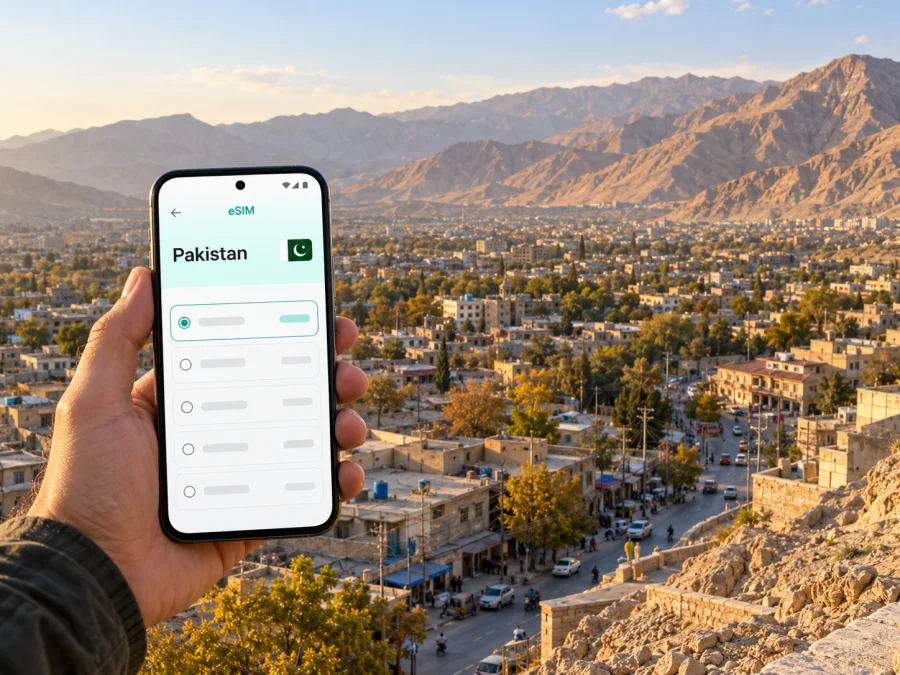
Quetta eSIM: mobile connection and internet for your trip
Quetta is the capital of Balochistan in western Pakistan, set among a ring of hills in a highland valley. A visit may begin with a flight into Quetta International Airport, a hotel check-in, or a transfer across the city before an onward journey. In each case, mobile internet is useful for checking bookings, contacting a driver, opening a map, and keeping plans together. An eSIM can help you prepare data access without removing your regular physical SIM, provided your phone supports eSIM and the selected travel plan includes Pakistan.
This guide focuses on practical connectivity decisions for Quetta: arrival, navigation, meetings, local outings, and trips beyond the city. The name “Pakistan” on a plan refers to its destination market; it does not by itself promise a signal at every address, on every road, or in every handset. Check the plan’s coverage notes and the latest travel arrangements before you rely on mobile data for an essential connection.
Start with your arrival plan
Quetta International Airport (UET) is the city’s air gateway. After landing, you may need to confirm a pickup point, message a hotel, or share an updated arrival time. If you expect to use an eSIM immediately, set it up before departure when possible. Installation often requires an internet connection, so a home connection or trusted Wi-Fi is useful for downloading the profile. Keep the airport’s name, your accommodation address, and your driver’s contact details available offline as a backup.
The airport is outside the central built-up area, and the journey into town is by road. Agree the pickup location with your driver before walking out of the terminal. Save the destination pin in your map app, and make sure the address is legible if you need to show it to a driver. A mobile connection can help you coordinate changes, but it should not be your only copy of the booking or route.
A simple arrival routine:
- Before travel, save your accommodation address and booking reference.
- Install the eSIM while you still have reliable Wi-Fi, if the plan instructions allow pre-installation.
- Keep the eSIM switched off for data until you intend to use it, unless its activation instructions say otherwise.
- After arrival, select the correct eSIM for mobile data and check that data roaming is enabled for that profile if required.
- Open a map and send a short message to confirm your pickup.
The exact moment a plan starts can differ. Some plans begin when installed, some when first connected to a supported network, and others follow a stated validity window. Read the offer details before installing if timing matters. Do not assume that turning the profile off pauses its validity.
Where mobile internet helps around Quetta
Quetta is a working provincial capital as well as a base for visitors. The same data connection supports practical tasks that do not look like “tourism”: checking a meeting location, finding a pharmacy or café, translating a short message, or letting a colleague know that road travel is taking longer than expected. It is also useful for the small decisions that shape a day: whether to return to the hotel before an appointment, how to share a location, and where to meet a driver.
| Situation | What to prepare on your phone | Why data can help |
|---|---|---|
| Airport pickup | Hotel address, flight number, driver contact | Confirm a meeting point if arrival details change |
| First ride into town | Saved map pin and a written address | Compare the route with the destination shared by your driver |
| Hotel check-in | Booking confirmation and contact details | Message the property if you arrive later than planned |
| Business visit | Meeting address, calendar entry, contact numbers | Share an updated ETA and open location links |
| Market or city-centre outing | A map area saved offline and a return address | Check directions and coordinate a pickup |
| Day trip outside the centre | Route plan, local contact, offline copies | Recheck arrangements before leaving the city |
Treat this as a planning checklist, not a guarantee about reception in a particular building or neighbourhood. Indoor coverage can differ from street coverage, and data service may change as you move between the centre, the airport road, and outlying areas. When an exact address is important, ask your accommodation or local host about the best way to reach it and keep a telephone number or a meeting point as a fallback.
Choosing a plan for Quetta and Pakistan
A city name is useful for planning, but travel eSIM plans are normally selected by country or region. For a visit to Quetta, make sure Pakistan is explicitly included in the destination list. If your itinerary continues through other countries, verify each one separately or look at a regional option whose included destinations match the whole route. A regional label alone does not mean every nearby country is covered.
Before choosing, compare the plan’s stated data allowance, validity period, activation conditions, supported destinations, and any top-up rules. Estimate use by activity rather than by vague labels such as “light” or “heavy.” Messaging and map directions usually need less data than video calls, frequent social uploads, or streaming. If you are unsure, choose an option with terms that let you monitor use and add traffic if available, instead of buying much more than your trip is likely to need.
| Check | Question to answer before purchase |
|---|---|
| Destination | Does the plan explicitly include Pakistan? |
| Route | Does it also include every country on your itinerary, if you are crossing a border? |
| Data | How much will maps, messaging, calls, uploads, and work use during the trip? |
| Validity | How long does the plan last, and what event starts the validity period? |
| Network details | Which local network or networks are listed for this specific offer? |
| Device | Is your exact handset variant compatible and unlocked? |
| Hotspot | Do the plan terms and your device settings allow tethering, if you need it? |
| Calls and texts | Is the offer data-only, or does it explicitly include voice or SMS? |
Kaspersky eSIM Store is an app and website where you can select, purchase, and activate an eSIM with a suitable data plan for an international trip. The Pakistan destination page currently displays offers that identify Zong as the local telecommunications provider; still read the individual offer and its terms, since availability and conditions can change. This is specific to the listed travel offer. It should not be confused with buying a local Pakistani mobile line or with a promise of coverage throughout Quetta or Balochistan.
If you want to review the current destination options and plan terms, browse eSIM plans for Pakistan. Check the details shown for the plan you select, including its network, validity, activation instructions, and destinations. Do not infer that a plan includes a Pakistani phone number, regular calls, or SMS unless those features are explicitly listed.
Travel eSIM and Pakistani operator eSIM are different things
“eSIM” describes a digital SIM profile, but the service attached to it depends on the provider and offer. Pakistan’s own mobile operators also publish eSIM options for their local mobile lines. For example, Zong describes a local eSIM process through its customer service centres and franchises, while Ufone publishes its own local eSIM information. Those operator processes concern their own numbers and conditions; they are not the same product flow as selecting a travel data plan for a visitor.
For a short trip, decide what you need before arrival:
- Mobile data for maps and apps: check a travel data eSIM’s country, network, validity, and data-only terms.
- A local Pakistani phone number: review the current eligibility, identification, biometric-verification, and purchase requirements published by the local operator.
- Your existing number for calls or SMS: ask your home operator about roaming and charges, then keep that line available if you need banking codes or calls.
- Both data and your regular line: if your phone supports dual SIM use, confirm which line is selected for data and which remains available for calls or messages.
A data-only travel eSIM does not automatically replace your home number. Messaging and internet calls may work through apps already set up on your account, but ordinary cellular voice and SMS depend on the active line and plan. If you need one-time bank codes, ride-hailing verification, or calls from local contacts, keep your main number accessible and check roaming conditions before travelling.
Check the exact device and regional variant
Do not decide compatibility from a product family name alone. eSIM support can vary by model number, country of sale, carrier lock, and software version. Some phones that look identical may have different SIM hardware in different markets; some carrier-locked handsets may reject a profile from another provider. The safest check is to use the manufacturer’s information for your exact variant and look for the option to add an eSIM in the phone’s mobile-network settings. You can also check whether your device supports eSIM before purchasing.
Before you leave:
- Find the exact model or variant in the device settings or on the original packaging.
- Check manufacturer guidance for that exact market version; do not rely only on the family name.
- Confirm that the phone is not locked to a carrier that prevents adding another profile.
- Update the operating system while you have a reliable connection.
- Make sure you can sign in to the account or email that contains the eSIM instructions.
- Keep access to Wi-Fi until the eSIM profile has been installed and checked.
Pakistan’s local operator support lists are not universal compatibility lists for every travel eSIM. A device can support eSIM in general while a particular regional model does not, and a local operator’s supported list may differ from a travel provider’s compatibility check. If your phone does not support eSIM, consider a physical SIM or another internet option that is suitable for your trip. Do not buy a plan until you know you can install it on the device you will carry.
Install the profile and choose when to use it
Follow the steps shown for the selected plan and your device. Menu names vary between phone brands and operating-system versions, so use the on-screen setup instructions if they differ from a general guide. For step-by-step help, see the Android eSIM installation instructions or the iOS eSIM installation instructions.
A practical setup sequence is:
- Check the plan first. Confirm Pakistan is included and read when validity begins.
- Connect to Wi-Fi. Keep a reliable internet connection available while adding the profile.
- Add the eSIM. Use the app or website instructions, or scan the supplied QR code if instructed.
- Label the line. Give it a clear name such as “Pakistan data” so you can recognise it later.
- Choose your data line. Set the travel eSIM for mobile data only when you intend to use it.
- Review roaming settings. Enable data roaming for that eSIM only if the plan instructions require it.
- Test carefully. After arrival, turn off Wi-Fi briefly and check that a page loads before depending on the connection.
If you plan to install the profile before travel but activate it after landing, follow the offer’s exact directions. Installation and activation are not always the same event. Leave the profile installed unless the provider tells you to remove it; deleting an eSIM can make reinstallation difficult or impossible, depending on the offer. Keep the QR code and purchase confirmation private, because they may contain information needed to add the profile.
Navigation, local errands, and day trips
Maps are most useful when you prepare them for imperfect connectivity. Save the city area for offline use where your map app allows it, bookmark your hotel and meeting points, and write down the return address. Search results and map details can be incomplete or out of date, so confirm a destination with a local contact when the entrance, gate, or pickup place matters. If your driver shares a pin, open it while you have data and also note a nearby landmark or street name.
For errands within Quetta, group destinations by area and confirm opening hours directly if the visit is important. Keep the name of your accommodation in both English and any local-script form supplied by the property. That can make it easier to show the destination when verbal directions are difficult. A translated address can help, but it should not replace a confirmed location pin.
Visitors sometimes use Quetta as a starting point for outings toward Hanna Lake, Urak Valley, or other places in Balochistan. These are trips beyond a simple city-centre walk: ask a trusted local host or tour provider about route access, timing, transport, and current conditions before setting out. Mobile data coverage outside the urban area may differ from what you experience in town. Download maps and essential booking information in advance, share your itinerary with someone you trust, and agree how you will reconnect if you lose signal.
The same principle applies to overland travel from Quetta. Pakistan Railways lists Quetta among its railway divisions and publishes current train information through its own channels; services and timetables can change. Verify the departure status directly before travelling to the station. For road journeys, arrange transport with a reliable local provider and check the route, daylight, and any local travel guidance. A data plan can support coordination, but it cannot replace local advice or an offline plan.
Make data last through the trip
Maps and messages use less data than video calls, streaming, and photo uploads. Before departure, download maps, tickets, and work files; disable automatic updates and cloud backups over mobile data; and check your phone’s data-usage screen during the trip. If you use a hotspot, pause laptop updates and file sync first, then keep an eye on consumption and battery level.
Keep expectations realistic. Quetta’s elevated, mountainous setting and trips beyond the city make offline directions and advance route checks useful. Reception may change between streets, buildings, and outlying roads. If data does not connect, check that the profile is enabled, the correct line is selected for mobile data, roaming is set according to the plan, and airplane mode is off. Restarting the phone can help it register again; if the issue continues, use Wi-Fi and contact the provider through the support channel shown with your purchase.
Common questions
Will one Pakistan eSIM work everywhere in Quetta?
No plan should be treated as a guarantee of service at every address. Coverage depends on the network named in the selected offer, local conditions, device compatibility, and whether you are indoors or outside the city. Check the plan’s coverage information and keep offline alternatives.
Does an eSIM for Pakistan include a local phone number?
Not necessarily. The travel options in Kaspersky eSIM Store are data plans unless the individual offer says otherwise. A data-only plan does not provide ordinary calls or SMS. Keep your home SIM active if you need its number, and check roaming charges with your home operator.
Is a local Pakistani operator eSIM the same as a travel eSIM?
No. A local operator eSIM is connected to that operator’s own local service and may have its own purchase and verification requirements. A travel eSIM is selected for a destination and may be intended for mobile data. Check the exact offer rather than relying on the shared word “eSIM.”
A simple Quetta connectivity checklist
Before departure, confirm that the plan includes Pakistan, the data allowance and validity suit your itinerary, and the selected provider and activation conditions are clear. Check the exact device variant, unlock status, and installation steps. Save your hotel address, airport pickup details, important contacts, and offline map information. After arrival, test the eSIM before relying on it, then keep an eye on data use and use the provider’s support channel if setup needs attention.
Choose an eSIM plan for your trip
If a travel data eSIM fits your needs, use Kaspersky eSIM Store to review the current Pakistan options, compare their stated terms, and select a plan for the time you will spend in Quetta. Browse eSIM plans for Pakistan and confirm the destination, local network, data allowance, validity, and activation instructions on the offer before purchase. Install the eSIM on a compatible, unlocked phone, then activate mobile data when you are ready to use it.


