Travel connectivity guide
Quinhamel eSIM: Mobile Internet Guide
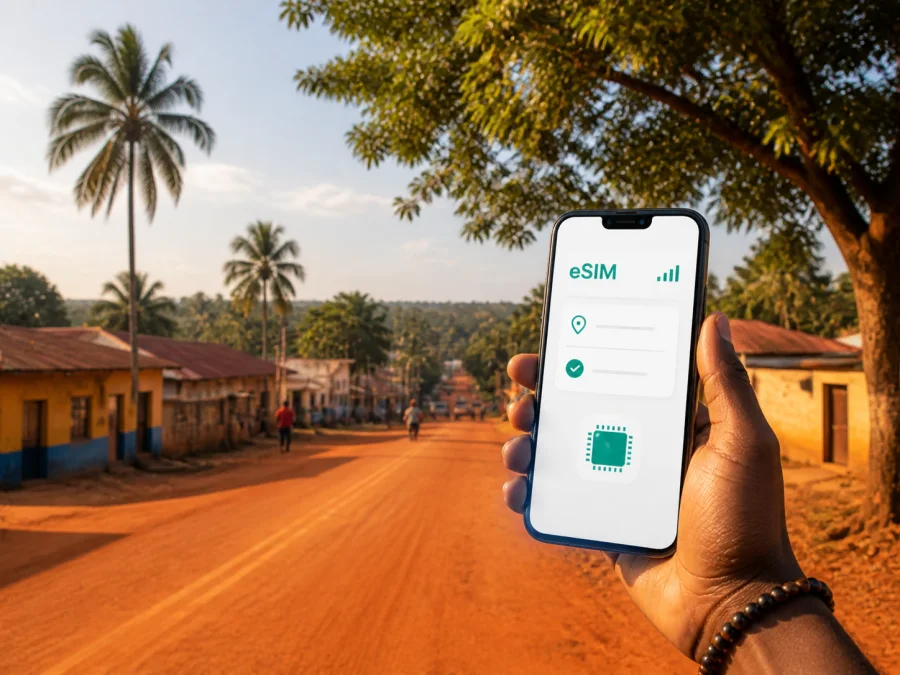
Quinhamel eSIM: mobile connection and internet for your trip to Guinea-Bissau
Quinhamel is a practical base for exploring the Biombo Region of Guinea-Bissau. It is quieter and more rural than Bissau, yet useful for an arrival, a short work visit, or a day trip toward surrounding villages. You may follow a road with few visible landmarks, coordinate a pickup, check a map, or message a host before returning to Bissau. A prepared eSIM can make these tasks easier without a physical SIM card.
This guide explains how to prepare mobile data for Quinhamel, choose an eSIM plan for a Guinea-Bissau itinerary, and avoid setup problems. Kaspersky eSIM Store is an app and website that helps you select, purchase, and activate an eSIM plan for mobile internet abroad. The plan is subject to the destination, network arrangements, and terms shown at purchase.
Why mobile internet matters in Quinhamel
Quinhamel is the capital of the Biombo Region, west of Bissau. Visitors often experience the town as one part of a wider route rather than as an isolated city break: they arrive through Bissau, continue by road, spend time in Quinhamel, and may add coastal or rural stops. A reliable way to check information while moving between those points is useful even when your main accommodation has Wi-Fi.
The most valuable moments for mobile data are ordinary ones: confirming a driver’s meeting point, opening a map, translating a message, sending an arrival time, checking a transport update, or sharing a location with a colleague. In a compact regional town, online access is less about constant browsing than resolving a question at the right moment. Download maps and key documents over Wi-Fi, but keep mobile data available when the route or schedule changes.
Quinhamel at a glance for a connected trip
| Travel question | Practical answer |
|---|---|
| What is Quinhamel? | A town in Guinea-Bissau and the administrative capital of the Biombo Region. |
| How do visitors reach it? | Through Bissau, followed by a road transfer toward Biombo. |
| Which plan is appropriate? | A destination or regional eSIM plan whose data, validity, and conditions fit your route. |
| What should be prepared first? | A compatible, unlocked device, eSIM details, and offline travel information. |
| What does the eSIM normally replace? | Data roaming or a physical travel SIM for the supported use case; it is not automatically a second phone number. |
The experience can vary by device, location, network, and selected plan. Treat the purchase details as the reference for validity, data, and destination conditions.
Plan the arrival: Bissau first, Quinhamel next
For an itinerary centred on Quinhamel, preparation starts before the final road segment. International arrivals generally use Bissau as the gateway to the region, so data may be needed while leaving the airport area, arranging onward transport, contacting accommodation, or checking a route through the capital.
Before departure, separate information into three groups:
- Arrival details. Keep your flight information, accommodation name, driver contact, and meeting instructions available offline.
- Movement details. Save the route from Bissau to Quinhamel, the names of planned stops, and a simple description of the destination in case you need to ask for directions.
- Communication details. Store the phone numbers or messaging contacts you are allowed to use, plus the language and wording needed for basic coordination.
For work travel, add the meeting address, host’s contact method, and a backup arrival time.
Hotel Wi-Fi may be available at one stage and absent at another; roaming may be convenient but its price and data rules depend on your home operator. An eSIM lets you prepare a digital profile in advance, provided the device and selected plan meet the necessary conditions.
Choosing an eSIM plan for a Quinhamel itinerary
There is no single correct amount of data for every visitor. A person staying in one guesthouse and using offline maps needs a different allowance from a project team sending files, joining online meetings, and travelling between Quinhamel and Bissau. Start with the itinerary, not with a headline number.
A simple way to estimate your data needs
Consider whether these activities will happen occasionally or several times a day:
- navigation and route checks;
- text messages and voice notes in messengers;
- email and document review;
- social media uploads and photo sharing;
- video calls or online meetings;
- hotspot use for a laptop or tablet;
- streaming music or video.
Maps, text messages, email, and occasional photos are generally lighter activities than video calls, cloud synchronization, or streaming. If you plan to use a laptop hotspot, allow more headroom and check tethering conditions. If your hotel or office has Wi-Fi, reserve mobile data for movement outside.
Use this qualitative model because current prices, allowances, validity periods, and supported destinations can change:
| Quinhamel scenario | What to prioritize when comparing plans |
|---|---|
| Short stopover | A modest allowance with enough validity for the arrival, road transfer, and departure window. |
| Weekend or short leisure visit | A balance between maps, messages, photos, and local movement. |
| Longer regional stay | An allowance and validity period that cover the itinerary. |
| Fieldwork or business travel | Data for documents, calls, updates, and possible hotspot use; confirm the conditions. |
| Quinhamel plus other destinations | A destination or regional option that explicitly matches every country or area on the route. |
In Kaspersky eSIM Store, you can review available options for an Africa itinerary and compare the information shown for the selected plan. Use the displayed data allowance, validity, destination, price, activation terms, and any usage restrictions to make the final choice. The Africa page is a regional option; it does not change the need to confirm that the individual plan supports Guinea-Bissau and the rest of your route.
Moving, navigating, and staying in Quinhamel
The most useful mobile tools in Quinhamel are likely to be lightweight: a map, messaging, translation, notes, and travel documents. Regional travel rewards a deliberate routine. Do not assume every road, footpath, or small venue will be labelled in the same way in your mapping app.
Before leaving accommodation, search for the destination, confirm it with your host or driver, save a nearby landmark, and take a screenshot of key directions. Share your expected arrival time and save the return location. A power bank is useful for a longer transfer.
Transport arrangements may be informal, and departure times can depend on the person or vehicle involved. Ask for the pickup point, a recognizable landmark, the driver’s name or description, and what to do if delayed. A map estimate is a planning aid, not a promise of an exact arrival time. For short trips around Quinhamel, ask locally about the practical option for the current road.
Before arrival, confirm whether your accommodation has Wi-Fi in the room or only in a common area, whether late arrival is accepted, and which contact channel it monitors. Once checked in, use mobile data to send an arrival message, save the location, confirm the next meeting point, and coordinate transport. Use Wi-Fi for large downloads or backups when possible.
For a business stay, keep work files offline and allow flexibility around road transfers. Do not promise colleagues a particular connection quality until you have tested the location.
A practical setup checklist before you leave
Complete this checklist while you still have reliable Wi-Fi:
- [ ] Confirm that your phone or tablet supports eSIM and is not locked to a mobile operator. Check your device compatibility before purchase; regional versions of the same model can differ.
- [ ] Choose a plan whose stated destination includes Guinea-Bissau and covers the dates of your Quinhamel itinerary.
- [ ] Read the plan’s data allowance, validity, activation trigger, hotspot conditions, and refund terms.
- [ ] Keep the QR code or activation details accessible offline or on a second screen.
- [ ] Save accommodation and transfer information offline.
- [ ] Decide which line will be used for mobile data and which line will remain available for your usual number, if applicable.
- [ ] Remember that ordinary calls and SMS may continue to use your primary line unless you change the settings.
An eSIM plan for travel usually provides mobile data, not a new conventional telephone number. Calls and SMS are not included unless the selected plan says otherwise. Messaging and internet calling apps can work over data, but their availability and quality depend on the app, device, and network conditions.
How to install and activate an eSIM
The exact menu names differ by device and operating-system version. Install the profile when you can concentrate and keep the QR code available. For a detailed walkthrough, use the Android installation instructions or the iOS installation instructions.
Before installation
Check the destination and plan details once more. Do not scan repeatedly or delete a profile simply because the network does not appear immediately; activation rules vary. Keep your primary SIM active if you need its number and note which line is selected for data.
Typical installation sequence
- Open the mobile-network or cellular settings on your device and choose to add a mobile plan or eSIM.
- Scan the QR code or enter the activation details supplied after purchase.
- Label the new line, such as “Travel data”, and select it for mobile data when ready.
- Turn off automatic switching to another line if your device offers that option.
- After arrival, enable data roaming for the eSIM only if the plan instructions require it.
- Test a simple web page or message and check that the intended line is using data.
If you install before departure, the profile may remain ready until the plan’s activation condition is met. Timing depends on the plan terms. If you install after arrival, use Wi-Fi where possible and allow time for the device to register with a supported network.
If mobile data does not work immediately
Pause and check the basics rather than changing several settings at once. Confirm that the eSIM line is on, selected for mobile data, and associated with the intended plan. Check airplane mode, then try a brief restart. If the plan requires data roaming, enable it for the eSIM; avoid enabling it on your primary line to prevent accidental charges.
A calm troubleshooting order is:
- Check the plan destination and validity.
- Check that the eSIM profile is installed and active.
- Check the selected mobile-data line.
- Check the data-roaming requirement for that profile.
- Move outdoors or to a location with a clearer signal and wait briefly.
- Restart the device if the settings look correct.
- Contact support with the order details and a description of the steps already completed.
Do not delete a working or partially installed eSIM unless the instructions or support team tells you to do so. A profile may not be transferable after activation, and replacement or refund depends on the purchase and usage terms.
Three practical Quinhamel scenarios
Short stopover. Prioritize activation timing, navigation, and the road transfer. Keep documents offline and reserve data for confirming the driver, sharing your position, and checking the next step.
Work visit. Estimate data for email, documents, messaging, and video calls. If you need a laptop hotspot, check whether tethering is allowed.
Regional exploration or return through Bissau. Save the return route, share your plan with someone who is not travelling with you, and confirm that each destination is included. On the last day, check the departure time before leaving Quinhamel.
Frequently asked questions
Is an eSIM useful for a trip to Quinhamel?
Yes. It can help with mobile data during arrival, road transfers, navigation, messages, and coordination. Use depends on a compatible unlocked device, a plan that includes Guinea-Bissau, and local network conditions.
Should I choose a Guinea-Bissau or regional plan?
Choose the option whose stated destination matches your complete itinerary. A country-specific plan may fit Quinhamel and Bissau; a regional plan may be relevant when the route includes other supported countries. Read the details to confirm Guinea-Bissau coverage and regional conditions.
Can an eSIM replace my normal phone number?
Not automatically. A travel eSIM is generally intended for mobile internet and may not include a conventional phone number, calls, or SMS. Keep your primary line available when you need its number, and check your device’s data and call settings before departure.
Is Kaspersky eSIM Store a mobile operator?
No. Kaspersky eSIM Store is an app and website that helps you choose, purchase, and activate an eSIM plan for mobile internet while travelling abroad. It does not replace the local network; use the conditions displayed for the selected destination.
Final preparation for Quinhamel
The best plan for Quinhamel matches your arrival through Bissau, road movement, work needs, and required validity. Prepare offline information, check the device, and control which SIM line uses data.
When ready, choose an eSIM plan for your Guinea-Bissau journey through Kaspersky eSIM Store, then install and activate it according to the plan instructions. You will have a clear digital starting point for maps, messages, and coordination in Quinhamel while keeping the plan’s limitations in view.


