
Travel connectivity guide
Quito eSIM: Mobile Internet Travel Guide
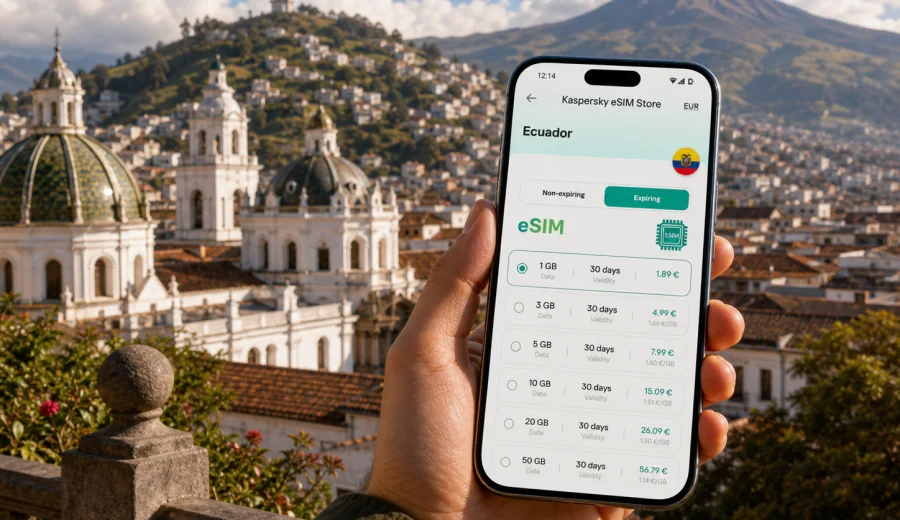
Quito eSIM: mobile connection and internet for a smooth trip
Quito is a city where mobile internet becomes useful as soon as you land. The airport is outside the urban core, the city stretches along a high Andean valley, and many places travelers want to reach are separated by hills, one-way streets, traffic, and changing weather. A Quito eSIM helps you prepare mobile data before the trip, so you can open maps, message your hotel, check a ride, and coordinate the first day without looking for a physical SIM card after arrival.
This guide focuses on Quito, not Ecuador in general. It covers airport arrival, movement between districts, navigation in the historic center, hotel check-in, business days, short stopovers, and trips from the city. It also explains how to choose a data package and install an eSIM on a compatible device.
Why mobile data matters in Quito
Quito rewards travelers who can check details in real time. Centro Histórico has narrow streets, colonial plazas, churches, museums, and steep walking routes. La Mariscal, La Floresta, La Carolina, Iñaquito, Guápulo, and Cumbayá can fit into one trip, but travel time changes during busy hours. Weather near TelefériQo or city viewpoints may also shift quickly.
Mobile internet is useful for:
- finding the correct airport pickup point;
- sharing your hotel address with a driver;
- comparing walking, taxi, metro, and bus options;
- checking opening hours before crossing the city;
- translating menus, signs, and short messages;
- sending location updates to travel companions;
- joining work chats during a business trip;
- checking weather before visiting higher viewpoints;
- planning day trips from Quito to Mitad del Mundo, Otavalo, Mindo, Papallacta, or Cotopaxi.
Because Quito sits at high altitude, many visitors adjust their first day around energy level and weather. With mobile data, you can shorten a walking route, order a ride back to the hotel, or move a viewpoint visit without returning to hotel Wi-Fi.
Arrival at Mariscal Sucre International Airport
Most international travelers arrive through Mariscal Sucre International Airport near Tababela, east of Quito. The airport is modern and organized, but it is not in the center. Your transfer may take a meaningful part of the day, especially if you are going to Centro Histórico, La Mariscal, La Carolina, or the northern business districts.
Mobile internet is especially helpful in the first hour after landing. You may need to contact your accommodation, confirm a transfer, check booking details, or open a map before leaving the terminal. If your phone is already prepared with an eSIM, you can switch on mobile data once the plan is ready for use according to its terms and avoid relying only on airport Wi-Fi.
Arrival checklist:
- Save your hotel name and full address before flying.
- Keep your booking reference available offline.
- Install your eSIM before departure if the instructions allow it.
- Know which SIM line is used for mobile data.
- Keep roaming data enabled for the eSIM if the selected plan requires it.
- Download an offline map of central Quito as a backup.
For airport transfers, mobile data helps you follow the route, share location, and check traffic. It is also useful if your flight arrives late and you need to message a reception desk or apartment host.
Quito districts where an eSIM is useful
Quito is long and narrow, with neighborhoods that feel distinct even when they are close on the map. A city-focused eSIM plan supports the small decisions you make while moving between areas.
| Area | Why travelers go there | How mobile data helps |
|---|---|---|
| Centro Histórico | Plazas, churches, museums, colonial streets | Walking navigation, translation, ride pickup points |
| La Mariscal | Hotels, restaurants, nightlife, tour agencies | Messaging, rides, safer route planning in the evening |
| La Floresta | Cafes, galleries, casual dining | Map searches, reservations, meetups |
| La Carolina and Iñaquito | Offices, shopping, parks, meetings | Calendar updates and route planning |
| Guápulo | Views, restaurants, steep streets | Choosing transport and checking return options |
| Cumbayá | Dining and meetings outside the center | Longer ride planning and location sharing |
| TelefériQo area | Cable car access and mountain views | Weather checks, tickets, maps, messaging |
The most common Quito mistake is assuming that short distance means short travel time. Hills, traffic, road layout, and weather can all change the plan.
Choosing data for a Quito itinerary
Your data needs depend more on travel style than on the number of days alone. A weekend visitor using maps, rides, translation, and photo uploads may need more data than a business traveler on hotel and office Wi-Fi.
| Travel pattern in Quito | Typical mobile data use | What to consider |
|---|---|---|
| Arrival, maps, messaging, light browsing | Low to moderate | Good for short visits with careful Wi-Fi use |
| Daily navigation, rides, translation, sharing | Moderate | Practical for most city breaks |
| Business email, cloud documents, hotspot | Moderate to high | Check hotspot availability in the tariff terms |
| Video calls, uploads, streaming | High | Choose more data and monitor balance |
| Quito plus day trips | Moderate to high | More time away from hotel Wi-Fi means more mobile data use |
Avoid choosing a data package only by price. Look at data amount, validity period, destination, activation rules, and whether the plan fits your route. If you also visit nearby places, choose a tariff that covers Ecuador.
If you want to prepare before the flight, use Kaspersky eSIM Store to choose a mobile data plan for Ecuador that fits a Quito itinerary. Review data amount, duration, destination, and activation details before relying on it for arrival, transport, and daily navigation.
eSIM, roaming, airport Wi-Fi, or local SIM?
Each option can work, but they solve different problems. A Quito eSIM is useful when you want to prepare mobile data before the trip and avoid spending arrival time at a counter. Travel eSIM data plans may not include a regular phone number, calls, or SMS unless stated in the selected tariff.
| Option | Best fit | Main limitation |
|---|---|---|
| Travel eSIM | Preparing mobile internet before or during the trip | Requires a compatible, unlocked device |
| Home roaming | Keeping your usual SIM active with minimal setup | Conditions and costs depend on your home operator |
| Airport or hotel Wi-Fi | Short checks and downloads | Limited to specific locations and may require sign-in |
| Physical local SIM | Longer stays with local mobile needs | Requires time to buy and manage a physical card |
For many visitors, the practical setup is dual SIM: keep the regular SIM active for essential messages and use the eSIM line for mobile data in Ecuador.
When to prepare your eSIM for Quito
The best time to prepare an eSIM is before you depend on it. Select a plan, read the activation rules, and install the profile while you still have stable Wi-Fi. Some plans start validity when installed; others start when they connect to a supported network at the destination.
Good preparation sequence:
1. Check whether your phone supports eSIM and is not locked to one operator.
2. Choose Ecuador as the destination for a Quito trip.
3. Compare data volume and validity against your itinerary.
4. Complete the order and keep installation details available.
5. Install the eSIM over stable Wi-Fi.
6. Keep your primary SIM settings as needed for calls or messages.
7. Turn on the eSIM data line according to the plan instructions.
For late arrivals, early meetings, or onward transfers, setup before departure reduces decisions that depend on airport Wi-Fi, shop opening hours, or language barriers.
Installation and activation: what to check
Installing an eSIM is usually a short process, but it is worth doing calmly. You need a compatible device, stable internet during installation, and attention to which line is used for data. If this is your first eSIM, follow the relevant setup guide: Android installation instructions or iOS installation instructions.
Before buying or activating, check device support. eSIM availability depends on the exact model, region, and carrier lock status. Use the compatibility checker before purchase: Check your device.
Activation tips:
- Install while connected to reliable Wi-Fi, such as at home or in your hotel.
- Keep the QR code or installation details accessible.
- Label the eSIM line clearly, for example "Ecuador data" or "Quito trip."
- Set mobile data to the eSIM line when you want to use the travel package.
- Disable cloud backup on mobile data if you want to save traffic.
If mobile data does not start after arrival, check the eSIM line status, mobile data line, roaming data setting, APN details if provided, and activation condition.
Getting around Quito with mobile internet
Quito has several transport patterns: walking in compact areas, taxis or ride services between districts, buses, metro for suitable routes, and arranged transfers outside the city. Mobile data makes these options easier to combine.
Common city movement scenarios:
- Airport to Centro Histórico: confirm the destination, share location, and follow the route.
- La Mariscal to La Carolina: compare walking, metro, taxi, or ride options.
- Old town to TelefériQo: check weather and cloud cover before going up.
- Quito to Mitad del Mundo: confirm departure points and return options.
- Meeting to dinner in La Floresta or Cumbayá: message contacts and adjust timing.
Quito walking routes can be steep. Even when the map shows a short distance, altitude and incline can make it feel longer. Keep battery and data available for return navigation.
Hotels, workdays, stopovers, and day trips
Hotel Wi-Fi is useful for downloads, video calls, and cloud backup, but it does not cover the moments when plans change: in a taxi, outside a museum, at a restaurant door, or while finding an apartment entrance. Use Wi-Fi for heavy tasks and eSIM data for movement.
For business travelers, mobile connection is about control over the day. Meetings may be spread between offices, hotels, coworking spaces, restaurants, and conference venues. Check hotspot needs, keep calendar locations offline, and monitor data use.
For a short stopover, choose one main area instead of crossing the city repeatedly. Save return flight details, track travel time back to the airport, and keep enough battery for the return transfer.
Quito is also a base for day trips to Mitad del Mundo, Otavalo, Mindo, Papallacta, Cotopaxi, and nearby valleys. Mobile data helps with pickup times, weather checks, route changes, and location sharing. Coverage can vary, so download essential maps before leaving the city.
Data-saving settings before exploring Quito
Small settings can make a travel data package last longer:
- Turn off automatic app updates on mobile data.
- Pause cloud photo and video backups until Wi-Fi.
- Download offline map areas for Quito and your day trips.
- Limit background data for social media and streaming apps.
- Check data usage once per day during the trip.
- Keep a data buffer for the airport transfer back.
For navigation, offline maps are a backup; eSIM data supports live traffic, route changes, ride services, and messages.
Common mistakes with eSIM in Quito
Avoid these problems before arrival:
- Buying a plan without checking device compatibility.
- Installing an eSIM on a locked phone.
- Assuming the plan includes calls or SMS when it is data-only.
- Letting cloud backup use a large part of the package on the first day.
- Forgetting to switch mobile data to the eSIM line.
- Keeping data roaming disabled when the eSIM plan requires it.
- Choosing a validity period that ends before the airport departure day.
The key rule is to read the selected plan terms before activation. Data amount, duration, destination, activation trigger, and hotspot availability can differ by tariff.
FAQ: eSIM and mobile internet in Quito
Do I need mobile data immediately after landing in Quito?
It is highly useful. The airport is outside the city, and mobile data helps with transfers, maps, hotel messaging, and route checks.
Is an eSIM enough for a Quito city break?
For many travelers, yes, if the selected plan has enough data and validity. Many travel eSIM plans focus on mobile internet and may not include a standard phone number, voice calls, or SMS.
Can I install the eSIM before I fly?
Often yes, and it is usually more convenient over stable Wi-Fi before departure. Check whether validity starts at installation or connection at the destination.
How much data do I need for Quito?
Light map use and messaging need less data than video calls, hotspot use, streaming, and photo uploads. Choose a package that leaves a buffer for route changes and the airport return.
Final preparation before your Quito trip
Before you travel, make sure your phone supports eSIM, is not locked to one operator, and your chosen package covers Ecuador for the full period you need. Install with a stable connection and check which line your phone uses for mobile data.
For Quito, mobile internet is most valuable during arrival, transport, walking navigation, business coordination, hotel check-in, and day trips from the city.
When you are ready to prepare mobile data for the journey, use Kaspersky eSIM Store to select an eSIM data plan for Ecuador before your Quito arrival. Choose the data amount and validity that match your route, then activate it according to the plan instructions on a compatible device.