Travel connectivity guide
Quy Nhon eSIM: Mobile Data for Coastal Travel
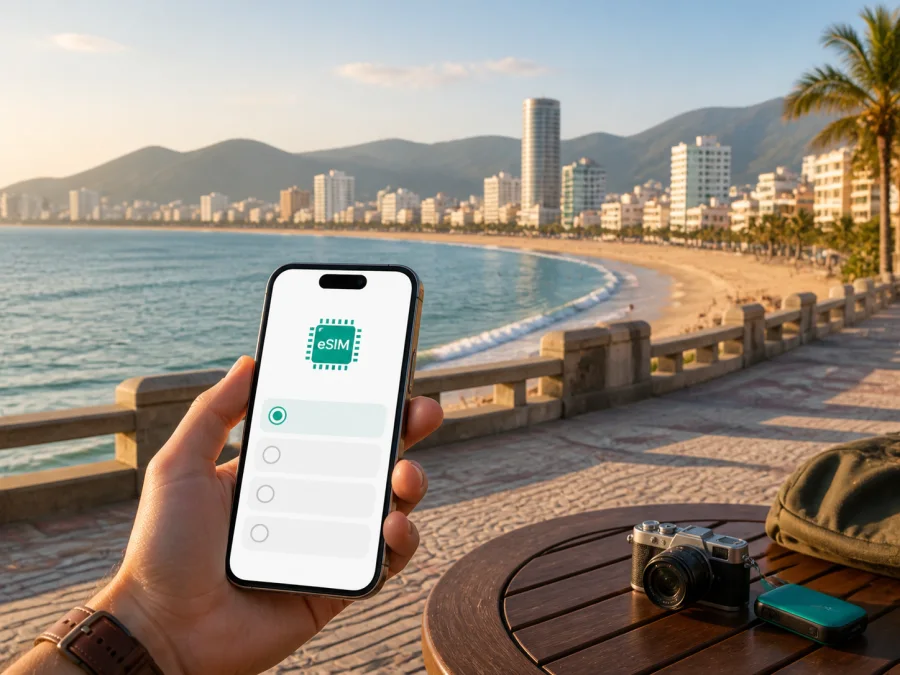
Quy Nhon eSIM: mobile connection and internet for your trip
Quy Nhon is a coastal city where a relaxed holiday still involves plenty of small digital tasks. You may arrive through Phu Cat Airport, travel to a hotel by the beach, meet someone in the centre, and later head towards Ghềnh Ráng or Thi Nai. Mobile internet helps you check a transfer message, open a map, confirm a reservation and contact a host without stopping to look for Wi‑Fi.
An eSIM, or embedded SIM, is a digital SIM profile that can be added to a compatible phone. For a visit to Quy Nhon, it can let you prepare travel data for Vietnam before departure or arrange it after arrival while keeping your physical SIM in the phone for calls or messages if needed. Kaspersky eSIM Store is an app and website that helps you choose, arrange and activate an eSIM with a suitable data plan for an international trip.
Quy Nhon at a glance for a connected trip
The useful connection decision in Quy Nhon is linked to your itinerary, not to a generic country checklist. Consider the airport transfer, your time near the waterfront, any work commitments and whether you will continue to another place in Vietnam.
For a connected Quy Nhon trip, prepare four things: airport transfer details, an offline hotel address, a plan whose validity covers the stay, and coverage that matches any onward Vietnamese destinations. Business travellers should also account for calls, files and authentication rather than only maps and messages.
When an eSIM can help in Quy Nhon
The first hours after landing are often the most demanding. You may need to identify a vehicle, share your location, send a message in a different time zone or open a translation tool. Preparing an eSIM beforehand means the data profile is ready when you need it, subject to the device and plan conditions.
Separating travel data from your everyday number can also be practical. Keep the physical SIM for incoming calls or authentication messages if required, and select the eSIM for mobile data. Menu names differ by phone, so review the settings for your exact model before flying.
In Quy Nhon, this is useful when arriving outside the city, moving between the waterfront and southern coastal sights, adapting a flexible day plan, working from a hotel, coordinating a group or continuing to another Vietnamese destination. The value is a simpler routine: decide which line carries data, check when the plan starts, and keep a backup of important addresses.
Arrival: from Phu Cat Airport to your hotel
Phu Cat Airport is separate from the urban beachfront, so the first transfer deserves its own preparation. Baggage, transport, accommodation instructions and unfamiliar roads can all compete for attention. Mobile data helps you handle the essentials in a sensible order.
Before leaving the terminal, confirm the meeting details, compare the vehicle with your booking, open the saved hotel address and check that the intended eSIM is selected for mobile data. Keep enough battery for navigation and communication.
Save the exact accommodation address before your flight. If you arrange transport after landing, check the pickup point and share the destination with your companion. A map pin for the entrance is more useful than “near the beach”.
Do not assume that a network name or map pin alone settles every question. Read the plan conditions, select the intended data line and check that the home SIM is not using data roaming unexpectedly. Registration may take a few minutes and can differ by device.
Moving around the city and along the coast
Walking is part of many Quy Nhon itineraries, but heat, rain and traffic can make a short-looking route feel longer. Use mobile data to build a route that fits the day.
Near Quy Nhon Beach, pin the hotel, a meeting point and the next stop. For Ghềnh Ráng, save the destination before leaving the centre and use the spelling from your booking or map application. Pin a restaurant or hotel entrance rather than relying on a vague landmark.
Transport availability can vary with time and weather. Compare current options, confirm the pickup point and share the destination. If you use a taxi or ride-hailing service, check the vehicle and driver information before entering.
Use mobile data for maps, messages and bookings rather than constant streaming. Pin an entrance, share one meeting point with the group and keep a screenshot of the hotel address as a backup. The eSIM does not choose a route for you; it gives you a practical way to check the route, change plans and communicate when the group separates.
Areas where mobile data is useful
Central waterfront
Hotels, cafés, restaurants and the seafront make the centre a natural base. Here, data is mainly for coordination: checking a reservation, sending a location, finding a quieter street or confirming a meeting time. If you use hotel Wi‑Fi for large downloads, a travel plan can be reserved for movement outside.
Quy Nhon Beach
Beach walks often involve several meeting points. Sun, sand and crowds make it easy to lose track of a small bag or wait at the wrong entrance. Save the pin, keep the phone protected and close navigation when you are not using it.
Ghềnh Ráng and Thi Nai
For a trip towards Ghềnh Ráng or the Thi Nai area, save the destination, share the route and charge the phone before leaving. Check whether your plan covers Vietnam as a whole or a narrower area. Use data for decisions that can change—navigation, messages and transport—rather than content you could have downloaded earlier.
Quy Nhon has a rhythm of airport transfer, urban waterfront, coastal excursion and possible onward travel, so your data setup should follow the route.
Choosing an eSIM plan for your itinerary
Choose by use pattern rather than an arbitrary data amount. A traveller who checks maps and messages has a different need from a consultant who joins calls, uploads files and works from a hotel room.
Ask yourself:
- How long will you use mobile data? Match validity to arrival, the stay and departure. Check when the plan begins under its terms.
- Will you leave Quy Nhon? If the route continues to Da Nang, Nha Trang, Ho Chi Minh City or elsewhere in Vietnam, confirm coverage for the complete route.
- What will use data? Navigation and messaging are lighter uses than video calls, cloud backups, photo uploads or streaming.
- What is your backup? Keep hotel details offline, retain your usual line if needed and know how to reach support.
Match the plan to the day
| Itinerary | Main data priorities | Planning approach |
|---|---|---|
| Short beach break | Maps, messages, bookings and searches | Match validity to the short stay and leave room for navigation |
| Multi-city Vietnam route | Transport changes and accommodation messages | Confirm country coverage and validity for every stop |
| Business visit | Calls, email, documents and authentication | Allow for work use and keep large downloads on trusted Wi‑Fi |
| Family holiday | Group chats, translations and location sharing | Leave headroom for the group’s actual use |
| One-night stopover | Transfer details and check-in | Prioritise straightforward preparation and suitable validity |
These are planning categories, not promises about a particular allowance. Review the Vietnam options in Kaspersky eSIM Store, compare the data size and validity shown for each plan, and select the one that fits your route. To choose an eSIM plan for your trip to Vietnam, use the country page that corresponds to Quy Nhon rather than looking for a separate city product.
Hotels, remote work and business trips
Your hotel may be a base between excursions or a temporary office. At check-in, mobile data can help you contact reception, translate a question, find the entrance or message a colleague. Use hotel Wi‑Fi for large work tasks when appropriate and keep the eSIM for mobile use outside.
Before a remote-work day, check:
- that you can sign in to your work account;
- that authentication messages go to the intended line;
- that the meeting application has the right permissions;
- that you have a quiet indoor place and enough battery;
- whether tethering is allowed by your plan if a laptop needs the phone’s data.
Do not assume that every coastal location is equally suitable for a video call. Weather, buildings, congestion and the specific network used by the plan can affect the experience, so keep the hotel connection or another agreed option as a backup.
On a business day, an eSIM is most useful between fixed points: confirming an appointment, arranging a car, opening a presentation or sending a location to a client. Prepare the next meeting details before leaving the current one.
Short stopovers and onward travel
Quy Nhon may be the main destination or one stop on a longer route through Vietnam. For a short stay, keep a note with the arrival point, accommodation address, transfer contact, next departure point and eSIM activation details.
If you leave the city, confirm the plan’s geographic scope before activating it. The focus here is Quy Nhon, but the plan should fit the journey you will actually make. When dates change, revisit validity and remaining data instead of assuming the original selection still works for the new itinerary.
How to install and activate an eSIM
Set up the profile while you have internet access and enough battery. Before starting, confirm that your exact phone model supports eSIM and is not locked to an operator. If you need a device check, check your device compatibility before selecting a plan. For operating-system-specific steps, use the Android installation instructions or the iOS installation instructions.
Before installation
- Check eSIM support for the exact model and sales region.
- Confirm that the phone is not carrier-locked.
- Connect the phone to the internet and keep it charged.
- Keep the QR code or profile details from Kaspersky eSIM Store accessible.
- Read activation, validity and data conditions.
- Decide whether your home SIM should remain enabled for calls and messages.
Five steps
- Open mobile-network settings. Choose the option for adding a mobile plan or eSIM.
- Scan the QR code or enter profile details. Follow the on-screen instructions.
- Label the new line. For example, use “Vietnam data” so it is easy to identify.
- Select the eSIM for mobile data. Keep your preferred line for calls and messages if needed, and check the data-roaming setting required by the device and plan.
- Test a basic task. Open a map or send a message, then confirm that the intended line is being used.
Registration may take a few minutes. If you want to use the eSIM only after arriving in Quy Nhon, follow the plan’s activation conditions and do not select it for data earlier than intended. Keep the original instructions until the trip ends.
Checklist before departure
- [ ] The plan covers Quy Nhon and every other Vietnamese stop on your route.
- [ ] Validity and data amount match your dates and actual use.
- [ ] Your exact phone model supports eSIM and is not carrier-locked.
- [ ] The QR code or account details are easy to access.
- [ ] The home SIM and travel eSIM are clearly labelled.
- [ ] Hotel, transfer and onward-journey details are offline; a charger is packed.
A small test at home can prevent confusion: identify the profile in SIM settings and review which line is selected for data. If something looks wrong, read the instructions and contact support.
Questions travellers ask about Quy Nhon eSIM
Can I use an eSIM after arriving through Phu Cat Airport?
Yes, if the phone supports eSIM, is not operator-locked and the plan applies to Vietnam under its conditions. Prepare the profile before departure when possible, then select it for mobile data at the appropriate point.
Do I need a physical SIM card in Quy Nhon?
No. A compatible phone can use a digital eSIM profile without a second physical card. You may keep your usual SIM active for calls or messages, subject to your home operator’s settings.
Does a travel eSIM include a Vietnamese phone number?
Usually not. Travel eSIM plans are intended for mobile internet and do not include a normal number, voice calls or SMS unless the specific plan says otherwise. Messaging and calling apps can use data.
Can the plan be used outside Quy Nhon?
That depends on its stated geographic coverage. Check whether it applies across Vietnam or to a narrower area before travelling to another destination.
What if the eSIM does not connect?
Confirm that the profile is enabled, selected for mobile data and configured as required. Check data roaming, move to a clearer-signal location and restart the phone if appropriate. If the issue continues, verify the profile details and contact support.
Can I use hotspot for a laptop?
Some devices and plans may support tethering, but it is not universal. Check the plan conditions before relying on a hotspot for work.
Prepare your mobile connection for Quy Nhon
For Quy Nhon, save airport-to-hotel details, choose a Vietnam plan for the full route, check the phone model, install the profile and test data before you need it. Keep important addresses offline.
Kaspersky eSIM Store helps you choose, arrange and activate an eSIM with a suitable plan for mobile internet during an international trip. It is an app and website for that preparation, not a mobile operator. Review the conditions and select the data line deliberately.
When you are ready, choose an eSIM plan for a trip to Vietnam and prepare your mobile connection for Quy Nhon before the first transfer.


