Travel connectivity guide
Rabaul eSIM: Mobile Internet in Papua New Guinea
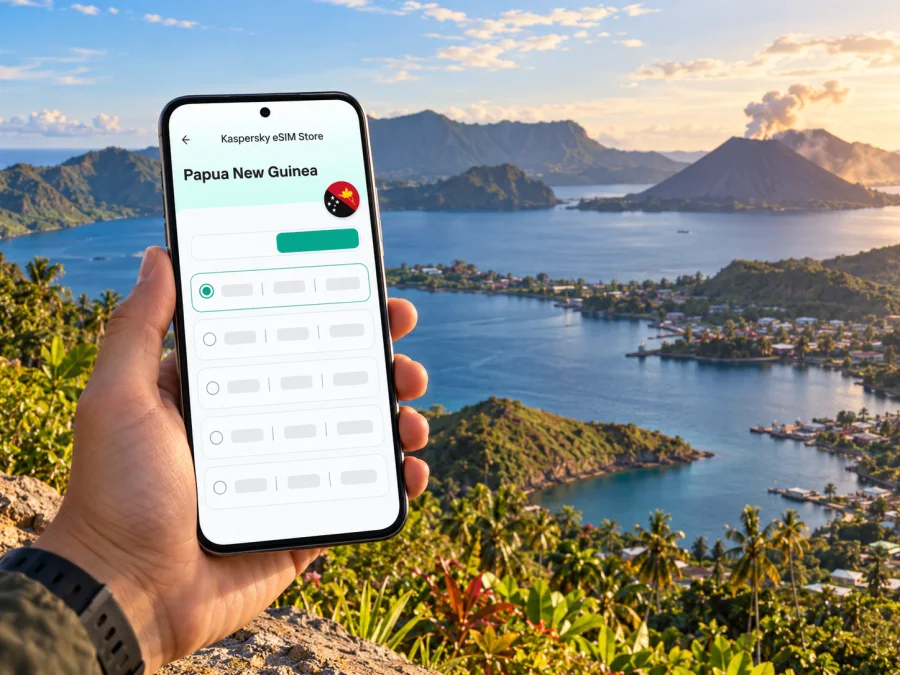
Rabaul eSIM: mobile connection and internet for a volcanic harbour journey
Rabaul is a town shaped by a dramatic setting: Simpson Harbour, volcanic slopes, wartime history and a coastline that opens onto island routes. It is also a place where a travel day can involve several distinct environments: arrival through Tokua Airport, a road transfer via Kokopo, time in Rabaul town, and excursions toward viewpoints, historic sites or the water. Mobile internet can help with messages, bookings, maps and coordination, but it should be one layer of preparation rather than the only one.
Rabaul lies in East New Britain, Papua New Guinea. The provincial capital and main service centre is now Kokopo, while Rabaul remains a destination in its own right. The 1994 eruptions of Tavurvur and Vulcan profoundly changed the town and the surrounding communities. Today, visitors come for volcanic landscapes, harbour scenery, heritage and local culture. Conditions and access can change, especially around volcanic areas, so confirm plans with a local host or experienced guide before setting out.
This guide explains how to plan mobile data for Rabaul, where an eSIM may be useful, and what to prepare for the places where a phone signal or data connection may be uncertain.
What mobile internet is useful for in Rabaul
A working data connection is most valuable for the practical transitions in a trip. You may need to confirm a pickup after landing, message your accommodation if arrival time changes, check a saved route, or coordinate with a guide. In town, data can help with digital bookings, translation, weather checks and communicating with people at home. For a day trip, it can support logistics before departure and after returning to a covered area.
A data eSIM is not the same as a local voice line. The travel plans listed for Papua New Guinea through Kaspersky eSIM Store are data-focused; check the selected offer’s details before purchase. If you need ordinary calls or SMS, confirm whether your existing SIM, roaming arrangement or a locally obtained service covers that need. Internet calling and messaging apps can work over data, but they still depend on an active connection and the other person’s app account.
| Trip moment | How mobile data may help | Keep ready offline |
|---|---|---|
| Before departure | Review your eSIM details and share arrival information | Booking confirmations, passport details and emergency contacts |
| At Tokua Airport | Message your driver or accommodation if a connection is available | Pickup name, meeting point and phone number |
| Transfer toward Kokopo and Rabaul | Check route notes and coordinate stops | Saved map area, address and planned return time |
| In Rabaul town | Look up saved notes, contact a guide or send messages | Key locations, tour arrangements and essential numbers |
| On a volcano or harbour excursion | Contact your host if service is available | Guide instructions, water plan and agreed meeting point |
Coverage is not a guarantee of usable data at every moment. A signal can vary by network, terrain, weather, device and local conditions. Do not assume that a phone will work inside a vehicle, at a viewpoint, on a boat or beyond a settled area simply because it worked in town. Ask your accommodation or tour provider which network they use locally and where they expect service to be intermittent.
Arrival: Tokua Airport, Kokopo and the onward journey
Tokua Airport, code RAB, serves East New Britain. Air Niugini’s airport information places Tokua about 12 kilometres from Kokopo. Rabaul lies farther along the Gazelle Peninsula road, so confirm the full transfer arrangement rather than treating the airport as being in central Rabaul. Your accommodation or tour operator can advise on pickup, transport timing and current road conditions.
Before you board, save the driver’s name, mobile number, accommodation address and any meeting instructions. Download offline map coverage for the area if your map app supports it, and keep a screenshot or note of your route. Airport or hotel Wi-Fi may be available, but it should be treated as a convenience, not a prerequisite for reaching your driver.
At Tokua, take a moment to verify that your phone has selected the intended data line and that the eSIM is active according to its instructions. If it does not connect, do not repeatedly delete or reinstall the profile. Check airplane mode, mobile data line selection and the plan’s activation requirements first; then use the provider’s support route while you have Wi-Fi or ask your host for help.
Kokopo is often the practical base for provincial services and arranging excursions, while Rabaul is the focus for the harbour, volcanic scenery and historical visits. Some itineraries combine both places in one day. If you have a short stop or a flight connection, agree the pickup and return time in advance and leave a buffer for road conditions. A map estimate is not a promise about actual travel time.
Plan around Rabaul’s landscape, not just the map
Rabaul sits beside Simpson Harbour in a volcanic setting. Mount Tavurvur is a prominent feature, and the wider area includes historic sites, coastal communities and routes that may require a local operator. The East New Britain Tourism Authority advises visitors to check current local guidance, avoid restricted ground and use an experienced guide around volcanic landscapes. That advice matters more than a pin on a map or a route suggested by an app.
Mobile data is helpful for coordination, but it cannot tell you that a trail is open, that ash or ground conditions are safe, or that an excursion is running as planned. Ask your host or guide on the day. If you are travelling independently, do not enter restricted or unfamiliar volcanic ground based solely on an online map. Follow signs and local instructions, and change the plan if access or weather conditions are not suitable.
Consider the day as several separate segments:
- Town and accommodation. Confirm the guide, departure time and any transport by message while you have reliable access.
- Road transfer. Keep the planned destination and return time saved. If you stop, tell your driver or host before changing the itinerary.
- Volcanic or heritage site. Follow the guide’s instructions and do not rely on live maps or a continuous signal.
- Coastal or island activity. Confirm the boat, meeting point, sea conditions and return arrangements with the operator before leaving shore.
- Return to town. Send a quick update once you regain service, and let your accommodation know if your timing changes.
For cultural visits, arrange introductions through a local contact, follow your host’s guidance and ask before photographing people, homes or ceremonies. A phone makes it easy to take pictures and share them, but permission and respect come first. Keep your device secure and put it away when a guide or community host asks you to focus on the visit.
Choosing an eSIM for a Rabaul trip
A country plan is selected for Papua New Guinea, not for Rabaul alone. The public destination page currently lists Digicel as the local telecommunications provider for the displayed Papua New Guinea offers. That identifies the network shown for those offers; it does not promise coverage at a particular hotel, road, harbour, trail or island. Check the plan page at the time you choose because availability, partner networks, package conditions and prices can change.
You can review current Papua New Guinea eSIM options and compare the displayed data allowance, validity period and activation terms. Choose based on the whole itinerary: how long you will be in the country, whether you will use maps and messaging often, and whether your trip includes places where you may have limited access to Wi-Fi. Do not select a package on the assumption that it will replace offline preparation or guarantee a signal beyond populated areas.
A simple way to estimate your needs is to list likely uses rather than guess a single number:
- Light use: messaging, occasional route checks and booking updates, with most browsing done on Wi-Fi.
- Regular use: daily navigation, photo sharing, web searches, translation and frequent messaging.
- Higher use: regular video calls, cloud backups, streaming or uploading many large files. These can use data quickly; defer backups and downloads to trusted Wi-Fi where practical.
The amount you need depends on your habits and the app settings on your phone. Disable automatic photo backups over mobile data if you want to conserve an allowance. Download maps, translation packs, tickets and tour confirmations before leaving Wi-Fi. For a remote or weather-sensitive excursion, prioritize having the day’s information saved over buying extra data as a substitute for a local guide.
Before paying, look at the offer itself rather than relying on a general description. Check the destination, data amount, validity, start or activation rule, supported network if shown, top-up options and whether the plan includes voice or SMS. The destination page can change, so use the live offer details for the decision. If your route extends to another country or island territory, verify that the same package explicitly includes it; a Papua New Guinea plan should not be assumed to cover every nearby destination.
Device compatibility and preparation
An eSIM requires a device variant with eSIM capability and no carrier restriction that prevents activation. Support can differ between regional versions of the same phone model, and some devices sold for particular markets omit eSIM even when another variant with a similar name supports it. Check your exact model and regional variant in the device settings or manufacturer’s documentation, then check whether your device is compatible before choosing a plan. Do not rely on a broad model-family name alone.
Also confirm that the phone is unlocked for use with another provider. Keep your primary SIM active if you need its number for calls or verification codes, and choose which line handles mobile data. A travel eSIM may provide data without a separate local telephone number; keep your usual number available if you need it, while checking your home operator’s roaming terms.
Before you leave
- Confirm the exact device variant supports eSIM and is not restricted by a carrier lock.
- Install the eSIM while you have stable internet, following the instructions provided for your device.
- Read when the data package starts and whether it needs a manual activation step on arrival.
- Label the travel line clearly in your phone settings, such as “PNG data”.
- Decide which SIM handles mobile data and which remains available for calls or SMS.
- Save your accommodation, airport pickup and tour contacts offline.
- Download maps and essential documents before departure.
- Bring a charging cable and a power bank if you have one; navigation and camera use can drain a battery.
Installation steps vary by operating system and device. Follow the on-screen flow for your exact phone: eSIM setup instructions for Android or eSIM setup instructions for iOS. Keep access to Wi-Fi during installation, and avoid scanning an activation QR code more than once unless the instructions specifically say to do so.
If data does not connect
Start with the simplest checks and change one setting at a time:
- Confirm that the eSIM profile is still present and enabled.
- Check that mobile data is assigned to the travel eSIM rather than the home SIM.
- Turn airplane mode on briefly, then turn it off and allow the phone to reconnect.
- Restart the phone if the line still does not register.
- Review the plan’s network selection and roaming instructions; only enable data roaming for the travel eSIM if its instructions require it.
- Move to an open, populated area if it is safe and practical, then wait for the phone to register.
- If there is still no service, connect to Wi-Fi and contact the eSIM provider or ask your accommodation for current local guidance.
A lack of service in a particular place may be a coverage limitation rather than an installation fault. Do not remove the profile as a first troubleshooting step: some QR codes are single-use, and restoring a deleted profile may require support. Keep a conventional backup plan for essential communication, such as your accommodation’s number, a meeting point and agreed check-in times.
Itineraries and connection needs
A short Rabaul stop
If you have only a few hours, arrange a driver or organized visit in advance and agree how you will reconnect if a schedule changes. Save your return time, flight details and pickup point offline. Use data for messages and quick checks when available, but do not build a tight plan around real-time directions or continuous coverage.
A town-and-history day
A visit focused on Rabaul’s wartime history and town setting may involve several stops. Keep the day’s order, guide contact and meeting point in your notes. Use mobile data for coordination between stops; use the guide’s local knowledge to decide which locations are accessible and how much time to allow.
Volcano viewpoints and harbour scenery
For a volcanic landscape outing, confirm access and safety guidance on the same day with a local operator. Carry water, sun protection, suitable footwear and offline contact details. A phone can document the trip and help coordinate a return, but it is not a safety device and may not receive a signal at the viewpoint.
Kokopo as a base, Rabaul as a day trip
If you stay in Kokopo, ask your accommodation whether it can arrange transport and what mobile reception guests usually experience along the route. Save the driver’s details and return plan before departure. You can use the same eSIM for the country journey if the selected plan’s terms cover your route, but the signal may differ from one stop to another.
Island or coastal excursion
Ask the operator about the departure point, boat arrangements, weather-dependent changes and expected return before the day begins. Tell someone at your accommodation where you are going. Keep bookings and contact numbers available offline; do not assume your terrestrial mobile plan will provide data while at sea or on an island.
Rabaul mobile connection at a glance
| Question | Practical answer |
|---|---|
| Which airport serves the area? | Tokua Airport (RAB); confirm the transfer onward to Kokopo or Rabaul. |
| Is Rabaul the provincial capital? | No. Kokopo is the current capital; Rabaul is the historic former capital and a separate destination. |
| Does an eSIM guarantee a signal everywhere? | No. Reception varies by location and conditions, especially away from settled areas. |
| Which network is shown on the current store listing? | The Papua New Guinea offers currently display Digicel. Recheck the live terms before purchase. |
| Can the travel eSIM make regular calls? | Check the selected offer. The destination page describes data plans; messaging apps need an internet connection. |
Frequently asked questions
Will my travel eSIM work at Tokua Airport?
The country plan’s destination label does not guarantee reception at every point in the terminal. Install and configure it before travel, then check whether it registers after landing. Keep pickup details offline.
Can I use one eSIM in Kokopo and Rabaul?
A country plan is intended for the country shown in its terms, not one town. Reception on a particular road or at a site still depends on local network and conditions. Check the live plan terms.
What should I do before an excursion where there may be no signal?
Confirm plans with your guide, share your itinerary with your accommodation, save contacts and directions offline, and agree on a return time. Follow local safety advice; mobile service is not a substitute for a guide or a checked-in plan.
A simple checklist for a smoother visit
Before booking: Check your phone’s exact regional variant, confirm it is unlocked, compare the live Papua New Guinea plan terms and decide how much data your typical use needs.
Before departure: Install the eSIM using the correct device instructions, save confirmations and contacts offline, download maps, and agree airport pickup details with your host.
Each morning: Reconfirm the guide, access conditions and return time. Charge your phone and carry a backup note of essential details.
During excursions: Follow local guidance, ask permission before photographing people, keep to agreed routes, and assume data may stop working outside town.
If plans change: Contact your driver or accommodation as soon as service is available. Use an agreed meeting point and avoid relying only on a live map.
Prepare your connection before travelling
For a visit to Rabaul, the most useful setup is one that is ready before you leave Wi-Fi: a compatible unlocked phone, a clearly labelled travel data line, saved contacts and maps, and an itinerary confirmed with local hosts. Kaspersky eSIM Store is an app and website where you can choose, purchase and activate an eSIM for mobile data during an international trip. Review the current terms and choose an eSIM option for Papua New Guinea, then install it before departure and keep offline arrangements for the parts of the journey where reception may be uncertain.


