Travel connectivity guide
Rakuten Big eSIM: compatibility and setup
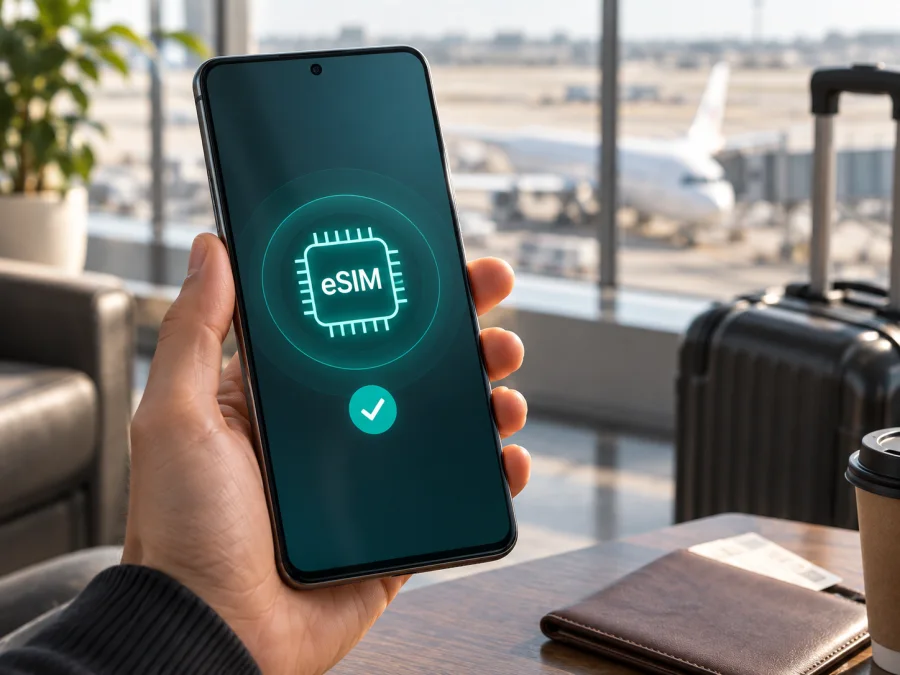
Rakuten Big eSIM: compatibility, setup and travel guide
If you are checking whether Rakuten Big can use a travel eSIM, the short answer is yes. Rakuten Mobile's official product specification identifies the model as ZR01 and lists its SIM type as eSIM. The carrier's official support answer says that only eSIM can be used in Rakuten Big.
That conclusion describes the genuine device sold as Rakuten Big. A used, imported or repaired phone, or a listing that actually refers to Rakuten Big s, can have different conditions. Before purchasing, confirm the EID and eSIM controls on your own phone. This is more reliable than a marketplace title.
Quick answer
Rakuten Big supports eSIM, and the official Japanese specification describes it as eSIM-only. It does not use a conventional nano-SIM for the mobile line. This makes an eSIM the intended way to add a line, but it does not guarantee that every travel plan will activate on every individual unit. The selected plan, destination network, device bands, lock status and software build still matter.
For travel, separate two questions:
- Does this exact phone contain a working eSIM module and expose an EID?
- Will the selected eSIM provider and its partner network accept this unlocked phone in the destination?
Rakuten Big passes the first question when it is the genuine ZR01 model with working eSIM hardware. You must still check the second before ordering. A phone can have eSIM support and still fail on a particular network because of a carrier restriction, unsupported band, APN requirement, account condition or plan limitation.
Rakuten Big eSIM specifications
| Item | What to expect |
|---|---|
| Device name | Rakuten Big |
| Official model reference | ZR01 on the Rakuten Mobile specification page |
| SIM format | eSIM only |
| Platform in the published specification | Android 10 |
| Cellular support | 5G and LTE on the original model; actual service depends on the network and location |
| Removable SIM | Do not expect a physical SIM slot for the mobile line |
| Suitable travel use | A compatible data eSIM for the destination and trip length |
| Important limitation | A Japan-market carrier model is not automatically a universally unlocked phone |
This table is a compatibility guide, not a promise that a particular plan will work. The eSIM profile and its network agreements, as well as the phone, determine whether mobile data connects. A plan can cover a country while the phone remains locked, out of band coverage or unable to accept the profile.
What the official information confirms
Rakuten Mobile's current official product information for Rakuten Big lists eSIM as the SIM type. Its support FAQ says that Rakuten Big can use eSIM only, and the official manual describes an eSIM built into the product. Together, these statements support a direct hardware answer: eSIM is the intended SIM format for Rakuten Big, not an optional feature found only on a special memory version.
Do not confuse this model with Rakuten Big s. They are separate products even though their names are similar. Do not use a Rakuten Big s article, settings screenshot or seller description as proof for Rakuten Big. Ask for the model identifier if a listing is unclear.
There is also a market distinction. Rakuten Big was introduced as a Japanese Rakuten Mobile product, and the official product page now marks it as discontinued. A second-hand device may work normally, but its previous account, device status, regional software and network permissions can affect activation. This does not cancel the official eSIM answer; it explains why “eSIM supported” and “works with this travel eSIM in my destination” are different claims.
The practical compatibility decision
For most genuine Rakuten Big ZR01 units, the hardware answer is positive. The careful travel answer is: compatible after the individual phone and the plan have been checked.
- Hardware: eSIM support is confirmed for Rakuten Big.
- Physical SIM: the official information describes the phone as eSIM-only.
- Unlocking: a carrier or account restriction can prevent another provider's profile from working.
- Coverage: 5G or LTE service depends on the destination partner network and the bands used there.
- Activation: the phone needs an internet connection during setup, normally Wi-Fi.
- Plan rules: a data-only eSIM normally provides mobile internet, not a new number, standard calls or SMS unless the plan says otherwise.
The useful test is not a generic search for “Rakuten Big eSIM.” Open the phone, locate its EID and look for the control used to download or add an eSIM profile. Then compare the destination and network conditions of the plan you intend to use.
Check your specific Rakuten Big before buying
<a id="kesim-device-compatibility"></a>
Before you choose a plan, Check your device using this checklist. A positive result on every relevant line is safer than relying on the model name alone.
Compatibility checklist
- Confirm that the phone is Rakuten Big, not Rakuten Big s or another Rakuten device.
- In Settings, search for EID, eSIM, SIM, mobile network or download SIM. Labels vary by language and software build.
- Find the EID, normally a long identifier for the embedded SIM. Keep it private and do not post it in a public support forum.
- Look for Add eSIM, Download a SIM, Add mobile plan or a similar action.
- Connect to stable Wi-Fi and charge the phone before installation.
- Confirm that the phone is not account-blocked, reported lost or restricted by a former owner.
- Ask the eSIM provider whether the plan accepts this Android device in your destination.
- Check the plan's countries, data allowance, validity, activation event and hotspot policy before ordering.
If the EID is visible but no add-plan action appears, pause the purchase. The phone may have an unusual software build, damaged eSIM controls or a configuration that needs support. Do not repeatedly scan a QR code to compensate for a missing eSIM menu.
Where to find the EID
Start with Settings and search for EID. On Android builds, it can appear under About phone, SIM status, Status information or a mobile-network submenu. The path is not identical on every Rakuten Big unit, so use the labels shown on your screen instead of copying a path from a newer Android model. The EID may be displayed alongside IMEI information.
An EID shows that the phone has an embedded-SIM identity; it does not prove that an external travel profile will be accepted. Also confirm an option to add or download an eSIM. Take a private screenshot if useful, but blur the EID before sharing it.
Regional and carrier cautions
An imported or used Rakuten Big can have a remaining network restriction, modified firmware, an incomplete reset or an incorrect seller label. Band support can also affect the result: the phone may register on LTE in one destination but not connect to a particular 5G network in another.
When regional information is unclear, verify the model, EID and settings first and ask the travel eSIM provider about the intended country. If the provider cannot confirm the device or activation method, postpone the purchase. The official support answer applies to Rakuten Big as a device; it is not a blanket promise for every seller, firmware build, country or carrier.
How to install a travel eSIM on Rakuten Big
The sequence below is for a data eSIM intended for mobile internet. Keep your existing connection available until the new profile works. For the platform instructions, see the Android installation guide and the iOS installation guide. The iOS page is not a Rakuten Big procedure; it is useful when comparing devices or helping another traveller.
1. Prepare the phone and plan
Connect Rakuten Big to Wi-Fi, charge it and have the QR code or in-app flow ready. Check destination, data, validity, activation and tethering conditions. Do not delete an existing eSIM unless it can be reissued.
2. Open the eSIM control
Go to Settings, open Network & internet or Mobile network, and choose the action to add or download an eSIM. If it is missing, return to the compatibility check.
3. Scan or download the profile
Scan the supplied QR code or follow the provider's in-app flow. Keep the code private and use another screen if it is displayed on Rakuten Big. Do not scan a one-time code on several phones.
4. Name and enable the line
Name the profile Travel data or with the destination. Keep other profiles identifiable, turn on the new eSIM after download and read prompts about data or roaming.
5. Select mobile data
Choose the travel eSIM for Mobile data. Leave automatic data switching off while testing, and disable data roaming on a home line you do not want to use.
6. Activate and test
Activation may begin at the first supported connection, installation or another event in the plan. Follow its wording, enable roaming for the travel eSIM only when required, and test a website with Wi-Fi disabled. Data plans may not include calls, SMS or a new number.
Using Rakuten Big with eSIM while travelling
Install at home, connect after landing
Install over Wi-Fi before departure. If validity begins at first connection, keep the line disabled until arrival; then select it for data, apply required roaming and test with Wi-Fi off.
Keep a home line available
Rakuten Big may store more than one profile, but do not assume they can all be active at once. Choose the travel eSIM for data and disable unwanted home-line roaming.
Maps, work and hotspot
Use it for maps, translation, bookings and light work. Limit backups, streaming and updates; hotspot requires plan and network support.
Multi-country routes
Use a regional plan only when it covers every destination. At each border, check the active profile, allowance and validity; do not delete a profile unless restoration is confirmed.
Troubleshooting eSIM activation
| Problem | Checks to make |
|---|---|
| Add eSIM is missing | Recheck Rakuten Big, the EID and basic Android setup. If the EID is absent, pause and contact the seller. |
| QR code will not scan | Brighten the code, clean the camera, use another screen and confirm it has not already been used. |
| Profile installed, no data | Select it for mobile data, turn off Wi-Fi, check airplane mode, enable its required roaming and review the country list. |
| No data after an APN prompt | Enter only the APN supplied by the provider, then toggle airplane mode or restart. Do not invent values. |
| Slow or stopped service | Check bands, coverage, remaining data, validity, current country and the selected profile. LTE can be normal when 5G is unavailable. Do not delete the profile before support advises you. |
A safe setup checklist
- [ ] The phone is exact Rakuten Big, not Rakuten Big s; the EID and add-eSIM option are visible.
- [ ] Wi-Fi and charge are available, and the plan covers the route with suitable data and validity.
- [ ] The phone is not locked, account-blocked or reported lost.
- [ ] The travel eSIM is selected for data, required roaming is enabled only on that line, and a website loads with Wi-Fi off.
The checklist separates hardware support from plan, market and account suitability.
FAQ
Does Rakuten Big support eSIM?
Yes. Rakuten Mobile's official specification lists Rakuten Big model ZR01 with eSIM, and its support FAQ says that only eSIM can be used. Verify the EID and menu on your unit.
Can I use a physical SIM card?
You should not plan on it: official information describes Rakuten Big as eSIM-only. Verify any contrary listing against the exact model.
Can I use a travel data eSIM?
Possibly. The provider, destination and network must support the phone; a lock, band, APN or regional software condition can prevent service.
Does an eSIM give me a new phone number?
Not normally. A travel eSIM for mobile internet is usually data-only and adds no ordinary calls, SMS or number.
Do I need roaming?
Sometimes. Partner-network travel plans may require roaming on the travel line; enable it only there when instructed.
Can I transfer the profile later?
Do not assume it. Some profiles require reissue before use elsewhere; check the rules before deletion or reset.
Kaspersky eSIM Store for the trip
Once Rakuten Big passes the device check, Kaspersky eSIM Store helps prepare the travel-data part of the journey. In the app and on the website, choose a destination, review conditions, complete the order and activate an eSIM with a suitable mobile-data plan. It is an app and website for this flow, not an operator, network owner or coverage provider.
Review destination, data, validity and activation instructions before ordering. Keep the confirmation and QR code private. Apply required roaming only to the travel profile; connection depends on the plan's network arrangements, coverage and the phone.
Final device check and trip eSIM choice
Confirm that your exact Rakuten Big shows an EID and an option to add an eSIM, make sure the unit is not restricted, then choose a travel eSIM whose destination, network conditions, data amount and validity match your route. Install it over Wi-Fi, select it for mobile data, test with Wi-Fi off and keep the home line's roaming settings under control.
For a multi-country trip, recheck every border and plan condition. For a single-country trip, verify the destination and activation event immediately before purchase. The eSIM support answer for Rakuten Big is yes; the responsible travel answer is yes only after both the individual device and the selected plan pass these checks.


