Travel connectivity guide
Rakuten Mini eSIM: Compatibility and Setup Guide
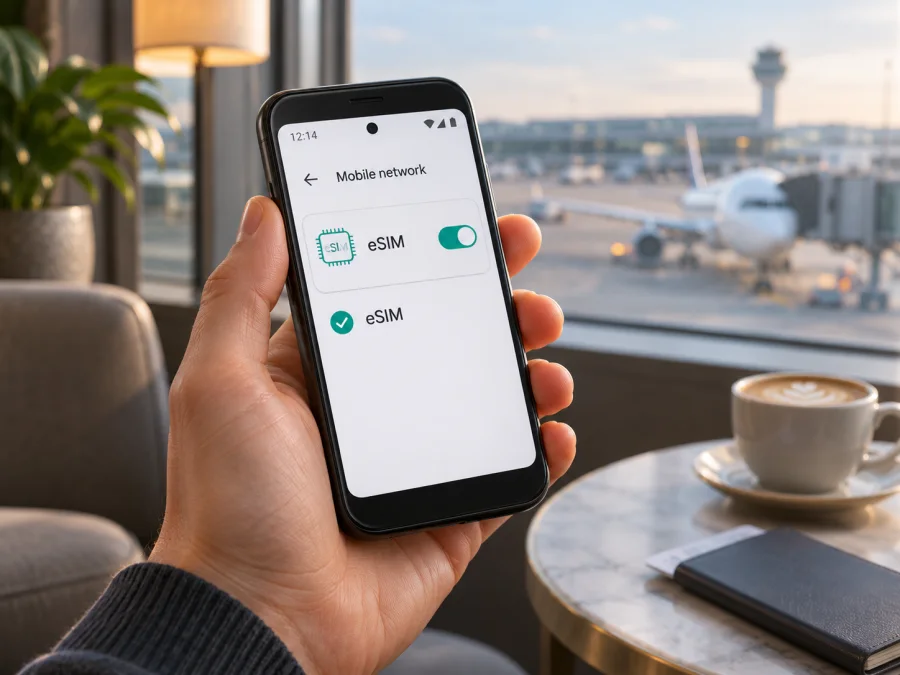
Rakuten Mini eSIM: compatibility, setup and travel use
The Rakuten Mini has an eSIM built in and has no physical SIM slot. That answers the hardware question: the model supports eSIM. For a travel data plan, however, eSIM hardware alone is not enough. Rakuten confirms its own eSIM service, but does not confirm every third-party travel eSIM for every Mini. Check settings, software, restrictions and provider requirements before purchase.
The phone is discontinued, and its supported cellular bands changed between production batches. An eSIM can install even if the phone lacks a band used at your destination. Check eSIM support, carrier acceptance and local radio compatibility separately.
Does Rakuten Mini support eSIM?
Yes. Rakuten Mobile’s product information describes the Rakuten Mini as an eSIM-equipped phone, and its support guidance says the Mini uses eSIM rather than a removable SIM card. The phone’s compact design does not mean that it has a tray hidden under the case: there is no physical SIM slot to use as a fallback.
This confirmation is about the model’s embedded SIM capability. It does not certify a particular travel provider’s profile, prove that a phone is unlocked, or guarantee reception on every overseas network. Rakuten Mini was sold in Japan and designed around Rakuten Mobile’s service. If you have a used or refurbished device, ask the seller for its exact model and IMEI range, confirm that it starts normally, and test the settings before your trip.
Rakuten Mini is no longer sold new by Rakuten Mobile. For a second-hand phone, the label and appearance alone cannot tell you which radio revision you have. Rakuten Mobile’s notices identify different supported LTE bands by IMEI ranges. Earlier examples include LTE Band 1, while later ranges list Band 4 and others; the company also notes that frequencies were corrected or changed during production. This matters most when you want to use a local plan outside Japan. A compatible eSIM profile cannot add missing radio bands.
| Item | What is confirmed for Rakuten Mini |
|---|---|
| SIM format | Embedded eSIM; no physical SIM-card slot |
| Original market | Rakuten Mobile’s Japan product line |
| Software shown in product specifications | Android 9 Pie; the phone is a discontinued model |
| Third-party travel eSIM | Do not assume universal support; verify the individual phone and provider requirements |
| Overseas network access | Depends on the exact radio revision, local bands, plan and network partner |
| Mobile data use | Possible only when the profile is accepted and the phone can connect to a supported network |
Rakuten’s listing confirms eSIM hardware, not compatibility with every travel provider. Providers may require a particular Android version or activation flow, so check their device list and instructions as well.
Japan, regional versions and carrier restrictions
Rakuten Mini is a Japan-market phone; public documentation does not describe a separate global eSIM edition. The important variation is radio configuration across production batches. Rakuten Mobile issued notices about frequency-band corrections and identified the affected IMEI ranges. If you plan to use this handset abroad, the IMEI and the bands supported by that specific unit matter more than its colour or the generic name on a listing.
Rakuten Mobile says devices it sold were SIM-free, but this should not be generalized to every used handset described as a Rakuten Mini. A phone sold through a reseller may have an unknown history, modified software, a replaced board, an account or activation issue, or damage to its eSIM function. Ask the seller or original carrier whether the phone is unlocked and clear for use. Do not infer unlock status from the presence of eSIM.
For travel outside Japan, compare the unit’s bands with those used by the plan’s network. Prefer IMEI-specific or regulatory information over generic marketplace specifications. A band match is not a service guarantee; partners and local availability also matter. If you cannot identify the radio revision, consider another compatible phone or a backup connection.
Check compatibility before choosing a plan
Run these checks before you purchase. They help separate a missing eSIM function from a profile, lock or network issue.
- Inspect Android settings. Open Settings and look under Network & internet or Mobile network for a SIM, carrier or eSIM management screen. Menu wording differs by software version. Look for an option such as Add carrier, Download a SIM or Add eSIM. Do not assume the option will appear simply because another phone running Android has it.
- Look for an EID if the software exposes one. Open Settings, then About phone or Status information and inspect SIM or device identifiers. An EID is the identifier associated with an embedded SIM. Not every Android build displays it in the same place; its absence from one screen is not conclusive proof that the hardware has no eSIM.
- Check the actual activation route. Ask the travel eSIM provider whether the Rakuten Mini can install its plan by QR code, manual activation details or its app. A phone that can receive Rakuten Mobile’s own eSIM is not automatically confirmed for every other provider’s download process.
- Confirm the phone is unlocked. Contact the seller or the carrier that supplied the device if the status is unclear. An operator restriction can prevent another provider’s profile or service from working even when an eSIM menu is present.
- Check Android version and updates. In Settings, open About phone and note the Android version and security/software status. Rakuten’s product specification lists Android 9 Pie; an older or altered build can differ from current travel provider instructions and may not meet their requirements.
- Match the destination’s radio bands. Identify the exact unit’s bands from reliable device information and compare them with the destination network used by the plan. The Rakuten Mini’s production history makes a generic “Rakuten Mini supports band X” statement insufficient for every unit.
- Check the provider’s terms. Confirm that the plan covers the country or region, supports the device and activation method, and is data-only or includes other services as described. Check the validity period and when data use begins.
- Test with Wi-Fi before departure. Make sure you can open settings, receive the activation details and complete installation while you have a stable connection. Keep the QR code or manual details available on another screen or printed copy if the provider permits it.
Check whether your device is compatible before you select a plan. The compatibility screen is a useful starting point, but for this discontinued phone also confirm the exact unit and installation method with the plan provider. If the phone has no EID or add-profile function, or the provider cannot confirm it, do not buy on the assumption that an eSIM will work.
How to install and activate a travel eSIM
Rakuten Mini runs an older Android generation, so the names and placement of settings may not match a recent phone. Use the eSIM provider’s current Android instructions for the exact activation method they support. The general steps below apply only if the phone exposes a compatible add-profile flow and the provider confirms the Mini can use it.
- Confirm compatibility first. Verify the eSIM function, unlocked status, Android build, provider installation method and destination bands. Resolve questions before purchase.
- Prepare a reliable internet connection. Connect the Rakuten Mini to Wi-Fi. Keep the activation email or account open on another device if the QR code must be scanned by the phone’s camera.
- Choose a plan for the destination. In Kaspersky eSIM Store, use the website or app to select and complete an eSIM plan for mobile data during an overseas trip. Review the destination, data allowance, validity and activation conditions shown for the plan.
- Open the eSIM installation instructions. Follow the provider’s Android flow. On the Rakuten Mini, inspect Settings for Network & internet, Mobile network or SIM settings, then look for an add/download carrier option. Labels can differ. If no supported option appears, stop and ask the provider rather than guessing through unrelated menus.
- Add the profile using the supplied method. Scan the QR code or enter the manual details only if that method is offered and the phone accepts it. Do not scan a QR code displayed on the same phone; show it on another device or use manual setup when provided.
- Confirm the profile is installed. Check that the new eSIM appears in the phone’s SIM or mobile network settings. Do not erase the profile or reset the device while activation is pending.
- Set the travel eSIM for mobile data. If Android presents multiple profiles, select the intended travel eSIM for mobile data. Keep the home profile’s calls or texts as needed, but check your home carrier’s roaming terms before enabling anything that could create charges.
- Follow the plan’s activation timing. Some plans become usable after installation; others start when they connect in the covered destination or follow another stated trigger. Read the plan’s instructions and avoid switching it on early if its validity starts on first connection.
- Enable data roaming only when required. Some travel eSIM profiles need data roaming enabled to connect to their partner network. Follow the provider’s instructions for that eSIM and confirm that your home line is not selected for mobile data.
- Check connection after arrival. Turn on mobile data for the travel profile, wait for registration, then test a simple webpage. A first connection may take several minutes. If there is no service, use the troubleshooting checks below before changing several settings at once.
For platform-specific steps, see the Android eSIM installation guide or the iPhone eSIM installation guide. The iPhone guide is included for travellers setting up a plan on another device; it is not an instruction to install iOS software on Rakuten Mini.
Use Rakuten Mini for mobile data while travelling
A travel eSIM can support maps, messaging, transport bookings and email if the profile activates and the phone connects to a supported network. Given the Rakuten Mini’s small display, older software and compact battery, download maps and key travel details over Wi-Fi and consider carrying a power bank.
Before departure, choose which line handles mobile data. Your usual number may remain available for messages, but roaming charges depend on your carrier. Disable home-line data roaming if needed and confirm Android has selected the travel eSIM for data.
For a multi-country itinerary, verify every stop is covered. Match the allowance and validity to your trip and expected usage; large uploads and video use data quickly. Use Wi-Fi for backups and monitor usage in the provider account or phone settings.
Kaspersky eSIM Store is an app and website where travellers can choose, arrange and activate an eSIM with a mobile-data plan for an overseas trip. It does not operate mobile networks or guarantee that a specific Rakuten Mini revision will connect. You can browse the currently listed destinations and plans on the Kaspersky eSIM Store website; check the coverage and requirements shown for your own itinerary before choosing.
Common problems and checks
There is no “Add eSIM” option
Restart the phone and look in the mobile network or SIM settings again. Check the software version and consult the Rakuten Mini setup instructions. The device’s eSIM capability is confirmed for the model family, but a missing menu can result from the installed software, device condition or carrier configuration. Ask the plan provider whether it supports this exact phone and installation method. Do not purchase a plan as a workaround for a missing add-profile function.
The QR code will not scan or the profile will not download
Confirm that Wi-Fi works and that the QR code is for the correct plan. Increase screen brightness on the device displaying the code, clean the Rakuten Mini camera lens and keep the code flat and fully visible. If the provider offers manual installation, use only the supplied details. If the QR code was already used or reports an error, contact support before deleting profiles or repeatedly retrying.
The profile is installed but there is no signal
Check that the travel profile is switched on and selected for mobile data. Toggle airplane mode once or restart the phone, then wait for network registration. Verify the plan’s destination, start conditions and any required roaming setting. If the provider permits manual network selection, follow its instructions. Also check the exact Mini’s radio bands: production revisions differ, and a profile cannot compensate for a missing band or unavailable partner network.
The phone connects, but data does not load
Make sure mobile data is assigned to the travel eSIM, not the home profile. Verify the plan has started and has remaining data. Turn data roaming on for the travel profile only if the plan instructions require it. If your settings allow a network reset or access-point reset, ask the provider first; incorrect manual network values may make the connection worse.
The home SIM or number is unavailable
Rakuten Mini has no physical SIM slot, so it cannot take a physical travel SIM as a fallback. It may also have limits on how many profiles can be stored or active. Check the phone’s SIM settings and the carrier’s requirements before deleting or replacing a profile. If you need a voice number, ordinary calls or SMS, confirm whether your existing carrier line remains available and what it charges while abroad.
The phone loses connection intermittently
Move to an open area and check again. Battery-saving modes can restrict background data, while older software and hardware can behave differently from current phones. Confirm that the plan remains valid and that the selected network is supported by both the plan and this device revision. If possible, test the travel profile in a second compatible phone only before installation and only when the provider permits it; many eSIM profiles cannot be transferred once installed.
The device asks for a PIN or the eSIM is locked
Do not guess. Rakuten’s manual describes a SIM PIN setting for the eSIM, and repeated incorrect PIN entries can require a PUK code. Use the code provided by the relevant carrier or contact its support. A travel provider’s activation code is not the SIM PIN or PUK.
Practical travel scenarios
- Short city break: install over Wi-Fi before departure, then follow the plan’s activation timing after arrival. Keep an offline map in case registration takes a few minutes.
- Multi-country route: confirm every stop is covered and compare the exact phone’s radio bands with the provider’s network information.
- Work trip: choose the travel profile for mobile data and check home-carrier roaming charges if you keep your usual line enabled.
- Refurbished phone: test Wi-Fi, the eSIM menu and QR scanning, verify unlock status and identify the IMEI range before relying on it abroad.
Frequently asked questions
Can I use any travel eSIM on Rakuten Mini?
Not necessarily. The phone has eSIM hardware, but the provider must support its software and activation method. Confirm the specific handset with the provider before purchase.
Does the Rakuten Mini eSIM guarantee service outside Japan?
No. Service depends on the travel provider, its local network partner, the phone’s radio revision, supported bands and plan conditions. Rakuten Mobile’s eSIM support statement does not guarantee roaming access on third-party plans.
Does a travel data eSIM include calls and SMS?
Usually a travel data plan is intended for mobile internet and may not include a phone number, ordinary calls or SMS. Check the plan terms. Internet-based messaging and calls may work when data is available.
Should I turn on data roaming?
Only for the eSIM profile and only when the plan provider’s instructions require it. Make sure mobile data is assigned to the travel profile and review your home carrier’s roaming settings separately.
Check your device and choose a plan for the trip
Rakuten Mini does support eSIM, but a successful trip setup depends on more than that single fact. Verify that the individual phone exposes a working eSIM installation path, is not restricted by a carrier, meets the provider’s software requirements and supports the bands used at your destination. Because Rakuten Mini was discontinued and its radio bands changed across production batches, confirm the exact handset rather than relying on the model name alone.
Once those checks are complete, compare the destination, data allowance, validity and activation conditions for your journey. Kaspersky eSIM Store’s app and website help you choose, arrange and activate an eSIM with a mobile-data plan for an overseas trip. Review the current plan details on the Kaspersky eSIM Store website and check compatibility before completing a purchase.


