Travel connectivity guide
Rami Levy eSIM in Israel: what to check
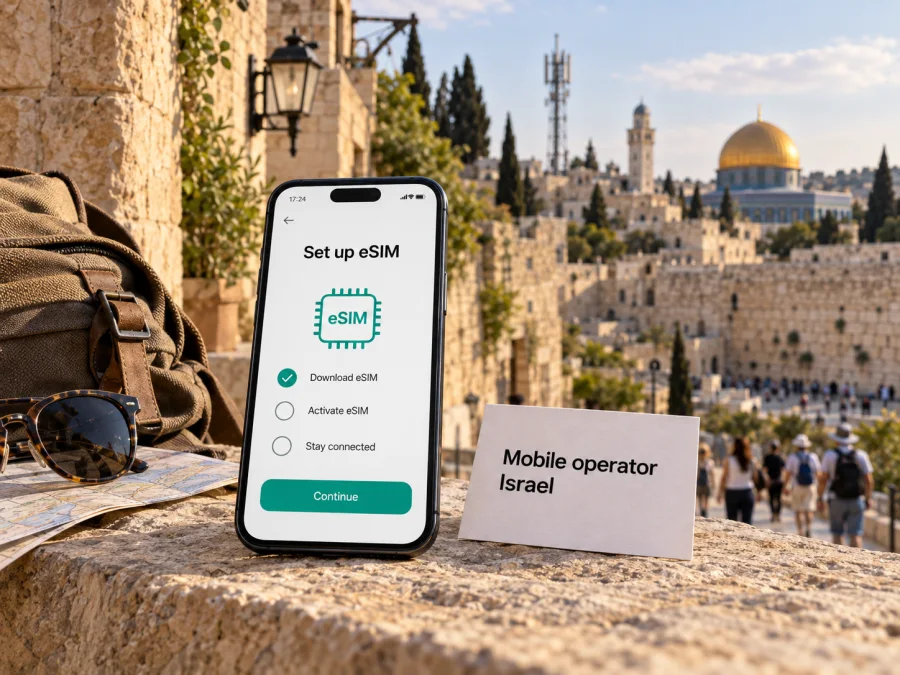
Rami Levy eSIM in Israel: activation, compatibility and travel guide
Rami Levy is a mobile service brand in Israel with online account tools, prepaid options and a documented eSIM activation flow. For a visitor, the key question is whether the specific phone, line type and customer registration route are accepted at the time of joining. Rami Levy’s public guide confirms that an eSIM can be selected during enrollment and installed by scanning a QR code. Travelers should still confirm eligibility and current requirements with the operator before relying on this option.
This is an independent travel reference. Rami Levy and related names belong to their respective rights holders. Kaspersky eSIM Store is not affiliated with, endorsed by, or an official partner or distributor of Rami Levy.
Rami Levy’s mobile service in Israel
Rami Levy’s official website provides mobile service information, self-service account actions, customer support, overseas-service information and a prepaid section. Its enrollment guide also includes eSIM as a SIM type. These categories are useful starting points, but they do not establish that every traveler can open an account or obtain an eSIM. Eligibility, identity checks, payment methods and availability depend on the operator’s current process and the customer’s circumstances.
An eSIM is a digital SIM profile installed on a compatible phone instead of a removable plastic card. It does not remove account or registration requirements for a local line. A Rami Levy line may suit someone who needs an Israeli number or ongoing local service. A travel eSIM is usually intended for trip data and may not provide a local number or standard voice and SMS service. Decide whether you need a local account and number, or mainly mobile data while visiting.
The operator’s site shows prepaid and overseas-service categories in general, not a guarantee that a specific option suits a short visit. Ask Rami Levy whether your customer status qualifies, what documents are needed, whether a new line can be issued as eSIM, and how the activation code is delivered. Verify current requirements close to enrollment.
eSIM availability and activation
As of 28 September 2026, Rami Levy’s official website and public eSIM joining and activation guides confirm an eSIM enrollment and QR-based installation route. This verifies an eSIM process, not universal device compatibility or eligibility for every foreign visitor. The public materials reviewed do not state one visitor rule that applies to all travelers. Confirm your situation directly with Rami Levy.
The documented sequence is to choose eSIM during enrollment, complete line setup, retrieve a QR code, connect to Wi‑Fi, scan the code and approve the phone’s add-eSIM prompt. If another SIM is present, the phone may ask how to label or prioritize the profiles. Rami Levy’s general guide covers Android and iOS/iPhone; menu names and order vary by device. Follow the instructions displayed for your own account and line.
| Stage | Public guide describes | Check before travel |
|---|---|---|
| Enrollment | eSIM can be selected as a SIM type | Whether your status and documents qualify |
| QR code | Retrieve it in the activation flow | Keep it private and available during setup |
| Installation | Scan and approve the phone prompt | Confirm compatibility and use Wi‑Fi |
| Line settings | Identify or prioritize profiles | Choose lines for data, calls and messages |
Protect the QR code and activation email like account credentials. Do not repeatedly scan a code or delete an installed profile to troubleshoot unless Rami Levy advises it. If enrollment rejects your documents or the code fails, use the official support channel; do not reuse someone else’s QR code.
Preparing a phone and account
Check the exact phone model and regional variant with its manufacturer: eSIM support can differ between similar versions. Confirm that the phone is unlocked and can add an eSIM. Keep its operating system reasonably current and arrange Wi‑Fi before setup. For general device support, see the eSIM compatibility guide.
Ask Rami Levy what documents it accepts, whether registration must be completed in Israel, what identity or payment checks apply, and whether new eSIM enrollment is open to your customer status. The public information reviewed does not give one blanket rule for tourists, non-residents or people without Israeli-issued documents. Do not assume another visitor’s experience applies to you.
If you already have a Rami Levy line and want to switch it to eSIM, ask about migration before removing the physical SIM or resetting the phone. The published guide describes joining and activation but does not establish that every existing line converts in the same way. Confirm how the new profile is delivered and what to do if the code is rejected.
Installation outline
- Confirm line availability and eligibility with Rami Levy.
- Choose eSIM in the current enrollment flow if offered for your line.
- Connect to Wi‑Fi before retrieving and scanning the QR code.
- Follow the add-cellular-plan prompt on iPhone or add-eSIM steps in Android SIM settings.
- Label the profile and choose which line handles calls, messages and mobile data.
- Review roaming settings separately for each profile, following the relevant operator’s instructions.
- After arrival, check that the intended profile and data line are selected; contact support if it does not register.
Save support details somewhere available offline and keep the activation code private. Multiple profiles can be stored, but simultaneous line behavior depends on the phone.
Coverage and network technology
Rami Levy’s official website identifies mobile service in Israel and provides customer tools. Its eSIM guides verify digital-profile provisioning, but they are not a coverage map and do not establish a specific radio technology or performance at every address. The pages reviewed do not provide a detailed operator-specific map for predicting reception inside a building or on a rural route. Check current coverage information for places important to your trip.
Israel’s Ministry of Communications publishes information about cellular infrastructure and 5G development and has discussed transition away from older generations. Rami Levy’s website also has a notice about 3G closure. These country-level facts do not guarantee that a particular Rami Levy line, device or location will connect using a specific generation. The eSIM guides reviewed do not list bands or promise universal 4G or 5G access. Confirm line and device support with the operator.
| Topic | Public information | What to verify |
|---|---|---|
| eSIM | Rami Levy publishes an enrollment and QR installation guide | Eligibility for your phone and line |
| Setup | The guide says Wi‑Fi is required | Device-specific settings |
| Coverage | Mobile service is offered in Israel | Reception at your address or route |
| Network generation | Regulator material discusses national technology | Line access, bands and location availability |
| Visitor registration | Prepaid and enrollment sections are public | Documents and terms for your status |
Reception varies with buildings, terrain, congestion, handset bands and network configuration. A city signal does not prove the same result in a basement, crowded venue or remote area. Maps and general technology statements help with planning but cannot predict every location. If navigation or bookings are important, save key information offline and keep a backup way to contact support.
For an older phone, verify compatibility with Rami Levy and the device maker, including support for current local requirements. This is a precaution, not a claim about an individual line’s coverage.
Local Rami Levy line or travel eSIM?
A local line may suit a traveler who needs an Israeli number, conventional cellular services, or an ongoing account and local support. A prepaid option may help manage local service without a continuing postpaid arrangement, but current eligibility and conditions come from Rami Levy. Its site shows prepaid and overseas-service categories in general; ask whether an option is available for your account. This guide does not list or compare individual plans.
A travel eSIM may suit someone whose main need is trip data and who wants to arrange a digital profile before arrival. Kaspersky eSIM Store is an app and website that helps users choose, arrange and activate an eSIM for mobile data abroad. Its public Israel destination page describes travel eSIM access and explains setup through the app or QR code. Kaspersky eSIM Store is not a mobile operator, does not own or operate Israel’s cellular networks, and does not replace a local line. A travel eSIM may not provide a local number or ordinary voice and SMS service.
These options differ by purpose, not because one is universally better. A Rami Levy line may fit someone who qualifies for a local account and needs a number or conventional services; a travel eSIM may fit someone who mainly needs data. Compatibility, availability, functions and restrictions vary. Review current details and do not assume a travel profile can receive verification texts or work as a permanent local line.
If you are considering a travel eSIM for Israel, review the Israel destination page and check device compatibility. Confirm that the phone is unlocked and supports eSIM, decide which profile should handle data, and check the home line’s data settings to avoid unintended roaming. Installation requires internet access, so setting up on reliable Wi‑Fi before departure can simplify arrival.
Troubleshooting while traveling
If setup pauses, check Wi‑Fi and follow instructions for the correct operating system. If the profile installs but does not connect, confirm it is enabled and selected for mobile data. Local lines and travel profiles can have different roaming settings. Save any error message and note whether it appeared during enrollment, QR installation, activation or data configuration. Contact Rami Levy for its account or QR issues; use Kaspersky eSIM Store support for its app or travel eSIM. The two support channels handle separate products.
Traveler checklist
- Check eSIM support for the exact phone model and regional version.
- Confirm the phone is unlocked and its software is compatible.
- Ask Rami Levy whether your customer status and documents qualify for a local line or eSIM.
- Verify QR delivery and whether an existing line can be converted.
- Arrange Wi‑Fi for installation and keep the activation code private.
- Choose which line handles calls, messages and mobile data.
- Check roaming settings separately for each profile.
- Verify coverage and technology for important stops without treating a broad statement as a location guarantee.
- Save official support details and essential trip information offline.
- Recheck requirements shortly before enrollment.
Frequently asked questions
Can a tourist get a Rami Levy eSIM?
The public material confirms enrollment and QR installation but does not state one eligibility rule for every foreign visitor. Ask Rami Levy which documents and registration steps apply to you.
How does activation work?
The guide describes selecting eSIM during enrollment, retrieving a QR code, scanning it and approving the phone prompt. It says Wi‑Fi is required. Follow the latest account and device instructions.
Does it work with Android and iPhone?
The guide covers the general flow for Android and iOS/iPhone, but not every model or regional variant. Confirm compatibility before enrollment.
Is 4G or 5G guaranteed everywhere?
The pages reviewed do not provide an operator-specific guarantee for every location. Check Rami Levy’s current line support and local coverage information.
Is a travel eSIM the same as a local line?
No. Kaspersky eSIM Store helps arrange a travel eSIM for mobile data; it is not Rami Levy or a network operator. A travel profile may not provide a local number or standard voice and SMS.
Sources and verification date
Checked on 28 September 2026 against Rami Levy’s official website, its “Guide to Joining with eSIM” and activation instructions, and its prepaid and overseas-service sections. The operator guides describe enrollment, QR-code delivery, Wi‑Fi setup and installation for Android and iOS/iPhone. Israel Ministry of Communications public information on cellular infrastructure, 5G and the transition away from older generations was used only for country-level context. Kaspersky eSIM Store’s official Israel destination page was checked for travel setup and product positioning. Eligibility, documents, coverage and technology may change; confirm current details with the relevant provider.
In brief
Rami Levy’s public material confirms an eSIM enrollment and QR installation process in Israel, alongside general prepaid and overseas-service categories. Visitors should confirm eligibility, documents, device support and line conditions directly with the operator. Use Wi‑Fi for setup, protect the activation code and check coverage for the places you plan to visit. Kaspersky eSIM Store is a separate app and website that helps users arrange a travel eSIM; it is not affiliated with Rami Levy or an operator of Israel’s mobile network.


