Travel connectivity guide
Rasdhoo eSIM for Mobile Internet in the Maldives
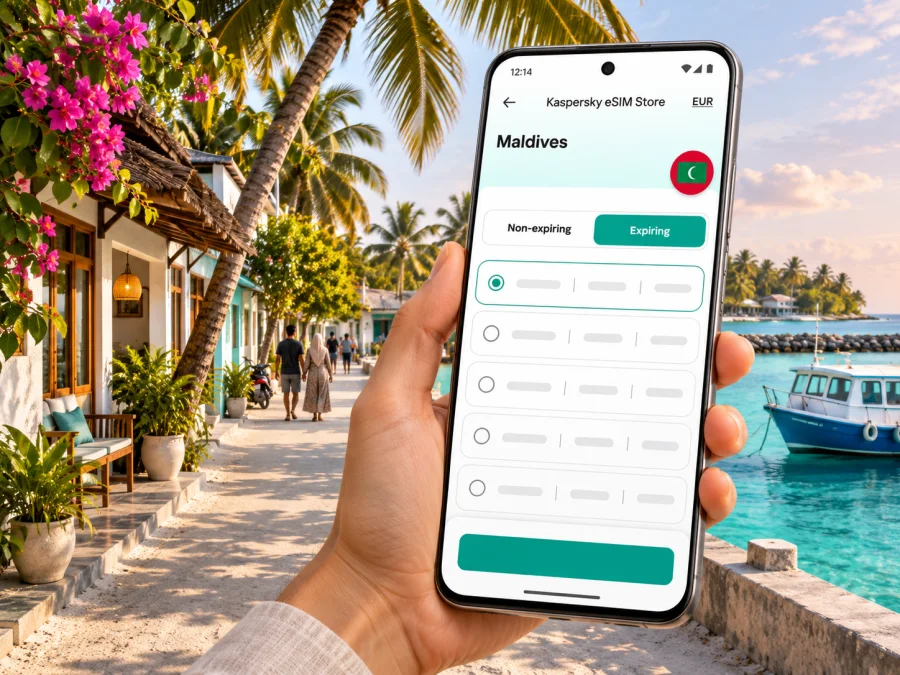
Rasdhoo eSIM: mobile connection and internet for your island trip
Rasdhoo is a small inhabited island in the Maldives’ Alifu Alifu Atoll, not a city with a street grid, rail network or rows of urban districts. That changes what a useful mobile connection looks like. You are more likely to need internet for coordinating an airport transfer, finding your guesthouse, checking a boat departure or sharing a map pin than for navigating a complicated city centre.
An eSIM can help you prepare mobile data for the trip without changing the physical SIM already in your phone. It is not a guarantee of reception at every point on Rasdhoo: signal depends on the local network, your device, indoor conditions and the exact place you are using it. Plan for the island’s geography, confirm your boat arrangements separately, and keep essential information available offline.
Rasdhoo at a glance
Rasdhoo is the administrative capital of Alifu Alifu Atoll, also known as North Ari Atoll in tourism materials. The Maldives tourism destination guide describes the atoll as a little over an hour from Malé by speedboat. That is an atoll-level orientation, not a promise of a particular boat journey time: the service you book, sea conditions, stops and departure point all matter.
For most visitors, the trip has two distinct connectivity settings:
- Velana International Airport and Malé: arrival formalities, messages, meeting points, onward transport and last-minute coordination.
- The crossing to Rasdhoo: a period when you may be away from stable land-based reception, depending on the boat route and conditions.
- Rasdhoo itself: a compact island where you may use data for maps, messages, accommodation details, activity coordination and practical updates.
- Day trips and boat excursions: coverage and internet quality can change once you leave the island’s built-up area or travel offshore.
Treat the Maldives as an island route rather than a single urban coverage zone. A country plan can be relevant to a stay on Rasdhoo, but the country label alone does not establish the precise signal, local network access, speed or service conditions at a specific guesthouse, beach or boat.
Why mobile internet helps on Rasdhoo
Rasdhoo’s scale makes walking the usual way to move around the island. You do not need turn-by-turn directions for a metro interchange, but a phone is useful for the details around each leg of the journey. A message can confirm who is meeting you at the harbour; a saved map pin can help you find your accommodation; and online access can help you contact a host if your arrival time changes.
Mobile data is also useful for keeping travel documents and plans accessible. Save your accommodation address, booking confirmation, transfer contact and return-flight details before leaving home. If you need to retrieve an updated message, a working connection helps, but a downloaded copy is more dependable when signal is weak or unavailable.
| Travel moment | What a connection can help with | A sensible backup |
|---|---|---|
| Before leaving the airport | Confirming the meeting point and boat details | Save the operator or accommodation message offline |
| Boarding in Malé or at the airport harbour | Checking the departure location and contacting your host | Keep the boat name, time and booking reference in a screenshot |
| Walking to your guesthouse | Opening a map or sharing your location | Save the map area and address in advance |
| Booking an excursion | Messaging the activity provider and checking arrangements | Ask your guesthouse to confirm the meeting point and time |
| Returning to the airport | Coordinating the transfer and checking flight details | Keep a time buffer and offline copies of tickets |
An eSIM is principally a mobile-data option. Do not assume that it includes an ordinary local phone number, voice calls or SMS. Check the selected plan’s terms. Internet-based calls and messaging apps may work when data is available, but you still need to arrange time-critical transport directly with the accommodation or transfer provider.
Arriving from Velana International Airport
Velana International Airport is on Hulhulé, near Malé. Rasdhoo is reached over water; it is not connected to the airport by road. Visitors commonly arrange a shared or private speedboat transfer, while public ferry services may also be available according to their own timetable. Do not assume that the next boat will wait for your flight or that every transfer uses the same pier.
The atoll guide’s “just over an hour” reference is a broad orientation. Individual transfer pages and operators publish different durations and schedules, and these can change. Confirm the current departure, meeting point, luggage rules, fare, booking procedure and weather policy with the service you will actually use. Friday timings and holiday arrangements may differ. Leave a realistic buffer after landing for immigration, baggage and getting to the agreed boarding point. If your flight lands late, ask your accommodation whether an overnight stay near the airport or Malé is needed.
Before you fly, save these details on your phone:
- The name and contact information of your Rasdhoo accommodation.
- Your transfer provider, confirmed departure time and meeting point.
- The exact island and harbour named in the booking; similar island names can be confusing.
- Your flight details and a return transfer plan.
- Offline copies of accommodation and transport confirmations.
At the airport, connect to trusted Wi-Fi if available while arranging your onward travel, but avoid making a boat connection depend on being online at the last minute. If you have a data eSIM, it may be convenient for messages and updates; activation and network registration still depend on your device and the plan conditions. Downloaded documents and screenshots remain useful if mobile service is delayed.
Walking, landmarks and everyday navigation
Rasdhoo is a small island settlement. Most visitors will walk between their accommodation, the harbour and local places rather than rely on a car-based navigation app. Maps are still useful for orienting yourself when you first arrive, especially after a boat journey or when a host gives you a pin instead of written directions.
Ask your accommodation for the locally understood name of the meeting place, not only a map link. A short message such as “meet by the harbour entrance” can be more useful than a pin that loads slowly. If you are going to a beach, dive centre or excursion boat, confirm the start point with the provider before setting out. A map can show a route, but it cannot confirm that a private access path is open or that a boat is operating.
A practical navigation routine is simple:
- Open your map while you have a reliable connection and save the island area for offline use if the app supports it.
- Save your accommodation as a favourite and take a screenshot of its name and directions.
- Keep the harbour or excursion meeting point in a message you can open offline.
- Use a live location share only when it is useful; it can consume data and battery.
- Carry a power bank if you expect to use your phone for photographs, maps and messages throughout the day.
Do not treat an offline map as a substitute for local guidance. On a small island, a host or activity operator can give better directions than a map database, particularly if a lane, entrance or meeting point is not labelled consistently.
Choosing mobile data for a Rasdhoo itinerary
Start with the shape of your trip rather than a headline data allowance. A visitor spending most days on Rasdhoo and using Wi-Fi at the guesthouse may need less mobile data than someone who streams video, uploads large files or coordinates several excursions online. The plan’s validity, activation rules and supported destination matter as much as its data amount.
Before choosing, check the current Maldives offer and its terms. Product availability, prices, data sizes and validity periods can change. Confirm that the plan applies to the Maldives, check any listed local network or fair-use conditions, and read when validity begins. If you will visit more than one country, check whether the plan covers each destination instead of assuming a Maldives plan follows you across borders.
A rough planning table can help you estimate usage without pretending to predict it exactly:
| Your typical use | Data planning approach |
|---|---|
| Messages, maps and occasional browsing | Estimate a modest allowance and use guesthouse Wi-Fi for larger downloads |
| Frequent photo sharing and web searches | Allow more room, especially if you upload photos away from Wi-Fi |
| Video calls or frequent uploads | Check how much data those apps consume and whether the plan’s allowance is sufficient |
| Several islands or countries | Match the plan’s coverage to every stop and check whether a regional option fits |
This is a planning guide, not a fixed recommendation. An app can use data in the background, and a single video session can use more than many map checks. Disable automatic app updates and cloud photo uploads over mobile data if you want to conserve your allowance. Download playlists, maps and entertainment before departure using Wi-Fi.
When you have checked the destination, allowance and validity that fit your itinerary, you can review the current eSIM options for the Maldives. The country page is a starting point for checking available plans and their current terms; it does not confirm coverage at a specific Rasdhoo address or on an offshore boat route.
Guesthouses, work and staying reachable
Rasdhoo has guesthouses and visitor services rather than one resort property. Ask your accommodation about its Wi-Fi and workspace if you need to work; access and performance can vary by room and time. Mobile data can support messages, maps and short calls where the selected network is available, but it is not a guarantee of uninterrupted video meetings. Download work files in advance and schedule important calls around a connection you have checked.
Keep booking details and essential contacts available offline. Public Wi-Fi can be useful, but confirm the network name with your host before connecting and avoid entering payment details on an unidentified network.
eSIM compatibility and preparation
An eSIM is a digital SIM profile installed on a compatible device. Support depends on the exact phone model and regional variant, and a device can also be restricted by its original carrier. Do not infer compatibility from a product family name or from the fact that a phone has dual-SIM settings. Check the precise model, its region and any carrier lock before purchasing. Check whether your device supports eSIM.
A reliable preparation sequence is:
- Confirm that your phone supports eSIM and is not locked in a way that prevents another profile from being used.
- Check that your operating system is up to date and that you can access the account or email used for the purchase.
- Review the plan’s country coverage, data allowance, validity, activation trigger and any roaming-data requirement.
- Install the profile while you have stable Wi-Fi, following the plan’s instructions. Avoid deleting it if you are unsure whether it can be installed again.
- Label the new line clearly, for example “Maldives data,” and keep your home SIM available for services you still need.
- Decide which line should use mobile data. Disable data roaming on your home line if you want to avoid unexpected roaming charges, and follow the selected plan’s instructions for the eSIM line.
For step-by-step help, use the Android eSIM installation instructions or the iPhone and iOS eSIM installation instructions. Menu names differ between manufacturers and software versions, so the instruction for your device and the specific plan should take precedence over a generic guide.
Installing an eSIM and starting its validity are not always the same event. Read the activation conditions carefully before you install or enable it. Some plans begin on installation, some when the eSIM first connects to a supported network, and others may state a different trigger. The exact rule is the one shown for the plan you select.
When the connection is slow or unavailable
A weak or missing signal does not always mean that the eSIM is installed incorrectly. On an island trip, you may be outside useful coverage, inside a building with weaker reception, on a boat, or in an area where the available network is temporarily busy. Start with checks that do not erase the eSIM profile:
- Confirm that the eSIM line is enabled and selected for mobile data.
- Check whether the plan requires data roaming on that line; follow its instructions.
- Toggle airplane mode briefly, then allow the phone time to register again.
- Restart the device if the connection does not return.
- Move to an open area and check whether the signal changes.
- Verify that the plan is active, in date and has remaining data.
- If the problem continues, use the support route in your purchase or app account and share the device model, location and error message.
Avoid deleting the eSIM as a first troubleshooting step. Some profiles cannot be downloaded again after removal. Keep your host’s number, transfer details and key documents available offline so a brief network problem does not stop you from reaching the person you need.
Before a boat excursion
Confirm the operator, departure and return times, meeting point, and how you will be contacted if conditions change. Ask whether mobile reception is expected during the trip; signal offshore can vary. Save the booking and contact details, tell your accommodation where you are going, download directions before departure and keep your phone charged. Follow the crew’s instructions rather than relying on a live map at sea.
Frequently asked questions
Is Rasdhoo a city?
Rasdhoo is an inhabited island and the administrative capital of Alifu Alifu Atoll. The island setting is the key practical detail for transport and connectivity.
How do I get from the airport to Rasdhoo?
Travel by sea from the Malé and Velana International Airport area. Shared and private speedboats are common, and ferry services follow separate schedules. Confirm the exact transfer, meeting point and current timing with your accommodation or provider.
Will an eSIM work everywhere on Rasdhoo?
Do not assume so. Check the plan’s Maldives coverage and network conditions. Signal may vary by location, building, device and boat route; available information does not establish reception at every address or offshore excursion.
Can I use a travel eSIM for calls?
Check the plan details. Many travel eSIMs are data-focused and do not include a conventional local number, voice calls or SMS. Internet calling apps need a working data connection.
Should I install it before leaving?
Installing over reliable Wi-Fi can reduce arrival-day setup. Check when validity begins first; some plans start on installation or first connection.
What if I arrive after the last boat?
Ask your accommodation about the final transfer and an overnight option near Malé or the airport. Allow time for immigration and baggage, and do not assume a boat will wait for a delayed flight.
Prepare for Rasdhoo with a backup plan
For Rasdhoo, a good connection plan is built around a small number of practical tasks: confirm the boat, reach your accommodation, navigate on foot, message excursion providers and keep travel details accessible. Select a Maldives data plan only after checking its current terms, your device’s eSIM support and how its validity begins. Keep maps and confirmations offline, and do not depend on uninterrupted coverage across the harbour, island and open water.
Kaspersky eSIM Store is an app and website where you can select, arrange and activate an eSIM with a plan for mobile data during an international trip. Review the available Maldives eSIM plans and compare the current data allowance, validity and conditions with the needs of your Rasdhoo itinerary. Install the selected profile using the instructions for your device, then keep your transfer details available offline as well.


