Travel connectivity guide
Rawalpindi eSIM: Mobile Data for Your Trip
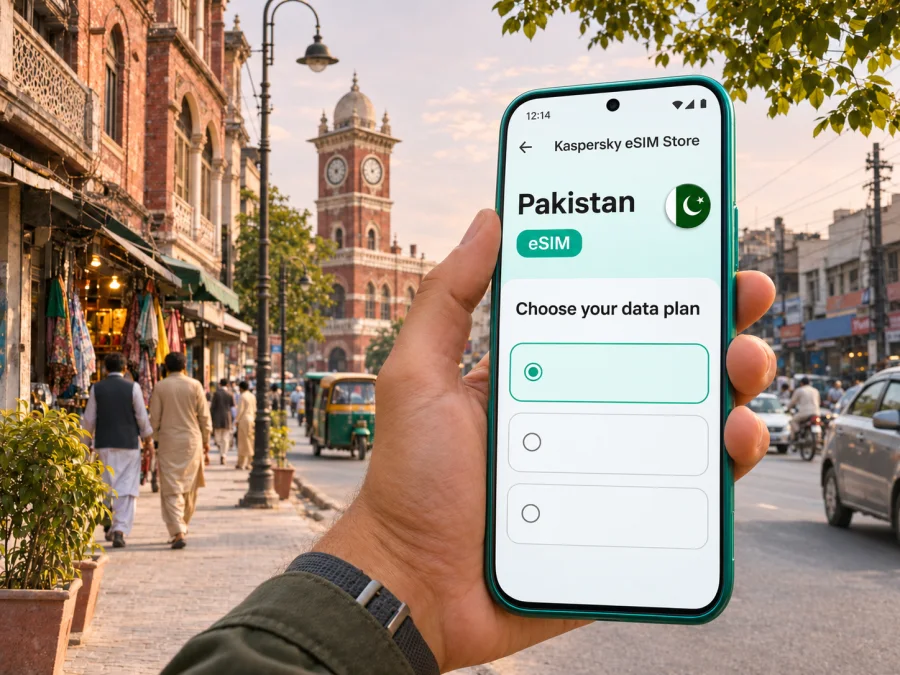
Rawalpindi eSIM: Mobile Connection and Internet for Your Trip
Rawalpindi is a busy, practical base for exploring Pakistan’s capital region. You may arrive through Islamabad International Airport, stay in Saddar or near the railway station, cross into Islamabad for meetings, then return to the older commercial streets of the garrison city. A working mobile connection makes those hand-offs easier: maps can help you confirm a hotel entrance, a ride can find the right pickup point, and messages can keep a host informed if traffic changes your arrival time.
An eSIM can provide mobile data without replacing a physical SIM. Before choosing one for Rawalpindi, check the destination and coverage stated on the individual plan, the phone’s exact regional variant, and whether the plan supports the data use you expect. Availability, network performance and service conditions can vary by location, device and package; no single connection is guaranteed across every street or building.
Where Rawalpindi fits in the Islamabad region
Rawalpindi is a city in Punjab, Pakistan, and sits southwest of Islamabad, which is a separate federal capital territory. They form a closely connected urban region, but they are not the same city or administrative area. That distinction is useful when you search for a hotel, enter an address in a ride app, or decide whether a plan’s Pakistan destination matches your itinerary.
The urban experience changes quickly between the two cities. Rawalpindi’s older commercial core includes Saddar, Raja Bazaar and the areas around the railway station. Islamabad is laid out differently, with numbered sectors and destinations such as Blue Area, F-6 and F-7. A place name alone may not be enough for a driver: save the complete hotel address, share a map pin, and check whether a destination is in Rawalpindi or Islamabad before you set off.
| Trip detail | Why it matters for your connection |
|---|---|
| City and country | Rawalpindi is in Punjab, Pakistan; Islamabad is a neighbouring, separately administered capital territory. |
| Airport | Islamabad International Airport is at Airport Avenue in Attock, Punjab, outside Rawalpindi. Allow time for the road journey into the city. |
| City travel | Street names, market entrances and pickup points can be crowded or ambiguous; a saved pin is often more useful than a landmark name alone. |
| Day trips | If your itinerary leaves Rawalpindi for Islamabad, Taxila, Murree or another destination, check that your plan covers the places on your route. |
| Device | eSIM support and cellular bands can differ among regional variants carrying the same retail model name. |
Arrival: from the airport to Rawalpindi
Islamabad International Airport is outside Rawalpindi. The Pakistan Airports Authority gives its location as Airport Avenue, Attock, Punjab. Arrange onward road transport to your hotel before you leave the terminal: confirm the pickup point and fare or payment method, then share the destination pin with your driver.
Data helps you check the address, follow the ride and update your host. Recheck airport and transport instructions on the day; traffic, weather and route choice make travel time variable. If you have only a short stop, include the airport-to-city drive both ways plus check-in and security time before deciding to leave. Keep your booking and hotel address available offline.
A simple arrival sequence
- Before travel, save your accommodation’s full address and a map pin in your notes.
- Confirm that your chosen eSIM plan covers Pakistan and review where and when its data allowance becomes usable.
- At the airport, connect to a trusted Wi-Fi network if available, then check the latest pickup instructions.
- Match the vehicle and driver details in the transport app before boarding; share the trip with someone you trust if appropriate.
- On the way into Rawalpindi, keep navigation open and send the host an update if your estimated arrival changes.
Moving around Rawalpindi and across the twin cities
Rawalpindi’s central districts are dense and active. Saddar is a useful reference for shopping, accommodation and transport. Raja Bazaar’s traditional market lanes and the streets near the railway station can be crowded, so pin the exact entrance or meeting point before walking.
Many visitors combine Rawalpindi with Islamabad. Current Capital Development Authority transit information includes routes across Islamabad and toward Rawalpindi, including the Khanna Pul and Faizabad corridors. Routes and operating details can change; check live information before leaving. Public transport suits a known corridor, while a taxi or ride service may be easier with luggage or a hotel away from a stop.
Before boarding, confirm the route and stop name, and keep enough battery for the next leg. For cross-city travel, include the city, sector or neighbourhood in your destination and share its map pin with the driver.
| Situation | Useful phone preparation |
|---|---|
| Saddar hotel check-in | Save the hotel pin and call or message ahead if the entrance is on a busy road. |
| Raja Bazaar visit | Pin the intended gate or meeting point; save it before entering crowded lanes. |
| Railway station pickup | Agree on a side or entrance and send a live location only when you are comfortable doing so. |
| Islamabad meeting | Include the sector, building name and entrance in the address; confirm that the destination is across the city boundary. |
| Late arrival | Confirm transport availability and accommodation access before the trip, and keep booking details offline. |
Choose an eSIM plan for the route, not just the city name
A city article can help you plan, but a travel eSIM is usually selected for a country or region rather than for one Rawalpindi neighbourhood. Review the Pakistan destination page and the terms shown for each available package. Compare data allowance, validity period, price, activation instructions and any stated restrictions. If you will travel beyond Rawalpindi, check the full route against the plan’s listed coverage rather than assuming that a city name guarantees service elsewhere.
Think through how you will use data. A visitor who mainly needs maps, messaging and occasional searches may use much less than someone who uploads video, joins long calls or uses a phone as a hotspot. Estimates are personal: navigation, app updates, photo backups and video quality can change consumption. Turn off automatic cloud uploads and large app downloads on mobile data if you want to conserve an allowance. When Wi-Fi is available and trusted, use it for large updates.
You can review the available Pakistan eSIM options for your trip and check the conditions displayed for each package before making a choice. The available options and terms can change, so use the current plan details rather than relying on an old screenshot or a price quoted elsewhere.
What to compare before you choose
| Check | Question to answer |
|---|---|
| Destination | Does the plan explicitly include Pakistan, and does it suit any other countries on your itinerary? |
| Data | Is the allowance enough for your maps, messaging, browsing and work use? |
| Validity | When does the validity period begin, and how many days do you need? |
| Activation | Does the plan start on installation, on arrival, or after connecting to a supported network? Follow its exact terms. |
| Network and coverage | Which conditions and locations are listed for this package? Do not infer a guarantee for every indoor space or road. |
| Tethering | If you need a laptop or second device online, check whether hotspot use is permitted and suitable. |
| Calls and SMS | Does the package include these, or is it a data-only plan? Do not assume it provides a local phone number. |
| Refund and support | Read the applicable purchase, activation and support terms before checkout. |
Check the exact device variant before purchase
An eSIM-ready product family does not mean every device sold under that family name has the same capabilities. Support can depend on the model number, market variant, software configuration and carrier lock. A phone bought for one market may differ from a similarly named phone bought in another. Check the precise model code in the device settings or on its packaging, confirm that the phone is unlocked, and consult the manufacturer’s instructions for your variant. You can check whether your device is compatible with eSIM before you choose a plan.
Do not use a generic online list as a guarantee for your own handset. If your phone has two SIM lines, confirm how it handles an active physical SIM alongside an eSIM and which line is selected for mobile data. Keep your main number available for calls or verification codes if needed, but check roaming costs with your home provider. The travel eSIM’s mobile data and your home SIM’s voice or SMS service are separate settings.
Install and activate with a little preparation
Install the eSIM while you have a stable internet connection and time to complete the on-screen steps. Use the instructions for your phone’s operating system: Android eSIM installation instructions or iOS eSIM installation instructions. Keep the QR code or manual activation details private. Depending on the package, you may need to add the eSIM before travel and enable it only when you are ready to use it; read the exact activation timing in the plan conditions.
A practical setup checklist:
- Confirm your phone is unlocked and its exact regional version supports eSIM.
- Keep your primary SIM active if you need your usual number, and identify which line will use mobile data.
- Read whether data roaming must be enabled for the travel eSIM; apply this only to the intended line and package.
- Avoid deleting the installed eSIM profile unless the provider’s instructions tell you to do so. Some profiles cannot be installed again after removal.
- Name the line clearly, such as “Pakistan data,” so you can distinguish it from your home SIM.
- Before leaving Wi-Fi, confirm that the plan appears in the phone’s mobile settings and that you understand when it becomes active.
If the connection does not start, check the plan’s activation status and destination, make sure the eSIM line is enabled, and review the package’s network-selection instructions. Restarting the phone can help with a temporary registration issue, but it cannot fix an unsupported handset, an expired package or a location outside the stated coverage. Contact the relevant support channel with the order details and a brief description of the steps already tried. Keep screenshots free of QR codes and personal data when sharing them.
A short work visit, a longer stay or a day trip
Business visit: save your hotel and meeting pins offline, install the eSIM before departure if the plan permits, and bring a power bank. For an important video call, test the setup ahead of time and keep a messaging alternative.
Family stay: estimate data for every device. Check whether hotspot use is allowed before relying on one phone to connect the group, and agree on a clear meeting point.
Day across both cities: save stops in order and check current transit routes. Leave time for road connections; keep addresses and tickets offline in case data drops.
Trip farther afield: verify that the package covers every planned destination. Download maps and bookings before leaving, as road conditions and mobile service can vary outside the urban area.
Keep data use and access under control
To conserve data, download maps where possible, pause photo backups and large updates on cellular data, and select the travel eSIM as the data line. Public Wi-Fi quality varies; keep essential addresses and reservations offline as a fallback.
Frequently asked questions
Is Rawalpindi in Islamabad?
No. Rawalpindi is a city in Punjab, while Islamabad is a neighbouring federal capital territory. They are closely connected, so confirm which city and neighbourhood an address belongs to when booking transport or accommodation.
Is Islamabad International Airport in Rawalpindi?
No. The airport’s official address places it at Airport Avenue in Attock, Punjab. It serves the Islamabad region, but reaching Rawalpindi requires an onward road journey.
Will an eSIM work everywhere in Rawalpindi?
No plan should be assumed to work everywhere. Availability depends on the package, handset and local signal conditions; indoor reception may vary.
Does a travel eSIM give me a Pakistani number?
Do not assume so. Check the package for voice, SMS and a phone number; many travel eSIMs are for data.
Can one plan be used in Rawalpindi and Islamabad?
Check the package’s destination and conditions. The cities are adjacent, but that alone does not confirm service at a particular address.
When should I install it?
Follow the plan’s activation timing. Installation and first use may be treated differently; use stable Wi-Fi and do not delete a profile unless instructed.
What if my model name is listed as compatible?
Verify the exact regional model and confirm the phone is unlocked. A shared retail name does not guarantee identical eSIM support.
Before you set off
- Save hotel and airport pickup pins; download key maps and bookings.
- Check the package’s Pakistan destination, allowance, validity and activation conditions.
- Confirm eSIM support for your exact unlocked device variant.
- Install on stable Wi-Fi, secure the activation details and choose the correct data line.
- Recheck transport and transit information on the day; bring a charging cable.
Prepare your Rawalpindi connection
Choose a package that fits your whole Pakistan itinerary, check the current terms, and install the eSIM on a compatible unlocked device before you need directions. With Kaspersky eSIM Store, you can use the app or website to choose, arrange and activate an eSIM plan for mobile data on an international trip. Explore Pakistan options and select a plan for your visit.


