Travel connectivity guide
Realme 14 Pro+ 512GB eSIM: compatibility and setup
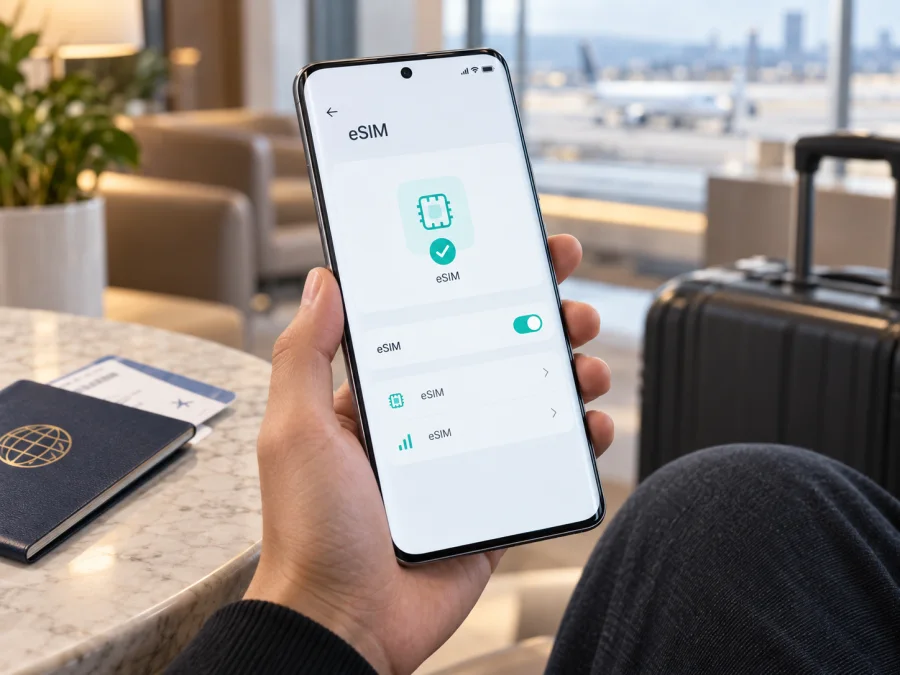
Realme 14 Pro+ 512GB eSIM compatibility and setup
If you want mobile internet for a trip, the storage size in a product name is not enough to establish eSIM support. The decisive factors are the exact sales market, hardware configuration, firmware and carrier status. This is important for Realme 14 Pro+ 512GB, because realme publishes different cellular specifications for different regions.
Quick answer
Realme 14 Pro+ 512GB may support eSIM, but support depends on the regional version. Current official realme specifications for France and Italy list the realme 14 Pro+ 5G family as eSIM-compatible and list 512GB as an available storage configuration. The current official Saudi specification page describes two nano-SIM slots but does not list eSIM in its cellular section. The name and storage alone cannot confirm eSIM.
For a European-market unit that matches the eSIM-compatible specification, the outlook is positive. For an imported or carrier-customized unit, treat support as unconfirmed until the phone shows an EID and an option such as Add eSIM, Download a SIM or Add mobile plan. If neither is present, pause before buying a travel eSIM.
Keep Realme 14 Pro+ 512GB in the compatibility check. Do not assume that every phone described as “14 Pro+” has the same eSIM hardware.
What the official specifications indicate
The French and Italian pages list eSIM compatibility and 512GB among the available configurations for the realme 14 Pro+ 5G family. The Saudi page lists two nano-SIM slots without the eSIM statement. The regional SKU must therefore be checked instead of treating a global product name as a technical specification.
| Item | What it means for Realme 14 Pro+ 512GB |
|---|---|
| Exact target variant | Realme 14 Pro+ 512GB; keep the storage modifier in the request. |
| Official family label | Regional pages commonly use realme 14 Pro+ 5G. That label does not replace the exact 512GB variant named here. |
| Storage | 512GB is listed among the available configurations on current European specifications. |
| RAM | The manufacturer lists more than one RAM configuration; RAM is not specified in the input, so verify the retail unit separately. |
| eSIM | Listed on the current France and Italy pages; not listed on the Saudi page reviewed for this family. |
| Physical SIM | Regional pages describe two nano-SIM slots. Dual physical SIM support does not itself prove eSIM support. |
| Network | 5G bands and operator availability vary by market and local deployment. A 5G label is not proof of eSIM support. |
| Software | The regional specifications identify realme UI based on Android 15; labels can vary after updates and by market. |
The safest conclusion is conditional compatibility. A European version that exposes an EID and eSIM controls is a candidate for a travel data eSIM. A version that only exposes two physical SIM slots and has no EID should be treated as incompatible, even if a retailer uses the same family name. A carrier can also restrict provisioning or require an unlocked phone, so both the device and the plan need to be checked.
Why region and carrier version matter
Manufacturers can enable different cellular features for different markets. A phone can keep the same exterior, processor family, 5G branding and storage capacity while its SIM tray, eSIM entitlement, firmware or carrier provisioning changes. One market may prioritize two physical nano-SIM cards; another may expose an eSIM alongside a physical line. An update can change labels, but it cannot add eSIM hardware that was never fitted.
Confirm the country of sale, exact product or model code, invoice and whether the phone was intended for an operator. Be cautious with listings that mix a European screenshot with an imported phone or promise eSIM without showing the SIM-management page. “Dual SIM” can mean two physical cards, physical SIM plus eSIM, or a regional configuration.
Carrier locking is a separate issue. A phone may have an eSIM chipset and still reject a profile because it is locked to a network or the carrier does not permit the requested line. An unlocked phone is not guaranteed to work with every travel plan, but a carrier lock is a reason to pause before buying.
The phone’s own Settings app is more reliable than a generic listing. Search for EID and inspect mobile-network settings.
Compatibility check before buying
<a id="kesim-device-compatibility"></a>
Use this checklist for Realme 14 Pro+ 512GB before selecting a travel plan. It can prevent an unusable QR code after payment.
- Confirm the market. Ask where the phone was sold and compare that market with the manufacturer’s regional specifications. Record the exact model or product code.
- Find the EID. Search Settings for “EID”. It may be under About device, Status, SIM status or device information. An EID is a strong sign of eSIM hardware, although it does not replace an activation test.
- Find the eSIM command. In mobile-network or SIM-management settings, look for Add eSIM, Download a SIM, Add mobile plan or an equivalent. Labels vary with realme UI and firmware.
- Inspect line management. Check whether a physical SIM and an eSIM can be kept available together and which line can be selected for mobile data.
- Confirm the unlock status. Ask the original carrier or seller for confirmation. A travel eSIM cannot bypass a carrier lock.
- Prepare Wi-Fi. Installation downloads a profile, so use stable Wi-Fi and sufficient battery.
- Check the travel plan. Confirm the destination, data allowance, validity, activation conditions and tethering rules before paying.
Check your device again after a factory reset, major firmware change or replacement of the phone. The eSIM profile is installed on the device, not in the 512GB storage, and may not be transferable under the plan conditions.
Installing an eSIM on Realme 14 Pro+ 512GB
Prepare stable Wi-Fi and the QR code or activation details supplied after you select and purchase an eSIM data plan. Keep the QR code on another screen or paper; the same phone usually cannot scan a code displayed inside its own camera view. If manual setup is offered, keep the SM-DP+ address and activation code exactly as supplied.
The menu names can differ by software version. Use the closest equivalent:
- Open Settings. Unlock Realme 14 Pro+ 512GB and open Settings.
- Open mobile-network settings. Choose Mobile network, SIM card and mobile data, SIM management or a similar item.
- Start eSIM setup. Tap Add eSIM, Download a SIM, Add mobile plan or the eSIM option. If absent, stop and repeat the EID check.
- Scan the QR code. Scan it while on Wi-Fi. If scanning is unavailable, choose manual entry and copy every value exactly.
- Download the profile. Follow the on-screen confirmation and do not interrupt the process.
- Name the line. Use a label such as Travel data. Avoid deleting the profile during troubleshooting; some profiles cannot be downloaded again.
- Select the data line. Choose the new eSIM as the preferred line for mobile data and keep the home line for calls if required.
- Set roaming as required. Enable data roaming on the eSIM only when the plan instructions require it. Confirm the home SIM is not selected for data.
- Test the connection. Turn Wi-Fi off, check the network indicator and open a simple webpage. Connection may wait until a covered destination.
For a visual walkthrough, use the Android installation instructions and keep the iOS installation instructions available for a travel companion who uses an iPhone. The iOS guide is not a claim that Realme 14 Pro+ 512GB runs iOS; it is a separate reference for the other common eSIM setup path.
Kaspersky eSIM Store is an app and website where you can choose, purchase and activate an eSIM with a suitable mobile-internet plan for an overseas trip. It does not make an incompatible phone compatible. Confirm the device first, then use the app or site to review the destination, data amount, validity and activation details of the selected option.
Activating and using the eSIM while travelling
Installation places a digital SIM profile on the phone. Activation or first network use may happen later, depending on the plan conditions. Read those conditions so you know when validity starts and whether the profile should be installed before departure.
Three practical travel scenarios
Before departure. On home Wi-Fi, complete the compatibility check, choose a destination or regional plan in Kaspersky eSIM Store and install the profile while the connection is reliable. Leave it off if the plan says validity starts on first network connection. After landing, enable the travel eSIM, select it for data and disable automatic data switching if available. Turn off data roaming on the home SIM when you want to avoid unexpected charges.
After arrival. If you did not install the profile in advance, use trusted airport or hotel Wi-Fi and repeat the setup. Check the destination and plan conditions carefully. If service is not immediate, move to a stronger-signal location and allow a few minutes for registration.
Home line and hotspot. When the regional variant allows two active lines, keep the physical SIM for calls or account verification and set the eSIM as the data line. A travel data eSIM normally does not provide a regular number, voice service or SMS unless the plan says so. If tethering is allowed, enable the hotspot only after data works on Realme 14 Pro+ 512GB; laptops, video calls and backups can consume data quickly.
Troubleshooting common problems
| Problem | What to check |
|---|---|
| No Add eSIM option | Search for EID, inspect About device, SIM status and Mobile network, then restart and install pending official updates. No EID plus physical-SIM-only menus usually means the regional hardware or firmware is not compatible. |
| QR code will not scan | Increase the code screen brightness, clean the camera, hold the code flat and use stable Wi-Fi. Do not reuse a compressed or already-used code. If offered, enter the SM-DP+ address and activation code manually. |
| Profile downloads but does not connect | Enable the eSIM, select it for data, turn Wi-Fi off, verify the destination and enable roaming on the travel line only if required. Toggle airplane mode once and wait for registration. |
| Apps are offline or data uses the wrong line | Choose the travel eSIM as preferred data, disable automatic switching, check the APN only against the plan instructions, and review data-saving mode, limit and validity. |
| It worked at home but not abroad | Installation proves that the profile is present, not that the destination network is available. Check coverage, start condition, network selection and roaming; move to a stronger-signal location, then contact support with the regional version and error. Never share the full EID or activation code. |
| You want to move it to another phone | Do not delete the profile first. Many travel profiles are limited to one installation or device. Check the plan conditions and ask support before resetting Realme 14 Pro+ 512GB. |
FAQ
Does Realme 14 Pro+ 512GB support eSIM?
It can, depending on the regional version. France and Italy specifications list eSIM for the realme 14 Pro+ 5G family and a 512GB configuration; the Saudi page lists two nano-SIM slots without eSIM. Check the actual phone’s EID and Add eSIM control before purchase.
Is the 512GB version automatically the eSIM version?
No. Storage capacity identifies internal space, not the regional SIM configuration. Two 512GB phones can differ by market, firmware or carrier settings.
Can 5G support prove that eSIM works?
No. 5G describes network technology and bands. eSIM is separate. Realme 14 Pro+ 512GB must show the controls, be unlocked and register on the selected plan’s networks.
Can I use a travel eSIM with a physical SIM?
Often, but the combination depends on the regional model, firmware and carrier. Set the preferred data line manually.
Does a travel eSIM replace my normal number?
Usually no. A travel data eSIM normally provides mobile internet, not a regular number, calls or SMS unless the plan says so. The existing number can remain on the physical SIM when allowed.
What should I do before paying?
Confirm the market and product code, find the EID, open Add eSIM, verify that the phone is unlocked and check destination coverage. If a check fails, pause and ask the seller or support team.
Final device check and travel eSIM choice
Before departure, complete this final sequence for Realme 14 Pro+ 512GB:
- [ ] Confirm that the phone’s market version matches the eSIM-compatible specification, where applicable.
- [ ] Locate the EID and Add eSIM or Download a SIM command in Settings.
- [ ] Confirm that the phone is not carrier-locked and that the plan covers the destination.
- [ ] Choose and purchase the eSIM plan in Kaspersky eSIM Store only after the compatibility check.
- [ ] Install the profile on stable Wi-Fi and label it clearly as travel data.
- [ ] Select the travel eSIM for mobile data, use data roaming only when required, and disable automatic switching to the home SIM.
- [ ] Test the profile, save activation information securely and keep the selected plan’s support details.
Kaspersky eSIM Store helps you choose, purchase and activate an eSIM with a suitable tariff for mobile internet during an overseas trip. For Realme 14 Pro+ 512GB, regional support is not uniform, so the EID and settings check comes first. Once it passes, choose a destination and plan that fit the trip, then select the line that will carry mobile data.


