Travel connectivity guide
Realme GT 8 Pro 256GB 5G eSIM Guide
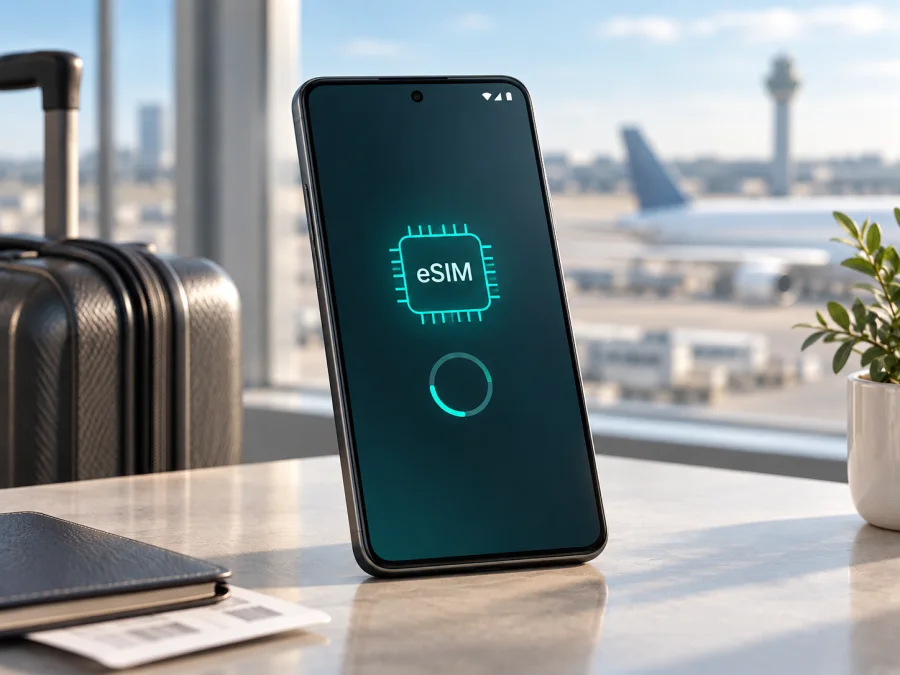
Realme GT 8 Pro 256GB 5G eSIM compatibility and setup guide
If you are checking whether Realme GT 8 Pro 256GB 5G can use a travel eSIM, the short answer is: it depends on the regional hardware and software version. The name alone is not enough to confirm compatibility. realme’s current regional specifications do not describe one universal cellular configuration for the GT 8 Pro. The Taiwan product materials explicitly list eSIM support, while the China and Malaysia specifications describe two nano-SIM slots and do not list eSIM. The 256GB storage label does not identify the market version, so check the phone itself before buying an eSIM plan.
That distinction matters for travel data: a compatible phone can keep a physical SIM for calls or texts and use the eSIM for mobile data abroad. The same exact device name may still hide a regional build with no EID or add-plan option.
Quick answer for this exact variant
For Realme GT 8 Pro 256GB 5G, treat eSIM support as region-dependent and unconfirmed until verified in Settings. The official Taiwan specification page for the GT 8 Pro lists eSIM support alongside dual nano-SIM connectivity. By contrast, current official China and Malaysia specification pages list two nano-SIM slots and their cellular sections do not promise eSIM. Those differences are a strong reason not to infer support from the GT 8 Pro name, the 5G modem, the storage capacity, or a seller’s generic product title.
The most reliable check is on the handset you own:
- Find an EID in the phone information screen, or find a mobile-network control such as Add eSIM, Add mobile plan, or Download a SIM instead.
- Confirm that the phone is not carrier-locked and that its software is up to date.
- Ask the eSIM provider whether the intended plan supports the phone’s market and network bands.
- If there is no EID and no eSIM control, do not buy a plan expecting it to work.
What the official specifications tell us
The GT 8 Pro is a 5G Android smartphone, but 5G and eSIM are separate features. 5G describes radio access to compatible networks; eSIM describes a built-in secure SIM function and the software needed to download an operator profile. A phone can support 5G with two physical nano-SIM cards and still lack an enabled eSIM profile manager.
The regional information can be summarized as follows:
| Item | What is documented for the GT 8 Pro family | What it means for Realme GT 8 Pro 256GB 5G |
|---|---|---|
| Network generation | 5G is documented | 5G does not prove eSIM |
| Taiwan version | Official materials list eSIM and dual nano-SIM | A Taiwan unit may support eSIM, subject to SKU and firmware |
| China version | Official materials describe two physical SIM slots | Do not assume eSIM is enabled |
| Malaysia version | Official materials list two nano-SIM slots and omit eSIM | This is not confirmation of eSIM |
| Storage label | 256GB does not identify the market | Verify the product code and phone settings |
| Carrier status | Network functions depend on deployment and services | A lock can prevent activation |
Compatibility check
<a id="kesim-device-compatibility"></a>
Use this section as a practical pre-purchase gate before you select a plan for travel.
1. Look for an EID
Open Settings and use the search field for EID, eSIM, or SIM status. Depending on the realme UI release and region, the EID may appear under About device, Status, SIM status, or a more detailed hardware-information screen. An EID is the identifier associated with the embedded SIM component. If the screen shows an EID, record only that the identifier exists; do not publish it or send it to anyone unnecessarily.
If Settings search finds no EID, the phone app may show one after *#06# on some Android builds. Menus vary, and an IMEI by itself is not evidence of eSIM support.
2. Look for the add-plan control
Open Settings → Mobile network or Settings → SIM card and mobile data. Look for Add eSIM, Add mobile plan, Set up eSIM, or a plus sign beside the SIM list. The exact wording may differ in English and across realme UI versions. A QR-code scanner inside the mobile-network settings is a useful sign, but a general camera QR scanner is not enough.
If you see only SIM 1, SIM 2, and physical-card controls, the handset may be a regional two-nano-SIM version. If an add-eSIM control appears but fails, note the error and confirm the product code with the seller or realme support.
3. Confirm the software and lock status
Install available updates over Wi-Fi and restart. Do not flash another region’s firmware to make a menu appear. Check that the phone is not carrier-locked; a lock can block activation even when an EID exists.
4. Check the plan and destination
An eSIM profile also needs a compatible destination network. Compare coverage, validity, allowance, activation rules and supported bands with your itinerary. Compatibility is three-part: the handset supports eSIM, the phone is unlocked, and the plan works on the destination network.
Check your device before you select a plan for travel.
Pre-purchase checklist
Use this checklist before paying for a travel eSIM or opening a QR code:
- [ ] The name on the listing is exactly Realme GT 8 Pro 256GB 5G, not a different GT, Pro or storage variant.
- [ ] The seller states the market or region and provides a product code.
- [ ] The phone shows an EID or an explicit Add eSIM control.
- [ ] The phone is not carrier-locked and is not restricted by an enterprise policy.
- [ ] The eSIM plan covers every country or region on the itinerary.
- [ ] The plan’s data amount, duration, activation window and hotspot rules fit the trip.
- [ ] You know when validity starts and can keep the home SIM for calls or SMS without selecting it for data.
- [ ] You have Wi-Fi and a second screen for the QR code.
If the first three boxes are not satisfied, pause before buying. A storage or 5G match alone is not enough.
Installing and activating an eSIM
Installation labels can move after an Android or realme UI update. For a visual walkthrough, use the Android installation instructions or, if you are preparing another Apple device, the iOS installation instructions. The iOS guide is not a claim that this realme phone runs iOS; it is included for travellers who manage more than one device.
Before you start
Have a confirmed compatible and unlocked Realme GT 8 Pro 256GB 5G, stable Wi-Fi, the supplied QR or activation details, the destination and a second screen for the QR code if needed.
Do not scan an unknown QR code. Keep the supplied code private. If it is single-use, repeated scanning may not work.
Android steps
- Connect the phone to Wi-Fi and charge it enough to complete the download.
- Open Settings, then Mobile network or SIM card and mobile data.
- Choose Add eSIM, Add mobile plan or the equivalent control.
- Select the QR-code option and scan the code from the provider. If the phone offers manual entry, enter the activation details exactly as supplied.
- Wait while the eSIM profile downloads. Do not close Settings, remove a physical SIM or restart the phone during this step unless the screen asks you to.
- Give the line a clear label such as Travel data, then leave your home SIM labelled separately.
- When asked for defaults, keep your usual line for calls and SMS if you need it, and select the travel eSIM for mobile data.
- If the plan requires it, enable Data roaming for the travel eSIM. This setting can be necessary for a travel profile and does not mean your home SIM must use roaming data.
- Turn off automatic data switching if the phone might silently move data back to the home line.
- At the destination, enable the eSIM line, confirm that mobile data is assigned to it, and wait for network registration.
Menu names can differ. The important sequence is download the profile, assign the data line, enable required roaming and confirm that the home SIM is not selected. If the QR scanner is missing, verify regional eSIM support instead of installing an unrelated scanner.
Activation and first connection
Activation timing varies: a plan may start on installation, network registration or first data use. Read its activation notice before scanning, especially if installing before departure.
After arrival, check the signal, selected data SIM and connected network. With Wi-Fi off, open a simple webpage and compare the plan’s counter with the phone’s data usage.
Using the eSIM while travelling
Scenario: one destination
If advance installation is allowed, install over Wi-Fi. Keep the home SIM for calls or codes but disable its data roaming. At the destination, select the travel eSIM for data, enable its roaming when instructed and test with Wi-Fi off.
Scenario: several countries
Choose a regional plan only after confirming every stop is included. At a border, allow the eSIM to register and verify the network; a valid regional profile normally stays on the same line.
Scenario: calls, SMS and messaging
A travel eSIM data plan generally provides mobile internet, not a standard number. Voice calls and SMS may remain on the home SIM under its roaming rules, while internet messaging uses the travel data line. Confirm that the home SIM can receive codes without data roaming.
Scenario: hotspot and high data use
Navigation, video, backups and updates can use data quickly. Review allowance and hotspot rules, and disable automatic backups or updates when appropriate. Phone hotspot capability does not guarantee that the plan permits tethering.
Kaspersky eSIM Store is an app and website where you can choose, arrange and activate an eSIM with a mobile-data plan for an overseas trip. It is not the mobile operator, network owner or mobile-internet provider. The available destination, data amount, validity and activation conditions belong to the selected plan and its underlying local network arrangements, so check those details before travel.
Troubleshooting
No EID and no eSIM menu
Recheck the product code and market, install updates and restart. If the device still exposes only two physical slots, assume this regional version does not support eSIM. Do not rely on a listing for another country.
EID exists but the QR code will not scan
Increase the QR screen brightness, keep the code fully visible, use Wi-Fi and try manual details if supplied. Confirm that the code belongs to this plan and has not already been used. Contact the provider rather than repeatedly deleting the profile.
The profile downloads but shows no service
Confirm that the eSIM is enabled and selected for data. Check roaming for that line, network selection and destination coverage. Turn Wi-Fi off, restart and enter an access point name only if the plan supplies one.
Mobile data uses the wrong SIM
Set the travel eSIM as the data SIM, turn off automatic switching and disable home-line data roaming. Test with Wi-Fi off and review usage later for accidental home-line data.
The connection is slow or intermittent
Check the local signal and destination coverage, and select another permitted network only if the plan allows it. 4G instead of 5G does not by itself indicate an eSIM fault; performance depends on the local network and plan.
You need to remove the eSIM
Do not delete a profile merely to troubleshoot. Many QR codes are single-use. Record the error, check the line settings and contact support; remove it only when the plan instructions permit recovery.
FAQ
Does every Realme GT 8 Pro 256GB 5G support eSIM?
No universal confirmation is safe. Taiwan lists eSIM support, while China and Malaysia list two nano-SIM slots without promising it. Verify the EID and add-eSIM menu on your handset.
Does 256GB mean that the phone is the eSIM version?
No. Storage does not identify the country version or enabled SIM features. Use the product code and phone settings.
Does 5G guarantee eSIM?
No. 5G and eSIM are different capabilities; a 5G phone can use two physical cards.
Can I keep my physical SIM in the phone?
Often, if the regional build supports the combination. Keep it for calls or SMS, assign data to the travel eSIM and disable home-line data roaming.
Can I install the eSIM after I arrive?
Usually, if you have Wi-Fi and the plan is within its activation rules. Check when validity begins before installing early.
Can I transfer the eSIM to another phone?
Do not assume so. Profiles may be tied to one installation or a single-use QR code; check the plan before deleting anything.
Final device check before your trip
For Realme GT 8 Pro 256GB 5G, the safe decision is based on the actual handset, not the model name alone. Confirm the market version, find the EID or an explicit add-eSIM control, check that the phone is unlocked, and match the plan with every destination on your route. If the device passes those checks, use Kaspersky eSIM Store to choose and arrange a suitable eSIM data plan for the trip, then install it over Wi-Fi and assign it as the travel-data line. If there is no EID and no eSIM option, do not buy the plan for this phone; choose a physical-SIM or another confirmed-compatible solution instead.
Before you leave, repeat the final check: device compatibility, plan coverage, activation timing, data-line selection and home-SIM roaming status. That short review gives you a clear answer for your exact variant and helps you start the journey with mobile internet configured deliberately rather than by assumption.


