Travel connectivity guide
Realme GT 8 Pro 512GB 5G eSIM Guide
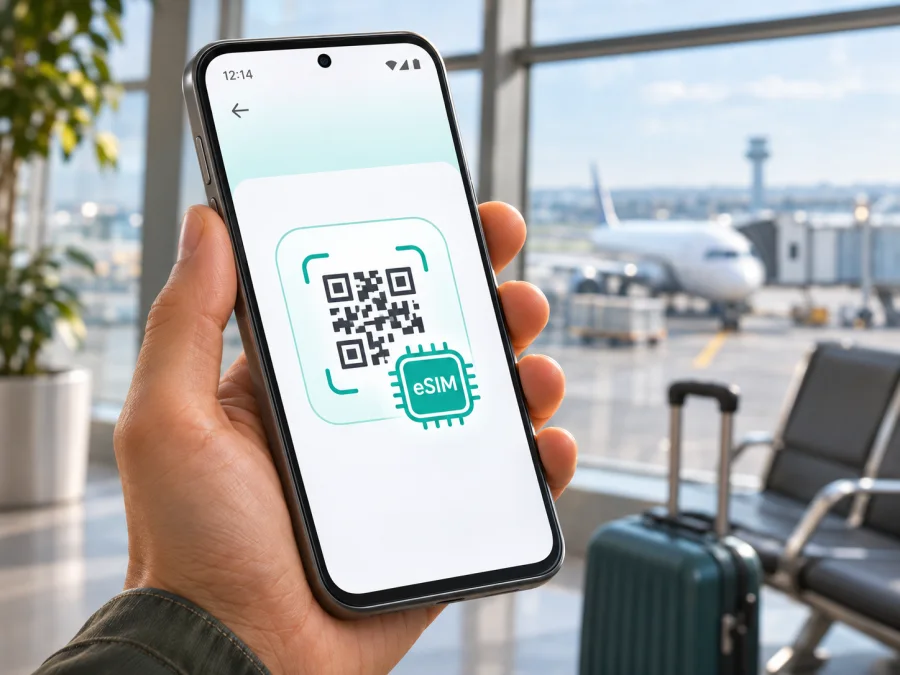
Realme GT 8 Pro 512GB 5G eSIM: compatibility and travel setup
Does the Realme GT 8 Pro 512GB 5G support eSIM?
Sometimes, depending on the regional version. The exact name “Realme GT 8 Pro 512GB 5G” does not identify where the phone was made for sale, its model code, or its firmware. Official realme specifications differ by market: the Taiwan specification explicitly lists eSIM support, while the currently published global and China specifications list two nano-SIM slots and do not list eSIM. That means the storage capacity and 5G label alone are not enough to confirm that a particular handset can download an eSIM profile.
The most reliable answer for your own phone comes from the device itself. Check its model code and settings, and ask the seller to confirm the exact regional SKU before purchase. Treat “global ROM,” an online listing that says “eSIM ready,” or the presence of 5G as insufficient proof. A software interface cannot add eSIM capability to hardware or firmware that does not expose it.
| Item | What can be established |
|---|---|
| Device name supplied | Realme GT 8 Pro 512GB 5G |
| Storage in the supplied name | 512GB; realme notes that maximum storage configurations vary by country and region |
| Network generation | 5G is part of the supplied variant name; realme lists multiple 5G bands, with actual access depending on local network deployment |
| eSIM status | Regional: the Taiwan specification says eSIM is supported; global and China specifications do not list eSIM and specify two nano-SIM slots |
| What the name does not identify | The sales market, hardware/model code, firmware build, carrier lock status, or eSIM provisioning availability |
| Best confirmation | EID in device settings plus an available “Add eSIM” or equivalent control, followed by confirmation that the phone is unlocked |
This is a regional distinction, not a claim that every phone sold in Taiwan, every 512GB unit, or every handset using realme UI has the same support. Even within one sales market, the exact model code, software version, carrier restrictions, and operator provisioning may affect what is available. In particular, the Chinese version’s official specifications describe two physical nano-SIM slots and do not state eSIM support. Installing another region’s software or changing a language setting is not a dependable way to turn that version into an eSIM device.
Regional versions and the operator market
A phone’s eSIM function depends on hardware, firmware, carrier restrictions, and the service you want to use. The Taiwan-market listing is a positive signal because it expressly includes eSIM. By contrast, realme’s Global specification describes two nano-SIM slots and does not mention eSIM; the China listing also describes two physical nano-SIM slots without listing eSIM. These market-specific documents should not be treated as interchangeable.
The name “Realme GT 8 Pro 512GB 5G” does not identify the sales market or model code. If you are shopping, ask for the exact SKU and a screenshot of the SIM settings on that unit. Ask the seller to confirm eSIM profile downloads and the absence of a carrier lock in writing. A “global ROM” claim, 5G, or a storage number is not proof. Changing software or language is not a reliable way to add eSIM to a version that does not expose it.
Separate phone compatibility from service availability. First confirm that the handset can add an eSIM; then check that the plan includes every destination and that its network terms suit your route. A plan cannot add eSIM hardware, and eSIM support does not guarantee service on every local network. Review destination, data allowance, validity, activation timing, and restrictions before checkout.
Check the phone before choosing a plan
Use this checklist on the handset you intend to travel with. Menu wording may differ slightly across language, region, and realme UI updates, so use Settings search if a label is not where expected.
- [ ] Open Settings and search for EID. On many Android phones, it is also listed under About device or Status. An EID is the identifier associated with an eSIM chip. If one appears, record it privately; do not post it publicly.
- [ ] Open Settings → Mobile network, SIM cards & mobile networks, or the closest equivalent. Look for Add eSIM, Download a SIM, Set up eSIM, or an option to scan a QR code.
- [ ] If available, inspect the flow only as far as the screen that offers to add a plan. You do not need to scan or install a profile just to check whether the menu exists.
- [ ] Compare the device’s model code and region with the official specification for that market. A retail title or storage number is not a substitute for the model code.
- [ ] Confirm that the phone is unlocked and ask the current carrier whether it allows another carrier’s eSIM profile.
- [ ] Check that the operating system is up to date and that the phone has a working internet connection for profile download.
- [ ] Before paying for a travel plan, confirm compatibility with the plan provider and check the plan’s destinations and terms.
Check whether your device is compatible before selecting a travel plan. If the settings show neither an EID nor an eSIM setup option, do not assume that an EID lookup site, third-party app, or QR code can activate eSIM. Recheck the exact SKU and ask realme support or the seller to confirm the device. If support cannot be established, use a physical SIM where available, rely on your existing roaming service, or connect over trusted Wi-Fi instead.
An EID is a useful sign, but it is not the only check. The phone must also expose the profile download function and permit activation. Conversely, one missing menu can sometimes be caused by a disabled setting, outdated firmware, or a carrier restriction, so verify the model and software before concluding. Never share an EID, QR activation code, or installation details with a public forum; anyone who obtains a valid activation code may be able to use it.
When the phone is compatible: install an eSIM
Continue only after confirming eSIM support on the exact handset and that it is unlocked. Keep the phone on stable Wi-Fi, charged, and follow the plan’s current instructions; menu names vary by realme UI version.
- Choose a plan. Confirm the destination, data amount, duration, and whether validity begins at installation, activation, or first network connection.
- Get the profile. Find the eSIM in your account or app. Depending on the plan, installation uses an activation button, QR code, or manual details. Treat activation codes as private and potentially single-use.
- Open SIM settings. Go to Settings → Mobile network or the equivalent and choose Add eSIM or Download a SIM. Search Settings for “eSIM” if needed. If the control is absent, recheck the regional model and firmware.
- Download the profile. Scan the QR code from another screen or enter the supplied details. Keep Wi-Fi connected until installation completes. Do not delete the profile unless the plan provider confirms it can be restored.
- Label and select the line. Name it “Travel data” and choose it for mobile data when needed. Keep your home SIM for calls or verification texts only if its roaming charges are acceptable.
- Follow activation and roaming directions. Some plans require data roaming on the travel profile; others do not. Enable it only for the selected travel line when instructions say so. If validity starts on first connection, you may be able to install before departure and switch it on after landing.
- Test service. Confirm the profile is enabled, the plan is active, and a webpage loads over the intended line. Use the plan’s stated timing rather than activating early by assumption.
For Android screenshots, see the Android eSIM installation instructions. The iOS eSIM installation instructions are for Apple devices and are not the setup path for this Realme phone.
Once your exact phone is confirmed compatible, you can browse current eSIM plans on Kaspersky eSIM Store and compare destinations, data, validity, and activation terms. Kaspersky eSIM Store is an app and website for choosing, arranging, and activating a travel eSIM plan for mobile data abroad. It is not a mobile operator or network owner; service depends on the plan and the applicable local network.
Use eSIM for mobile data on a trip
A travel eSIM is most useful when you want mobile data without swapping a physical SIM after landing. Before you leave, confirm that the specific Realme unit supports eSIM and is unlocked. Select a plan that covers every country on your route; a country-specific plan may not include a neighboring destination or a transit stop. If you are visiting several countries, compare a regional option with separate country plans, and check the conditions rather than assuming one profile works everywhere.
You can usually install a profile while connected to Wi-Fi at home or at the airport, then activate it according to the provider’s timing rules. Some profiles begin their validity when installed, others when activated, and some only when they first connect to a supported network. Read that rule before installation so the plan does not expire earlier than intended. Keep the purchase confirmation and setup instructions accessible offline in case airport Wi-Fi is unavailable.
After landing, open the SIM settings and verify that the travel profile is enabled. Choose it as the data SIM, enable data roaming for that profile if the plan instructions require it, and leave automatic network selection on initially. It can take a short time for a new profile to register. If there is no connection, toggle airplane mode once or restart the phone, then check the troubleshooting steps below before changing advanced network settings.
A data-only eSIM generally does not provide a regular phone number or conventional voice calls and SMS unless the plan expressly includes them. You can use messaging, maps, booking apps, and internet calling over data. Keep your normal number active for calls or bank messages only if your carrier’s roaming charges are acceptable. Dual-SIM behavior, including whether both lines can stay active together, depends on the device configuration and software; verify the options on your exact unit before relying on simultaneous service.
The 5G label does not guarantee a 5G connection in every destination. Actual service depends on the phone’s regional band support, network deployment, plan arrangements, local coverage, and current signal. If 5G is unavailable, automatic network mode may use LTE or another supported technology. A stable LTE data connection can be entirely adequate for navigation, messaging, tickets, and routine browsing. Do not force a network mode unless the plan or support team recommends it.
Three practical travel situations
One-country trip: choose a plan that names the destination, install over Wi-Fi if permitted, and select it for data after arrival.
Multi-country itinerary: verify every country and territory on the route is included. Compare regional and individual country options by coverage list, duration, and allowance.
Short transit stop: check when validity begins. If the plan permits, wait to enable it until the destination where you need data. Keep important instructions available offline.
Kaspersky eSIM Store lets users choose and activate travel data plans through its app or website. The local network and plan terms determine where a connection is available; plan selection cannot make an incompatible handset support eSIM.
Troubleshooting: what to check first
No “Add eSIM” option: Search Settings for “eSIM” and “SIM,” install available updates, and restart. Then match the model code to the specification for its market. If that market’s realme listing shows two nano-SIM slots but no eSIM, ask the seller or realme support; do not flash another region’s firmware to force the feature.
No EID appears: Check About device → Status or search Settings. Paths vary. If there is no EID and no profile menu, verify the SKU before buying a plan. Do not publish an EID or activation details.
QR scan or profile download fails: Keep Wi-Fi connected, increase the QR display brightness, check that the code is current and unused, and confirm the phone’s date and time are automatic. If download still fails, save the error and contact the plan support channel. Avoid deleting an installed profile without guidance.
Profile installs but data does not work: Ensure the profile is on and selected for mobile data. Confirm destination, plan status, remaining data, signal, and whether data roaming is required for that travel profile. Try airplane mode briefly or restart. Enter an APN only if the plan instructions provide one.
Home SIM or 5G behaves differently: Review the selected lines for data, calls, and messages; dual-SIM behavior depends on configuration. Check home carrier roaming terms. 5G access depends on local bands, deployment, plan arrangements, and signal; LTE may be the available connection. Leave network selection automatic unless support advises otherwise.
Frequently asked questions
Does every Realme GT 8 Pro 512GB 5G have eSIM?
No. realme’s Taiwan listing explicitly includes eSIM; its Global and China specifications do not and describe two nano-SIM slots. Identify your phone’s market and model code, then check EID and the add-profile control.
Does 512GB or 5G prove eSIM support?
No. Storage, network generation, and embedded SIM capability are separate. Neither detail identifies the regional SKU.
Can travel eSIM and my regular SIM work together?
Available combinations depend on the handset and software. Check SIM manager options and your home carrier’s roaming charges before relying on both lines.
Should I install before the flight, and enable roaming?
Read when plan validity begins. Some profiles can be installed ahead and enabled after landing. Turn on data roaming for the travel profile only when its instructions require it, and confirm the travel line is selected for data.
Does a travel eSIM include calls and SMS?
A travel data plan may not include a regular number, voice calls, or SMS. Check the specific terms; internet messaging and calling apps can use its data connection.
What if I discover my version has no eSIM after purchase?
Avoid unofficial firmware changes. Contact the plan provider about its cancellation terms and consider a compatible physical SIM, home-carrier roaming, or Wi-Fi.
Final check before you travel
For the Realme GT 8 Pro 512GB 5G, eSIM compatibility depends on the regional version. The Taiwan-market official specification lists eSIM; the Global and China specifications do not, and identify two nano-SIM slots. The exact product name does not tell you which version you own. Confirm the model code, look for an EID and an eSIM add-profile control, check that the phone is unlocked, and ask the seller or manufacturer if any part is uncertain.
Once compatibility is established, choose a plan that names every destination on your itinerary and fits your data needs and dates. Read its activation timing, validity, roaming, and network terms before purchase. Install and label the profile carefully, select it as the mobile-data line when appropriate, and keep a backup connection plan. A few checks before checkout can prevent arriving abroad with a plan that the phone cannot install.


