Travel connectivity guide
Remire-Montjoly eSIM: Mobile Internet Guide
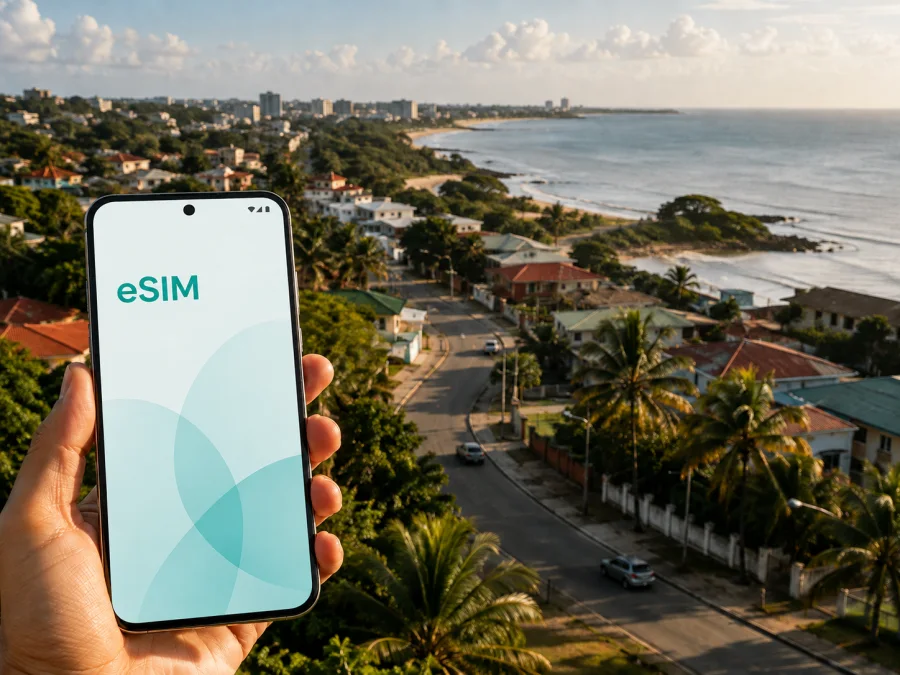
Remire-Montjoly eSIM: mobile connection and internet for your trip
If you are travelling to Remire-Montjoly, preparing mobile internet before departure can make the first hours in French Guiana easier. An eSIM lets you use a digital SIM profile instead of looking for a physical SIM card after landing. You can keep directions, messages, bookings and transport details on one phone while retaining your usual SIM when the device supports dual SIM.
Remire-Montjoly is a coastal commune next to Cayenne, so a visit may combine an airport arrival, accommodation near the shore, meetings in the wider Cayenne area and short coastal excursions. Those plans create different data needs. A stopover may need maps and messaging; a longer visit may also include video calls, work files, ride requests and photo uploads.
Kaspersky eSIM Store is an app and website that helps you choose, purchase and activate an eSIM tariff for mobile internet on a compatible device during an international trip. The useful question is not only “which eSIM?” but also “how much data, for how long, and for which part of my Remire-Montjoly itinerary?”
Why an eSIM can be useful in Remire-Montjoly
The first connection matters when you arrive with luggage, an unfamiliar road layout and a hotel address saved in your messages. A travel eSIM installed in advance can help you manage the arrival sequence without first finding a shop or relying entirely on airport or hotel Wi‑Fi. The eSIM is intended for mobile data; regular calls and SMS are not included unless the selected tariff says otherwise. Internet messaging and calling apps can be used when their terms and your contacts allow it.
| Remire-Montjoly situation | What mobile internet helps you do | Useful preparation |
|---|---|---|
| Arrival and transfer | Open the hotel address, message your host and check the next part of the journey | Save the address offline too |
| Moving between Cayenne and Remire-Montjoly | Check a route, compare directions and send an updated arrival time | Save destination names and a backup route |
| Coastal walks and beach visits | Coordinate with companions, check bookings and share an update | Download essential information first |
| Business travel | Join a planned call, exchange documents and respond to messages | Reserve more data for calls or files |
| Short stopover | Handle a transfer, booking and essential messages | Match validity to the stop |
The main benefit is continuity. You do not have to remove your regular SIM or change a tiny physical card while travelling. At the same time, an eSIM is not a replacement for every communication service, so check whether your plans require a separate number, voice service or SMS.
The first hours after arrival
Remire-Montjoly does not have an airport in its central district. Travellers commonly approach the commune by road after landing at Cayenne-Félix Éboué Airport, so plan the airport-to-accommodation stage separately from the rest of the visit. You may need to confirm a pickup, send a message after collecting luggage or look up a changed meeting point.
Before departure, put the accommodation address in your notes and save the booking confirmation for offline access. Mobile data then acts as a backup for live directions and communication rather than the only place where the information exists. If someone is meeting you, agree on a fallback point and keep their contact details available before take-off.
Local movement, hotels and meetings
Remire-Montjoly combines residential areas, roads leading toward the coast and access points for outdoor activities. A route that looks short on a map can still require the exact entrance, road name or meeting point. Mobile internet helps you check the correct pin, share your location and adjust plans between a hotel, restaurant, beach and trailhead.
Accommodation near the coast can require a late-arrival message, access instructions or a host update. For work, separate essential use—email, calendars, authentication and a call—from optional use such as automatic photo backup, app updates and streaming. This keeps your data allowance aligned with the purpose of the trip.
How to choose an eSIM tariff for Remire-Montjoly
Start with the complete route, not only the accommodation name. If you will stay in Remire-Montjoly and travel to Cayenne, Matoury or other destinations in French Guiana, confirm that the selected destination or region covers the itinerary. A plan for one destination may not suit a route that continues to another territory. Review the destination description in Kaspersky eSIM Store before purchase.
Estimate use in three layers:
- Essential data: maps, transport details, messages, email and booking confirmations.
- Regular data: social feeds, photo sharing, music, translation tools and repeated navigation.
- Heavy data: video meetings, cloud files, video uploads, hotspot use and streaming.
A three-day business visit can use more data than a week of low-intensity sightseeing. If you will use your phone as a hotspot, review the tariff conditions first because tethering may depend on the selected plan or device settings. Choose by actual activities, not by trip length alone.
For your Remire-Montjoly plans, you can review the available eSIM options for French Guiana after checking your dates and data pattern. Use the page to review the destination and current tariff conditions, including traffic volume, validity and price; still read the activation details before purchase.
Match the tariff to the route
- Only Remire-Montjoly: prioritise arrival, accommodation, local navigation and messages.
- Remire-Montjoly plus Cayenne: include repeated journeys, meeting searches and changes to plans across the neighbouring urban area.
- Remire-Montjoly plus excursions: check the destination scope and keep important directions offline.
- A wider itinerary: confirm every country or territory before buying. A city name does not automatically mean coverage for the whole trip.
Validity deserves the same attention. An eSIM installed at home may not begin its data period at the moment of installation; the start point depends on the tariff and activation conditions. Read them carefully if you are installing well before departure or have a long stopover.
How to install and activate an eSIM before or after arrival
First, check whether your device supports eSIM and make sure it is not restricted by an operator lock. If the phone supports dual SIM, decide which profile will handle mobile data and which will remain available for your regular number. Menu names vary by manufacturer and operating-system version.
After choosing a tariff, the eSIM profile may appear in your account on the website or in the app. Follow the on-screen steps or use the QR code supplied with the purchase. For device-specific details, use the Android installation instructions or the iOS installation instructions.
A practical sequence is:
- Connect the phone to a trusted internet connection while downloading the profile.
- Open mobile-network or cellular settings and choose the option to add an eSIM.
- Scan the QR code or follow the activation flow in your account.
- Label the profile clearly, such as “French Guiana trip.”
- Select the eSIM for mobile data when you are ready to use it.
- Keep your regular SIM for calls or messages if you want to retain that service.
- If the tariff or device requires it, enable data roaming for the eSIM and confirm the intended data line.
Installation and activation are different steps. The profile can be installed before the flight, while data use may depend on the tariff rules and the local network after arrival. If it does not connect immediately, check the plan conditions, selected data line, signal settings and device instructions before deleting the profile. If the problem remains, contact support with the device model and the step where the issue occurred.
What to check before buying
Use this checklist for Remire-Montjoly:
- Device support: confirm eSIM compatibility in the phone settings or manufacturer’s documentation using the compatibility check above.
- Operator lock: a locked device may restrict another eSIM profile even when the hardware supports eSIM.
- Destination: verify that the tariff applies to French Guiana and to every other part of your route.
- Validity: check when the period begins, how long it lasts and whether it fits your arrival and departure.
- Data volume: include navigation, messages, work calls, media and hotspot use.
- Data roaming: confirm whether it needs to be enabled for the eSIM line; this can differ from the regular SIM.
- Calls and SMS: assume they are not included unless the tariff says otherwise.
- Power and access: keep the phone charged and make sure you can reach the account where the profile and activation details appear.
Remire-Montjoly scenarios to prepare for
Arrival from the airport
Confirm the accommodation address, the person meeting you and the next road destination. Send a short arrival message once it is safe, then keep the phone ready for route changes. If the eSIM was installed in advance, select it for data only after checking the correct line and activation conditions.
A stay near the coast
Save the booking, check-in instructions and a map view before leaving a reliable connection. Use mobile data for current coordination and navigation; leave large downloads and backups for a connection you intend to use. Battery-saving settings are useful when the day includes several stops.
A business trip across the Cayenne area
If meetings take place in Remire-Montjoly and Cayenne, plan for movement rather than one fixed address. Keep calendar entries, meeting details and contact information accessible without searching a long chat history. Test the microphone, camera and selected data line before a call. Treat hotspot use as a separate data scenario and check whether the tariff permits it.
Outdoor plans and a short stopover
For a walk or coastal outing, download what can be saved in advance, tell someone your intended route and use mobile data for what must be current: a message, changed meeting point or return plan. For a short stopover, keep the setup narrow—one transfer, one booking and essential messages. Write down the activation steps so you do not change several SIM settings in a hurry.
A compact preparation plan
Before travel, confirm the route and destination scope, check device compatibility and operator-unlock status, estimate use from navigation and work, and review allowance, validity, price and activation conditions. Save accommodation details and important contacts offline. Install the eSIM while the phone has reliable internet, label the profile and review the mobile-data line. On arrival, confirm the intended eSIM is active, enable data roaming only if required, send a test message and monitor the balance in the app or account.
If data does not work, check airplane mode, the selected SIM, signal and destination validity before changing settings. If you need help, tell support what you have already checked.
Frequently asked questions
Is an eSIM suitable for a trip focused on Remire-Montjoly?
It can be useful when your main need is mobile internet for arrival, navigation, messages, bookings and work. Choose a tariff that applies to French Guiana and check the complete route if you will travel beyond the commune.
Can I keep my usual number?
On a compatible dual-SIM phone, you can often keep the regular SIM installed while assigning mobile data to the travel eSIM. Exact behaviour depends on the device and settings. An eSIM tariff generally does not include a regular number, voice calls or SMS unless its conditions say so.
Should I install it before flying?
Installing before departure can simplify arrival if the device is compatible and the tariff allows that timing. Installation does not necessarily mean the validity period or data use has started, so read the selected conditions carefully.
Can I use it for a video meeting?
Possibly, if the tariff, device and local network support the required data use. Video calls consume more data than text messages and map checks, so include them in your estimate and test the data line before the meeting.
What if I travel from Remire-Montjoly elsewhere?
Review the route before buying. Confirm whether the tariff applies to each country or territory, and do not assume that a plan for one destination covers another. Keep the destination details visible in your account while planning.
Can I move the eSIM to another phone?
Do not assume that a profile can be transferred after activation. The possibility depends on the profile, tariff and devices involved. Check the conditions first and contact support if you need to change phones.
Prepare your mobile internet for Remire-Montjoly
A smooth connection plan starts with four decisions: the route, the amount of data your activities require, the validity period and the device settings you will use. Check compatibility, keep the two SIM profiles clearly labelled and install the travel profile while you have a dependable internet connection.
When those details are ready, choose an eSIM tariff for your trip to Remire-Montjoly and keep the activation instructions available. Kaspersky eSIM Store helps you review the destination and tariff conditions, then manage the eSIM through the app or website. If questions arise during installation or activation, contact support after checking the device and tariff details.


