Travel connectivity guide
Renna Mobile eSIM in Jordan: what to verify
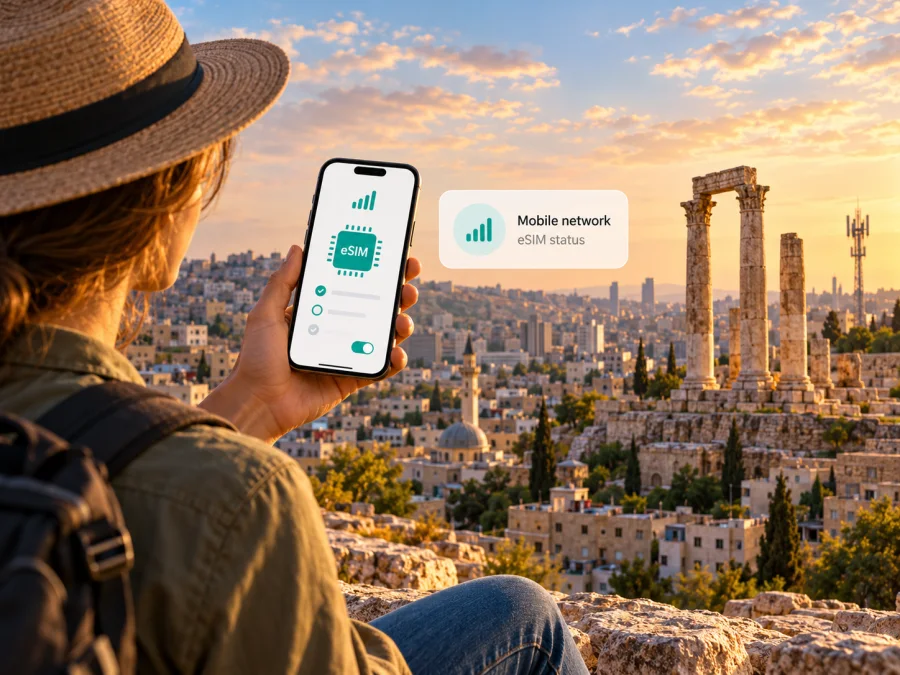
Renna Mobile eSIM in Jordan: what travelers should know
If you are searching for a Renna Mobile eSIM for Jordan, first check which country the service covers. Renna Mobile’s official material describes service in Oman and eSIM for its own customers; no Jordan service or tourist product was confirmed in public sources checked on 1 November 2026.
That distinction matters before you buy, scan a QR code, or change your phone settings. An eSIM intended for a Renna Mobile customer does not become a Jordan connection simply because you travel there. This guide separates verified facts from uncertainty and explains how to prepare mobile data for Jordan without assuming Renna Mobile operates there.
The country question: Renna Mobile and Jordan
Renna Mobile’s official site identifies its service with the Sultanate of Oman. Its published pages refer to service and recharge locations there and describe access through a host network. They do not identify Jordan as a Renna Mobile service market.
The Telecommunications Regulatory Commission (TRC) “Current Licensees” register, checked on 1 November 2026, does not list Renna Mobile. Apple Support’s “Find wireless network providers and worldwide service providers that offer eSIM service on iPhone” directory, also checked on that date, has a Jordan section for iPhone eSIM activation and does not list Renna Mobile there.
The evidence therefore supports a limited conclusion: Renna Mobile documents eSIM for its own customers, but public material checked on 1 November 2026 does not confirm a Jordan eSIM, local service, or a Jordan travel product. Do not assume that an Oman eSIM will connect in Jordan because a search result mentions roaming. If you are a Renna Mobile customer, ask its support team whether your exact line can roam in Jordan, whether roaming must be enabled, and how use is charged. For a Jordanian number, check directly with a provider licensed in Jordan.
This does not establish that Renna Mobile is unavailable everywhere outside Oman; roaming can depend on the account and current agreements. It means that a Jordan service could not be verified here. Renna Mobile and Jordanian providers are independent, and this guide is not affiliated with Renna Mobile.
What Renna Mobile says about eSIM
Renna Mobile’s official “Services” page, in its eSIM section checked on 1 November 2026, says existing customers can request eSIM through the My Renna app and follow the in-app process. The company’s “New Customers” page also promotes eSIM. That confirms eSIM as a feature in the company’s own service, not a Jordan signup route, Jordan number, or Jordan travel data plan.
The public instructions do not settle every account question. Before converting a SIM, ask Renna Mobile whether the process applies to your account, how activation is delivered, and how to restore the profile after a reset or phone replacement. Do not delete a profile as a first troubleshooting step: removing it from a device may not cancel the underlying line and can make recovery harder.
If you are already a subscriber, keep your home line active until you understand how it will work during the trip. Ask whether your line can receive calls or verification messages while a second eSIM handles data. For a prospective customer, do not assume the onboarding flow accepts a Jordan address or visitor documents; Renna Mobile has not published a Jordan visitor registration route in the materials checked. Confirm eligibility and identity requirements directly.
How to choose a connection for Jordan
First decide what the connection must do. A local subscription, home-network roaming, and a travel data eSIM are different arrangements. A local line may suit a traveler who needs a Jordanian number or ordinary voice and SMS. Roaming keeps an existing number in use, subject to the home operator’s agreements and charges. A travel eSIM is often used for data during a visit, but its terms may exclude a regular phone number, voice, or SMS.
Before buying an eSIM for Jordan, check:
- Jordan is explicitly covered and the provider explains the local network arrangement.
- Your exact phone model and regional variant support eSIM, and the device is not carrier-locked.
- The product is data-only or includes a number, calls, and text messages.
- When installation and service activation occur; they may be separate steps.
- Whether setup needs Wi-Fi, an account, identity documents, a local address, or an in-person visit.
- Network selection, roaming settings, hotspot rules, supported technology, and support options.
- You can retrieve the QR code or installation details and reach the account used for purchase.
Apple Support’s current directory lists eSIM activation options for Jordan and separately identifies a prepaid eSIM option for international travelers. This is a starting point, not a guarantee that every plan, visitor, phone, or activation route is eligible. Confirm current terms with the provider. Android eSIM support and setup vary by manufacturer, software, and handset variant; Apple’s list cannot establish Android compatibility.
A country listing does not guarantee reception in every building or remote area. Coverage depends on the network, device, terrain, and local infrastructure. Check current coverage for your route and save offline maps.
Local line, roaming, or travel eSIM?
A local Jordan line can be useful if you need a local number or traditional calls and SMS. Registration rules and activation may require a shop visit or local documents, so confirm the process before arrival. Roaming may preserve your existing number, but its availability and charges depend on your home account and current agreements. Renna Mobile has not been verified here as a Jordan operator or as a supplier of a Jordan-specific travel plan.
A travel eSIM may suit a visitor who mainly needs data for maps, messaging, transport, email, or bookings. Its access depends on the specific product and local arrangements. Check the destination, service terms, voice/SMS support, and activation timing rather than assuming every plan is the same. A dual-SIM phone may allow your home line and travel data profile to remain installed, subject to the device’s capabilities.
Choose based on trip length, route, need for a reachable number, and expected data use. Save essential contact details and offline information in case activation takes longer than expected.
For a separate data option, browse current eSIM options for Jordan in Kaspersky eSIM Store. This is a destination page for checking travel eSIM availability, not a Renna Mobile tariff page and not evidence that Renna Mobile provides service there. Review the current product conditions. Kaspersky eSIM Store is an app and website that helps travelers choose, arrange, and activate a travel eSIM; it is not a network operator, network owner, or provider of mobile access itself.
Check your phone before departure
An eSIM-ready phone must support the feature in its specific hardware and software configuration and accept another provider’s profile. Regional variants of one handset can differ, and a carrier-locked phone may reject a compatible profile. Confirm the full model identifier and sales region with the manufacturer or seller, and ask the original carrier whether a used device is unlocked.
On many iPhones, eSIM setup is under Cellular and labelled “Add eSIM”; Android menus may say “SIM manager” or “Add mobile plan.” Menu names vary, so follow the provider’s and manufacturer’s current instructions. Seeing the menu is a clue, not proof that a particular profile will work. Use the device compatibility check before choosing a travel profile.
Update the phone while you have reliable Wi-Fi, know the device passcode, and keep the charger available. Label lines clearly, such as “Home” and “Travel,” so you can choose the correct one for data. Avoid disabling your regular SIM if you need it for bank codes or incoming calls.
Installing and activating a travel eSIM
Follow the chosen provider’s current instructions; menus and timing vary. A typical setup is:
- Check destination, phone compatibility, and conditions before purchase.
- Keep the QR code or installation details available on another screen or in a saved copy.
- Connect to Wi-Fi, open cellular settings, and add the eSIM using the method supplied.
- Label the profile and leave the home line configured as intended.
- Follow instructions for enabling the line, selecting mobile data, and enabling data roaming if that profile requires it.
- In Jordan, wait for network registration and check the selected data line before troubleshooting.
Some activation codes are single-use or tied to one handset. Treat them as private. If an error appears, retain its wording and contact the provider through its official support channel; do not immediately delete the profile. Installation can happen before travel while service starts only after arrival, or activation may begin earlier. Check whether the clock starts at purchase, installation, or first connection. Removing a profile does not necessarily pause or reset its service.
Manage two SIMs without losing access
With two lines installed, check which one handles mobile data, calls, and SMS. A data-only travel eSIM may not support ordinary calls or texts. Your home SIM can still incur roaming charges if it connects abroad, even when the travel eSIM is selected for data. Review your home operator’s terms and, if appropriate, disable data roaming on the home line while keeping the line available for calls or verification.
A travel profile may require data roaming on that line. Follow its setup instructions, confirm the setting applies to the correct SIM, and check after arrival that mobile data uses the travel profile.
If service does not connect
Before resetting the phone or deleting a profile, check that the eSIM is installed and switched on, mobile data is assigned to it, and any required roaming setting is enabled. Briefly toggle airplane mode, wait for registration, and restart only if the provider recommends it. Confirm the product is active for Jordan and that any setup step is complete. Then contact support with your model, software version, approximate location, and exact error text; never share passwords or one-time codes.
For Renna Mobile customers, ask Renna Mobile about the home line, eSIM setup, and roaming eligibility. Its official pages describe eSIM onboarding for Renna customers and service in Oman, not a Jordan product. A successful installation does not itself prove Jordan coverage. Get explicit confirmation for your account before relying on it. If support identifies a coverage or device limitation, use Wi-Fi or another available connection and keep essential travel information offline.
Questions travelers often ask
Is Renna Mobile a Jordan mobile operator?
The current TRC licensee register does not list Renna Mobile, while Renna Mobile’s official site describes service in Oman. Based on the material checked, do not treat it as a Jordan-licensed local operator.
Can I buy a Renna Mobile eSIM for a Jordan holiday?
No Jordan-specific Renna Mobile eSIM offer was verified. Renna Mobile documents eSIM for its customers, but that does not establish a Jordan travel product. Ask the company about roaming if you are a subscriber; for a local number, check a Jordan-licensed provider.
Will my Renna Mobile eSIM roam in Jordan?
Public information checked did not confirm this. Roaming depends on current agreements and account settings. Ask Renna Mobile about your exact line and charges before departure.
Which Jordan providers support iPhone eSIM?
Apple Support’s current eSIM directory lists Jordan providers for supported activation methods and a prepaid option for international travelers. Eligibility varies, so verify with the provider and check your exact iPhone model.
Does every eSIM phone work?
No. Compatibility can vary by exact model, regional variant, carrier lock, software, and provider requirements. Verify before purchase.
Are calls and SMS included?
It depends on the product. Many travel eSIMs are data-only; a local line may offer a number and traditional service. Check terms. Internet calling apps work over data subject to their own requirements.
A practical decision for your trip
Treat Renna Mobile and Jordan as two separate parts of the search. Renna Mobile’s public eSIM information applies to its own customers in the market it documents; it does not establish Renna Mobile service in Jordan. For a Jordanian number, verify a local provider’s license and onboarding requirements. If you mainly need data, check a travel eSIM designed for Jordan. If you want to use your existing Renna Mobile line, confirm roaming directly with the company and review your account conditions.
Before leaving, match the service to Jordan, verify that your exact phone variant is unlocked and eSIM-capable, understand when activation begins, and save a fallback for essential information. Coverage and activation can vary by place, device, account, and provider, so confirm close to departure.
Kaspersky eSIM Store may help you review and arrange a travel eSIM for data in Jordan, subject to the current product terms and compatibility. It is an app and website for choosing, arranging, and activating a travel eSIM; it is not Renna Mobile and does not operate a mobile network. Check current eSIM options for Jordan and review the conditions for the specific product. Renna Mobile and Kaspersky eSIM Store are not affiliated.
Information checked on 1 November 2026. Operator service, roaming, compatibility, activation rules, and local requirements can change. Confirm current details with the relevant provider before purchase or travel.


