Travel connectivity guide
Rennes eSIM: Mobile Internet for Your Trip
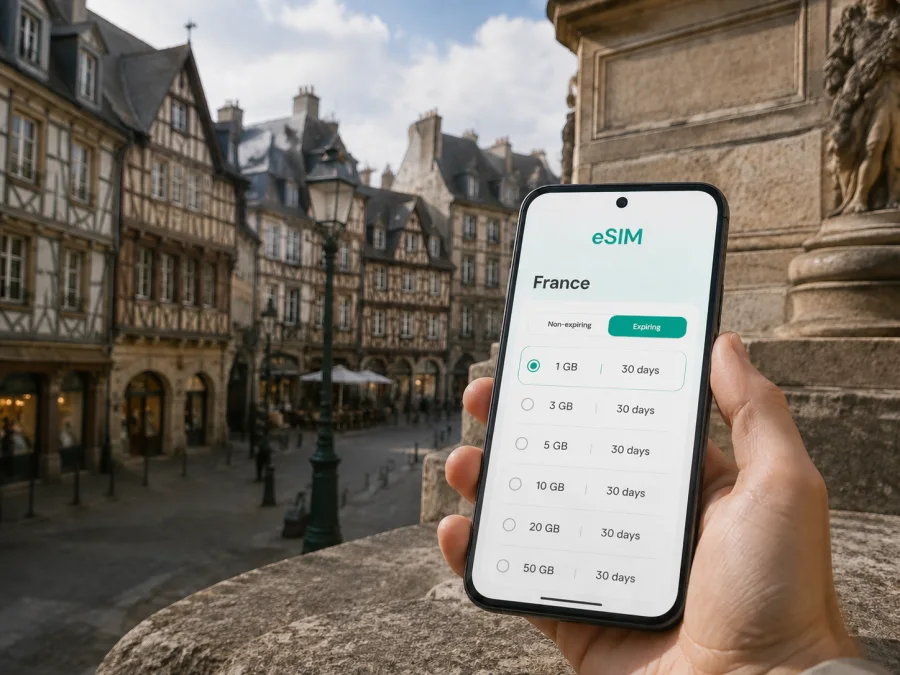
Rennes eSIM: mobile connection and internet for your trip
Rennes is compact enough to explore on foot, but a reliable mobile internet plan still makes a noticeable difference from the moment you arrive. You may need to find the airport bus, check a platform at Rennes station, open a map in the historic centre, message a hotel, or join a meeting before you have settled in. An eSIM, or digital SIM, lets you prepare mobile data for France without removing the physical SIM that you use at home.
This guide is about using an eSIM in Rennes: how to plan for arrival, choose a suitable data allowance, move between the city’s districts, and avoid common setup surprises. Kaspersky eSIM Store is an app and website that helps you choose, arrange, and activate an eSIM with a suitable tariff for mobile internet during an overseas trip.
Why mobile internet matters in Rennes
The first hours of a city break involve several small decisions. At Rennes–Saint-Jacques Airport, you may need to confirm the route into town, find a transfer, or tell someone that your flight has arrived. At Rennes station, a map can help you orient yourself before walking to a hotel or changing transport.
Once you are in the city, a data connection is useful for:
- walking directions between the station, your accommodation, and the historic centre;
- checking bus and metro information when a route changes;
- opening hotel, restaurant, museum, or event reservations;
- using a translation tool while ordering food or asking for directions;
- messaging a colleague, travel companion, or host;
- receiving work messages and joining a short online meeting;
- keeping a map available while exploring beyond the central streets.
Public Wi‑Fi can be helpful in a hotel or café, but it is not always available exactly when you need it. An eSIM gives you another option for mobile data, so you do not have to make every first decision around finding a network. Your regular SIM can remain in the phone for calls or messages, subject to your home operator’s roaming settings, while the eSIM is selected for mobile data if that arrangement suits you.
A useful way to think about the Rennes trip
Rennes works well for several different travel patterns, and the right eSIM preparation depends on yours.
| Trip pattern | Where mobile data is most useful | What to plan before departure |
|---|---|---|
| Weekend in the centre | Arrival, walking routes, reservations, messaging | A light allowance for maps and messages, with room for photos |
| Business visit | Station, hotel, office, calendar and video calls | More data if you expect tethering or frequent meetings |
| Airport stopover | Transfer information, directions, and updates | A plan that covers the time between landing and onward travel |
| University visit | Travel to campus areas, messages, and online documents | Check the route and keep your home line available if needed |
| Brittany itinerary | Rennes plus rail or road trips from the city | Confirm that the chosen France tariff fits the whole route |
The table is a planning framework, not a promise about a particular package. The available data volumes, validity periods, and prices depend on the tariff you select. Look at those conditions in the app or on the website before you complete the purchase.
Arriving in Rennes with an eSIM ready
Rennes–Saint-Jacques Airport is close to the city. Current airport information describes a bus connection to République in roughly 20 minutes and a nearby Saint-Jacques-de-la-Lande rail stop that can connect with the centre by TER after a walk from the terminal. Routes, times, and fares can change, so check them for your travel date. A taxi can be practical with bulky luggage, a late arrival, or a direct trip to a meeting.
With mobile data available, you can identify the airport stop, message your host, check the route to your accommodation, and save the address before leaving the terminal. If you installed the eSIM but want it to start later, keep your regular line selected for mobile data until you are ready; controls vary by device. If you install after landing, use the airport connection or hotel Wi‑Fi where required.
Rennes station is another useful arrival point and a base for onward rail travel. Save the hotel entrance and a map pin before walking with luggage. A precise address is more useful than saying only “the centre,” especially when several streets meet around a busy square.
Choosing an eSIM tariff for Rennes
There is no single correct data allowance for every visit. A traveller who mainly walks between landmarks and uses hotel Wi‑Fi has a different pattern from someone who works remotely, shares a hotspot, uploads photos, or takes day trips around Brittany. Start with the route and behaviour you expect, then compare the tariff’s data volume, validity, destination, and price.
1. Confirm the destination
For a stay in Rennes, select a tariff listed for France. If you plan to travel outside France, check whether the same tariff covers the full route or whether a regional option is more appropriate. The relevant question is where you will use mobile data and what the selected tariff says about its destination.
You can choose an eSIM tariff for a trip to France after checking the conditions that fit your itinerary.
2. Estimate your daily use
Write down likely data activities. Maps and messages are usually lighter than video calls, media uploads, long navigation sessions, hotspot use, automatic photo backup, or streaming.
Use this simple estimate:
- low use: maps when needed, messages, occasional searches, and mostly Wi‑Fi at the accommodation;
- regular use: frequent navigation, reservations, social media, email, and some photo uploads;
- high use: video meetings, large files, hotspot use, cloud backup, and regular streaming.
This estimate does not replace the tariff details. It helps compare your behaviour with the available data volume: a short work trip may need more data than a longer, Wi‑Fi-heavy stay.
3. Match validity to the real itinerary
Check when the validity period begins and when it ends. A tariff that covers the whole period of your Rennes stay may also be useful on the travel days around it, but only if its conditions match your route. Note the difference between installing an eSIM and starting to use mobile data: these actions may not have the same effect, depending on the selected tariff and device.
Before paying, make a short record of:
| Detail | Why it matters in Rennes |
|---|---|
| Destination | Confirms that France is included for the places you plan to visit |
| Data volume | Helps cover maps, work, messaging, and uploads without guesswork |
| Validity | Shows whether arrival, stay, and departure days are included |
| Activation terms | Clarifies when the eSIM or data use begins |
| Device requirements | Prevents a purchase before checking eSIM support and operator lock |
| Top-up or balance rules | Helps you understand what is possible if your usage changes |
Conditions can differ between tariffs. Read the selected description rather than assuming that one destination has the same terms as another.
Moving around Rennes: keep your route practical
Rennes has a walkable historic core, while buses, metro, regional trains, and taxis cover longer or time-sensitive journeys. Mobile data is most useful at the transitions: leaving the station, changing transport, finding a hotel beyond the centre, or returning after an evening event.
Historic centre and République
Pedestrianised streets, cafés, half-timbered buildings, Place du Parlement, and the town hall area can be linked in one walk. Keep the next destination saved, and use a precise address or map pin when meeting someone around République.
Thabor, Gare, and university areas
The Parc du Thabor has several entrances, so a saved meeting point helps groups reunite. The station district is practical for early departures and onward rail travel. Visitors going to Villejean, Beaulieu, a hospital, university, or office should save the full venue and allow time for the last section on foot. For work, reserve data for email, authentication, maps, and meetings by limiting automatic backups and updates.
Three realistic Rennes travel scenarios
Weekend arrival. Use mobile data for the airport transfer, hotel directions, reservations, messages, and a walking route through the historic centre. Install in advance, then check the data line after landing.
Business visit. Estimate video meetings and document use, save the office address, and test the eSIM as the mobile-data line. If you need a hotspot, check the tariff conditions and your work policy first.
Stopover before Brittany. Use data for the airport or station, accommodation messages, and the first onward route. Confirm that the France tariff fits every destination before you leave Rennes.
How to install and activate an eSIM
Start with three conditions: your device must support eSIM, it should not be operator-locked, and you need an internet connection where the installation flow requires one. You also need the QR code or profile supplied after the order. Settings vary by phone model.
1. Check the device
Confirm eSIM support and check whether the model is restricted by its sales region or operator. Before buying, check your device compatibility. Keep your physical SIM if you need its number.
2. Open mobile-network settings
Open mobile-network or cellular settings and choose the option to add a mobile plan or eSIM. Do not delete your existing SIM.
3. Scan the QR code or add the profile
Use the QR code from your order or the profile shown in Kaspersky eSIM Store. Read the destination details before continuing, and keep the QR code private.
4. Select the line for mobile data
Choose the new eSIM for mobile data in France. Keep calls and SMS on your regular line if needed, and review your home operator’s roaming settings.
5. Turn on data roaming for the eSIM if required
Some devices or tariffs require data roaming to be enabled for the travel eSIM. Use the setting for the eSIM profile, not automatically for every line, and follow the selected tariff’s instructions.
Open a map or send a short message after activation. If the connection does not appear, wait a few minutes, check the data line and instructions, then contact support with the device and steps taken. For platform guidance, use the Android eSIM installation instructions or the iOS eSIM installation instructions. Installation may take a few minutes.
A pre-departure checklist for Rennes
Complete this checklist before leaving for the airport or station:
- [ ] Check eSIM support and operator-lock status.
- [ ] Confirm that the tariff includes France and fits any onward journey.
- [ ] Compare data volume with maps, work, hotspot, and media use.
- [ ] Check validity and activation terms.
- [ ] Install the eSIM with a dependable internet connection, if you prefer to prepare in advance.
- [ ] Save your accommodation address and arrival instructions.
- [ ] Decide which line will handle mobile data after landing and keep the QR code available privately.
After arrival, repeat only the settings check: confirm the travel eSIM is active, select it for data, and verify the connection before a long walk or transfer.
What an eSIM does—and what it does not do
An eSIM tariff for France is primarily a mobile-data option. It does not automatically replace your ordinary phone number, and voice calls or SMS are not included unless the selected conditions say otherwise. Messaging and calling apps can work over mobile internet.
Regional model differences, operator locks, activation requirements, and data-roaming settings can affect setup. Preparing an eSIM lets you compare destination, data volume, validity, and cost, but you still need to understand your device and tariff.
Frequently asked questions
Can I use one eSIM for Rennes and other places in France?
Possibly, if the tariff’s destination and terms cover those places. Rennes is in France, but a city stop and a longer Brittany itinerary may have different data needs. Check the selected tariff rather than assuming that every option has the same validity or regional scope.
Should I install the eSIM before flying?
Preparing before departure is convenient because you can use a dependable connection and read the instructions calmly. You can also install after arrival. Check when validity begins so you do not activate earlier than intended.
Will an eSIM give me a French phone number?
Not necessarily. In this context, eSIM tariffs are intended for mobile internet, and a regular phone number, voice calls, and SMS are not included unless the chosen tariff explicitly says so. Use a messenger over data for internet-based calls and messages when appropriate.
What should I do if the eSIM does not connect?
Check that the eSIM is enabled, selected for data, and configured as instructed. If required, enable data roaming for that eSIM. Confirm the tariff is active and the phone is not operator-locked. If the problem continues, contact support with the device, location, and steps taken.
Prepare your Rennes connection before the journey
Rennes is easy to enjoy when airport, station, hotel, meeting, and sightseeing transitions are under control. Review your route, check your device, and select a France eSIM tariff for your data use and travel dates. Kaspersky eSIM Store helps you complete that choice and activation workflow.
When you are ready, choose an eSIM tariff for your Rennes trip, install it on a compatible device, and keep the tariff details available while you travel.


