
Travel connectivity guide
Republic of the Congo eSIM: travel internet
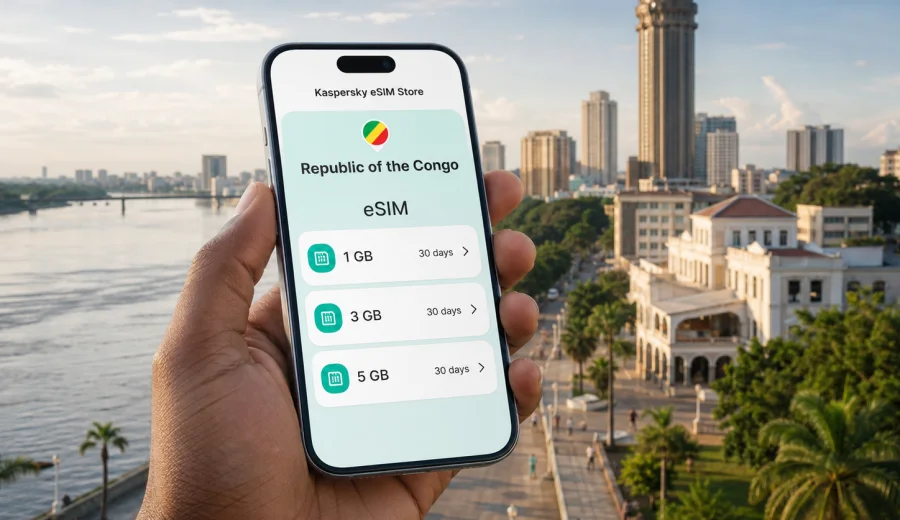
eSIM in the Republic of the Congo: mobile connection and internet for your trip
The Republic of the Congo is a destination where mobile internet can make the first hours of a trip much easier. You may need maps after landing in Brazzaville, a ride to your hotel in Pointe-Noire, a message to your host, or access to booking details while moving between airports, business districts, riverfront areas and coastal routes. An eSIM helps you prepare mobile data before you depend on public Wi-Fi, a local store, or a physical SIM card.
This guide explains how to use an eSIM for travel in the Republic of the Congo, how to choose a data plan, what to check before purchase, and how Kaspersky eSIM Store can help you choose, order and activate an eSIM with a suitable mobile internet plan for your trip.
Why an eSIM is useful in the Republic of the Congo
An eSIM is a digital SIM profile installed on a compatible smartphone or tablet. Instead of inserting a plastic SIM card, you add the eSIM to your device settings and use it for mobile data in the selected destination. For travel, this is practical because you can prepare the setup before departure and keep your main SIM in the phone for your usual number.
In the Republic of the Congo, mobile data can be useful in several everyday moments:
- checking your hotel address when you arrive in Brazzaville or Pointe-Noire;
- using maps and transport apps during airport transfers;
- messaging colleagues, family or travel partners;
- opening boarding passes, booking confirmations and documents;
- translating short phrases when French is not your everyday language;
- checking opening hours, routes and local updates while you move around.
The main value is control. You choose a prepaid plan with a visible data allowance, validity period and destination before you start using it. That can reduce uncertainty compared with using roaming without checking the conditions, or waiting until arrival to find a local option.
Republic of the Congo travel scenarios where mobile data matters
The Republic of the Congo is not just one city trip. Many visitors combine several practical scenarios, and each one affects how much data you may need.
| Trip scenario | Typical data use | What to consider |
|---|---|---|
| Short business visit to Brazzaville | Low to medium | Email, maps, messaging, hotel Wi-Fi as backup |
| Work trip with meetings in Brazzaville and Pointe-Noire | Medium | More navigation, ride coordination, document access |
| Coastal stay near Pointe-Noire | Medium | Maps, messaging, photos, occasional video calls |
| Multi-stop route through Central Africa | Medium to high | Check whether a country or regional plan better matches your route |
| Remote-work style trip | High | Video calls, hotspot use and cloud files can consume data quickly |
If your trip is short and hotel Wi-Fi will handle most heavy tasks, a smaller data package may be enough. If you expect to move often, use maps every day, share a hotspot, or rely on mobile data for work, choose a larger allowance and a validity period that covers the full stay.
eSIM, roaming or local SIM: how to compare your options
There is no single best option for every traveller. The right choice depends on your phone, your existing mobile contract, how long you stay and how much flexibility you need.
| Option | Strengths | Points to check |
|---|---|---|
| eSIM for travel | No physical SIM card, can be prepared before the trip, keeps your main SIM in the device | Device must support eSIM and be unlocked |
| Standard roaming | Uses your existing SIM and number | Price, daily fees and data limits can vary by operator |
| Local physical SIM | May be familiar for long stays | Requires time after arrival and may involve local sales conditions |
| Public Wi-Fi | Useful for large downloads at hotels or offices | Availability, security and reliability can vary |
An eSIM is especially convenient when you want mobile internet shortly after arrival and prefer to avoid changing physical SIM cards. It does not automatically replace every function of your home mobile plan. Most travel eSIM data plans are designed for internet access and may not include a local phone number, traditional voice calls or SMS unless the selected plan explicitly says so.
How to estimate the right data allowance
Start with the way you actually use your phone when travelling. A plan that is too small can run out before the end of the trip; a plan that is too large may be unnecessary if you mostly use Wi-Fi at your hotel or office.
As a practical guide:
- light use means maps, messaging, email and occasional browsing;
- moderate use means daily navigation, social apps, booking tools and regular photo sharing;
- heavy use means video calls, streaming, hotspot sharing and cloud work.
Data can disappear faster than expected when apps update in the background or media backs up automatically. Before you travel, check settings for automatic downloads, cloud photo uploads and video quality in streaming apps. If you use your phone as a hotspot for a laptop, treat your data needs as high: desktop websites, sync tools and file downloads often use more traffic than mobile apps.
What to check before buying an eSIM
Before you choose a plan for the Republic of the Congo, take a few minutes to check the technical basics. This avoids the most common setup issues.
Device compatibility. Your phone or tablet must support eSIM. The feature can vary by model, region and device version. You can check your device before choosing a plan.
Carrier lock status. Some phones are locked to a mobile operator. If your device is locked, it may not accept another SIM profile even when it supports eSIM.
Destination and validity. Confirm that the plan covers the Republic of the Congo and that the validity period matches your travel dates.
Activation rules. Some eSIM plans begin their validity after installation, while others start when the device connects to a supported network in the destination. Read the plan conditions before installing or activating.
Calls and SMS. If you need a traditional phone number, check the plan details. Many travel eSIM plans focus on mobile data. You can still use internet-based calls and messaging apps when data is available.
Choosing an eSIM plan for the Republic of the Congo
A good plan is not just the largest package. It is the package that matches your route, length of stay and expected usage. For a two- or three-day business trip, a smaller allowance may be reasonable. For a longer trip with daily navigation, work messages and photo sharing, a larger plan gives more room.
Use this checklist before you decide:
- Is the plan for the Republic of the Congo, or do you need a regional plan for multiple countries?
- Does the validity period cover the whole trip, including arrival and departure days?
- Is the data allowance enough for maps, messaging, documents and any hotspot use?
- Do you understand when the plan starts and when it expires?
- Is your device compatible with eSIM and free from a carrier lock?
Kaspersky eSIM Store is an app and website where you can quickly choose, order and activate an eSIM with a suitable plan for mobile internet abroad. For this destination, you can choose an eSIM plan for travel to the Republic of the Congo and review the available options before you go.
How to install and activate your eSIM
Installation is usually simple, but it is worth doing it carefully. You will need an internet connection during setup, so install the eSIM while you still have reliable Wi-Fi or mobile data. After purchase, the eSIM appears in your profile or in the app, and you can follow the instructions for your device.
General steps:
1. Check that your device supports eSIM and is not carrier locked.
2. Choose the Republic of the Congo as your destination and select a suitable data plan.
3. Open the installation instructions from your profile, app or confirmation email.
4. Add the eSIM profile to your phone using the on-screen steps or QR code.
5. Label the new line clearly, for example “Congo travel data”.
6. Set the eSIM as the line for mobile data when you are ready to use it.
7. In some cases, enable data roaming for the eSIM line if the plan instructions require it.
For device-specific setup, use the Android installation guide or the iOS installation guide. Follow the instructions for your exact operating system version where possible, because menu names can differ slightly between devices.
When to install and when to activate
Many travellers prefer to install the eSIM before departure and activate mobile data after landing. This gives you time to solve setup questions while you still have your usual connection, but helps avoid starting the plan too early if the conditions depend on activation or first network connection.
The safest approach is:
- buy the plan before the trip if you want to avoid last-minute searching;
- read the activation conditions before installing;
- install the eSIM while connected to stable Wi-Fi;
- keep your primary SIM active for calls or SMS if you need it;
- switch mobile data to the travel eSIM when you arrive or when the plan instructions say to do so.
If you are unsure, do not delete the eSIM profile. Some eSIM profiles cannot be reinstalled after removal, depending on the plan conditions. If something does not work, check device settings first and contact support before deleting the profile.
Practical mobile internet tips for the Republic of the Congo
Good preparation helps you use your data more efficiently. Before flying, download offline maps for Brazzaville, Pointe-Noire and any route you expect to use. Save your hotel address, meeting locations and flight details offline. Keep copies of key documents in an app that can open them without a connection.
During the trip, use Wi-Fi for heavy downloads when you trust the network and do not need to handle sensitive tasks. Keep mobile data for navigation, messages, bookings and time-sensitive information. If you use public Wi-Fi, be selective: airport, cafe and hotel networks can be convenient, but mobile data is often more predictable when you need to move quickly.
Also check these settings:
- turn off automatic app updates over mobile data;
- reduce video streaming quality if you need to save traffic;
- disable automatic cloud photo backup on mobile data;
- check which apps are allowed to use background data;
- monitor usage in your phone settings or in the app when available.
Small settings can make a large difference on a limited data package. Maps, messaging and email usually fit comfortably into modest use, while video and hotspot sessions can change the calculation in a single day.
Common mistakes to avoid
The most common eSIM problems are usually not about the destination; they are about setup order, compatibility or expectations.
Avoid these mistakes:
- buying a plan before checking whether the phone supports eSIM;
- assuming that a travel eSIM includes voice calls or SMS;
- installing the eSIM on one device and expecting to move it freely to another;
- deleting the eSIM profile when troubleshooting;
- leaving mobile data on the wrong SIM line after arrival;
- using a laptop hotspot heavily without tracking data consumption;
- ignoring the validity period and activation rules.
If you travel with two phones, decide in advance which one will hold the eSIM. If you rely on banking confirmations or work security messages, keep your primary SIM available for SMS where your home operator supports it abroad. The travel eSIM can handle mobile data while your main line remains available for your regular number.
Quick checklist before departure
Use this checklist a day or two before your trip:
- Your phone supports eSIM.
- Your phone is not locked to a single carrier.
- You selected a plan that covers the Republic of the Congo.
- The validity period matches your travel dates.
- You understand whether the plan starts after installation or after network connection.
- The eSIM is installed, or you have the installation details ready.
- Offline maps and booking confirmations are saved.
- Background data, cloud backup and app updates are under control.
- You know how to switch mobile data between SIM lines.
This short preparation can save time at the airport and reduce the chance of losing access to maps, messages or bookings when you need them most.
FAQ: eSIM and mobile internet in the Republic of the Congo
Can I use an eSIM for mobile internet in the Republic of the Congo?
Yes, if you choose a plan that covers the Republic of the Congo and your device supports eSIM. Check the plan details and your device compatibility before purchase.
Will my usual phone number still work?
You can usually keep your primary SIM in the phone while using the eSIM for mobile data, if your device supports dual SIM settings. Your home operator's roaming conditions still apply to your main line.
Does a travel eSIM include calls and SMS?
Many travel eSIM plans are data-only. Check the selected plan conditions. For voice and messaging, you can use internet-based apps when mobile data is available.
Can I install the eSIM after I arrive?
Yes, but you need an internet connection for installation. Many travellers install it before departure using stable Wi-Fi, then enable the eSIM data line when ready.
Can I share the connection with a laptop?
Hotspot use depends on your device and plan conditions. If it is allowed, remember that laptops can use data quickly through updates, cloud sync and large files.
What should I do if the eSIM does not connect?
Check that mobile data is assigned to the eSIM line, data roaming is enabled if required by the plan, and the device is in an area with network coverage. If the issue continues, contact support with your order details and device model.
Prepare mobile internet before your trip
The Republic of the Congo is easier to navigate when your phone is ready for maps, messages, bookings and everyday travel tasks. An eSIM can help you prepare mobile internet without changing a physical SIM card, while keeping the setup visible and manageable through your device.
Before you travel, check compatibility, choose a suitable data allowance, read the activation conditions and install the eSIM while you have a stable connection. When you are ready to compare options, you can prepare an eSIM plan for the Republic of the Congo through Kaspersky eSIM Store and set up your mobile internet for the trip in advance.