Travel connectivity guide
Reykjavik eSIM: Mobile Internet & Travel Tips
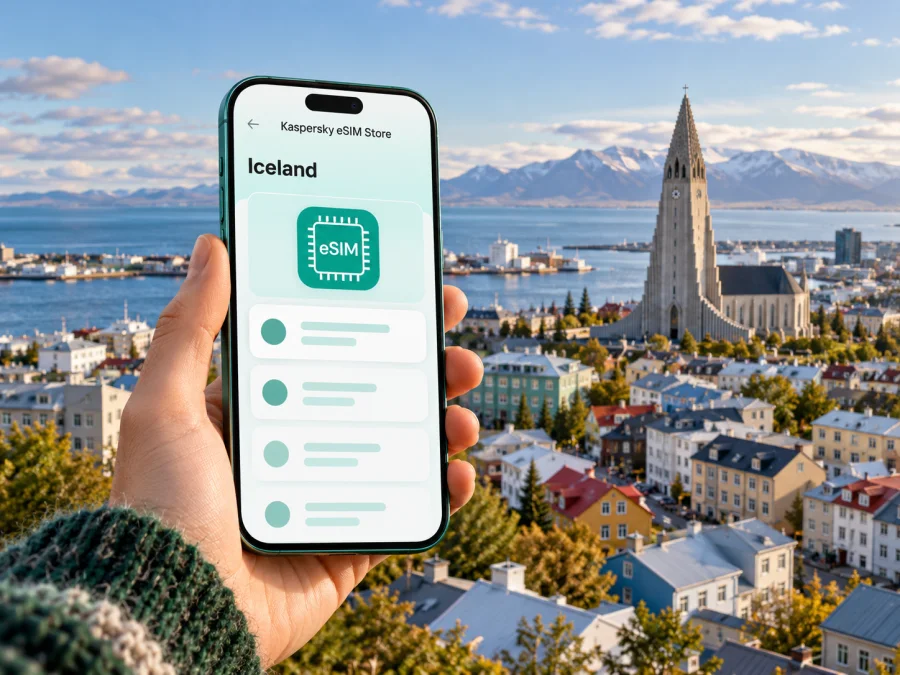
Reykjavik eSIM: Mobile Connection and Internet for Your City Stay
Reykjavik is compact enough to explore on foot, but a reliable mobile data plan can make the practical parts of a visit easier: finding your accommodation after arrival, checking a bus route, confirming a tour pickup point, or changing plans when the weather shifts. An eSIM lets you prepare a data connection for Iceland without swapping the physical SIM in your phone. The useful question is not simply whether you need one, but when you will use data, how long you will stay, and whether your device and chosen plan are suitable.
This guide focuses on the city itself: the trip from Keflavik International Airport, getting around Reykjavik, choosing a place to stay, planning city walks and day trips, and setting up mobile data with care. Airport transfer services and local transport operate separately from a travel eSIM, so keep ticket, pickup and connection arrangements clear in your itinerary.
At a glance: where mobile data helps in Reykjavik
| Moment | What you may need your phone for | A practical preparation |
|---|---|---|
| Arrival at Keflavik Airport | Checking a transfer, contacting a driver, opening your accommodation details | Save the address and booking details offline; activate data only when you intend to use the travel eSIM |
| First trip into the city | Following a coach or bus journey and locating your final stop | Confirm the service, departure point and destination before boarding |
| Walking downtown | Maps, opening hours, restaurant reservations and messages | Download an offline map as a backup and keep your battery warm and charged |
| Using city buses | Route planning, live information or a mobile ticket app | Check the current operator instructions and keep the relevant app accessible |
| Leaving Reykjavik | Navigation, weather and road information beyond the capital | Check conditions and service availability for the actual route, not just the city |
A travel eSIM is for mobile data under the terms of the selected plan. It is not automatically a local Icelandic phone number, and ordinary calls or SMS are not included unless the plan explicitly says so. You can use internet-based messaging or calling apps when you have a data connection, while keeping your existing SIM available for its usual functions if your phone supports dual SIM use.
Before you fly: plan for the arrival, not just the city centre
Keflavik International Airport (KEF) is the main international airport commonly used for Reykjavik trips. It is outside the city, roughly 50 kilometres from central Reykjavik. Airport coaches, scheduled buses, taxis, rental cars and pre-arranged transfers are among the ways to make the onward journey. The exact option that suits you depends on arrival time, luggage, accommodation location and whether you are continuing beyond the capital area.
Do not assume that a city transport pass covers the airport journey. Visit Reykjavik distinguishes capital-area public transport from the route to Keflavik, and the Reykjavik City Card information specifically excludes the Keflavik airport bus. Check the conditions of the ticket or transfer you plan to use. If you are taking a coach, confirm whether it stops at a central terminal or offers a separate drop-off near your lodging; that detail affects the final leg of the journey.
Keep the first hour simple:
- Before departure, save your accommodation address, booking reference and transfer instructions somewhere available offline.
- Confirm the correct airport and the name of the pickup point. KEF and Reykjavik’s domestic airport are different locations.
- Check the latest departure and ticket rules with the transport provider. Timetables and services can change.
- Once you have a data connection, use a map to compare the arrival stop with your accommodation and decide whether to walk, take a local bus or arrange another ride.
- If you are meeting someone, agree on a precise location and a backup contact method before landing.
Mobile data is useful here, but it cannot replace a ticket, a confirmed reservation or a transfer operator’s instructions. Save those essentials before leaving home so a delayed connection or low battery does not leave you searching through email at the terminal.
Reykjavik is walkable, with buses for longer hops
The central area is well suited to exploring on foot. Laugavegur and the nearby streets form a natural base for cafés, shops and restaurants; the harbour and Harpa are within a manageable city-centre walk, and Hallgrímskirkja is a prominent landmark that helps orient you. Distances feel different in wind, rain, snow or icy conditions, so allow more time than a map’s walking estimate suggests and choose footwear for the season.
For trips between the centre and neighbourhoods farther out, Reykjavik’s capital-area buses are operated by Strætó. The operator’s current ticketing information describes the Klapp system for capital-area routes and lists options including contactless payment, the Klappið app and Klapp cards. Its app requires an internet connection for use, according to the operator. Payment and ticket rules can change, so check them close to your trip rather than relying on an old screenshot or a past visit’s routine.
A data connection can help you check a route, locate a stop and follow service information. It does not guarantee that a bus will arrive at a particular time, and an app may need to load before you board. If you plan to use a mobile ticket, install the relevant app and review how ticket activation works while you still have a dependable connection. Keep an alternative payment or ticket method where available.
Choose the right way to move around
- Walk when your destination is in the central area and the weather is comfortable. Keep a saved map for the streets around your hotel, not only a pin for the front door.
- Use Strætó when you need to cross the capital area or reach a stop outside the centre. Check the route, direction and current payment method before setting out.
- Arrange a transfer or taxi when you have bulky luggage, arrive late, or need a direct ride. Verify the meeting point and fare arrangements with the service you booked.
- Rent a car for a wider itinerary only if it fits your plans and conditions. A city eSIM plan is not a substitute for checking road and weather updates when travelling outside Reykjavik.
Reykjavik’s centre is not laid out around a rail or metro system. For most visitors, the practical choice is between walking, local buses and booked road transport. Keep a little flexibility in the schedule: a short distance on a map may take longer on foot in winter conditions, and a trip outside the city adds separate transport planning.
Pick an eSIM plan around your actual itinerary
Start with the details you can estimate. Count the days you expect to use mobile data in Iceland, note whether you will rely on maps and messaging throughout the day, and decide whether your accommodation and cafés will cover some routine browsing over Wi-Fi. Do not select a data amount from a generic “typical traveller” estimate. Navigation, video calls, photo backups and streaming use data differently, and your own settings matter.
Before ordering, review the destination, data allowance, validity period, activation conditions, price and any restrictions shown for the specific plan. Confirm whether validity begins at installation, activation or first connection, because this can affect when you should set it up. Check whether the plan is intended for Iceland alone or for a wider region if you are also visiting another country. The service details on the purchase page are the source for what a particular plan includes.
Kaspersky eSIM Store is an app and website where you can select, purchase and activate an eSIM with a suitable mobile data plan for an international trip. The eSIM plan uses a participating mobile network; actual service depends on the plan terms, device settings, local network availability and your location. No single plan should be assumed to work in every building, road corridor or remote area. For your trip to Reykjavik, you can review the currently listed Iceland options and their conditions before deciding whether one fits your route.
A simple way to estimate data needs
| Your likely use | What to consider when choosing |
|---|---|
| Mostly maps, messages and occasional searches | Estimate how often you will navigate and whether map areas can be downloaded in advance |
| Frequent photo sharing and social feeds | Check automatic uploads and app background refresh; these can use data even when you are not actively browsing |
| Remote work or video calls | Allow for longer sessions and test the required apps before travelling; use stable Wi-Fi for large files when appropriate |
| Day tours beyond Reykjavik | Check whether the plan covers the places on your route and keep maps or key details available offline |
| A short stopover | Compare the plan’s validity rules with the hours you will actually be in Iceland |
A smaller allowance is not automatically enough for every short trip, and a larger one is not automatically better value. Match the plan to your own use, then check its stated validity and coverage details. If no listed option meets your requirements, consider another connectivity arrangement or use your home operator’s roaming after comparing its terms.
Device and SIM checks before purchase
An eSIM can only be installed on a compatible device that is not restricted by a carrier lock or other limitation. Support varies by device model and sometimes by the country or regional variant in which it was sold. The model name alone may not settle the question. Check the manufacturer’s specifications for your exact variant and review the mobile-network settings on the phone. You can also check whether your device is compatible with eSIM before selecting a plan.
If you use a work-managed phone, ask the administrator whether adding a travel eSIM is permitted. If the handset has been bought through a carrier, confirm that it is unlocked for another profile. Keep access to your existing number if you need bank verification messages or calls, and confirm that your phone can keep the needed SIMs enabled together. Avoid deleting an eSIM profile while travelling unless the provider’s instructions tell you to do so; reinstalling may not be possible under every plan.
A practical pre-purchase checklist:
- [ ] Confirm eSIM support for the exact device and regional variant.
- [ ] Check that the phone is carrier-unlocked and can add another mobile plan.
- [ ] Review the Iceland plan’s data amount, validity, activation trigger and conditions.
- [ ] Make sure you can connect to Wi-Fi during installation if required by the setup flow.
- [ ] Decide which SIM will handle mobile data and which line, if any, will remain available for calls or messages.
- [ ] Save provider instructions and your purchase confirmation where you can find them offline.
Install before departure; activate with the timing in mind
There are two useful moments to prepare an eSIM: before the flight, while you have reliable Wi-Fi and time to follow instructions, or after landing, if the plan’s terms and setup method allow that. Installation and activation are not always the same event. Follow the steps supplied for your purchase, and check when the plan’s validity starts before turning on the profile.
A straightforward setup sequence is:
- Connect to Wi-Fi. Keep your phone charged and use a stable connection for the installation process.
- Open the eSIM setup instructions. Follow the steps for your operating system: Android installation instructions or iOS installation instructions.
- Add the eSIM profile. Use the supplied installation method and do not share its QR code or activation details with someone else.
- Label the line clearly. A label such as “Iceland data” can help you distinguish it from your home SIM in the phone settings.
- Choose the data line deliberately. Set the travel eSIM as the mobile data line when you intend to use it. Keep your primary line’s roaming settings in mind to avoid unexpected charges from your home operator.
- Check the plan instructions for data roaming. Some eSIM profiles require data roaming to be enabled for that profile. Follow the provider’s directions and verify which line the setting applies to.
- Test a basic connection. Once the plan should be active, open a simple webpage or map. If it does not connect, check the selected data line, activation status and troubleshooting steps before changing other settings.
Do not assume that installing the profile at home starts the data period, or that waiting until arrival is always necessary. The activation rule depends on the plan. If you prefer to wait, make sure you will have a practical way to access the setup information after landing. If you set it up in advance, confirm the profile is installed and understand how to switch it on at the right time.
Where connectivity fits into a Reykjavik visit
Downtown walk: Save your hotel location and an offline map before exploring Laugavegur, the harbour or Harpa. Use live data to check opening times and messages; keep the return route available if your battery runs low.
Bus ride: Check the route and stop name before leaving. Strætó says its Klappið app needs an internet connection, so install it and learn the ticket steps while connected. Allow time to resolve account or payment issues before boarding.
Tour pickup or work meeting: Save the exact meeting point, address and operator or colleague’s instructions. Live location can help you find the place, but follow the booking instructions if a map pin is imprecise. For video calls, confirm that the plan and connection suit your work needs.
Day outside the city: Check destination coverage and current travel conditions for every leg. Download maps and save key details in advance; do not treat city service as a guarantee of service on a longer route.
Weather, battery and offline preparation
Reykjavik weather can change, so check a current forecast and leave room to adjust a walk. Cold can affect battery performance: carry a charged power bank and protect your phone from wind and moisture. Before leaving your accommodation, save a central map, check-in details, transfer or tour instructions, bus information and emergency contacts for offline access.
Offline notes are a fallback, not a replacement for live departure times, road conditions or opening hours. Refresh those when you have a connection.
If the eSIM does not connect
Check that the plan is active for the current time and location, the travel eSIM is selected for data, and any plan-specific roaming instruction has been followed. Connect to Wi-Fi and consult the purchase support channel if service still fails. Share your device model, regional variant, approximate location and troubleshooting steps; never share passwords or an eSIM QR code publicly. For urgent directions, use saved offline information or ask your accommodation for help.
Common questions
Is Reykjavik easy to explore without mobile data?
The central area can be explored on foot, especially with an offline map and saved accommodation details. Data helps with live route changes, buses, pickups and trips beyond the centre.
Does an eSIM include calls and text messages?
Not unless the selected plan says so. Do not assume a local number, voice calls or SMS are included; internet calling and messaging apps can use data.
Can I use one eSIM from KEF to my hotel?
That depends on the plan’s Iceland availability, activation rules, device and local network conditions. Airport transfers are separate, so arrange the ticket or pickup independently.
Do I need a separate eSIM for Reykjavik and the rest of Iceland?
Not necessarily. Check the plan’s destination and coverage terms for every place on your route, and save offline navigation for longer journeys.
Should I install the eSIM before travelling?
Installing over Wi-Fi before departure gives you time to follow the setup steps. Whether to activate early depends on when the chosen plan’s validity begins.
Will mobile data replace hotel Wi-Fi?
It may suit some use, but the plan allowance, signal and task matter. Check terms before relying on it for large downloads or long video calls.
A calm connection plan for Reykjavik
For most city stays, preparation is simple: keep your arrival details offline, decide how you will travel from KEF, use walking for central trips and check Strætó’s current route and ticket information when you need a bus. Choose a travel eSIM only after confirming device compatibility and comparing the specific Iceland plan’s allowance, validity and activation rules with your itinerary. Download key maps and bookings, then use live data for the things that can change.
When you are ready, use the Kaspersky eSIM Store app or website to review Iceland eSIM options for your trip, compare the conditions shown, and select a plan that matches your needs. Install and activate it according to the provided instructions, and enjoy exploring Reykjavik with a practical backup for maps, messages and travel updates.


