
Travel connectivity guide
Riffa eSIM: mobile internet for Bahrain travel
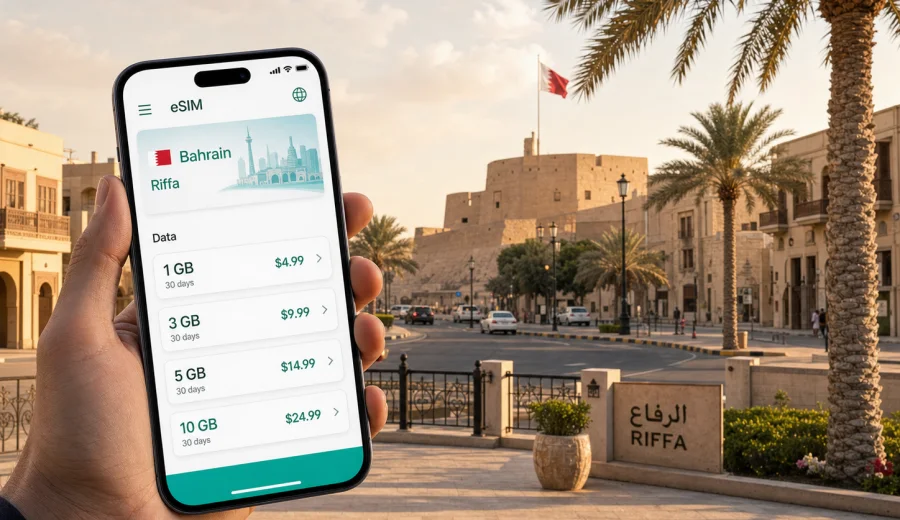
Riffa eSIM: mobile connection and internet for a Bahrain trip
Riffa is one of the most practical bases in Bahrain if your trip is built around business meetings, family visits, golf, Sakhir events, or a quieter stay away from the busiest parts of Manama. It is inland, spread out, and closely connected with Isa Town, A'ali, Sakhir, Zallaq, Manama, and Muharraq. That layout makes mobile internet more than a convenience: you use it to follow routes across causeways and ring roads, coordinate pickups, confirm hotel addresses, translate signs, check event times, and keep messaging apps available while moving between districts.
An eSIM can make that routine simpler. Instead of looking for a physical SIM card after arrival, you can prepare a digital SIM profile before the trip or shortly after landing, then use a selected data package on a compatible phone. Kaspersky eSIM Store is an app and website where you can choose, arrange, and activate an eSIM with a suitable mobile data tariff for an international trip. It is especially useful when you want to see the data volume, validity period, destination, and price before you start relying on mobile data in Bahrain.
This guide focuses on Riffa, not Bahrain in general. Many journeys start at Bahrain International Airport, continue through Manama or Isa Town, and end in residential areas, hotels, event venues, business addresses, or the Sakhir side of the island. A reliable mobile connection helps you handle that first ride and the smaller decisions that follow.
Why mobile internet matters in Riffa
Riffa is not a compact walking city where every errand happens around one square. It is a city of neighbourhoods, schools, homes, commercial streets, sports venues, and road links. If you are visiting for work, you may move from a hotel in Manama to meetings in Riffa and then to dinner in Adliya. If you are visiting relatives, your day may involve short car trips between East Riffa, West Riffa, A'ali, and Isa Town. If you come for motorsport, concerts, golf, or beach time, Riffa can be a useful stop between Manama and Sakhir.
Mobile internet helps with everyday travel tasks:
- live navigation between Riffa districts and nearby towns;
- ride-hailing pickup points near hotels, malls, compounds, and event venues;
- WhatsApp, email, and calendar updates during business days;
- map searches for pharmacies, supermarkets, cafes, ATMs, and parking;
- translation and address sharing when a driver or host asks for a location pin;
- checking gate changes, flight updates, hotel confirmations, and booking messages;
- using a laptop through a phone hotspot when your tariff and device settings allow it.
Public Wi-Fi can help in hotels, airports, cafes, and malls, but it is not enough for a trip built around movement. When you leave a lobby or step into a taxi, mobile data becomes the more flexible option.
Arrival: from Bahrain International Airport to Riffa
Most international travellers arrive through Bahrain International Airport in Muharraq. Riffa is not far by island standards, but the journey can still vary with traffic, roadworks, hotel location, and whether you pass through Manama, Isa Town, or a faster highway route. Having data available before you leave the terminal helps you avoid small but stressful arrival problems.
Use mobile internet at arrival for:
1. Checking the exact hotel or apartment location. Many addresses in Bahrain are easier to confirm with a map pin than with a written address alone.
2. Messaging your host, driver, or colleague after baggage claim.
3. Opening a ride-hailing app and choosing the correct pickup area.
4. Saving the route to Riffa in case the driver asks where you are going.
5. Confirming whether you should go directly to Riffa, stop in Manama, or continue toward Sakhir.
If you install your eSIM before departure, you can keep your primary SIM in the phone for calls or banking messages while using the eSIM for mobile data in Bahrain, if your phone supports that setup. Check device settings carefully, because the exact menu names differ between iOS and Android models.
Riffa travel scenarios where eSIM is useful
| Scenario in Riffa | Why mobile data helps | Practical tip |
|---|---|---|
| Business meetings | Addresses may be spread across compounds, offices, and government areas | Save meeting pins before leaving the hotel |
| Family visit | You may move between homes, schools, shops, and restaurants | Share live location when pickup points are unclear |
| Golf or sports trip | Timings, venue gates, and transport plans can change | Keep event messages and maps available |
| Sakhir event stopover | Riffa can be on the route to the Bahrain International Circuit area | Plan battery and data for return traffic |
| Hotel stay outside Manama | Fewer tasks happen within walking distance | Use maps to compare cafes, pharmacies, and supermarkets |
| Short stop in Bahrain | You may have little time to solve connectivity after arrival | Prepare eSIM before the flight if your device is compatible |
Choosing the right amount of data for Riffa
The best eSIM data volume depends on what you plan to do in Bahrain, not only on how many days you stay. A light traveller using hotel Wi-Fi for video calls may need much less mobile data than someone who navigates by car, posts videos, and uses a hotspot during meetings.
Use this estimate:
- 1-3 GB can suit a short Riffa visit with messaging, maps, ride-hailing, and light browsing.
- 5-10 GB is more comfortable for several days of navigation, email, social apps, restaurant searches, and occasional video calls.
- 10 GB or more may be useful for business travellers, family trips, event weekends, or anyone who expects to use a hotspot where the tariff allows it.
Streaming video, cloud backup, large app updates, and automatic photo sync can use data quickly. Before the trip, switch heavy updates to Wi-Fi only and check whether your messaging apps automatically download media. In Bahrain, you may move between strong hotel Wi-Fi and mobile data several times a day, so these small settings help keep your package predictable.
Districts, roads, and local movement
Riffa is often described through East Riffa and West Riffa, but visitors usually experience it through routes rather than strict boundaries. You might pass Riffa Fort, residential streets, sports facilities, schools, commercial areas, and road links toward Isa Town or Sakhir in the same day. A navigation app is useful not because the city is difficult, but because road choices matter.
For everyday movement, keep these patterns in mind:
- Riffa to Manama can be straightforward outside peak times, but the route choice can change with traffic.
- Riffa to Sakhir is important for motorsport, exhibitions, concerts, and desert-side venues.
- Riffa to A'ali and Isa Town can involve short but detail-heavy local routes.
- Riffa to Muharraq or the airport is easier when you confirm the route before departure.
- Hotel, villa, and compound entrances can be easier to locate with a shared pin than with a street description.
If you are using taxis or ride-hailing, mobile data lets you confirm the car, message the driver, and adjust pickup points. If you are driving, it helps with lane choices, temporary diversions, and fuel or parking searches.
When to prepare your eSIM for Bahrain
You have two practical options: prepare the eSIM before flying or set it up after arrival. Preparing it in advance gives you more control, because you can check compatibility, read the tariff details, and install the profile while you still have stable Wi-Fi. Setting it up after arrival can also work, but you will need internet access at the airport, hotel, or another trusted connection to complete the process.
Before you choose a tariff, use Kaspersky eSIM Store to look at mobile internet options for Bahrain and compare the data volume and validity period with your Riffa itinerary. For a city trip, the country destination is the right choice because the tariff is selected for Bahrain, while Riffa is the city where you will use it.
Do not skip the device check. eSIM requires a compatible smartphone or tablet, and some devices may be locked to an operator. Before arranging a tariff, check your device and confirm which SIM will handle mobile data after installation.
Step-by-step setup for a Riffa trip
Use this preparation sequence if you want fewer connectivity decisions during the first day in Bahrain:
1. Check that your phone supports eSIM and is not restricted by an operator lock.
2. Open Kaspersky eSIM Store on the website or in the app.
3. Select Bahrain as the destination for your Riffa trip.
4. Compare data volume, validity, destination, and price.
5. Arrange the tariff that fits your travel style.
6. Install the eSIM profile using stable Wi-Fi.
7. Keep your primary SIM active only if you need calls, SMS, or banking messages.
8. On arrival, choose the eSIM for mobile data in your device settings.
9. Monitor balance and top up when your tariff conditions allow it.
If you need installation guidance, use the official setup pages for your device type: Android installation instructions and iOS installation instructions. Menu names can vary by phone model and operating system version, so follow the instructions together with the prompts shown on your own device.
Hotels, compounds, and business addresses
Many Riffa stays are tied to a specific purpose: meetings, school visits, family events, sports training, military or government-related schedules, or a quieter hotel base. This affects how you use mobile internet. You may not be walking from attraction to attraction; you may be coordinating exact arrival times, sharing gate numbers, and confirming which entrance a driver should use.
Before leaving your accommodation, save:
- the full address and map pin of your hotel or apartment;
- the meeting location, including building name and entrance details;
- the phone number or messenger contact of your host;
- the route back to your accommodation;
- an offline screenshot of your booking confirmation;
- the name of the nearest landmark if the address is difficult to explain.
Mobile data helps you correct mistakes quickly. If a driver stops at the wrong side of a compound or an office has multiple gates, you can share your live location, send a photo of the entrance, or open the map again without looking for Wi-Fi.
Trips from Riffa to Manama, Muharraq, Sakhir, and Zallaq
Riffa is well placed for trips around Bahrain, so your day may cross several areas even if your hotel or family home is in one place. For Manama, use data to compare routes, check restaurant reservations, and coordinate parking or ride-hailing around malls, offices, and dining districts. For Muharraq and the airport, keep flight status, boarding information, and driver messages available. For Sakhir and Zallaq, plan extra time around events, beach visits, and evening returns.
If your trip includes multiple Gulf countries, review each destination separately. A Bahrain tariff is meant for Bahrain unless the selected tariff conditions state broader regional coverage. Read the destination and validity details before relying on a plan outside the country.
Practical data-saving checklist
Use this checklist before and during your Riffa trip:
- Download offline maps for Bahrain as a backup, but keep mobile data for live route changes.
- Disable automatic cloud photo and video uploads on mobile data.
- Set app updates to Wi-Fi only.
- Save hotel and meeting addresses before leaving Wi-Fi.
- Keep QR codes, booking confirmations, and tickets available offline.
- Check whether your tariff permits hotspot use before planning laptop work.
- Turn off mobile data for apps you do not need during the trip.
- Monitor data balance after navigation-heavy days.
- Keep your phone charged before evening transfers or event departures.
FAQ: eSIM and mobile internet in Riffa
Is an eSIM useful if my hotel in Riffa has Wi-Fi?
Yes, because the most important moments often happen outside the hotel: airport transfer, taxi pickup, map navigation, restaurant searches, meeting updates, and return travel.
Should I choose Riffa or Bahrain as the destination?
For Kaspersky eSIM Store, choose Bahrain as the destination. Riffa is the city where you will use mobile data, but the relevant tariff is selected for the country.
Can I install eSIM before I travel?
In many cases, yes. Use home Wi-Fi, follow the setup prompts, and read the tariff conditions before travel.
Will eSIM replace my normal SIM card?
Not necessarily. Many travellers keep their primary SIM for calls or SMS and use the eSIM for mobile data. Your phone must support this setup.
What if my phone does not support eSIM?
You will need another connectivity option, such as a physical SIM or roaming arrangement. Check compatibility before arranging an eSIM tariff.
Can I use eSIM data for a laptop?
Possibly, if your phone, tariff, and device settings allow hotspot use. Check the tariff conditions before depending on hotspot data for work.
Prepare mobile internet for Riffa
Riffa is easiest when your phone is ready before the day becomes busy. With an eSIM, you can prepare mobile internet for Bahrain, keep navigation and messaging available, and avoid spending time looking for a physical SIM card.
Use Kaspersky eSIM Store to choose an eSIM tariff for your trip to Riffa in Bahrain. Check compatibility first, compare the data volume and validity period, install the eSIM on stable Wi-Fi, and keep the tariff details handy for arrival, transfers, business plans, and trips from Riffa to the rest of Bahrain.