Travel connectivity guide
Riga eSIM: Mobile Connection and Internet Guide
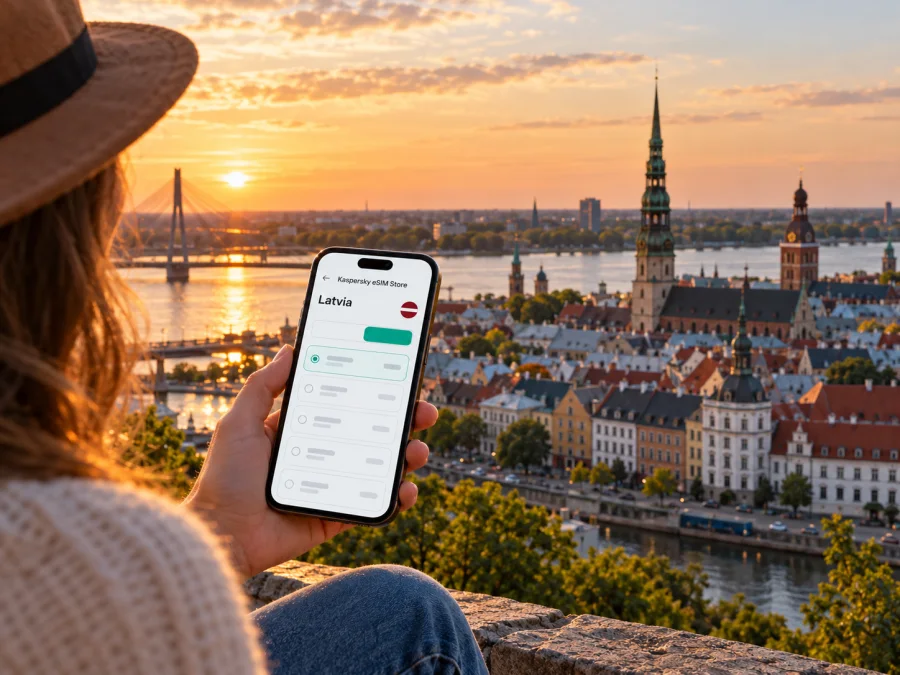
Riga eSIM: mobile connection and internet for your trip
Riga is compact enough to explore on foot, yet a working mobile connection makes the first hours much easier: you can check the airport bus, find the entrance to your hotel, follow a route through the Old Town and message someone if plans change. An eSIM can provide mobile data without replacing the physical SIM already in your phone. The useful choice is less about finding a plan labelled “Riga” and more about preparing for where you will use data, how long you will stay and what your device can support.
This guide focuses on practical internet planning for Riga: arrival at RIX, moving between the centre and neighbourhoods, using maps and transport apps, and staying connected on a short stopover or business visit. It also explains what to check before choosing a Latvia plan and what an eSIM does not replace.
Before you choose a plan for Riga
Riga is the capital of Latvia, on the Gulf of Riga and along the Daugava River. The city’s historic centre, railway station, central bus station and many visitor destinations sit relatively close together. That does not mean every trip is a short walk: the airport is outside the central area, and a hotel in Pārdaugava, a meeting venue beyond the centre or an onward trip can change how much you rely on mobile data.
Latvia is an EU member state and part of the Schengen area. Those are political and border-area classifications; they do not tell you which mobile network a specific travel eSIM uses, what its data allowance is, or whether your home mobile plan includes roaming there. Check your own carrier’s roaming terms separately. A Latvia eSIM plan is a separate travel-data option, and regional plans may cover several countries if your itinerary crosses borders. Read the plan’s country list rather than assuming that a regional label includes every destination.
A quick planning snapshot:
| Your situation | What is useful to check |
|---|---|
| A weekend in central Riga | Map use, messaging, transit updates and whether the data allowance suits your habits |
| Airport arrival after a long flight | Whether the eSIM is installed and how to switch mobile data to it |
| Meetings around the city | Reliable access to calendar, email, maps and video-call alternatives |
| Riga plus other Baltic destinations | The exact country list and validity period for any regional plan |
| A short connection between flights | Whether you will leave the airport and when plan validity begins |
Old Town streets are narrow and partly cobbled, while the Daugava separates the historic centre from the National Library and places on the left bank. Save your hotel pin, airport route and a map for offline use before departure.
Think about the data you will actually use
Match the plan to your routine. Navigation and messaging usually use less data than video streaming, cloud uploads or tethering a laptop. Consider whether you will rely on hotel Wi-Fi, make internet calls, upload photos or work remotely, then compare allowance and validity.
A practical estimate starts with activities:
- Light use: maps for directions, text messages, online tickets and occasional searches.
- Regular use: the same basics plus social feeds, photo uploads and frequent calls in messaging apps.
- Work-heavy use: email attachments, video meetings, remote access or tethering to another device.
These categories are not guaranteed data totals: app settings, photo backups, media quality and background updates affect usage. Limit backups to Wi-Fi, set a data warning if available and check your remaining allowance.
Landing at Riga Airport: get oriented first
Riga International Airport (RIX) is southwest of the city centre. The airport’s public-transport information identifies bus 22 as a route between the airport and the centre. The stop for the city-bound bus is in the P1 car park, between arrivals exits C and E; follow the signs outside rather than walking to a stop based only on a map pin. The route includes central stops such as the Old City, the Central Bus Station and the Central Market area, so check which stop is closest to your accommodation.
Mobile data helps you confirm the route, check a hotel arrival message, find the bus stop and share an estimated arrival time. Save your accommodation address and route before landing; local signs may use Latvian place names.
RIX currently lists a bus 22 single ticket purchasable from the driver by bank card, plus timed and multi-day tickets available through listed apps, machines and airport shops. Fares and rules can change, so confirm them before travel. A route app does not replace a valid ticket.
For a late arrival or bulky luggage, compare taxi or ride-hailing options and confirm the pickup point. Do not assume a travel eSIM includes calls or SMS; check the selected plan. If your phone supports dual SIM, you may keep your home SIM for calls while selecting the eSIM for data, subject to your home carrier’s roaming charges.
A simple arrival sequence
- Connect to airport Wi-Fi if it is available and convenient, or turn on the travel eSIM after checking its activation instructions.
- Confirm that the Latvia plan is selected for mobile data and that data roaming is enabled for that eSIM if the plan instructions require it.
- Open the airport’s current transport information and check the bus 22 stop and ticket options.
- Choose the stop that fits your hotel location; the airport route serves the Old City and central transport hubs.
- Save the route or screenshot essential details before boarding, then check the next leg after you arrive.
If mobile data does not connect immediately, avoid deleting the eSIM profile. Check that the profile is switched on, the correct line is selected for data, airplane mode is off and the phone has restarted or reconnected to the network. Follow the plan’s specific setup instructions and contact the provider’s support if the status remains unclear.
Getting around Riga without losing your route
Riga’s centre has several distinct areas, and a city map helps you understand the relationship between them. The Old Town (Vecrīga) is the historic core on the right bank of the Daugava. The Central Market and the bus and railway stations are just beyond it. The Art Nouveau streets around Alberta iela and the central boulevard area sit north and east of the Old Town. Across the river, Pārdaugava includes the National Library and neighbourhoods with a different, more residential feel.
Use a route planner for the whole journey, then pay attention to the last few hundred metres. Historic streets may have similar-looking façades and courtyards, and a lodging entrance can be on a side street rather than the street shown in a booking pin. Save a second pin for the exact entrance, note whether the building has a courtyard gate, and download or screenshot check-in instructions while you have a connection.
Riga’s public transport includes buses, trams and trolleybuses. Rīgas satiksme publishes ticket types for timed and day travel, and its official information describes code tickets that can be purchased in a mobile app. Ticket options and registration rules can vary by ticket type, so read the current instructions before boarding. Data connectivity is useful for looking up a route or buying a digital ticket, but keep a payment backup and do not rely on a phone battery that is nearly empty.
| City task | Prepare on your phone | Useful backup |
|---|---|---|
| Find the airport bus stop | Save the RIX directions and route 22 details | Follow the airport’s physical signs to P1 |
| Walk through the Old Town | Pin the destination and hotel entrance | Save an offline map and address |
| Cross the Daugava | Check the route and bridge crossing before setting out | Keep the destination name written down |
| Use public transport | Review the current ticket method and validation steps | Know where to ask about ticket purchase |
| Meet a driver | Share a precise pickup point in the app | Identify a nearby street or landmark |
Before leaving a café or hotel, check the next destination and transfer. Pause in a safe place to use the screen, and load routes before entering areas where reception may be limited.
Choose the right Latvia eSIM for a Riga itinerary
A city page for Riga does not imply that a separate city-only mobile network or tariff exists. For an eSIM, the relevant destination is Latvia unless a plan explicitly covers a larger region. The Latvia options currently shown in Kaspersky eSIM Store identify local providers LMT and TELE2; the service and conditions depend on the selected offer. This is useful context, not a promise that every plan connects to both providers or has identical coverage in every location. Check the conditions attached to the specific plan before purchase.
Kaspersky eSIM Store is an app and website for choosing, arranging and activating an eSIM plan for mobile data abroad. Compare destination, allowance, validity and limitations. For a multi-country trip, confirm every destination in the plan; a regional label alone is not enough.
To review current Latvia options, check the eSIM plans for your trip. Prices, allowances and availability can change, so use the details displayed at purchase. Match the plan to your stay and expected use; work, media uploads and tethering may need a different allowance from maps and messages.
Before you choose, confirm these points:
- Destination: Latvia is included, and every other country on your route is covered if needed.
- Allowance and validity: the volume and active period fit your dates and expected use.
- Start of validity: learn whether the plan period starts on installation, activation or first network connection.
- Device: your phone supports eSIM in its exact regional and model variant and is not locked to another carrier. Check whether your device supports eSIM.
- Services: confirm whether the offer is data-only. Do not assume a local phone number, ordinary calls or SMS are included unless the terms say so.
- Tethering: if you plan to share data with a laptop or travel companion, confirm that hotspot use is permitted and available.
Why device variants matter
Phones with the same retail name can differ by regional variant: some support eSIM, others do not. A carrier lock can also prevent another profile from working. Check the exact model code, eSIM menu and unlock status rather than relying on the family name or another person’s similar phone.
A quick device check before purchase:
- Find the exact model and regional variant in the phone’s settings or original documentation.
- Look for an option to add or download a mobile plan/eSIM in cellular or SIM settings.
- Confirm the phone is not carrier-locked; ask your home carrier if you are unsure.
- Check that the operating system is up to date and that you can access Wi-Fi during installation.
- Keep the confirmation or QR code available on a different screen or printed copy if the installation flow requires scanning it.
If uncertain, contact the manufacturer or carrier before buying. Do not remove a working SIM to test compatibility; the number of simultaneously active lines depends on the model.
Install and activate before you need directions
Install over stable Wi-Fi and read the setup screen carefully. Installation and activation may be different moments; check when plan validity starts. Keep your usual SIM for calls and messages if appropriate, then select the travel eSIM for data. Menu names vary by phone and software.
A general setup flow is:
- Open the purchase confirmation or app and read the plan’s installation and activation notes.
- On the compatible phone, choose the option to add a mobile plan or eSIM and follow the displayed steps, such as scanning a QR code or using an in-app flow.
- Label the new line clearly, for example “Latvia travel,” so it is easy to recognize in dual-SIM settings.
- Choose which line handles mobile data. Keep calls and SMS assigned to your usual number if you want to receive them, subject to your home plan’s roaming charges.
- Turn on data roaming for the travel line only if the plan instructions require it. Avoid changing roaming settings on your home SIM without checking your carrier’s terms.
- After arrival, allow the phone to register and test a simple webpage or message before relying on maps.
Follow the Android eSIM installation instructions or iPhone and iOS eSIM instructions. Plan-specific steps take precedence. Keep activation details private and do not rescan a code unless instructed.
Riga by travel style
- Weekend in the centre: Save your hotel pin, airport route and key places. Use data for map checks and messages; photo uploads and background backups can consume more.
- Work trip: Pin each venue and confirm its entrance. Keep documents offline and check hotspot terms before tethering a laptop. A data eSIM does not automatically provide a conventional calling number.
- Stopover: Check that you have enough time to leave and return to the airport. Save bus details and the return route; prioritize a time buffer over extra sights.
- Baltic itinerary: A Latvia plan may not include Estonia or Lithuania. Check every country and validity dates in the selected offer.
- Group trip: Decide whether each person needs a plan or one phone will share a hotspot. Hotspot use can drain battery and data; share the address and transport details with everyone.
When the connection is slow or unavailable
A city map can still be useful without live data if it was saved in advance, but real-time route updates, new searches and online ticket functions may not load. Try this sequence before changing settings at random:
- Check that mobile data is assigned to the travel eSIM and that the line is switched on.
- Move to a place with a clearer signal, then toggle airplane mode off and on once.
- Restart the phone if the profile appears connected but data does not pass.
- Check the plan’s activation status, destination, validity and remaining allowance in the relevant account or app.
- Follow the plan’s instructions about data roaming and network selection; do not change network settings repeatedly without guidance.
- Use Wi-Fi for account help or support if mobile data remains unavailable.
If the issue continues, note the phone model, software version, your location, eSIM status and error message for support. Do not delete the profile unless support or the instructions tell you to; reinstallation may require a new activation code.
Quick checklist before leaving for Riga
- [ ] Confirm the exact phone variant supports eSIM and is carrier-unlocked.
- [ ] Compare Latvia and, if relevant, regional plan terms for every country on your route.
- [ ] Check the validity start, data amount, hotspot terms and whether calls or SMS are included.
- [ ] Install the eSIM over stable Wi-Fi and keep the installation details accessible.
- [ ] Save the hotel address, airport bus information and an offline city map.
- [ ] Plan which SIM handles data and which handles calls or messages.
- [ ] Set a data warning and review automatic photo backup and app updates.
- [ ] Keep a power bank or charging plan available for navigation and tickets.
Frequently asked questions
Is Riga eSIM different from Latvia eSIM?
Riga is a city in Latvia, so a city trip generally calls for a plan that lists Latvia as a covered destination. The plan may be country-specific or regional. Check the country list and service conditions rather than assuming there is a separate city network.
Will an eSIM give me a Latvian phone number?
Do not assume so. Many travel eSIM offers are intended for mobile data and do not include a regular number, voice calls or SMS unless those services are specifically listed. Internet-based messaging and calling apps can work over data, subject to the app and connection.
Can I install the eSIM before travelling?
Often yes, but validity may start at installation, activation or first connection. Check the offer’s instructions first.
Can I use the same plan for nearby countries?
Only if those destinations are listed in the selected plan. Latvia’s EU and Schengen status does not automatically define an eSIM’s coverage area. Check the plan’s country list for every stop on your itinerary.
Should I switch off my home SIM?
Not necessarily. With dual SIM, you may keep it for calls while using the travel eSIM for data. Check roaming charges and active-line limits.
What if my phone has no eSIM option?
The exact regional model may not support eSIM, or the device may be locked. Check manufacturer information and carrier status for your exact model. If it cannot use eSIM, consider your existing roaming option or another compatible way to get mobile data; do not buy a plan until compatibility is clear.
Prepare your connection before you set off
Prepare your first route, accommodation details and transport plan before leaving the airport. Confirm phone compatibility, compare the Latvia plan’s current terms and install the eSIM over a stable connection. Kaspersky eSIM Store’s app and website let you review and activate an eSIM plan for an overseas trip; the selected plan’s conditions determine the service.
Review current eSIM options for Latvia and choose a plan that fits your dates, itinerary and expected data use. Keep offline directions and a charged phone as practical backups while exploring Riga.


