Travel connectivity guide
Riyadh eSIM: Mobile Internet & Connection Guide
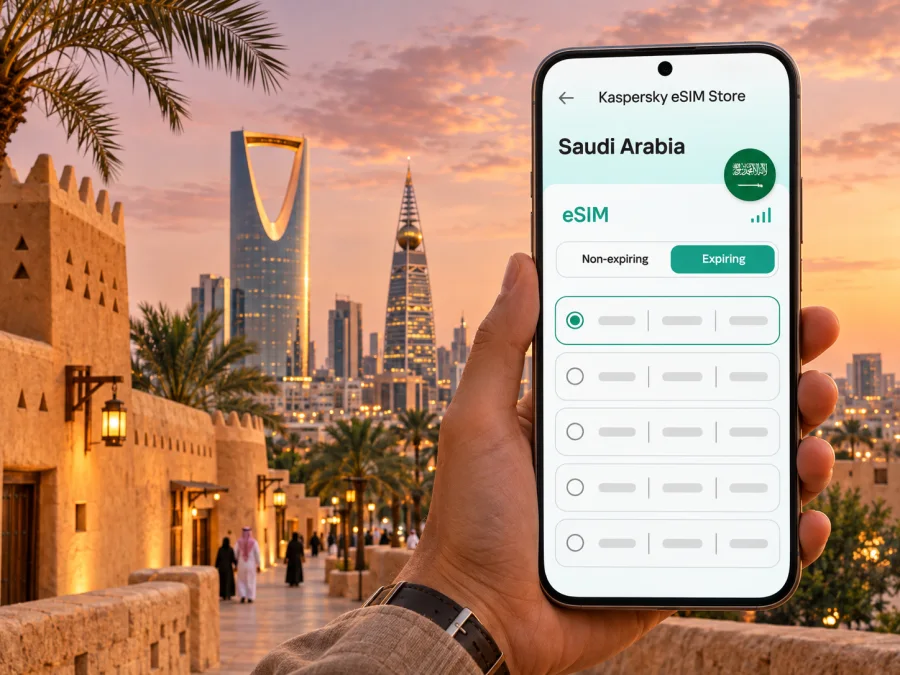
Riyadh eSIM for a reliable mobile connection and internet on your trip
Riyadh is a city of long distances, changing skylines and plans that can move from a business meeting to a museum, a restaurant or an evening event. A mobile connection helps with maps, ride bookings, hotel messages, reservations and last-minute itinerary changes. An eSIM can make mobile internet easier to prepare for a visit to Riyadh without replacing your home SIM physically.
This guide focuses on the practical details: getting online after landing at King Khalid International Airport, navigating a large city, choosing a data allowance, preparing a compatible phone and avoiding common setup surprises. Coverage, speed and availability depend on the local network and the specific plan; no single option should be assumed to work identically in every building or part of the city.
Why mobile internet matters in Riyadh
Riyadh is Saudi Arabia’s capital and a major centre for business, government, culture and travel. Its districts are spread across a broad urban area. Visitors may move between a hotel in Olaya, a meeting in the King Abdullah Financial District (KAFD), a dinner reservation elsewhere and a historic visit beyond the central business area. The time between these points depends on traffic, route and transport choice, so a live map and the ability to check a destination address are useful throughout the day.
Mobile data can support ordinary travel tasks such as:
- checking a route before leaving the hotel and following navigation while travelling;
- confirming a meeting location, entrance or drop-off point with a host;
- arranging a ride and contacting the driver if the pickup point changes;
- viewing opening hours, booking details and digital tickets;
- using translation, messaging and cloud documents while away from Wi-Fi;
- checking a return journey or airport terminal before departure.
An eSIM is a digital SIM profile installed on a compatible device. A travel data plan can give you a separate mobile data option while your usual physical SIM remains in the phone, if the device and its settings support that arrangement. The eSIM plan described here is for mobile data: do not assume it includes a local phone number, conventional voice calls or SMS unless the particular plan’s terms say so. Messaging and internet calls can use data, subject to the apps and services you use.
Plan the first connection before you land
King Khalid International Airport (KKIA) is north of central Riyadh. It is a large airport, and terminal assignments and passenger arrangements can change as operations are updated. Check the terminal printed on your airline’s latest itinerary and confirm it again before travelling to the airport. If you are connecting, verify the departure terminal as well as the arrival terminal; do not assume a transfer will use the same building.
The Royal Commission for Riyadh City lists King Khalid International Airport among the metro’s key destinations; its Yellow Line (Line 4) follows King Khalid International Airport Road. Airport stations and terminal arrangements depend on current operations. The exact station and route useful to you depend on your terminal, destination and the current service arrangements. Check the live transit information after arrival. A car, taxi or pre-booked ride may be more convenient for accommodation away from a station, with luggage, or at a time when public transport does not fit your schedule. A map app and working data help you compare these choices once you know where you are going.
Before departure, save your hotel name and address in a notes app or offline map. Keep the booking confirmation and the address in a form you can show a driver. If you land late, have a meeting immediately after arrival or travel with family, decide how you will reach your first stop before boarding. You can still use airport Wi-Fi or another available connection for setup, but an eSIM that has been installed and checked in advance can reduce the number of decisions you need to make in the arrivals area.
A simple arrival checklist
- Confirm the terminal on your latest airline itinerary and follow airport signs.
- Use Wi-Fi if needed to finish setup, then select the correct SIM for mobile data.
- Check whether the plan requires data roaming on its line and keep home-line roaming charges in mind.
- Open the hotel’s saved address, then choose a route that fits your luggage and arrival time.
Save your hotel address and booking confirmation offline. Airport Wi-Fi can help with setup, but may require a sign-in. Keep installation details accessible and do not delete an eSIM profile while troubleshooting unless the plan instructions say to do so.
Getting around a spread-out city
Riyadh is not a compact city where every main attraction is a short walk from the next. The metro, buses, taxis and car services each solve different parts of a journey. The metro can be useful along its routes, while a car journey may be more direct for locations that are not close to a station. Walking is often best for the final stretch in a defined district or venue, rather than as a default between distant areas. Heat, shade, time of day and local pedestrian access all affect whether a walking route is comfortable.
The Royal Commission for Riyadh City describes a six-line metro network that connects key destinations, including King Khalid International Airport, KAFD, universities and the city centre. One airport-serving line follows King Khalid International Airport Road. Station access and service details are subject to change, so check the current route map and operating information rather than planning from an old screenshot. Mobile internet is especially useful for viewing a current route, locating the correct station entrance and adjusting when a service or meeting time changes.
| Travel need | Useful approach | Check |
|---|---|---|
| Airport to hotel | Compare metro and car options | Terminal, route and pickup point |
| Between districts | Use live navigation | Pin, traffic and route changes |
| Meeting or event | Confirm the exact entrance | Calendar, message and map pin |
| Trip outside central Riyadh | Plan the return leg | Offline map and driver details |
Names and spellings can vary between English and Arabic map results. Compare a pin with the booking or ask your host to confirm it. Save the full address, not just a landmark; at large venues, check the entrance or gate in your ticket or meeting details.
Choose accommodation and daily routes with connectivity in mind
Where you stay affects transfer time. Olaya and Al Tahlia have restaurants and city services; KAFD is a business district and landmark; central Riyadh includes historic and civic destinations; northern districts contain newer developments and venues. Treat these as broad orientation only. Check the exact property and regular destinations on a map before booking.
Group nearby places where possible, save each location and allow time for traffic, finding an entrance and changing transport. For an evening event, confirm the entry gate and designated pickup point. Boulevard City is a major entertainment destination, while Diriyah on Riyadh’s outskirts offers heritage, dining and cultural experiences. Check current opening and event information and plan the return journey too.
Business visitors
Download meeting files over Wi-Fi, save each office or conference pin and include the building, floor and visitor instructions in your calendar. Video calls, uploads and hotspot use consume more data than maps or messages. If a meeting depends on a stable connection, identify venue or hotel Wi-Fi as a backup; mobile performance can vary indoors and at busy times.
Choose a data allowance for your Riyadh itinerary
A suitable plan depends on trip length, habits, Wi-Fi access and how often you use data-intensive apps. A visitor who mainly checks maps and messages has a different pattern from someone uploading work files, taking video calls or sharing a connection with another device. Think in terms of your own day rather than choosing by the city name alone.
| Typical use | Data habits | Planning point |
|---|---|---|
| Short city break | Maps, messages, tickets and occasional searches | Estimate how many days you will use mobile data and whether your hotel has Wi-Fi |
| Business trip | Email, documents, navigation and some calls over apps | Account for video meetings, tethering and work downloads separately |
| Family visit | Maps, messaging and shared planning across several people | Check whether your plan permits hotspot use and whether each traveller needs a line |
| Longer stay | Regular browsing, navigation and app updates | Compare validity with the whole itinerary and your likely top-up needs |
Before choosing, compare the destination, data amount, validity period, activation rules and any limits on tethering in the plan details. Some plans start their validity when installed; others start when they first connect to a supported network. The timing is plan-specific. Read the conditions shown at checkout and avoid installing early if the validity start is unclear. Also check how balance or top-ups work, what happens when data runs out and whether a plan can be reinstalled if you change phones.
If you need a local number for calls, SMS verification, a local service account or a business contact, confirm how that need will be met before relying on a data-only eSIM. Keep your existing number active if appropriate, but understand your home operator’s roaming charges. A second SIM profile can provide data while a physical SIM remains enabled, but dual-SIM behavior differs by device. Select the intended line for mobile data and confirm which line handles voice calls and messages.
For an overview of current options for the country, you can browse eSIM plans for Saudi Arabia. The page is a country-level destination; the right choice still depends on the details of each available plan and your itinerary in Riyadh.
Check your phone before buying
A phone must support eSIM and be eligible to use another carrier profile. Support can vary by exact model, hardware version, sales region and carrier lock, so a family name alone is not enough. Check the manufacturer’s specifications for your precise variant, look for an “add eSIM” option in settings and confirm the phone is unlocked. Check whether your device supports eSIM before purchase.
Before checkout:
- Find the full model number and sales region in settings or on the box.
- Confirm eSIM support and carrier-unlocked status with the manufacturer or carrier.
- Check that Wi-Fi is available for installation and that the operating system is current.
- Review how many profiles the phone stores and which can be active together.
Do not delete an existing profile to make room unless you know how to restore it. Device menus differ by manufacturer and software version, so follow the prompts for your model.
Install and activate the eSIM
If your device is compatible, install the profile while you have dependable Wi-Fi and enough time to follow the prompts. You can prepare it before the trip or after arrival, depending on the plan’s activation rules. Keep the confirmation details available, and do not scan a QR code on the same phone if the installation flow requires the code to be displayed on a separate screen; use manual entry or the provider’s supported in-app flow where available.
- Open the eSIM installation instructions and check the plan’s activation timing.
- Connect the phone to Wi-Fi and open cellular or SIM settings.
- Choose the option to add an eSIM or mobile plan, then follow the supplied QR or app-based steps.
- Label the new line clearly, for example “Saudi Arabia data,” so you can identify it later.
- Keep your usual line selected for calls and messages if you need it, and select the travel eSIM for mobile data when appropriate.
- Enable data roaming for the travel line only if the plan instructions require it; verify the selected line before switching roaming on.
- After connecting, test a simple map or web page and check the phone’s data indicator.
Use the iOS eSIM installation guide or Android eSIM installation guide for device-specific steps. Menu labels can change between operating system versions. If the profile installs but data does not work, check that the eSIM is enabled, selected for mobile data and set to the required network mode. Review the plan’s APN or roaming instructions only if they are provided for that plan; do not guess network settings.
If the connection does not start
Start with the low-risk checks: confirm that the phone has signal, the travel line is turned on and selected for data, airplane mode is off, and the plan is within its validity period. Restart the device if the instructions permit. If you are in a basement, lift, parking structure or a building with thick walls, try again in a place with better reception. An eSIM cannot remove local coverage gaps or congestion.
If those checks do not help, connect to Wi-Fi and review the order details and installation instructions. Contact support through the service used for your purchase, and provide the device model, operating system version, plan name and a brief description of the issue. Do not share passwords, payment details or one-time verification codes in an open message. Keep the eSIM profile installed until support advises otherwise, because removing it may make recovery more difficult.
Manage data during the trip
To conserve data, pause automatic app updates and cloud photo backups on mobile data, and download maps or entertainment in advance. Video, large uploads and hotspot use can consume more than messaging or navigation. Check usage in the phone settings and, if available, the plan view; device counters are estimates. If considering a top-up, review its validity and activation terms rather than assuming it extends the current plan.
Keep an offline backup: hotel address, booking screenshot, area map and a contact number. It will not replace live directions when traffic or pickup points change, but it can help during a temporary loss of reception.
Riyadh scenarios at a glance
- Airport arrival: Verify the terminal, open your hotel pin and compare current metro and car options. Leave time for luggage and the trip across town.
- Meetings in different districts: Save both addresses, add travel time and keep essential documents available offline.
- Diriyah visit: Check the exact destination and current access details; plan the outward and return journeys separately.
- Evening event: Confirm the gate, ticket and pickup point. Save return details in case reception is weak in a crowd.
- Short stopover: Choose one or two practical destinations and check the return terminal before leaving the airport area.
Frequently asked questions
Is an eSIM useful for a short trip?
It can be, if your unlocked phone supports eSIM and the plan’s data and validity fit your visit. Estimate use for maps, messages and bookings; Wi-Fi availability and sign-in requirements vary.
Does a travel eSIM include a Saudi phone number?
Do not assume so. Treat it as data-only unless the plan terms explicitly include voice or SMS. Check home-line roaming fees if you keep your regular number active.
Will it work everywhere in Riyadh?
No plan guarantees coverage in every location. Reception depends on the local network, buildings, congestion and plan terms. Keep Wi-Fi or offline details as a backup.
Should I install it before departure?
Installing over Wi-Fi can be convenient, but first check when validity begins. The plan instructions determine whether installation or first network connection starts the period.
Can I use both SIMs?
Many dual-SIM phones can keep multiple lines available, but behavior varies. Select the travel profile for data, decide whether to keep your home line active and confirm roaming charges.
What if only another regional variant supports eSIM?
Check the precise model number and sales region with the manufacturer or carrier. Do not rely on a similar device’s specifications.
A practical plan for staying connected
Before leaving, confirm your device variant, carrier lock status, plan validity and airport terminal. Save your accommodation address and the first route. Install the eSIM over dependable Wi-Fi if its activation rules make that appropriate, then label it and test the connection. During the visit, use live maps for district-to-district travel, download essentials for offline access and review data use if your itinerary includes video calls or hotspot sharing.
For your trip to Riyadh, choose a suitable eSIM plan for Saudi Arabia after checking its country, data allowance, validity and activation conditions. Kaspersky eSIM Store is an app and website that helps you select, purchase and activate an eSIM plan for mobile internet while travelling abroad. Install the profile on a compatible device, follow the plan instructions and keep a backup route or Wi-Fi option for places where mobile reception may vary.


