Travel connectivity guide
Robi eSIM in Bangladesh: What to Check
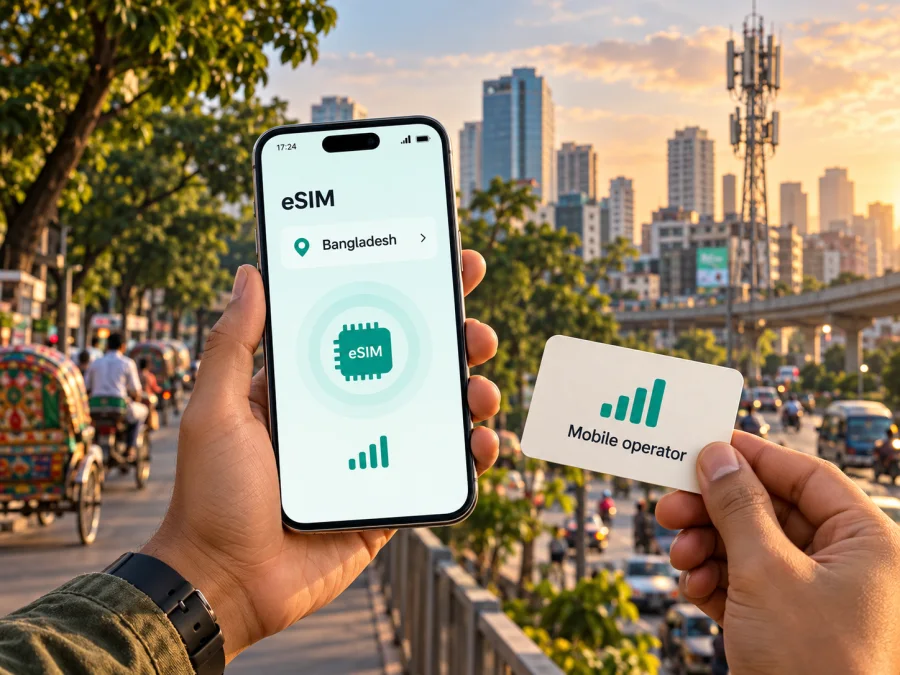
Robi eSIM in Bangladesh: availability, activation and travel checks
If you are travelling to Bangladesh, Robi is a local mobile operator to consider for a domestic connection. An older indexed result for Robi’s official SIM Services page displayed prepaid and postpaid SIM/eSIM categories. When the page was opened on 18 October 2026, however, its accessible content showed only the SIM Services heading. Current Robi eSIM availability is therefore not confirmed by the material available in this check. Ask Robi directly about the service and visitor eligibility before relying on it after landing.
This guide summarizes Robi’s public information, visitor checks and travel eSIM alternatives for Bangladesh. Robi is a mobile network operator in Bangladesh; Kaspersky eSIM Store is a separate app and website that helps travellers choose, purchase and activate an eSIM plan for mobile data abroad. It does not own a mobile network or provide cellular service. Kaspersky eSIM Store is not affiliated with Robi.
Quick answer: can you confirm Robi eSIM in Bangladesh?
Not conclusively from the current accessible page. The older indexed SIM Services result showed “Prepaid SIM/eSIM” and “Postpaid SIM/eSIM”, but those categories were not visible in the page content opened on 18 October 2026. Treat the listing as an indication to verify, not confirmation that the service is currently orderable. Visitor eligibility, accepted identity documents, remote registration, profile delivery and any in-person verification also remain unconfirmed.
Treat service availability and your eligibility to obtain it as separate questions. Before you travel, ask Robi whether it can issue an eSIM to a non-resident visitor, what documents are accepted, whether registration can be completed online, and what local phone or payment details are needed. Also ask how the eSIM is delivered and whether you need a compatible device present during registration. Policies can change, and the operator’s latest instructions take precedence over general travel advice.
The distinction matters because an eSIM is a way to provision a mobile subscription on a compatible device; it does not remove a country’s subscriber-registration rules. A listing on the operator’s site is not a promise that every traveller can activate the service using only a passport or a foreign payment method. Do not delete a working home SIM or depend on Robi service for a connection immediately after landing until you have confirmed the process and have a practical backup.
Robi’s place in Bangladesh’s mobile market
Robi Axiata PLC operates a mobile network in Bangladesh. On its official Sustainability page, the company describes itself as among the country’s top two telecom operators. This is Robi’s own market positioning, not an independent ranking across every measure or a statement about reception in a particular place. Visitors who need a local number or expect a longer stay can investigate a Robi service, but should confirm available products and registration requirements directly.
What Robi’s public pages say about eSIM
The indexed Robi SIM Services result displayed prepaid and postpaid SIM/eSIM categories, but the live page opened during this check did not expose those details. I could not confirm current eSIM availability from accessible page content. The page also did not provide a visitor guide explaining device compatibility, profile delivery, QR-code use, identity requirements, activation timing or transfer rules. Ask Robi to confirm these details before ordering.
Robi’s English-language support page lists live chat, a call centre, email and service-point assistance. Tell support that you are a visitor, share your phone model and sales region, and ask about accepted documents, remote registration and any required in-person verification.
Do not assume that an eSIM follows the same onboarding rules as a physical SIM. Robi’s indexed listing and the accessible page do not settle visitor eligibility, acceptable identification or whether a new customer can activate from outside Bangladesh. These details were not explained on the page reviewed on 18 October 2026.
Network technologies and coverage: what a traveller can infer
The current Robi pages accessible during this check did not provide a detailed technology list or a location-specific coverage map. I could not verify the network layers available at a particular destination or whether 5G is available for your itinerary. Ask Robi about the locations and technology you plan to use, and check the exact device variant and network-band compatibility.
Signal can vary with buildings, terrain, network load and device settings. A general coverage statement cannot guarantee reception inside a hotel or throughout a route. Keep essential tickets and maps offline, and plan a backup if continuous access matters.
Local Robi eSIM or travel eSIM: which situation fits?
A local Robi eSIM and a travel eSIM solve related but different problems. A local subscription may be a better fit if you need a Bangladesh number, expect to stay for a longer period, want local voice or SMS service, or need to manage a continuing mobile account. You should first confirm that the relevant service is available to you as a visitor and understand its registration and support requirements.
A travel eSIM is often considered for mobile data during a trip when a traveller wants to prepare before departure or avoid changing the physical SIM in the phone. The service conditions vary by provider and plan. Check the destination and regional coverage, supported network, data allowance, validity, activation trigger, tethering rules, top-up options and refund terms before purchase. Do not assume a travel eSIM supplies a local phone number, voice calls or SMS unless those features are explicitly included in the terms.
Kaspersky eSIM Store is an app and website for selecting, purchasing and activating an eSIM plan for mobile data on a trip abroad. It is an alternative travel-preparation route, not a Robi product and not a mobile operator. The service’s Bangladesh destination page is available for reviewing current travel-plan options; it is a destination page and should not be read as a specific Robi tariff or as a confirmation that Robi issues the travel eSIM profile.
Review current eSIM options for Bangladesh
Choose based on your main need. If you need a Bangladesh number, ask Robi about local registration and number support. If you mainly need data for maps, messaging, bookings and email, a data-only travel eSIM may fit if its coverage and device requirements match your trip. If you keep your home line active too, review its roaming charges.
What to confirm with Robi before ordering
Use this checklist before you start an eSIM application or visit a service point:
- Eligibility and identity: Can a visitor obtain the eSIM, which documents are accepted, and is local or biometric registration required?
- Application route: Can you complete the process online, or must you visit a Robi Sheba/service point?
- Profile and device: How is the profile delivered, and is your exact regional phone model supported and unlocked?
- Activation and service: When does it activate, what does it include, and how can support help if it fails?
Ask Robi to distinguish a new subscription from SIM replacement or number transfer; a replacement process may assume you already own a Robi number. Use current official support guidance, and confirm any in-person step and profile-recovery process before applying.
How to prepare a phone for eSIM use in Bangladesh
Compatibility must be checked for the exact device, not only for the product family printed on its box. Some phone models differ by country or sales region, and a carrier lock can prevent a profile from registering on another network. Use your manufacturer’s device settings or official compatibility information and check that the phone can add an eSIM. If the handset was purchased through a carrier, ask that carrier whether it is unlocked.
For a Robi eSIM, follow the specific instructions supplied by Robi after confirming eligibility. The general sequence below is a preparation checklist, not a substitute for the operator’s activation steps:
- Check the device. Confirm eSIM support for the precise model and regional variant, and confirm that the phone is unlocked.
- Keep internet access available. An eSIM profile may need an internet connection to download. Use a trusted Wi-Fi connection or another working data connection during setup.
- Follow Robi’s delivery instructions. Use the operator’s official app, QR code or other method that Robi provides. Do not scan a profile sent by an unverified source.
- Label the profile. Give it a clear name such as “Robi Bangladesh” so you can distinguish it from a home SIM or travel profile.
- Choose the mobile-data line. In the phone’s cellular settings, select the intended profile for mobile data. Keep your home line configured according to your needs.
- Enable data roaming only when instructed. Some eSIM profiles require roaming to be enabled on the profile, while others do not. Follow the provider’s instructions and check which line is selected so you do not unintentionally use home-line roaming.
- Test the connection. Allow a few minutes for registration, then check mobile data and any calling or messaging function that the service is supposed to include.
For a travel eSIM through Kaspersky eSIM Store, check compatibility and the plan terms first. Follow the app, website or QR-code instructions, and install while you have reliable internet. Select the profile for mobile data and enable roaming only as its instructions require. The service itself is supplied through the relevant telecommunications provider.
For setup help, use the device compatibility check and the instructions that match your phone’s operating system. Menu names differ between Android manufacturers and iOS versions, so follow the labels on your device rather than expecting one universal menu path.
Before you leave: a short travel checklist
A few checks before departure can prevent a connection problem from becoming a first-day problem:
- Confirm eSIM compatibility, unlock status and visitor registration requirements.
- If using a travel eSIM, verify destination coverage and current plan terms.
- Keep installation details accessible and avoid deleting a profile casually.
- Select the intended line for data, check home-line roaming, and save essential maps and bookings offline.
If your phone supports two lines, you may be able to keep your home SIM available while routing data through another eSIM. Check device instructions and roaming terms; calls, texts and data may be charged differently.
Common setup problems and what to try
The phone cannot add an eSIM. Check the exact model and regional variant, system updates and carrier-lock status.
The profile installs but does not connect. Confirm the eSIM line is on and selected for data, airplane mode is off, and the provider’s roaming instructions are followed. Contact the provider with your location and phone model if service does not return.
You need calls or texts. A travel data eSIM may not include a number or standard voice/SMS. Check the plan terms; using your home line may incur roaming charges.
Frequently asked questions
Can a tourist buy a Robi eSIM in Bangladesh?
An older indexed Robi SIM Services result showed prepaid and postpaid SIM/eSIM categories, but the current page opened for this guide did not expose those details. Visitor registration, accepted documents and any in-person step are also unconfirmed. Ask Robi before relying on the service.
Is a travel eSIM the same as Robi eSIM?
They are different service routes. A Robi eSIM, if currently available to you, would be a local mobile service subject to Robi’s eligibility and registration process. A travel eSIM has its own destination coverage and terms. Kaspersky eSIM Store helps users select, purchase and activate a travel eSIM plan; it is not Robi and does not operate a mobile network.
A practical way to decide
An older indexed Robi SIM Services result showed prepaid and postpaid SIM/eSIM categories, but the page opened in this check did not confirm current eSIM availability. Visitors should ask Robi about eligibility, documents and in-person registration. Its support team can also confirm local service details for the itinerary.
If you need mobile data for a trip and prefer to prepare before departure, a travel eSIM is a separate route. Check the plan’s country coverage, device requirements and activation conditions, and remember that data-only service does not automatically include a local number or standard calls and SMS. Kaspersky eSIM Store helps you choose, purchase and activate an eSIM plan for mobile data abroad; it is not affiliated with Robi and is not a mobile operator.
For a destination-specific starting point, you can review the current Bangladesh eSIM options. Check the live terms before purchase and choose based on your itinerary and device. Robi’s eSIM availability, visitor eligibility and service conditions remain unconfirmed here; confirm them with Robi before ordering.
Sources checked on 18 October 2026: Robi’s official SIM Services, Support and Sustainability pages; and the Kaspersky eSIM Store Bangladesh destination page. The Robi SIM Services page opened during this check did not expose the indexed eSIM categories. Robi and Kaspersky eSIM Store are separate services. This article is informational and does not imply an affiliation with Robi.


