Travel connectivity guide
Rocha eSIM: Mobile Internet for Uruguay Trips
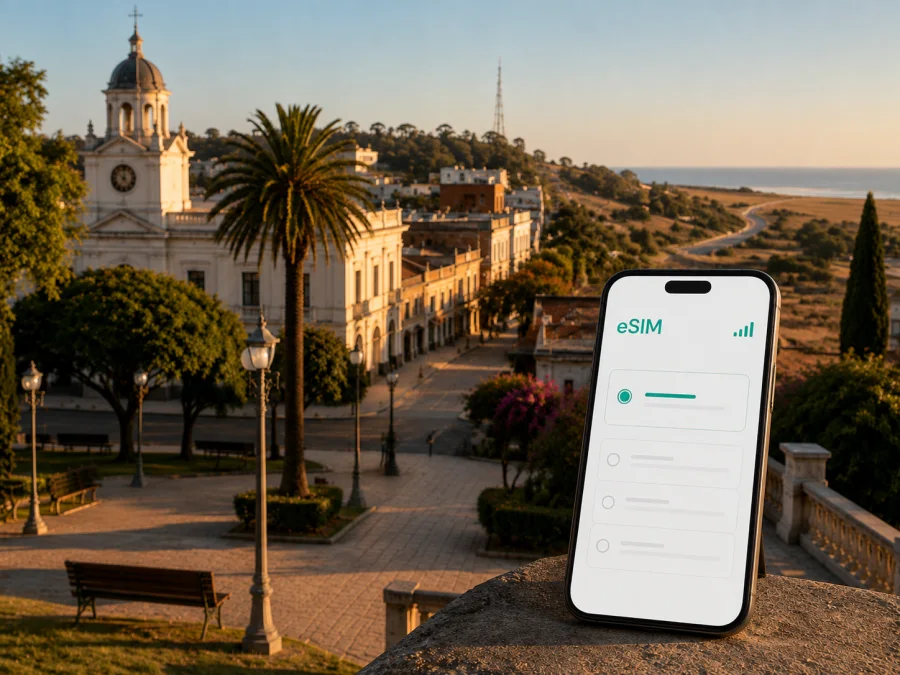
Rocha eSIM: mobile connection and internet for a practical trip
Rocha is not only a stop on the way to Uruguay’s Atlantic coast. It is the capital of Rocha Department and a useful inland base for travellers moving between the country’s eastern beaches, lagoons, nature areas and border routes. A visitor may arrive in the city, stay near the centre for a night, continue to La Paloma or La Pedrera, or use Rocha as a practical point on a longer itinerary. In each case, mobile internet helps turn a loose plan into a manageable one.
An eSIM can be useful for a trip to Rocha when you want to use maps, confirm accommodation details, message a driver, check a bus departure, translate a short phrase or share your location without first looking for a physical SIM card. Kaspersky eSIM Store is an app and website where you can choose, arrange and activate an eSIM with a suitable plan for mobile internet during an international trip. The eSIM plan itself is subject to the conditions of the selected local network or partner.
Why mobile internet matters in Rocha
Rocha has a different travel rhythm from a large capital. The centre is easy to approach as a walkable urban base, while many of the experiences associated with the department are spread along roads leading to the coast, lagoons and smaller settlements. That makes a dependable way to check information useful even when the day’s plan is simple.
You may need data for:
- opening a map while walking between the central streets, Plaza Independencia and your accommodation;
- confirming the address or entrance instructions for a hotel, guesthouse, cabin or short-term rental;
- checking transport information before leaving for La Paloma, La Pedrera, Castillos, Cabo Polonio or another destination;
- calling up a reservation message when you arrive at a bus stop or meeting point;
- sending a location pin to a travel companion after a change of plan;
- using a translation or currency app while buying food and everyday supplies;
- working remotely for a few hours between excursions;
- keeping navigation available when a public Wi-Fi network is slow, crowded or unavailable.
Arriving in Rocha and organising the first hours
Many international itineraries begin elsewhere in Uruguay before continuing east by road. When you reach Rocha, the first tasks are usually straightforward: find the correct accommodation, confirm check-in, buy a few essentials and understand how you will leave for the next stop. An eSIM prepared before departure can make that transition less dependent on finding a shop or joining an unfamiliar Wi-Fi network.
Before leaving for the city, save the following in your phone:
- The full accommodation address, including any local reference point supplied by the host.
- The name and phone or messaging contact for the property, where one has been provided.
- Your onward destination and the town where you need to change transport, if applicable.
- A screenshot of the booking confirmation and any check-in instructions.
These preparations help when your battery is low or you briefly lose signal. They also make it easier to ask for directions without repeatedly reopening a booking page. Keep your original travel documents and reservation details available separately; an eSIM is a mobile-data tool, not a replacement for them.
Rocha is a useful place to pause before a rural or coastal segment. Review the next day’s route, boarding point and any transfer requirement instead of leaving every decision until the last minute.
Moving around the city
For a short stay, divide your navigation into two layers. The first is the city itself: accommodation, food, pharmacies, shops, the central square and any meeting point. The second is the regional journey: the terminal or bus stop, the road out of town and the next destination. Keeping those layers separate prevents a common mistake—planning a beautiful excursion without leaving enough time to reach the departure point.
The central area can be explored at a slower pace, with a map available for orientation rather than constant turn-by-turn use. If you are carrying luggage, arriving late or travelling with children, confirm the final approach to the accommodation before walking away from the main streets.
For regional travel, search the exact destination each time instead of relying on an old route saved from another season. Bus schedules, stop names and seasonal services can change. If you are using a taxi or a prearranged transfer, keep the destination written in full and send the same location to the driver and your companions. This reduces the risk of confusing a beach settlement with another town in the department.
Choosing a plan for a Rocha itinerary
The right eSIM plan depends on the way you will use your phone, not simply on the number of days you are away. A visitor who checks maps twice a day and sends messages may need a different amount of data from someone who works online, shares photos and joins video calls. Start with the itinerary and then consider the plan’s volume, validity period and country or regional coverage.
Before selecting an option, answer these questions:
| Question | Why it matters in Rocha |
|---|---|
| How long will you stay? | The validity period should cover the days when you need mobile data, including travel days. |
| Will you travel to the coast? | Your chosen plan must apply to the country or region in which you will use it, including the rest of your Uruguay route. |
| Do you work or study online? | Video meetings, large uploads and cloud services can use much more data than maps and messages. |
| Do you need ordinary calls or SMS? | An eSIM for mobile data does not automatically include a standard phone number, voice calls or SMS. |
For a short city stay, messaging, navigation and occasional browsing may be the main uses. For a route that combines Rocha with coastal destinations, allow for more frequent map checks and longer periods away from your accommodation. If you plan to work from a guesthouse, confirm its Wi-Fi arrangements separately.
At this point, you can choose an eSIM plan for a trip to Uruguay and compare the available data volume and validity with your route. Kaspersky eSIM Store helps you select and activate the eSIM option; it does not act as a mobile operator or own the underlying network.
Staying connected across Rocha’s regional routes
Rocha city sits inland, while many visitors use it as part of a wider eastern Uruguay route. That may include La Paloma and La Pedrera, the protected coastal setting around Cabo Polonio, Punta del Diablo, Castillos or Chuy. For each leg, save the destination, accommodation address, departure point and any transfer instructions before leaving the city. This is especially useful for Cabo Polonio, where the final access arrangements should be checked in advance. On a longer road day, use mobile data for coordination and navigation, but keep screenshots and offline maps because an urban centre, an open road and a nature area may not offer the same signal experience.
The department’s lagoons, wetlands and beaches are reasons to prepare rather than reasons to stay online constantly. Download what you need, keep your return route visible and tell a companion where you are going. Then put the phone away when the route is clear.
Hotels, guesthouses and remote work
Accommodation in and around Rocha may range from a hotel to a cabin, guesthouse or rural stay. The key digital tasks are similar: receive check-in instructions, message the host, locate the entrance and find nearby supplies. Keep these messages in one conversation so you can retrieve them quickly.
If you are working remotely, separate three questions:
- Does the accommodation offer Wi-Fi, and where is it available?
- Can you use your eSIM plan as a backup for email, messaging or a short call?
- What activities will happen outside the property, where Wi-Fi is not an option?
For a workday, download documents before leaving reliable Wi-Fi, pause automatic updates, and use a hotspot only if your plan and device support it. A connection adequate for messages may be unsuitable for a long video meeting, so schedule important calls carefully.
For a holiday, set photo apps to upload only when you choose, use Wi-Fi for large downloads, and keep a local copy of essential confirmations.
Installing and activating an eSIM
Install the eSIM when you have a stable internet connection and enough time to read each screen. You can do this before travelling or after arriving, depending on the selected plan’s conditions. The important distinction is between installing a profile and using it for mobile data: follow the plan instructions for activation and validity, and do not assume that installation alone starts every plan in the same way.
1. Check the device
Confirm that your phone supports eSIM and is not locked to another operator. Device support can vary by model and sales region, so check your device compatibility before arranging a plan.
2. Prepare the connection
Use a reliable Wi-Fi connection or another active data connection while adding the profile. Keep the QR code or activation details from your Kaspersky eSIM Store profile available, and make sure the phone has enough battery.
3. Add the eSIM profile
Open the mobile-network settings, choose the option to add an eSIM, and scan the QR code or follow the supplied activation flow. Complete one screen at a time and keep your physical SIM active if you still need it for your home number.
4. Select the data line
In the mobile-data settings, select the travel eSIM for data when you want to use it in Uruguay. Check that your primary line is not unexpectedly selected for data, especially if your home operator charges for roaming.
5. Check the required settings
Some devices or plans may require data roaming to be enabled for the eSIM profile. Use the instructions for your device and the selected plan. If the connection does not appear immediately, allow a few minutes, confirm the selected data line and review the activation conditions before repeating the setup.
For detailed device steps, use the Android eSIM installation instructions or the iOS eSIM installation instructions. Keep the instructions accessible until you have tested mobile data and can open a map or send a message.
A practical checklist before leaving for the coast
Use this checklist on the evening before a regional trip from Rocha:
- The destination and accommodation address are saved offline.
- The eSIM profile is installed or the activation details are ready.
- The correct eSIM is selected for mobile data.
- Data roaming is enabled for that profile only if the instructions require it.
- The phone is charged and a power bank is packed.
- The route, departure point and booking confirmation are saved as screenshots.
- Important host or driver messages are easy to retrieve.
- Automatic updates and photo backup are limited while travelling.
- A companion knows the broad route and expected arrival.
- You have a plan for accessing information if the signal changes outside the city.
The aim is a combination of mobile data, saved information, battery management and sensible route planning.
Frequently asked questions
Is Rocha a coastal city?
No. Rocha is an inland city and the capital of Rocha Department. Travellers often use it as a stop or base while visiting the department’s Atlantic coast, lagoons and other destinations. That inland-versus-coast distinction is useful when planning transport and accommodation.
Can I use an eSIM only for a short stay in Rocha?
Yes, if the selected plan’s country or regional coverage, data allowance and validity suit your dates. A short stay may involve light data use, but arrival, navigation and onward travel can still make mobile internet valuable.
Will a travel eSIM give me a regular phone number?
Not usually. An eSIM intended for mobile data does not include ordinary calls or SMS unless the specific terms say otherwise. You can use internet-based messaging for communication while keeping your usual line available according to your home operator’s conditions.
Should I install the eSIM before travelling?
Installing before departure can make arrival easier, provided your device is compatible and the selected plan’s instructions allow that timing. You may also install it after arrival using Wi-Fi. Read the activation conditions carefully because installation, activation and the start of validity are not necessarily the same event.
What if I travel from Rocha to another town in Uruguay?
Check that the plan covers the full route within Uruguay and that the validity period includes every day you need data. Save each accommodation address and departure point, since coastal settlements and inland towns are separate destinations even when they are part of one itinerary.
Can an eSIM replace Wi-Fi at a hotel?
It can provide a mobile-data backup, but it should not automatically be treated as a substitute for every hotel service. Check your allowance before using a hotspot or joining a long video call, and use trusted Wi-Fi for large downloads when appropriate.
Prepare your eSIM for Rocha
Before you leave, check your device, review the plan’s Uruguay coverage, confirm the data volume and validity, and save the installation instructions. When you are ready, choose an eSIM plan for your Rocha trip through Kaspersky eSIM Store, then install and activate it according to the selected plan’s conditions. This gives you a clear mobile-data setup for arrival in Rocha, local navigation and the onward journey.


