Travel connectivity guide
Rocket Mobile eSIM in New Zealand: what to check
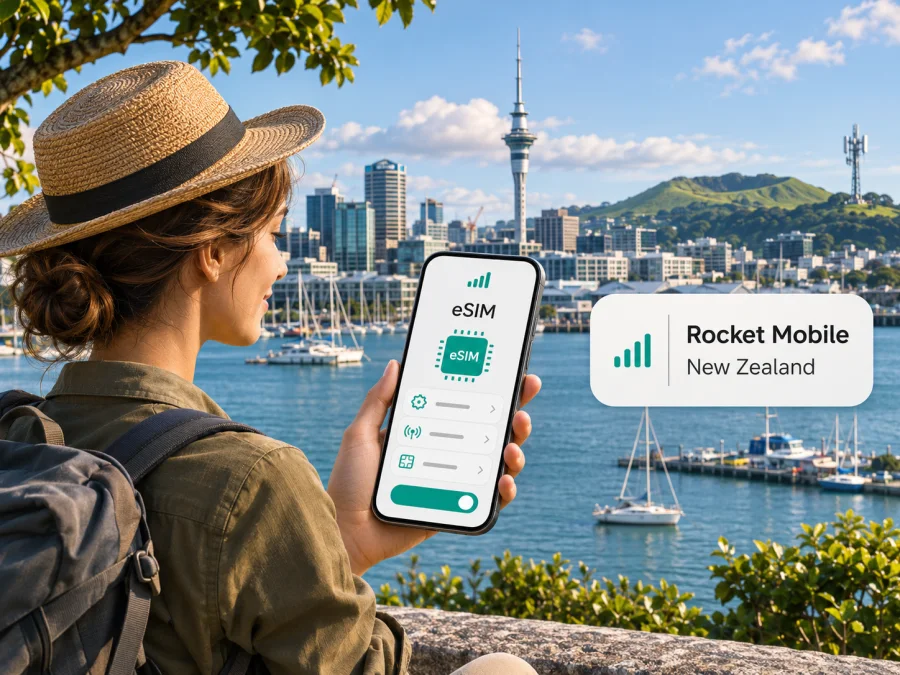
Rocket Mobile eSIM in New Zealand: what visitors should know
Rocket Mobile offers eSIM as a digital SIM option for its mobile service in New Zealand. That can suit someone who is moving to the country, staying for a while, or wants a New Zealand mobile line on an eSIM-compatible phone. It is a local mobile service rather than a travel-only data profile: its eSIM is activated for Rocket Mobile service in New Zealand, and Rocket Mobile says activation must happen while you are in the country.
This distinction matters when you are planning a trip. A local Rocket Mobile eSIM and an international travel eSIM both use a digital profile, but they serve different needs. A local operator plan may be relevant when you want a local mobile service and are able to complete the operator’s signup and activation steps. A travel eSIM is commonly intended to provide mobile data for a destination without replacing your usual number or local mobile account. Check the exact service terms before choosing either route.
Rocket Mobile is a New Zealand mobile virtual network operator (MVNO) using One NZ’s network, as stated in Rocket Mobile’s eSIM launch announcement and current network information. Its public pages describe eSIM signup for visitors and people moving to New Zealand as well as for existing customers switching from a physical SIM. The details that matter most for a visitor are the country-specific activation requirement, device compatibility, a New Zealand address for account records, and the difference between local service and data-only travel connectivity.
What Rocket Mobile eSIM means for a New Zealand trip
An eSIM is a digital SIM profile that is installed on a compatible device. There is no plastic card to insert, but the operator account, mobile service, and activation rules still apply. Rocket Mobile’s current eSIM information says a customer selects eSIM during purchase, installs the profile from a QR code or by entering its details, and completes activation through a link sent by SMS. A Wi-Fi or other internet connection is needed to download the profile. The phone must also be able to receive the operator’s activation message.
Rocket Mobile specifically markets service to people visiting or moving to New Zealand. Its travel information says visitors can sign up using an overseas payment card and that a New Zealand identity document or credit check is not required. The operator also says it needs a physical New Zealand address for its records when an eSIM is ordered; a visitor without a local address can enter the address of their first accommodation. These are Rocket Mobile’s published signup statements, checked on 4 November 2026. Requirements can change, so confirm the current checkout instructions before submitting an order and provide an address only if it is a place where you can receive or reliably access correspondence if needed.
There is an important distinction between installing and activating. Rocket Mobile says the eSIM can be installed before arrival, but the service must be activated in New Zealand. In its visitor guidance, it describes installing before or after landing and completing activation once in the country. If you install at home, the profile may appear in the phone’s SIM settings before it is ready for use. Follow the current instructions shown to you and do not assume that downloading the profile alone completes account activation.
Rocket Mobile’s pages currently confirm eSIM for its local service, installation before arrival, activation in New Zealand, and visitor signup guidance. Its eSIM page, “Everything eSIM” help article, “Travel with Rocket” page, and launch announcement were checked on 4 November 2026. Requirements can change, so verify checkout and activation instructions directly with the operator.
Is Rocket Mobile a New Zealand operator?
Rocket Mobile serves the New Zealand mobile market as an MVNO using One NZ’s network, according to its launch announcement and current network page. Its eSIM is a local mobile service with Rocket Mobile’s own signup and activation process, not simply an international data profile labelled for New Zealand.
The host network is useful context, but it does not guarantee reception at every address or on every device. Check Rocket Mobile’s coverage map for the precise places and routes on your trip. Rural roads, valleys, coastal areas, and remote walks deserve particular attention. Keep offline maps and important travel details available where coverage matters.
Device compatibility: check the exact phone, not just the brand
Rocket Mobile says its eSIM works on many recent phones and lists examples on its help page. That list is guidance, not a universal guarantee. Devices that share the same product name can differ by model number, country or region of sale, carrier configuration, and software. Some versions may lack eSIM support even when another version with a similar name supports it. The exact handset in your hand is what matters.
Before purchase, check all of the following:
- Open the phone’s mobile network or SIM settings and look for an option to add an eSIM. The menu wording varies by operating system and manufacturer.
- Check the exact model or SKU with the device manufacturer, especially if the phone was purchased outside New Zealand or imported from another market.
- Confirm the phone is not carrier-locked in a way that prevents adding or using another operator’s profile.
- Install current software updates and make sure the device can connect to Wi-Fi during profile download.
- If you need a tablet, watch, or another connected device, verify that Rocket Mobile supports that device category. Its current help article says its eSIM service is designed for smartphones and does not support smartwatches.
- Keep your existing SIM or eSIM active until you know the new profile is installed and the number or service transfer is complete.
A device can support eSIM as a technology and still be unsuitable for a particular operator or profile because of regional or carrier restrictions. Likewise, having an eSIM menu does not prove that an account can be activated from outside New Zealand. Treat device support, account eligibility, installation, and geographic activation as separate checks. If you cannot establish support for the exact regional variant, ask the manufacturer or Rocket Mobile before buying; do not rely on a generic model-family list.
For a general device check before choosing a travel eSIM, use the eSIM device compatibility check. That check helps with device readiness, but it does not replace Rocket Mobile’s own requirements for its New Zealand service.
How to prepare and activate Rocket Mobile eSIM
Rocket Mobile’s help center explains the core sequence: choose eSIM during purchase, install the profile using a QR code or manual details, then complete activation through an SMS link. Its public guidance says activation must occur in New Zealand. Labels and prompts differ across phone models, so use the on-screen wording for your device and the current operator instructions as the authority.
Before leaving home
- Check the exact device variant. Confirm eSIM support and that the phone is not carrier-locked. Ask the manufacturer if it was imported.
- Review current signup rules. Confirm the eSIM option, account and payment requirements, New Zealand address field, and in-country activation rule.
- Prepare access and connectivity. Keep the purchase account details and QR code accessible, and have Wi-Fi for downloading the profile.
- Plan your SIM settings. Decide whether to keep your home line active and which line should handle data, calls, and texts.
After arriving in New Zealand
- Connect to Wi-Fi if you still need to download the profile.
- Add the eSIM in your phone’s mobile settings. Rocket Mobile lists Settings → Mobile → SIMs → Add eSIM for iPhone and Settings → Connections → SIM Manager → Add eSIM for Android; menu names vary.
- Scan the QR code or enter the details manually, following any confirmation-code prompt.
- Complete the activation link sent by SMS. Rocket Mobile says activation must happen in New Zealand; adding the profile alone does not finish account activation.
- Select the correct line for mobile data and test service. Check roaming settings for your home SIM with your home operator.
If the welcome SMS does not arrive, Rocket Mobile suggests trying to make a call or send a text to trigger it, then contacting its live chat if the issue remains. Those steps assume the profile and account are set up correctly and the phone is in the activation location. Avoid deleting a working profile or repeatedly scanning a QR code unless the operator’s current instructions tell you to do so. A QR code may be limited in how it can be reused, so keep the original email and account access until the new service is confirmed.
Choosing between a local operator eSIM and a travel eSIM
The right choice depends on what you need from your phone during the trip. Rocket Mobile’s eSIM is the operator’s local mobile service and may be useful when you want to sign up for a New Zealand account, need the local service features described by the operator, and can complete in-country activation. A travel eSIM is a separate option for visitors who primarily need mobile data for a destination and prefer to set up a travel profile through an app or website. A travel profile may not provide a local phone number, ordinary voice calls, or SMS; check its terms rather than assuming those are included.
| Your situation | Points to consider |
|---|---|
| You are moving to New Zealand or staying for an extended period | Review Rocket Mobile’s signup requirements, account process, local service features, coverage map, and activation steps. |
| You are visiting and mainly need data for navigation, messaging, and bookings | Consider whether a travel eSIM better matches your short-stay needs; confirm coverage, data allowance, validity, hotspot rules, and activation conditions before purchase. |
| You need to receive calls or texts on your existing number | Keep your home line available and check your home provider’s roaming terms. A data-only travel eSIM does not automatically replace that number. |
| Your trip includes several countries | Check whether each service applies to every destination; a New Zealand local plan and a multi-country travel eSIM have different geographic scopes. |
| You travel through rural or remote areas | Compare the precise route against the operator’s current coverage map and prepare offline alternatives. |
A local operator eSIM can provide a different service relationship from a travel data eSIM, but neither option is automatically better for every traveler. Compare the functions you need and the conditions that matter: geographic availability, activation location, whether a phone number is included, how calls and texts work, device support, network access, and how long the service remains active. Do not infer a particular coverage footprint from the fact that an eSIM is digital.
Kaspersky eSIM Store is an app and website that helps travelers choose, purchase, and activate an eSIM with a plan for mobile internet abroad. It is not a mobile operator, network owner, or provider of mobile internet. Its eSIM option is aimed at travel data; it is not a Rocket Mobile account, and it does not replace a local New Zealand mobile subscription where you need one. To review the current destination information and available travel options, browse the New Zealand eSIM Store page. Check the live conditions there before making a decision, since availability and terms can change.
Coverage and network technology in context
Rocket Mobile says it uses One NZ’s mobile network and provides a coverage map. Use it to check the specific towns, accommodation, and road sections on your itinerary, especially for rural routes. The map is indicative: terrain, buildings, weather, network maintenance, and device radio support can affect reception. A coverage statement for the country as a whole cannot confirm reception at a particular hotel, highway bend, or hiking track.
Rocket Mobile’s network information refers to 4G and 5G. It says 5G requires a compatible phone and a location with 5G coverage. Check both the map and the exact regional specifications of your handset; imported device variants can differ. Download maps, tickets, and essential travel details for offline use where connectivity matters.
What visitors should verify with Rocket Mobile
Before ordering, confirm the current visitor signup rules, address field, accepted payment methods, in-country activation requirement, and support options. These details come from Rocket Mobile’s public pages checked on 4 November 2026 and can change. Review the service terms that apply to your purchase, including renewal or cancellation, geographic scope, and voice or messaging eligibility.
When asking support about compatibility or coverage, provide the exact phone model and regional variant or the specific place on your route. This is more useful than asking whether a phone or service works everywhere in New Zealand.
Frequently asked questions
Does Rocket Mobile support eSIM in New Zealand?
Yes. Its eSIM page and Help Center describe signup, profile installation, and activation for its New Zealand service. Confirm the current option at checkout and check the exact device variant.
Can a visitor use Rocket Mobile eSIM?
Rocket Mobile publishes signup guidance for visitors and people moving to New Zealand. It says an overseas payment card can be used, a New Zealand identity document or credit check is not required, and a physical New Zealand address is needed for records. Confirm current requirements before ordering.
Can I activate it before I arrive?
Rocket Mobile says you can install the profile before arrival, but activation must take place in New Zealand. Installation and activation are separate steps.
Will it work on my phone?
Check the exact model, regional version, software, and carrier lock with the manufacturer and Rocket Mobile. Support for eSIM in general does not guarantee support for every device variant or account.
Does Rocket Mobile eSIM work in other countries?
Do not assume so. Rocket Mobile is a New Zealand local service; a travel eSIM may cover other destinations under separate terms. Check geographic scope and roaming conditions before crossing a border.
Can I keep my home SIM active?
Many phones support multiple SIM profiles, but behavior differs. Check which line handles mobile data, calls, and messages, and ask your home operator about roaming charges.
What should I do if it does not connect?
Check that the profile is enabled, confirm the activation SMS step is complete, restart the phone, and compare your location with Rocket Mobile’s coverage map. Contact its support if the problem continues.
A simple decision checklist
Before choosing Rocket Mobile eSIM for a New Zealand visit, confirm that your exact phone variant is compatible and unlocked, you can complete SMS activation while in New Zealand, you have an internet connection for profile download, and you can meet the address requirement in the current signup flow. Check coverage for your actual itinerary and decide whether you need a local mobile service or mainly travel data. Review the terms for geographic scope, renewal, cancellation, and support before ordering.
Kaspersky eSIM Store can help with choosing and activating a travel eSIM for mobile internet abroad; it does not own the mobile network or provide the underlying mobile service.
Rocket Mobile, One NZ, and other named marks belong to their respective owners. Kaspersky eSIM Store is not affiliated with Rocket Mobile and is not its official partner or distributor. Operator facts in this article were checked against Rocket Mobile’s public eSIM page, Help Center, visitor information, network coverage page, and eSIM launch announcement on 4 November 2026. Coverage, device support, activation rules, signup requirements, and service terms may change; verify the latest details with Rocket Mobile before ordering.


