
Travel connectivity guide
Roskilde eSIM: mobile internet for your trip
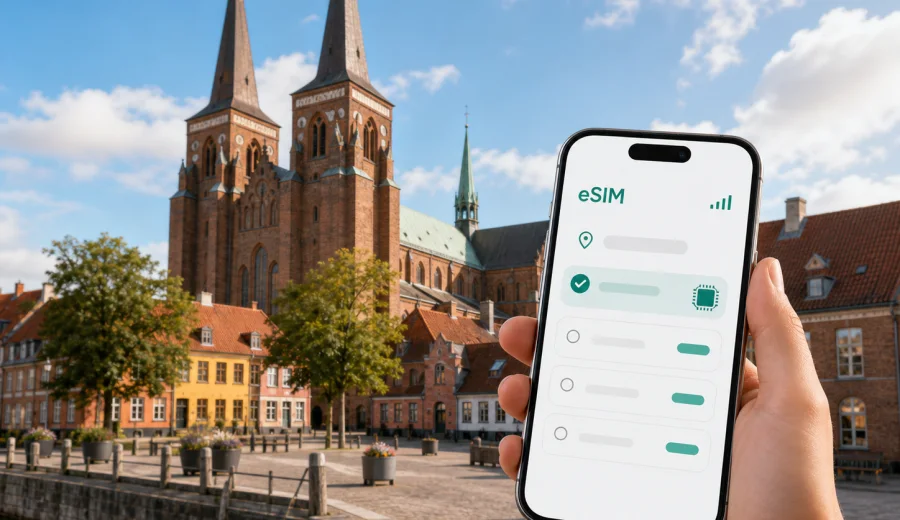
Roskilde eSIM: mobile connection and internet for your trip
Roskilde is close enough to Copenhagen for an easy day trip, but it feels like a separate destination once you arrive: cathedral towers over the old center, a harbor with Viking history, festival grounds outside the compact city, and quiet residential streets that are easier to navigate when your phone is already online. For many travelers, an eSIM is a practical way to prepare mobile internet before visiting Roskilde without searching for a physical SIM card after arrival.
This guide focuses on city travel scenarios: getting from the airport or Copenhagen to Roskilde, moving between the station, the cathedral and the harbor, using maps, checking tickets, working from a hotel, and planning short trips around Zealand. The goal is simple: choose an eSIM tariff that fits your stay in Denmark, install it on a compatible device, and use mobile data when you need directions, bookings, messages or transport updates.
Why mobile internet matters in Roskilde
Roskilde is walkable in the center, but travel decisions often happen on your phone. You may arrive by train, check which platform you need for a return journey, compare walking and bus routes, open a hotel check-in message, or share your live location with colleagues or family. Public Wi-Fi can help in some places, but it is not a reliable plan for the first hour after arrival, for a late check-in, or for movement between the station, the harbor and the festival area.
An eSIM, or digital SIM, can help because it lets you prepare mobile data for Denmark without changing your main physical SIM card. With Kaspersky eSIM Store, you can choose a destination, review the available tariff conditions, install the eSIM on a compatible device and activate it when you are ready to use mobile data in the trip.
Typical Roskilde use cases include:
- opening maps as soon as you leave Roskilde Station;
- checking train information for Copenhagen, the airport or other towns on Zealand;
- using a ride-hailing or taxi app if you arrive late;
- finding walking routes between Roskilde Cathedral, the Viking Ship Museum and the harbor;
- translating menus, signs or short messages;
- receiving hotel, apartment or event updates;
- using messengers for calls and video messages through mobile data;
- keeping a laptop online through hotspot mode if your selected tariff and device settings allow it.
Arrival scenarios: airport, Copenhagen and the first hour
Many international visitors reach Roskilde through Copenhagen Airport or Copenhagen city center. Even if your final destination is a hotel in Roskilde, the first practical tasks often start before you are there: checking the next train, confirming a connection, downloading a ticket, messaging the hotel, or finding the correct exit. These small tasks are exactly where prepared mobile internet can reduce friction.
If you use an eSIM tariff for Denmark, you can keep your primary SIM active for your usual number while using the eSIM profile for mobile data. This is useful when you still need bank messages, travel alerts or contacts on your main line, but want data for local navigation and bookings through the eSIM.
For a smooth arrival, prepare this before departure:
| Task | Why it helps in Roskilde |
|---|---|
| Check device compatibility | Not every phone or tablet supports eSIM, and some devices may be locked by an operator. |
| Install the eSIM while you have stable Wi-Fi | Installation is easier at home or in a hotel than on a station platform. |
| Save key addresses offline | Your hotel, meeting venue and first attraction should be available even if you are briefly offline. |
| Keep your travel apps updated | Ticketing, maps and messaging apps work better when updated before travel. |
| Review tariff validity | Match the data volume and duration to your actual days in Denmark. |
Roskilde is not a city where you need constant route recalculation every minute, but you do need dependable access at decision points. The station area, the old center, the cathedral quarter and the harbor are close enough that a wrong turn is usually not a major problem. The bigger issue is losing time when you cannot open transport, ticket or booking information.
Moving around Roskilde with eSIM mobile data
The most common Roskilde route is simple: station, city center, cathedral, museum area, waterfront, cafe or hotel. A traveler with mobile data can treat the city as a flexible route rather than a fixed printed itinerary. You can check whether to walk, take a local bus, pause for lunch, or continue toward the harbor depending on weather and time.
Mobile internet is especially useful in these Roskilde situations:
- Walking from the station to the cathedral. The route is short, but maps help when you have luggage or arrive in rain.
- Visiting the Viking Ship Museum and harbor. Directions are clearer when you can compare walking paths and opening information saved in your apps.
- Going to Roskilde Festival or events outside the old center. Event areas can involve temporary entrances, changed transport patterns and group coordination.
- Taking a day trip from Copenhagen. You may decide late whether to return directly, stop for dinner, or continue elsewhere on Zealand.
- Working between meetings. Business travelers often need email, calendar access and messenger calls while moving between hotel, venue and station.
eSIM mobile data does not replace planning. It makes planning more adaptable. If your train time changes, your meeting ends early, or your hotel asks for a digital check-in step, you can handle it without searching for a cafe with Wi-Fi.
How much data to plan for Roskilde
Your data needs depend more on behavior than on the city. Roskilde itself is compact, but the trip may include Copenhagen Airport, Copenhagen city center, trains across Zealand and hotel or event time. A light traveler who mainly uses maps and messages can use much less data than someone uploading videos, joining video calls or using hotspot mode.
Use this practical guide before choosing a tariff:
| Travel style | Typical mobile data use | What to consider |
|---|---|---|
| Day trip from Copenhagen | Maps, tickets, messages, basic browsing | A smaller data package may be enough if hotel Wi-Fi is not part of the day. |
| Weekend in Roskilde | Navigation, restaurant search, photos, messengers | Choose enough validity for all travel days, including arrival and departure. |
| Business trip | Email, calendar, calls through messengers, documents | Allow extra data for tethering or calls if your tariff and device support hotspot use. |
| Festival or event stay | Group chats, maps, transport, uploads | Event areas can lead to heavier use; plan a larger buffer. |
| Regional route in Denmark | Train apps, maps, hotel changes, multiple cities | Make sure the tariff applies to Denmark for the full route. |
Avoid choosing only by the lowest data amount if you know you will rely on mobile internet all day. Also avoid overbuying if your hotel, office or apartment has dependable Wi-Fi and you only need mobile data while moving. The most practical choice is the tariff whose data volume, validity period and destination match your actual itinerary.
Choosing an eSIM tariff for a Roskilde trip
For a Roskilde trip, the relevant destination is Denmark. Your eSIM choice should be based on a Denmark tariff or another appropriate regional option if your wider route needs it. When you are ready to compare available data amounts and validity periods, you can choose an eSIM plan for your Roskilde trip in Denmark through Kaspersky eSIM Store.
Before choosing, answer five questions:
1. How many days will you be in Denmark, including arrival and departure?
2. Will Roskilde be a short stop, a weekend base, or part of a wider Zealand route?
3. Do you need mobile data mainly for maps and messages, or also for work calls and hotspot use?
4. Will your accommodation provide reliable Wi-Fi, or will the eSIM be your main internet option?
5. Is your device compatible with eSIM and unlocked for mobile data profiles?
Kaspersky eSIM Store helps you choose, arrange and activate an eSIM with a suitable tariff for mobile internet in an international trip. The conditions depend on the selected tariff, so check the data volume, validity duration, destination and any usage notes before purchase. If ordinary calls and SMS matter to you, read the tariff conditions carefully: travel eSIM tariffs are usually focused on mobile data, and a separate phone number is not included unless this is stated in the tariff details.
Installation before departure or after arrival
The easiest approach is to install the eSIM before you travel, while you still have stable Wi-Fi. You can then activate mobile data when you are ready to use it according to the instructions and the selected tariff conditions. If you prefer to install after arrival, make sure you have Wi-Fi at the airport, hotel or another trusted location, because adding an eSIM profile usually requires internet access.
Basic setup flow:
1. Check that your phone supports eSIM and is not locked to one operator.
2. Choose the destination and tariff conditions that match your Denmark trip.
3. Install the eSIM using the instructions from your profile, app or email.
4. Select the eSIM profile for mobile data in your device settings.
5. If required by the device or tariff conditions, enable data roaming for the eSIM profile.
6. Wait for the device to register on a local network; this can take several minutes.
For detailed setup steps, use the relevant internal guide: Android eSIM installation instructions or iOS eSIM installation instructions. The exact menu names can vary by device model and operating system version, so follow the instructions shown on your phone as well.
Before buying a tariff, check your device for eSIM support. This is important even if your phone model usually supports eSIM, because regional versions and operator locks can differ. If the device is locked or does not support eSIM, installation may fail regardless of the destination.
Roskilde scenarios where eSIM is useful
A day trip from Copenhagen
For a day trip, you may not need a large data allowance, but you do need internet at the right moments. Maps, train information, restaurant bookings and group messages are the main tasks. If you arrive from Copenhagen in the morning, mobile data helps you decide whether to walk directly to the cathedral, stop for coffee, or continue toward the harbor before lunch.
A hotel stay in Roskilde
If you stay overnight, mobile internet helps with check-in messages, door codes, route planning and late arrivals. Hotel Wi-Fi may cover the room, but it does not help between the station and the hotel or when you are outside in the evening. Keep the hotel address, booking reference and contact details saved in your phone before travel.
Business meetings and remote work
Roskilde can be part of a business route around Greater Copenhagen or Zealand. In this case, choose a tariff with enough data for email, calendar updates, document access and messenger calls. If you plan to use hotspot mode for a laptop, check both your device settings and the selected tariff conditions first.
Festival and event travel
For festival or event travel, group coordination is often the biggest data task. You may need maps, transport updates, mobile tickets, weather checks and messages throughout the day. Event areas can be busy, so it is better to install and test your eSIM before you are standing in a queue or trying to meet friends.
Trips from Roskilde
Roskilde works well as a base for short trips around Zealand or returns to Copenhagen. If your route stays in Denmark, a Denmark tariff is usually the relevant starting point. If your trip continues to Sweden or another country in the region, compare whether a country-specific, regional or broader option better matches the whole route.
Practical checklist for Roskilde
Use this checklist the day before travel:
- Install or update your maps, transport, airline and hotel apps.
- Save your hotel, meeting venue and first Roskilde stop.
- Confirm that your main SIM remains available for important messages if you need it.
- Install the eSIM while connected to stable Wi-Fi.
- Read when the tariff validity starts and how mobile data is counted.
- Keep the QR code or installation details accessible until setup is complete.
- Bring a power bank if you will rely on navigation, photos and tickets all day.
- Avoid large app updates, cloud backups and video uploads on mobile data unless your data allowance comfortably supports them.
The main rule is simple: use mobile data for travel tasks, and use Wi-Fi for heavy downloads when you trust the network and have time. This keeps your eSIM allowance available for movement, navigation and communication.
Common mistakes to avoid
Do not wait until you are on a station platform to learn whether your phone supports eSIM. Do not assume that every tariff includes calls or SMS. Do not choose a validity period that ends before your departure day. Do not use your primary SIM for roaming data by accident if you intended to use the eSIM profile. And do not delete an active eSIM profile unless you are sure you no longer need it and understand the tariff conditions.
It is also worth checking mobile data settings after installation. On many phones, you can keep your primary line for calls and messages while selecting the eSIM for mobile data. If the phone asks which line should use data, choose the eSIM profile you installed for the trip. If there is no connection after activation, wait a few minutes, check that mobile data is enabled for the eSIM profile, and review whether data roaming needs to be on for that profile.
FAQ about using eSIM in Roskilde
Is eSIM useful for a short visit to Roskilde?
Yes. Even on a short visit, mobile data can help with train information, walking routes, mobile tickets, hotel messages and group coordination. A smaller tariff may be enough if you mainly use maps and messaging.
Can I use the same eSIM for Copenhagen and Roskilde?
If the selected tariff applies to Denmark, it is relevant for travel in both Copenhagen and Roskilde. Always check the destination and conditions of the tariff before purchase.
Does an eSIM include a Danish phone number?
Usually no, unless this is stated in the selected tariff conditions. Travel eSIM tariffs are generally intended for mobile internet. For calls and messages, you can use apps that work through mobile data.
Should I install eSIM before I arrive in Denmark?
That is often the most convenient option. Install it while you have stable Wi-Fi, then activate mobile data according to the instructions and tariff conditions when you are ready to use it.
What if my phone does not support eSIM?
You will need another internet option, such as your usual roaming arrangement, a physical SIM card or trusted Wi-Fi. Checking compatibility before purchase helps avoid this situation.
Choose mobile internet for your Roskilde trip
Roskilde is an easy city to enjoy when your phone is ready for the practical parts of travel: finding the station exit, opening maps, checking a booking, messaging your group, reaching the harbor, or returning to Copenhagen after dinner. An eSIM helps you prepare mobile internet for these moments without looking for a physical SIM card during the trip.
Before you travel, check compatibility, choose a tariff with enough data and validity for your Denmark itinerary, install the eSIM with a stable internet connection, and keep your mobile data settings clear. When you are ready to prepare the trip, choose an eSIM plan for Denmark in Kaspersky eSIM Store and set up your phone before Roskilde becomes your next stop.