Travel connectivity guide
Runaway Bay eSIM: Mobile Internet in Jamaica
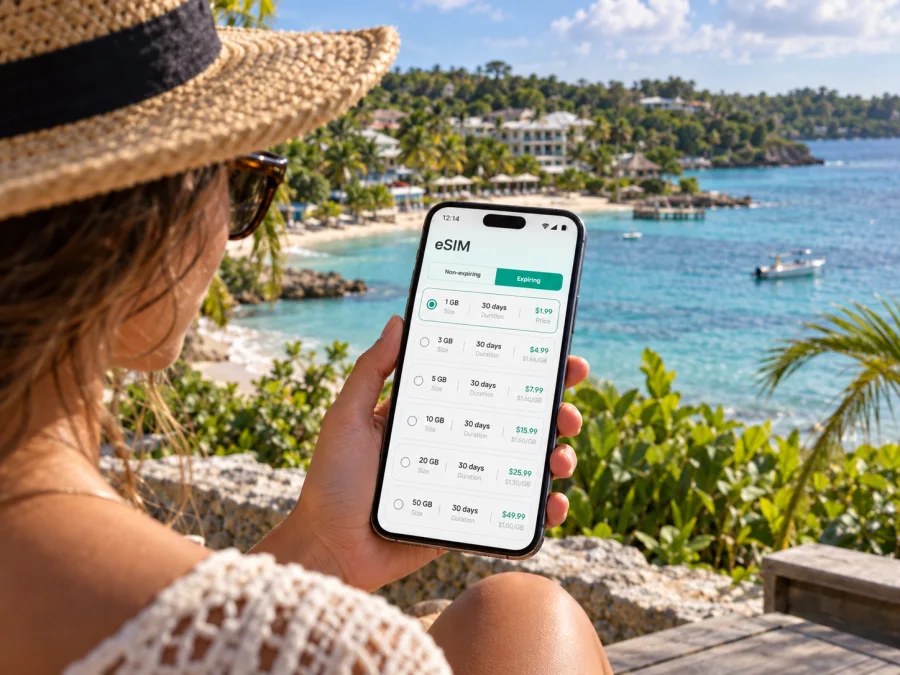
Runaway Bay eSIM: mobile connection and internet for your stay
Runaway Bay is a coastal base on Jamaica’s north shore, where a day may begin at a hotel or beach and continue toward Discovery Bay, Ocho Rios, or Montego Bay. Mobile internet is useful for checking a route, confirming a driver’s pickup, opening a booking, or messaging someone when plans shift. An eSIM lets you prepare a data connection before the trip without replacing the physical SIM in your phone.
This guide covers arrival, local transport, day trips, and eSIM setup in Runaway Bay. Signal and speed depend on location, device, tariff, and local network; keep essential directions and bookings offline too.
Why mobile internet helps in Runaway Bay
Runaway Bay is better understood as a coastal resort area than a compact city center with frequent public transport on every street. Many visitors stay at a resort, hotel, guesthouse, or villa, then use an arranged transfer, taxi, rental car, or excursion vehicle for trips outside the property. A phone helps with practical handoffs: confirming where a driver will meet you, sharing a delay, checking a map pin, or finding the correct entrance at a larger property.
Save your accommodation, driver, and tour meeting details before leaving Wi‑Fi. Screenshots can help if maps or messages do not load on the move.
A travel eSIM can support maps, email, searches, and messaging, sometimes alongside your usual number on a dual-SIM phone. Many travel tariffs are data-only; check the plan before relying on it for calls or SMS.
Prepare before you leave
A little preparation makes arrival in Runaway Bay easier. Visitors reach the north coast by road from Jamaica’s airports, so confirm how you will get from the airport to your accommodation. Do not assume a transfer is included unless your booking says so. Ask where the driver will meet you, how to identify them, and what to do if your flight is delayed.
Use this checklist before departure:
- Save your accommodation’s name, full address, and map pin.
- Keep your transfer or rental-car confirmation available offline.
- Save the driver’s contact details and pickup instructions.
- Check the eSIM tariff’s destination, data allowance, price, and validity period.
- Confirm that your device supports eSIM and is not carrier-locked.
- Install the eSIM over a stable connection if its terms allow installation before travel.
- Keep your regular SIM active if you need its number for calls, verification, or messages.
- Carry a charging cable or power bank and save essential details as screenshots.
For a group, agree on a meeting point and save the correct hotel entrance in case a phone loses charge or a message is missed.
Check your device and tariff
Not every phone supports eSIM, and some models vary by the market where they were sold. A compatible phone may also be locked to a carrier. Check the exact model and carrier status before you pay; you can check whether your device is compatible. Review the tariff’s destination and validity rules too. A plan’s name alone does not show whether it covers every stop on your itinerary.
Compare the allowance with how you expect to use data. Maps and messaging usually need less than frequent video calls, photo uploads, or streaming. You do not need to predict every megabyte, but decide whether your trip involves light navigation or heavier daily use. Also check whether the plan permits hotspot use if you intend to connect a laptop or another traveler’s phone.
Arriving and reaching Runaway Bay
Sangster International Airport is in Montego Bay, and Norman Manley International Airport serves Kingston. Which one you use depends on your flight and itinerary. Confirm the airport name on your booking, then arrange ground transport to Runaway Bay in advance. If you arrive through Montego Bay, follow the agreed instructions for meeting your driver, using a licensed taxi, or collecting a rental car.
Runaway Bay lies farther along the north coast, so a live map is useful for orientation but is not a pickup plan by itself. Confirm the destination and meeting point with your driver. If you have booked a shared transfer, check where to wait and whether there is a scheduled departure or a particular check-in process. Keep the hotel address visible during the drive in case you need to clarify the destination.
Enable the eSIM line according to its activation instructions. Validity may begin at installation or when the eSIM first connects in the destination; check the plan terms so the timing fits your dates. Some devices require data roaming to be enabled for the travel eSIM. Follow the specific instructions for your plan and avoid changing your regular line’s settings unless you understand how that may affect your home service.
After collecting your luggage, open the saved transfer details and confirm the pickup point. If data does not work, check that the profile is switched on, selected for mobile data, and active; Wi‑Fi can help you review the booking while troubleshooting.
Getting around Runaway Bay
The most convenient way to move around depends on where you are staying and what you plan to visit. Some properties are set back from the main road or have private access. Ask staff whether a restaurant, beach access, or nearby stop is walkable from your accommodation. A map’s walking estimate may not account for traffic, heat, road layout, or pedestrian conditions.
For trips farther away, visitors commonly arrange transport ahead of time or use a taxi. Agree on the destination and fare before setting off, and confirm where you will be collected for the return. If renting a car, review the rental terms, parking, insurance, and driving requirements before accepting it. Download map areas or save key addresses in advance in case mobile data becomes unreliable during the drive.
The north coast road links Runaway Bay with nearby communities and larger visitor hubs. Discovery Bay is close by; Ocho Rios and Montego Bay are useful reference points for longer trips in either direction. Journey times vary with traffic, weather, road conditions, stops, and the exact starting point. Leave a margin if you have a timed reservation, and ask a tour operator for its pickup schedule rather than planning around a map estimate alone.
| Situation | Prepare | Use your connection for |
|---|---|---|
| Hotel to a nearby stop | Address, fare, return plan | Confirm the destination or message your driver |
| Excursion pickup | Time, meeting point, operator details | Check for a message about a change |
| Drive along the coast | Route, parking plan, saved destination | Follow navigation and share an update |
| Working from your accommodation | Meeting link, files, backup access | Handle messages when Wi‑Fi is unavailable |
Signal can vary between hotel grounds, beaches, built-up areas, and roads. Confirm transport details directly with the provider and keep them in your notes.
Stay and day-trip planning
Runaway Bay has resort-style properties, guesthouses, and villas. Choose based on whether you will stay mostly on site, take excursions, or work during the day. Check what your reservation includes; Wi‑Fi, meals, transfers, and activities vary by property.
Before you book, consider how far the property is from the places you want to visit, where drivers meet guests, whether Wi‑Fi is available in your room, and whether there is a quiet place to work or charge devices. Save the address and the correct gate or reception point. This helps avoid confusion if a driver knows the property by a different name or stops at a neighboring entrance.
A stay can combine beach time with north-coast visits. Green Grotto Caves are in the Discovery Bay area, with Ocho Rios and Montego Bay farther along the coast. Check current entry arrangements, meeting points, and transport with each operator; do not assume hotel pickup is included.
Keep a day trip manageable by grouping places in the same direction and leaving time for the return. Save tickets, directions, and the operator’s contact information before leaving Wi‑Fi. If the route passes through an area with weaker service, an offline map and a clear pickup arrangement can be more useful than refreshing navigation repeatedly. In a group, agree where to wait and who has the driver’s number if phones cannot reach each other.
Short stopovers and business visits
For a short stopover or business visit, save your onward transfer and meeting locations offline. Download essential work files before leaving Wi‑Fi, test your call setup, and check whether your data allowance suits video calls or large uploads. If your route continues to another town, confirm that the tariff covers it.
Choosing an eSIM tariff for Jamaica
Kaspersky eSIM Store is an app and website where you can choose, purchase, and activate an eSIM with a suitable tariff for mobile internet on an international trip. For a Runaway Bay stay, select Jamaica as the destination and compare the plan’s data allowance, validity, price, and activation conditions with your itinerary. The tariff is selected for the country or region it covers, even when your trip is centered on one town.
Think about your likely use: maps, messaging, and occasional searches are different from video calls, frequent uploads, or streaming. Consider how often you expect to have hotel Wi‑Fi and whether you need to share data with another device. Review plan restrictions, coverage, and when the validity period starts before completing a purchase.
For a trip based in Runaway Bay, you can compare eSIM tariff options for Jamaica. If your route continues beyond Jamaica, check the destinations covered by the relevant regional option. Confirm that the tariff matches every stop rather than assuming that a regional name includes your full itinerary.
Use this short selection process:
- Choose Jamaica or the region that matches your route.
- Estimate whether your expected use is light, moderate, or data-intensive.
- Compare the allowance and validity with your travel dates.
- Read when validity begins and whether pre-installation is allowed.
- Check hotspot terms if you plan to share the connection.
- Confirm your phone’s eSIM support and carrier status.
- Keep the purchase and installation details available after checkout.
Monitor data use during the trip. Download large files over Wi‑Fi when appropriate and adjust automatic photo backup or video playback to conserve mobile data.
Installing and activating the eSIM
Install the eSIM over a stable internet connection and allow enough time to follow the instructions. Menus vary by phone and operating system. Read the tariff directions before scanning a QR code or adding a profile, keep the code private, and do not delete the eSIM while troubleshooting unless the instructions tell you to. Check whether installing it starts the plan’s validity.
Kaspersky eSIM Store provides guides for installing an eSIM on Android and installing an eSIM on iOS. Follow the guide for your phone and label the new line so you can distinguish it from your usual SIM. Before departure, check which line is selected for mobile data and review the plan’s activation rules.
After arriving in Jamaica, enable the eSIM at the appropriate point in its activation process and select it for mobile data if that is how you intend to use it. Keep your usual SIM available for calls or messages if needed, and check its roaming charges with your home provider. Data roaming may need to be enabled for the travel eSIM; use the plan’s instructions.
If the eSIM does not connect, confirm the profile is switched on, selected for mobile data, and active in Jamaica. Follow the plan’s roaming or network instructions and move to a place with a clearer signal. Contact support if the issue continues; avoid deleting the profile unless instructed, as reinstalling may not be possible.
Common questions
Does an eSIM provide a Jamaican phone number?
A travel data eSIM usually provides mobile data rather than a regular phone number, voice calls, or SMS, unless the tariff specifically includes them. Internet messaging apps can be used when data is available. Keep your regular number active if you need it and check roaming charges with your home provider.
Can I use the eSIM in Ocho Rios or Montego Bay?
Check the tariff’s Jamaica coverage and any regional conditions. Service can still vary by location, so save routes and booking details before you travel between towns.
Should I install the eSIM before my flight?
That depends on the plan. You may be able to install it beforehand, but check whether validity begins at installation or at first connection in Jamaica. Follow the conditions for the selected tariff.
Is hotel Wi‑Fi enough?
Wi‑Fi can be useful while you are at the property, especially for larger downloads. Mobile data helps with navigation and coordination away from it. Availability and signal can vary, so keep important information offline.
Prepare your eSIM for Runaway Bay
Start with the journey: arrange your airport transfer, save your accommodation and pickup locations, and keep essential details offline. Then choose an eSIM tariff whose Jamaica coverage, data allowance, and validity fit your stay. Install it on a compatible, unlocked device and follow the plan’s activation instructions.
Kaspersky eSIM Store helps you complete those steps through its app and website. Choose an eSIM tariff for your trip to Jamaica and keep the plan instructions with your travel documents so you can activate it at the right time.


