Travel connectivity guide
Rusizi eSIM: Mobile Internet for Your Trip
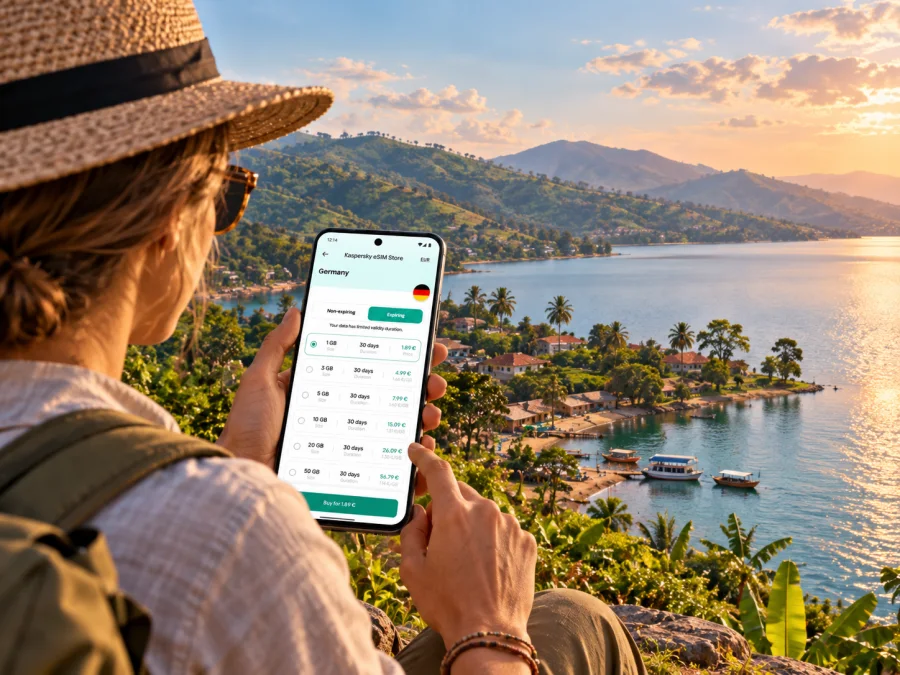
Rusizi eSIM: mobile connection and internet for your trip
Rusizi is Rwanda’s southwestern urban area beside the southern end of Lake Kivu. It is a practical base for lakeside stays, cross-border business and onward journeys toward Nyungwe National Park. A phone with mobile data is useful from the first transfer: to confirm a pickup, check a map, contact accommodation or keep route details available when plans change.
An eSIM can provide mobile internet without replacing a physical SIM card. Before choosing one, check that your phone supports eSIM, that it is not locked to another carrier and that the selected plan covers Rwanda. Availability, network performance and activation conditions depend on the plan and local network; a travel eSIM should not be treated as a guarantee of signal in every building or along every road.
First, know which Rusizi you are visiting
Rusizi is both a district and the name of its urban centre. In travel references, the central lakeside settlement may also appear as Cyangugu; Kamembe is a nearby urban locality and the name used for the airport north of the centre. These names point to a connected destination area in Rwanda’s Western Province, not the Congolese city of Bukavu across the water. The district meets the Democratic Republic of the Congo to the west and Burundi to the south, so a trip that looks local on a map can involve an international border. A Rwanda plan should not be assumed to work in either neighbouring country; check its country list before crossing.
Rusizi sits at the southern end of Lake Kivu, where the lake drains into the Rusizi River. That setting shapes the practical geography: the airport and urban centre are close, while lakeside points, border crossings and destinations farther into the district require separate journeys. Save the exact address or map pin for your hotel, meeting or pickup rather than relying on a broad search for “Rusizi.”
Arriving through Kamembe Airport
Kamembe International Airport (KME) serves Rusizi. Rwanda’s aeronautical information places the airport about 5 km north of Rusizi city centre. That is a short distance on the map, but allow time to collect bags, meet a driver and confirm the route. If someone is meeting you, share your arrival details and agree on a recognizable pickup point before boarding.
A simple arrival sequence helps when mobile data is not yet working:
- Before departure, download an offline map covering the airport, your accommodation and the town centre.
- Save your booking confirmation, host’s phone number and pickup instructions where they are available offline.
- Install the eSIM while you have a reliable internet connection, if the plan instructions allow advance installation. Keep the QR code or setup details accessible on another screen or printed copy if needed.
- After landing, select the travel eSIM for mobile data and follow the plan’s activation directions. Some plans begin their validity when installed; others begin at a different point, so check the specific terms.
- If the phone does not connect, use airport or accommodation Wi-Fi temporarily and check the plan’s supported network, data roaming setting and activation status.
Kamembe is not Kigali International Airport. If your itinerary arrives in Kigali first and continues overland or by a domestic connection, plan for the whole route rather than only the final city. Keep the eSIM’s coverage country and validity period in mind while travelling between destinations.
Moving around town and the lakeshore
For a short stay, most data use is likely to come from maps, messaging, ride coordination, translated information and checking opening or meeting details. The exact journey matters more than a generic city-wide claim: a connection that works in the centre may behave differently indoors, on a hillside or outside the urban area.
Rusizi is a working border town as well as a visitor base. Shops, services and accommodation are spread across the urban area, and the place name on a booking may refer to a neighbourhood, sector or nearby landmark. Ask your host or driver to send a precise pin. When you leave the centre, confirm whether the destination is on the Rwandan side and whether your route passes a border checkpoint.
| Trip situation | Useful phone preparation | What to keep in mind |
|---|---|---|
| Airport to accommodation | Save the address and pickup contact; keep the map available offline | Kamembe Airport is around 5 km north of Rusizi city centre; confirm the final route with your driver |
| Town errands or meetings | Pin the exact entrance and store meeting details | Street names and informal landmarks may be more useful together than either alone |
| Lake Kivu outing | Download the map area and share your plan with your host | Shoreline locations can be outside the central urban area; do not assume uniform signal |
| Cross-border visit | Check separate data coverage and roaming terms for each country | Bukavu is across the border in the DRC, not part of Rusizi or Rwanda |
| Drive toward Nyungwe | Save the destination and key booking information before leaving | Coverage may vary outside town; keep navigation and contact details usable offline |
For short local movements, ask your accommodation about the best current transport option and how drivers identify pickup points. Local arrangements and availability can change during the day. If you hire a driver for an excursion, agree in advance on the return plan and whether they will wait or be contacted later. Do not rely on a live map alone for a remote stretch: note the route, destination and return contact before leaving reliable Wi-Fi or mobile coverage.
A plan for each kind of visit
A quick business trip. Install or prepare the eSIM before travel, save the office address and meeting contact, and choose a data amount based on your expected use. Email, messaging and maps usually need less data than frequent video calls or uploading large files. If a call must be reliable, arrange a voice option separately: a data-only eSIM does not automatically provide a local number or ordinary calls and SMS.
A lakeside break. Save hotel directions and any activity confirmations before setting out. A photograph-rich itinerary, cloud backups and video can use more data than text messages and maps. Consider turning off automatic photo backups and app updates on mobile data, then use accommodation Wi-Fi for large transfers if it is suitable.
A trip beyond the city. Rusizi District includes more than the urban centre. The western part of Nyungwe National Park is reached from this side of Rwanda, and Rwanda’s tourism guide describes Rusizi as the closest town to the park. The park is not a neighbourhood excursion: check current road, entry and activity arrangements with your accommodation or tour provider. Save directions, confirmation details and an offline map before departure.
A border-area itinerary. If your plans include Bukavu or Burundi, treat each country as a separate data destination. Verify coverage, validity and roaming conditions before crossing. Keep your passport and travel arrangements accessible offline, and use official border and travel information for entry requirements; a mobile-data plan does not replace those checks.
Choosing an eSIM plan for Rusizi
Kaspersky eSIM Store is an app and website where you can choose, arrange and activate an eSIM with a suitable data plan for an international trip. It helps you review the destination and plan details before travel. It does not determine local signal strength, and the plan’s stated coverage and terms are the reference for where it can be used.
When comparing options for Rusizi, use this checklist:
- Destination: Rwanda must be explicitly included. If the itinerary crosses into the DRC or Burundi, check whether those countries are included too; do not infer regional coverage from a map view or the word “Africa.”
- Data allowance: Estimate navigation, messaging, browsing, email and media use. Video calls, streaming and automatic photo uploads can consume substantially more data than basic travel tasks.
- Validity: Match the plan duration to the full period in which you expect to use it. Confirm when the validity clock starts and whether activation must happen by a stated date.
- Network and speed terms: Read the plan information for supported network access, any speed limits, tethering conditions and other restrictions. Actual service can vary with location, signal, congestion, device and local infrastructure.
- Top-up or expiry: Check whether unused data expires, whether a top-up is available and how to check remaining data. Do not assume one plan’s rules apply to another.
- Device readiness: Confirm eSIM support for your exact device and regional model, and make sure the phone is carrier-unlocked.
You can review eSIM plan options for Rwanda and compare the current destination, data allowance and validity terms before deciding. This is the Rwanda destination page; it is not a promise of a particular local network or a city-specific coverage guarantee.
Rwanda’s operator market and what it means for a traveller
Rwanda’s regulator lists MTN Rwanda and Airtel Rwanda among the country’s mobile operators and describes 4G LTE among the technologies in use. This is useful context, but it does not identify which network a particular travel eSIM uses in Rusizi. The eSIM plan details should state the supported network or roaming arrangement; if they do not, check with the seller before relying on a specific carrier or coverage claim.
Local operator eSIMs and international travel eSIMs are different products with different signup and activation processes. For example, MTN Rwanda’s published guidance describes obtaining its local eSIM through a service centre and presenting identification. That information should not be applied to a separate travel eSIM plan. If you need a local Rwandan number, ordinary voice service or mobile-money-related functionality, ask the local operator directly about current eligibility and registration requirements. A data-only travel eSIM is primarily for internet access and may not include a phone number, voice calls or SMS.
Network coverage is not the same as guaranteed internet in every location. Near the town centre and airport, service may be different from a hotel room, shoreline, steep road or forest route. Keep offline directions and key contacts. If continuous connectivity is essential for work or safety, arrange a backup such as a second compatible SIM, accommodation Wi-Fi or a local contact, and verify the alternatives before departure.
Check compatibility before you pay
eSIM availability depends on the exact device, its region of sale, software and carrier-lock status. Similar model names can have different cellular capabilities in different markets, so do not rely only on a general brand list. Check the manufacturer’s specifications and your phone settings, then confirm that the device is not locked to your current carrier. Check whether your device supports eSIM before selecting a plan.
A quick preparation check:
- The phone has an eSIM option in its mobile or cellular settings, or displays an EID when checked using the manufacturer’s recommended method.
- The exact device variant supports eSIM in the region where it was purchased.
- The phone is unlocked for use with another carrier profile.
- You have a stable internet connection available to download or install the eSIM profile.
- You know which SIM line will handle calls and texts, and which line will use mobile data.
- You have saved the installation instructions and any QR code details before leaving home.
If your device is not compatible or is carrier-locked, keep using your existing SIM and check whether your home carrier offers roaming for Rwanda. You can also ask a local operator about a physical SIM and its registration conditions. Compare the total cost and practical requirements for your own journey rather than assuming one option is universally better.
Install and activate without losing access
The safest time to install is when you have stable Wi-Fi and enough battery. Follow the instructions for the specific plan: some eSIMs should be installed before departure but activated on arrival, while others have different timing rules. Do not delete an installed profile to troubleshoot unless the plan provider tells you to; a profile may not be reusable after removal.
A general setup sequence is:
- Read the plan’s setup and validity information before installation.
- Connect to Wi-Fi and open the device’s mobile-network settings.
- Add the eSIM by scanning its QR code or using the manual details supplied with the plan.
- Label the new line clearly, for example “Rwanda data,” while keeping your primary SIM identifiable.
- Choose the eSIM for mobile data when the plan should begin. Keep your home line selected for calls or SMS if you need it and understand any roaming charges.
- Enable data roaming for the travel eSIM only if its instructions require it. Roaming settings can be necessary for some travel plans, but do not enable roaming on your home SIM without checking its charges.
- Once in Rwanda, allow the phone to register, then test a basic webpage or message. If it does not connect, check the selected data line, plan validity, APN or network selection instructions and the provider’s troubleshooting steps.
For platform-specific steps, use the Android eSIM installation guide or the iPhone and iOS eSIM installation guide. Exact menu names vary by operating-system version and device manufacturer.
Keep data use predictable
A little preparation can prevent common problems and conserve the plan for the whole stay:
- Download offline maps for Rusizi, Kamembe Airport, your accommodation and any planned day-trip destination.
- Disable automatic app updates and cloud photo uploads over mobile data if you want to limit background use.
- Save transport, accommodation and tour confirmations for offline access, including a phone number or meeting point.
- Use Wi-Fi for large downloads where appropriate, but avoid entering sensitive information on public networks unless you trust the connection and take suitable precautions.
- Check the remaining allowance periodically in the device settings or the plan interface, if provided.
- Keep a power bank or charging option available on long drives, when navigation and camera use can drain the battery.
- If a connection drops, switch off and on airplane mode once, verify the chosen data line and wait for network registration. Avoid repeatedly deleting or reinstalling the eSIM.
Common questions
Is Rusizi a city, a district or another name for Cyangugu?
Rusizi is used for the district and its urban centre. The urban area is also associated with the names Cyangugu and Kamembe. For navigation, use the exact address or pin and confirm it with your host or driver.
Will an eSIM work everywhere in Rusizi District?
No plan can be assumed to work everywhere. Service depends on the plan’s supported network, local signal, terrain, buildings and device. Check the plan’s Rwanda coverage and keep important information available offline, especially for trips beyond the centre.
Does a Rwanda eSIM cover Bukavu?
Not automatically. Bukavu is in the Democratic Republic of the Congo, across the border from Rusizi. Check whether the specific plan includes the DRC and review its roaming and validity conditions before crossing.
Can I make ordinary calls with a travel eSIM?
Only if the selected plan explicitly includes voice service and a number. Many travel eSIM plans are data-only. Internet-based calling and messaging apps can work over data, subject to their own requirements and the quality of the connection.
What if mobile data does not start after arrival?
Check that the eSIM is enabled and selected for mobile data, confirm the plan covers Rwanda and is within its validity period, and follow any instructions for data roaming, APN or network selection. If the issue continues, use Wi-Fi to contact the plan’s support and avoid deleting the profile before you receive guidance.
A practical Rusizi connection checklist
Before leaving:
- Confirm your arrival airport, pickup point and accommodation pin.
- Check the selected plan’s country coverage, data amount, validity and activation rules.
- Verify eSIM compatibility and carrier-unlock status for your exact phone variant.
- Install the profile over stable Wi-Fi if instructed, and keep the setup information available.
- Download offline maps and save key confirmations and contacts.
- Decide how you will handle calls and SMS on your primary number.
- If going toward Bukavu, Burundi or Nyungwe, check the separate route, border and coverage requirements.
For a stay in Rusizi, the practical goal is a connection plan that fits your route rather than an assumption that one signal or tariff covers every leg. Compare the current Rwanda options, read the plan conditions and prepare your phone before departure. When you are ready, choose an eSIM plan for your trip to Rwanda through Kaspersky eSIM Store, then follow its installation and activation instructions for your device.


