
Travel connectivity guide
eSIM Rwanda: mobile internet for travel
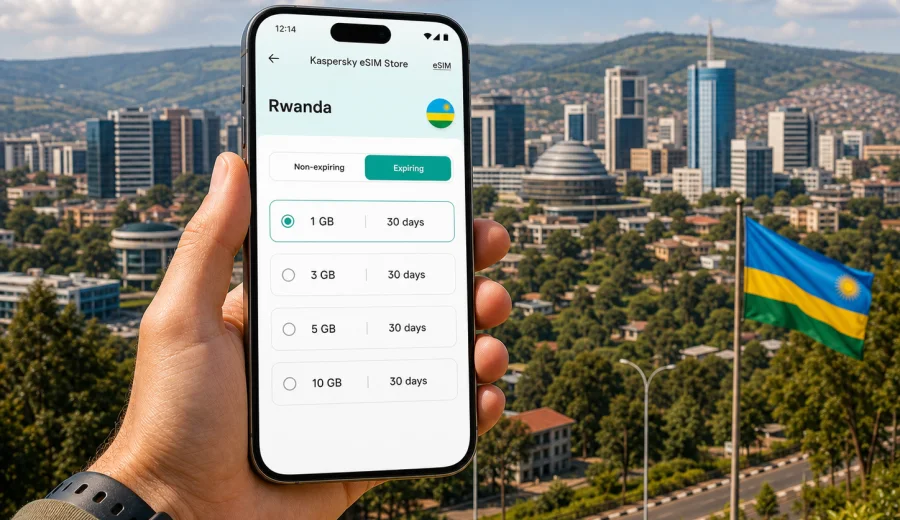
eSIM in Rwanda: mobile connection and internet for your trip
Rwanda is a compact country, but a trip here can include very different online needs in a short time: airport arrival in Kigali, ride-hailing in the city, hotel check-in, business meetings, national parks, Lake Kivu, and long drives between regions. eSIM can make mobile internet easier to prepare before you travel because you do not need to look for a physical SIM card as soon as you land.
For most visitors, the main goal is simple: keep maps, messengers, bookings, payments, translation tools, and email available without depending only on hotel Wi-Fi or airport hotspots. A travel eSIM is useful because you can choose a data package for the destination, install it on a compatible phone, and use mobile data when the local network is available.
Kaspersky eSIM Store is an app and website where you can choose, arrange, install, and activate an eSIM with a suitable data tariff for mobile internet during an international trip. It is not a mobile operator and does not replace local network conditions, but it helps you prepare the connection side of your journey in a more predictable way.
Quick answer
If you are traveling to Rwanda and your phone supports eSIM, prepare your mobile internet before departure. Install the eSIM while you still have a stable connection, check the tariff validity period, and keep your primary SIM active only if you need calls or SMS from your usual number. Use the Rwanda eSIM profile for mobile data once you arrive, and keep enough offline information saved for airport transfer and the first route into the city.
The best eSIM setup for Rwanda depends on:
- how many days you will stay;
- whether you will remain mostly in Kigali or travel across the country;
- how often you use navigation, video calls, cloud backups, or social media;
- whether your phone can use eSIM and is not locked to one carrier;
- whether you need only data or also traditional calls and SMS through another SIM.
Why eSIM is useful for mobile internet in Rwanda
Rwanda is a destination where being online can matter from the first hour. Kigali International Airport, hotel transfers, digital confirmations, maps, and messaging apps are often part of the arrival routine. If you are heading outside Kigali, mobile internet is also useful for checking route changes, contacting drivers, sharing location, and keeping reservations at hand.
With eSIM, you can prepare the data profile before the trip and avoid making mobile connectivity your first errand after landing. This is especially helpful if your arrival is late, your schedule is tight, or you do not want to compare physical SIM options at the airport after a long flight.
eSIM is also convenient because it can sit alongside your usual SIM. On many compatible phones, your regular SIM can stay available for calls or banking messages, while the eSIM handles mobile data for the trip. The exact behavior depends on your device, your home carrier settings, and the eSIM tariff you choose, so check the setup before you travel.
Where mobile data helps during a Rwanda trip
Mobile internet is not only for browsing. In Rwanda, it can support many small travel tasks that are easy to underestimate before arrival.
| Travel moment | Why mobile internet helps |
|---|---|
| Airport arrival | Open hotel details, message your driver, check maps, and confirm pickup information. |
| Kigali city days | Use navigation, restaurant bookings, meeting locations, and ride-hailing apps. |
| Business travel | Keep email, calendar, files, and messaging available between meetings. |
| National park routes | Share location, check timing, and keep important confirmations accessible. |
| Lake Kivu stays | Stay in touch while moving between towns such as Rubavu, Karongi, and Rusizi. |
| Regional transfers | Follow maps, check traffic around Kigali, and coordinate with guides or drivers. |
Coverage and speed depend on local networks, terrain, device settings, and the chosen tariff. For remote roads, park areas, and hilly landscapes, it is still wise to save key documents offline: hotel addresses, booking numbers, emergency contacts, route screenshots, and your eSIM installation instructions.
eSIM, roaming, local SIM: what changes for the traveler
There are several ways to stay online in Rwanda. None is perfect for every trip, so the practical choice depends on time, budget, device support, and how much control you want before arrival.
| Option | Main advantage | What to check |
|---|---|---|
| Standard roaming | Uses your usual SIM and number | Daily roaming fees, data limits, speed rules, and bill shock controls. |
| Physical local SIM | Can be familiar for longer stays | Availability, registration process, store hours, device SIM slot, and plan details. |
| Travel eSIM | Can be prepared before the trip and installed digitally | Device compatibility, data allowance, validity, activation steps, and local network availability. |
For short trips, conferences, safari extensions, or multi-city routes, eSIM is often attractive because it reduces the number of arrival tasks. You can see the data volume and validity period before you choose. If you are staying for a long time or need a local phone number, compare the eSIM option with other arrangements before you decide.
How much data do you need in Rwanda?
Data usage varies more by habits than by country. A traveler who mainly uses maps and messaging may need far less data than someone who uploads videos, joins long video calls, or backs up photos automatically.
Use this simple guide as a planning starting point:
| Usage style | Typical activities | Practical approach |
|---|---|---|
| Light | Messaging, email, maps, hotel bookings | Choose a smaller package and keep video, backup, and app updates on Wi-Fi. |
| Moderate | Daily navigation, browsing, social media, photo sharing | Choose a mid-size package with enough margin for transfers and long days. |
| Heavy | Video calls, cloud work, frequent uploads, streaming | Choose more data, disable automatic backups, and monitor usage often. |
Before you leave, reduce avoidable data use:
- download offline maps for Kigali and your planned routes;
- save hotel addresses and park confirmations as PDFs or screenshots;
- turn off automatic app updates on mobile data;
- pause cloud photo and video backups until Wi-Fi is available;
- set your eSIM line as the mobile data line only when you are ready to use it;
- keep low-data mode available for days with long transfers.
If you want to prepare before departure, you can choose an eSIM tariff for Rwanda and review the data volume, validity period, and destination details before installing it on a compatible device.
Choosing an eSIM tariff for Rwanda
The right eSIM tariff is the one that fits your route, travel length, and usage pattern without forcing you to overthink connectivity during the trip. Look at the tariff details before you purchase, especially the data allowance, validity period, destination, price, and any activation notes.
For a Rwanda-focused itinerary, think in practical scenarios:
- Short Kigali visit: a smaller data package may be enough if you mainly use maps, messaging, bookings, and email.
- Business week: choose more data if you need hotspot use, cloud documents, or video meetings.
- Safari and city route: add extra margin for navigation, guide coordination, photo sharing, and longer days outside the hotel.
- Lake Kivu extension: consider the total number of travel days, not only the days spent in Kigali.
- Multi-country route: if Rwanda is one stop among several countries, check whether a regional option is more convenient for your itinerary.
Do not choose only by the lowest price. A tariff with too little data can become inconvenient if you rely on navigation and messaging every day. A very large package may be unnecessary if your hotel and workplace have reliable Wi-Fi and you use mobile data mainly outdoors.
Country-wide planning: Kigali, parks, and Lake Kivu
Rwanda's travel routes often combine urban and nature-focused days. Kigali is the usual arrival point and a common base for meetings, restaurants, museums, and transfers. Outside the capital, travelers may head toward Volcanoes National Park, Nyungwe, Akagera, or Lake Kivu. These routes can involve early departures, changing terrain, and time away from hotel Wi-Fi.
For Kigali, mobile data is useful for daily movement: maps, ride coordination, restaurant searches, calendar updates, and quick messages. For routes outside the city, mobile data is useful but should be treated as one part of your preparation, not the only safety net. Keep offline copies of the important details and confirm meeting points with guides or drivers in advance.
If you plan to use your phone for photos and video, remember that media uploads can consume data quickly. A good approach is to use mobile data for communication and navigation during the day, then upload large media files later on a trusted Wi-Fi connection.
Device compatibility checklist
Before choosing an eSIM tariff, make sure the phone or tablet you will use can actually install and run eSIM. Device support varies by model, region, and carrier lock status. A phone can look modern and still be sold in a version without eSIM support, so do not rely on the model name alone.
Check your device before purchase, and confirm these points:
- the device supports eSIM profiles;
- the device is not locked to one mobile carrier;
- the operating system is updated enough to manage eSIM settings;
- you have a stable internet connection for installation;
- you understand which SIM line will handle mobile data after arrival;
- you can receive any important SMS on your primary SIM if needed for banking or accounts.
If your phone uses a physical SIM for your regular number and an eSIM for travel data, label the lines clearly in settings. Names such as "Home SIM" and "Rwanda data" make it easier to avoid using the wrong line.
How to install and activate an eSIM for Rwanda
Install your eSIM when you have time and a stable internet connection. Many travelers prefer to install it before departure and activate mobile data after landing. The exact flow depends on your device and the tariff conditions, so follow the instructions shown after purchase.
General setup flow:
1. Check that your device supports eSIM and is unlocked.
2. Choose the Rwanda tariff that matches your trip length and expected usage.
3. Complete the purchase and open the eSIM details in your account or app.
4. Install the eSIM using the provided QR code or on-screen instructions.
5. Label the new line clearly, for example "Rwanda data".
6. When you arrive, set the eSIM as the mobile data line.
7. Enable data roaming for the eSIM if the instructions or device settings require it.
8. Test messaging, maps, and browser access before leaving the airport or hotel.
For device-specific setup, use the Android installation guide or the iOS installation guide. Keep the instructions available until your connection is working.
Settings to review after arrival
After landing in Rwanda, give your phone a few minutes to register on the local network. If mobile data does not start immediately, check the basics before changing multiple settings at once.
Review these items:
- the Rwanda eSIM is turned on;
- the eSIM is selected for mobile data;
- data roaming is enabled for that eSIM if required;
- airplane mode is off;
- your device has selected a local network automatically;
- you are in an area with signal;
- your data package is still valid and has remaining data.
If the connection still does not work, restart the device once and recheck the eSIM settings. Avoid deleting the eSIM profile unless support instructions specifically tell you to do so, because some profiles cannot be reinstalled after removal.
Practical data-saving tips for Rwanda
Small settings can stretch your data allowance and make the trip smoother. This is especially useful if your route includes long drives, park visits, or days when Wi-Fi is limited.
Use this checklist:
- Download offline maps before leaving your hotel.
- Turn off mobile data for apps you do not need during the trip.
- Send compressed photos in messengers when quality is not important.
- Avoid video autoplay in social apps.
- Keep streaming for Wi-Fi unless your package has enough data.
- Disable automatic cloud backups on mobile data.
- Check data usage daily in your phone settings.
- Keep a small reserve for the final day, airport transfer, and boarding updates.
If you use your phone as a hotspot for a laptop, watch data use carefully. Laptops can consume data quickly through sync tools, updates, browser tabs, cloud drives, and video meetings.
Security and convenience: less reliance on public Wi-Fi
Public Wi-Fi can be convenient, but it is not always available when you need it. In airports, cafes, conference venues, and hotels, login pages may fail, networks may be crowded, or access may be limited to guests. Mobile data gives you another option for essential tasks.
An eSIM can help you avoid depending on public Wi-Fi for every message, map search, or booking check. This is useful when you need to confirm a ride, contact a host, open a boarding pass, or join a meeting on short notice.
Still, keep realistic expectations. Mobile internet quality depends on local network availability, signal strength, device support, and the specific tariff. For sensitive work, use your organization's approved security tools and follow your normal travel policy.
Common mistakes to avoid
Many eSIM problems come from setup details rather than the destination itself. Avoid these common mistakes:
- buying a tariff before checking eSIM compatibility;
- installing the eSIM on the wrong device;
- deleting the eSIM profile while troubleshooting;
- leaving your home SIM selected for mobile data by accident;
- forgetting to enable data roaming for the travel eSIM when required;
- using video calls or cloud backups without watching data usage;
- waiting until the airport exit to test the connection;
- assuming a data-only eSIM includes a local phone number.
The safest approach is to prepare calmly before the trip, test what you can, and keep installation details available. If you are traveling with another person, decide whose phone will be used for maps and emergency contact if one device runs out of battery or data.
FAQ: eSIM and mobile internet in Rwanda
Does an eSIM for Rwanda include calls and SMS?
Most travel eSIM tariffs are focused on mobile data. Traditional voice calls and SMS are not included unless the tariff conditions clearly say otherwise. For calls and messages, you can use internet-based apps over mobile data, or keep your regular SIM active if you need your usual number.
Can I install the eSIM before I fly?
In many cases, yes. Installing before departure is convenient because you can use a stable home or office connection. Check the tariff details to understand when validity starts and when you should activate mobile data.
Will eSIM replace my regular SIM?
No. eSIM can work as a separate mobile data line on many compatible devices. You can often keep your regular SIM for calls or SMS and use the eSIM for data. The exact setup depends on your phone.
What if I travel outside Kigali?
You can use the same eSIM profile where the selected tariff and local network availability support it, but performance depends on coverage, terrain, and network conditions. Save essential route details offline before long drives or park visits.
Can I top up or choose another package?
Options depend on the tariff and account setup. Check the information shown in Kaspersky eSIM Store and monitor your remaining data during the trip. If your usage is uncertain, choose a package with a comfortable margin.
Should I keep roaming turned on?
For many travel eSIMs, data roaming must be enabled on the eSIM line for mobile data to work. Keep roaming disabled on your home SIM if you want to avoid accidental roaming charges, and make sure the eSIM is selected for data.
Final preparation checklist
Before you leave for Rwanda, run through this list:
- Your device supports eSIM and is unlocked.
- The eSIM is installed on the device you will carry.
- You know which line handles mobile data.
- Installation instructions are saved.
- Offline maps and key addresses are downloaded.
- Cloud backups and app updates are restricted on mobile data.
- Your primary SIM settings are clear if you need calls or SMS.
- Your power bank and charging cable are packed.
This preparation takes a few minutes, but it can make the first day of the trip much easier. You arrive with your mobile data plan ready, your settings organized, and fewer decisions to make at the airport.
Choose an eSIM tariff for your Rwanda trip
If you want mobile internet prepared before arrival, use Kaspersky eSIM Store to review the available data options for the destination, install the eSIM on a compatible device, and activate it according to the instructions for your phone. For a focused Rwanda itinerary, prepare an eSIM tariff for your Rwanda trip before departure so maps, messages, bookings, and travel details are easier to access when you need them.