Travel connectivity guide
Safaricom eSIM in Kenya: What to Check
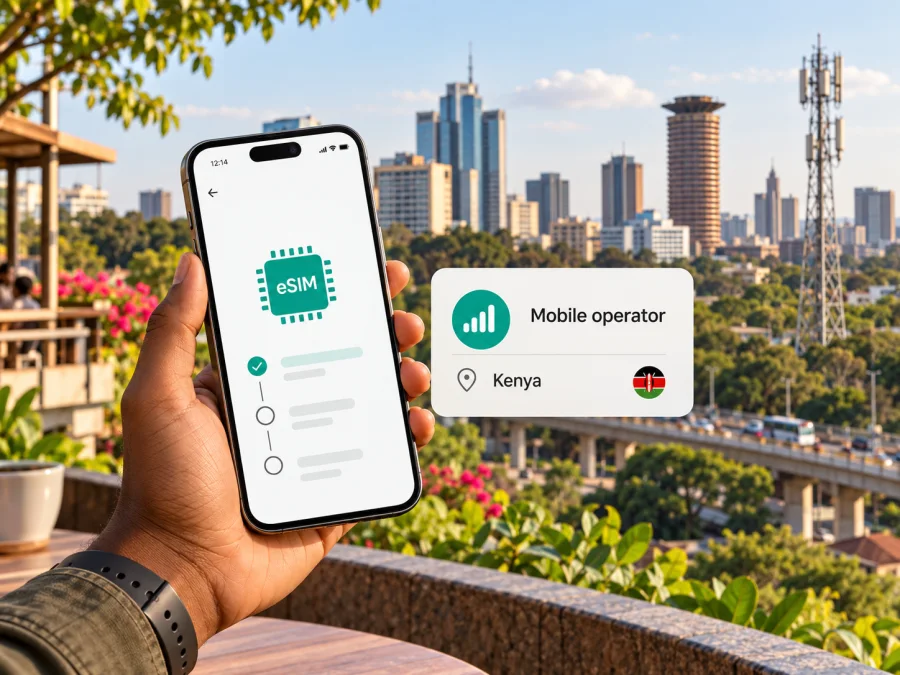
Safaricom eSIM in Kenya: what travelers should check
If you are travelling to Kenya and considering a Safaricom eSIM, start by confirming that the operator currently issues eSIMs to visitors and what its registration process requires. On 17 October 2026, Safaricom’s public website and Help Center pages that could be checked confirmed its prepaid mobile service and described its mobile networks, but I could not find a current official page confirming Safaricom eSIM availability, visitor eligibility, or an eSIM activation procedure. That is not proof that the service is unavailable; it means you should verify it directly with Safaricom before relying on it.
This guide separates what Safaricom publicly confirms from what remains to be checked. It explains how to assess a local SIM or eSIM option, how to prepare a compatible phone, and when a travel eSIM may be a practical alternative for mobile data. It does not list operator plan names, prices, data allowances, or validity periods, which can change and should be reviewed with the seller before purchase.
Safaricom is a Kenyan mobile network operator. The company’s prepay service terms describe mobile voice, messaging, data, international roaming, and other services offered over its network. A visitor should not assume that every service available to a resident subscriber is available in the same way to a short-term visitor, or that an eSIM can be ordered online. Confirm the current options, registration requirements, and where a new line can be obtained through Safaricom’s official support or a Safaricom shop.
Brand notice: Safaricom is a name and trademark of its respective owner. Kaspersky eSIM Store is not affiliated with, sponsored by, or an official partner of Safaricom. This article is an independent travel guide, not an offer from the operator.
Is Safaricom eSIM available to visitors in Kenya?
As of the check date above, I could not verify eSIM availability from a current, public Safaricom page. Search results and third-party discussions are not enough to establish whether the operator offers eSIM to new customers, whether it is limited to existing subscribers, or whether a visitor can complete the process with a passport. For that reason, treat Safaricom eSIM as an option to investigate rather than a confirmed service.
Before travelling, ask Safaricom directly and get answers to these points:
- Is a Safaricom eSIM currently issued in Kenya, and can a new customer obtain one?
- Can a foreign visitor register the line, and which identity document is accepted?
- Does registration have to be completed in person at a Safaricom shop, or is a remote process available?
- Is an eSIM profile provided by QR code, through an app, or using another activation method?
- Can the profile be installed before arrival, and when does it connect to the network?
- Does the phone model and regional variant support eSIM on Safaricom in Kenya?
- What should you do if the QR code has already been used, the phone is replaced, or the profile needs to be transferred?
Ask for the current instructions from an official channel, not only an informal post or a reseller. Keep the answer and any registration requirements available offline. Do not send identity documents to an unverified contact, and do not scan an activation code unless you understand which line it will install and whether the code can be reused.
Local SIM, eSIM, prepaid, and tourist access
Safaricom’s published prepay terms confirm that prepaid mobile services exist, including voice, SMS, data, international dialing, and roaming services subject to the operator’s terms. That establishes the general availability of prepaid service; it does not confirm that every prepaid product is open to international visitors, that visitor-specific tourist offers exist, or that prepaid service can be activated as an eSIM. Check the current conditions directly with Safaricom.
If Safaricom confirms a physical SIM is the available route for a new visitor, ask where official registration can be completed and what documents are required. Keep your passport or other accepted identification with you if the operator says it is needed. Allow time at arrival for registration and setup, and use an official shop or clearly identified authorized channel. Do not assume a SIM sold in a general shop has completed the operator’s registration steps.
If the operator confirms eSIM for your particular case, request written or on-screen installation guidance before you leave the shop. Confirm that the line is active, that mobile data works, and that you know how to contact support before leaving the coverage area. If voice calls, SMS, or account-based services matter to you, verify that those functions are included in the specific service you are purchasing. An eSIM is a digital SIM format; it does not by itself determine whether a line includes voice, SMS, or data.
Safaricom network coverage and technology in Kenya
Safaricom’s network information describes several generations of mobile service, including 2G, 3G, 4G/LTE, and 5G. The company’s 2024 annual report states that 4G population coverage was 97% at the time of that report. In a September 2024 press release, Safaricom said its 5G network was available across all 47 counties, while also describing 5G coverage as reaching a smaller share of the population. These are operator-reported figures from the dates of those publications, not a promise of reception at every address or along every route.
Safaricom’s 5G FAQ says service is available in selected locations and that use requires a compatible 5G phone and presence in a 5G coverage area. Coverage can vary by neighborhood, terrain, building construction, network load, and local maintenance. A county-level or population-coverage figure cannot tell you whether service will work inside a hotel, at a safari lodge, on a particular road, or in a remote park. Check Safaricom’s current coverage information for the specific places on your itinerary, and plan for changes in service as you travel between them.
A phone that supports 5G can still connect over 4G or another available network where 5G is not present. Conversely, selecting a 5G-capable phone does not guarantee that a 5G signal is available in your location. For ordinary travel planning, identify the network coverage you can expect along the route and make sure you have an offline map, accommodation details, and any essential travel information stored on the device.
| What to verify | Why it matters |
|---|---|
| Exact phone model and regional variant | eSIM features can differ across versions with similar product names. |
| Carrier lock status | A locked phone may reject a profile from another provider. |
| eSIM support in the device settings | Hardware or software eligibility can vary by model and market. |
| Coverage at each destination | Network availability may differ between towns, buildings, roads, and rural areas. |
| Current operator activation steps | Availability and registration procedures can change. |
Choosing between a local Safaricom line and a travel eSIM
A local line and a travel eSIM solve related but different needs. A local Safaricom service may be worth considering if you need a Kenyan mobile number, local calling or SMS, or an account linked to local services. You will need to confirm eligibility, registration, and the service features with Safaricom. Where an eSIM is not confirmed for your visitor status, a physical SIM may be the local option the operator can explain, but check this before relying on it.
A travel eSIM can be useful when your main requirement is mobile data for maps, messaging apps, ride coordination, email, or trip updates. It may be possible to prepare the profile before departure, which can reduce the number of tasks to complete after landing. The service and coverage depend on the travel eSIM provider’s terms and its partner network arrangements in the destination. Check the destination, compatibility, activation timing, data-only status, and any roaming setting instructions before purchase. Do not assume a travel eSIM includes a Kenyan telephone number or traditional voice and SMS.
In Kaspersky eSIM Store, the app and website help you choose, purchase, and activate an eSIM with a mobile data plan for an international trip. The Store is not a mobile operator, does not own a network, and does not itself provide mobile connectivity. The particular network access and service conditions depend on the selected travel eSIM. For Kenya, you can check the current Kenya options in Kaspersky eSIM Store; that page is a place to review currently displayed travel eSIM options, not a Safaricom tariff or a guarantee of Safaricom network access.
Before you leave: a practical preparation checklist
Use this checklist whether you are investigating Safaricom service or preparing a travel eSIM. Complete the steps that apply to your chosen option, and keep the important information accessible without an internet connection.
- Confirm the service. Ask Safaricom whether eSIM is currently available to new customers and visitors. If the answer is yes, confirm the registration channel, accepted identification, and activation method. If you cannot get a clear confirmation, do not plan around a Safaricom eSIM being available on arrival.
- Check your handset precisely. Find the model code in the phone settings or on its packaging. Check the manufacturer’s official compatibility information for that exact variant. Confirm that the device is unlocked if necessary and that it can store and activate an eSIM profile.
- Review your itinerary. Look at the operator’s current coverage resources for the city, accommodation, and travel corridors you will use. Treat coverage maps as planning aids; a map cannot guarantee an indoor signal or uninterrupted service.
- Save setup information. Store the operator’s official support details and any eSIM installation instructions. If the activation method uses a QR code displayed on the same phone, ask how to complete installation without needing a second screen.
- Prepare connectivity for setup. Many eSIM profiles need an internet connection during installation. Download travel documents, maps, and essential contact details before departure. If possible, use trusted Wi-Fi for the initial installation.
- Label your lines. Give each installed SIM or eSIM a clear label such as “Home” or “Travel”. Choose which line will handle mobile data, calls, and messages, and check those selections after installation.
- Understand the service. Ask whether your selected line supports voice and SMS or data only. Confirm how to reach customer support if activation fails and whether a profile can be reissued or moved to another phone.
Installing and checking an eSIM
The exact steps depend on the phone and on the operator or travel eSIM provider. Follow the installation flow supplied for your specific profile. The outline below is a preparation guide, not a Safaricom activation procedure; Safaricom’s own eSIM steps were not confirmed in the public materials checked for this article.
- Connect the phone to reliable Wi-Fi or another working internet connection.
- Open the device’s mobile network or cellular settings and choose the option to add an eSIM or mobile plan.
- Use the installation method supplied by the provider, such as an in-app installation flow or QR code. If prompted, confirm the profile name and the line you are adding.
- Wait for the phone to finish adding the profile. Do not delete it if the first connection attempt fails; first follow the provider’s troubleshooting instructions, since some activation codes are single-use.
- Set the intended line for mobile data. If the provider requires data roaming for its travel eSIM, follow its instructions for that profile only and check the home line’s settings separately.
- Once connected in the destination, check that the phone shows a network, that mobile data is assigned to the intended line, and that a simple webpage or messaging app can connect.
For device-specific setup help, use the Kaspersky eSIM Store installation instructions for iOS or Android, and check eSIM device compatibility. Menu names vary across operating system versions, and an operator’s instructions take precedence for its own profile. The Store’s setup guidance applies to profiles purchased through Kaspersky eSIM Store; it should not be treated as instructions for a Safaricom profile.
If installation or data does not work
First check the basics: confirm that the profile appears in the phone’s SIM settings, that it is enabled, that the correct line is selected for mobile data, and that airplane mode is off. Restarting the phone may help it register on the network. If the eSIM provider requires roaming for its profile, verify that setting is enabled for the correct line. Then check the provider’s destination-specific instructions and support channel.
If the phone reports that a profile cannot be added, confirm that the device is eSIM-compatible in its exact regional version, that it is not carrier-locked, and that the activation code has not already been used. Avoid repeatedly scanning a QR code or deleting and reinstalling a profile without support guidance. If a line registers but data does not work, confirm the data-line selection, the provider’s network settings, and whether the service has become active. For Safaricom service, contact Safaricom through an official support route; third-party travel eSIM troubleshooting cannot confirm or repair a local Safaricom account.
If you need connectivity immediately and cannot resolve an activation issue, use a trusted Wi-Fi network temporarily, ask the provider for support, or consider a different available connection option. Keep in mind that public Wi-Fi may require additional care with sensitive accounts. Having offline navigation and arrival details ready can prevent an eSIM setup delay from disrupting the first part of your trip.
Questions travellers often ask
Can a tourist buy a Safaricom eSIM online?
I could not confirm this from a current official Safaricom page checked on 17 October 2026. Ask Safaricom whether new visitors can obtain an eSIM, whether in-person registration is required, what identification is accepted, and how activation is completed. Do not rely on a third-party post as proof of current eligibility.
Will Safaricom 5G work everywhere in Kenya?
No coverage statement should be read as a guarantee of service at every location. Safaricom’s own materials describe 5G availability in selected locations and identify the need for a compatible phone and coverage in the area. Review current location-level coverage for your itinerary and expect that the available network technology may vary as you move.
Does any eSIM work in every phone?
No. eSIM capability depends on the exact device model and regional variant, software, carrier-lock status, and provider support. Check the model code and the provider’s compatibility information before purchasing or attempting installation.
Can I keep my usual number while using a travel eSIM?
Many dual-SIM phones can keep more than one line available, but the exact number of active SIMs and available features vary. Confirm your handset’s dual-SIM behavior and choose separately which line handles data, calls, and texts. Your home operator may apply roaming charges when its line connects abroad.
Does a travel eSIM replace a local Safaricom line?
Not necessarily. A travel eSIM may be designed for mobile data and may not include a Kenyan number, ordinary calls, or SMS. If you need a local number or services tied to one, confirm the appropriate local option with Safaricom. You can also use internet-based calling and messaging apps where your account and connection support them.
A clear way to decide
For a Safaricom line, verify availability, visitor registration, supported phone variants, and activation instructions directly with the operator. The official public information reviewed for this article confirms prepaid services and describes 2G, 3G, 4G/LTE, and 5G network coverage, but it did not confirm current Safaricom eSIM availability for visitors. The responsible next step is to ask Safaricom before travel and treat any answer as subject to the operator’s current rules.
If your immediate need is mobile data while travelling, compare that local option with a travel eSIM based on device compatibility, destination coverage, voice and SMS needs, and when you want to install the profile. Kaspersky eSIM Store can help you review and activate a travel eSIM for mobile internet, while Safaricom remains the source for details about its own network and subscriber services. Review the current Kenya travel eSIM options and check their conditions before choosing one.
Sources checked on 17 October 2026: Safaricom official website pages “Prepay Services,” “5G,” and the 5G coverage press release dated 12 September 2024; Safaricom Annual Report 2024, network coverage information; Kaspersky eSIM Store official website, setup and FAQ sections. Public information and network conditions can change, so confirm details with the provider before travel.


