Travel connectivity guide
Sainshand eSIM: Mobile Internet for Mongolia
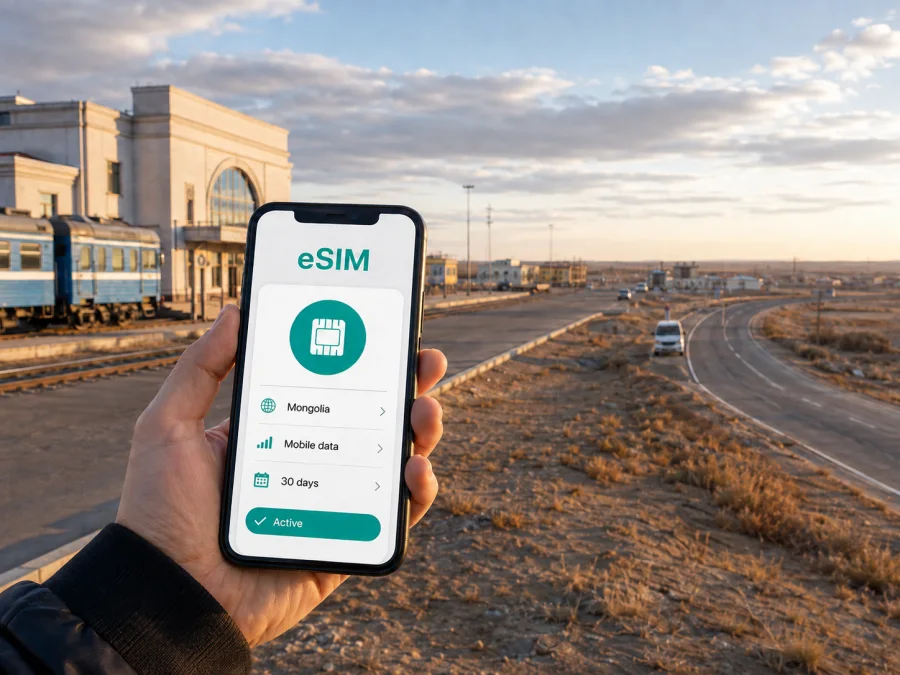
Sainshand eSIM: Mobile Connection and Internet for a Trip to Mongolia
Sainshand is a practical stop in Mongolia’s Dornogovi Province: a railway city, a regional administrative center, and a starting point for journeys into the eastern Gobi. If you arrive by train, continue by road to a monastery or spend several days handling work in town, mobile internet quickly becomes part of the travel plan. You may need a map before you know the layout, a message to a driver, a translation app at a shop, or a confirmation from a hotel.
An eSIM, or digital SIM, can help you prepare that connection without removing the physical SIM card you use at home. Kaspersky eSIM Store is an app and website where you can choose, arrange, and activate an eSIM with a suitable mobile-data plan for an international trip. The practical question is not simply whether you are going to Mongolia, but how you will use data in Sainshand: at the station, between the city center and your accommodation, on a day trip, or along a longer Gobi route.
Why an eSIM can be useful in Sainshand
Sainshand is different from a resort city with a dense network of tourist services. The railway station is in the northern part of the city, while the central area and provincial institutions are farther away. That makes the first transfer a moment when a working data connection is useful: you can view the address you saved, send a message, check the route, and keep the booking details available while you arrange local transport.
The same applies when Sainshand is a base for a short regional trip. Khamaryn Khiid is commonly described as roughly 30 kilometres south of the city, and the route is usually planned by road rather than as a walk from the center. A mobile connection can help you coordinate a driver, keep a digital itinerary, use maps, and tell your accommodation when you expect to return. Exact travel time depends on the road, weather, stops, and the vehicle arranged for the day, so treat any online estimate as a planning aid rather than a guarantee.
The first hours after arriving
Your first data needs are usually simple, but they are time-sensitive:
- locating the railway station exit or the meeting point for a transfer;
- opening the address of a hotel, guesthouse, or tourist camp;
- messaging a host or driver in a messenger;
- translating a short phrase or checking the spelling of a place;
- confirming whether a shop, museum, café, or service point is open;
- saving a route before leaving an area with uncertain coverage.
It is useful to download essential booking details and key addresses before the train arrives. Online maps can be supplemented with screenshots, but a live connection remains helpful when a driver changes the meeting point or you need to explain where you are. Keep your home SIM available for incoming messages if needed, and select the travel eSIM as the line for mobile data only after checking the settings on your device.
How to choose an eSIM plan for a Sainshand trip
Start with the country or region in which the data will be used. For a stay in Sainshand, the relevant destination is Mongolia; there is no need to look for a made-up city-only product. If your itinerary continues to another Mongolian city or across a border, check whether the selected plan covers the full route or whether a different regional option is more suitable. The city name helps define your travel scenario, while the plan’s coverage area, validity period, data volume, and conditions determine whether it fits.
Match data to your routine
The right volume depends more on your habits than on the number of days alone. A traveler who mainly reads messages and checks maps uses data differently from someone who uploads photographs, joins meetings, or shares a connection with a laptop.
| Travel pattern | What can use data | How to think about the selection |
|---|---|---|
| One-night rail stop | Messages, maps, booking details | A small package may be enough if most content is prepared offline |
| Two- to four-day city stay | Navigation, translation, social messages, light browsing | Allow a little reserve for arrival and departure days |
| Several days with a Gobi excursion | Maps, driver coordination, photos, weather checks | Consider the full period, including time away from the center |
| Business visit | Email, documents, cloud tools, app calls | Count laptop use and avoid assuming that hotspot access is included |
| Photo-heavy travel | Uploads, backups, short video, social feeds | Turn off automatic backups until you choose when to use them |
Before paying, read the displayed validity and data conditions. A plan can begin counting time or data according to its own activation rules, and those rules may differ between products. If you install an eSIM before departure, follow the instructions for when to activate it. If you wait until arrival, remember that the first setup may require another internet connection, such as hotel Wi‑Fi or a connection available at the station.
A calm way to compare options
Write down the dates, high-use moments, route, and possible laptop or hotspot use. Then compare the plan’s destination, data volume, validity, activation conditions, and support details, keeping a reserve for navigation and communication.
If your itinerary is Sainshand plus a longer route through Mongolia, choose an eSIM plan for Mongolia after comparing the conditions that match the complete trip. Kaspersky eSIM Store helps you select, arrange, and activate the eSIM for the journey; the available service and network experience depend on the selected plan and local conditions.
Using mobile internet when you arrive
Prepare the phone before the train or vehicle reaches Sainshand. Charge it, keep the QR code or profile details accessible, and decide which line will be used for mobile data. If your home SIM remains active, check that mobile data is assigned to the travel eSIM so the device does not use the wrong line. You can usually keep the home line available for calls or messages according to your normal operator’s conditions, but data settings should be explicit.
Moving between the station, the center, and nearby sights
The railway station and the central part of Sainshand should be treated as separate points in your arrival plan. Save the accommodation address, ask whether a transfer can be arranged, and leave time to find the correct vehicle. Maps, translation, messaging, and booking apps are the most useful tools for a short urban stay; open the route while the phone has a stable connection and agree on the return meeting point before a car leaves town.
Khamaryn Khiid lies south of Sainshand and is normally reached by a planned road excursion. Before leaving, confirm the driver, departure point, waiting time, and return location. Save the destination and the next accommodation offline, and keep a written contact or address in case you need to conserve battery. Hotel, guesthouse, and tourist-camp locations can be described differently, so record the property name, local address, phone number, and check-in time.
For everyday errands, use mobile data when it supports a decision: finding a service, translating a request, confirming a booking, or telling someone that you are delayed. Turn off automatic backups and background refresh for apps you do not need.
Business trips and short work stays
Sainshand may be a work stop connected with administration, transport, industry, construction, research, or field operations. Prepare the meeting address, local contacts, documents, and two-factor authentication before departure. If a laptop will use hotspot, include that traffic in your estimate and pause large updates or backups.
Hotspot behavior and data use depend on the plan, phone, and local conditions. Video meetings can consume much more than email and messaging, so test the settings in advance and keep the meeting link offline. For a short stopover, the goal is continuity: leave the train, reach the meeting, send an update, and continue without adding a search for a physical SIM to the schedule.
How to install and activate an eSIM
Check compatibility before you choose a plan. Your phone must support eSIM, and it should not be locked by another operator. Models and regional versions can differ, so check whether your device supports eSIM before payment. You also need an internet connection during the installation step, unless your device and purchase flow provide another supported method.
When you are ready, use the relevant step-by-step guide: Android installation instructions or iOS installation instructions. The exact menu names vary by device and operating-system version, but the overall sequence is usually as follows.
- Prepare the details. Keep the QR code, profile information, or purchase confirmation available. Use a stable internet connection and charge the phone.
- Add the eSIM. Open mobile-network settings, choose the option for adding an eSIM, and scan the QR code or use the supported on-screen method.
- Label the line. A label such as “Mongolia travel data” helps you distinguish it from your home SIM.
- Select mobile data. Choose the travel eSIM when you are ready to use it. Keep home-line data roaming under control according to your operator’s advice.
- Review roaming settings. Some devices or plans may require data roaming for the eSIM; follow the plan and device instructions.
- Wait for activation. Connection can take several minutes. If it fails, check the selected data line, airplane mode, activation status, and signal before contacting support with your order details.
What to check before leaving for Sainshand
Use this final preparation list:
- [ ] The phone supports eSIM and is not operator-locked.
- [ ] The Mongolia destination and the full route match the selected plan.
- [ ] The data volume and validity period fit the dates of use.
- [ ] The activation conditions, QR code, and profile details are clear and accessible.
- [ ] The station, accommodation, and excursion addresses are saved offline.
- [ ] The home SIM and travel eSIM are labelled, with data assigned to the intended line.
- [ ] You know whether data roaming is required for the eSIM.
- [ ] The phone, charger, and power bank are ready.
- [ ] You have an offline copy of essential bookings and contacts.
Remember that an eSIM for mobile internet is not automatically a replacement for a regular telephone number. Unless the selected tariff explicitly says otherwise, ordinary calls and SMS are not included. You can use internet-based messengers for communication, while keeping your usual number available according to your home operator’s conditions. Transfers, refunds, and the possibility of moving an eSIM to another device depend on the terms that apply to the selected tariff and profile.
Practical Sainshand travel scenarios
- One-night rail stop: install with a dependable connection, keep the accommodation address offline, and use data for messages and the route from the station.
- Regional excursion: confirm the driver, meeting point, waiting time, and return plan before leaving town; use live data only for changes you could not prepare in advance.
- Work visit: allow for email, documents, app calls, and possible hotspot use; test the setup before the meeting and monitor usage.
- Longer Gobi route: check the destination and validity for every part of the itinerary, save the next contact offline, and keep a reserve for navigation.
Frequently asked questions
Is there a separate eSIM just for Sainshand?
Usually, start with a Mongolia destination or regional option that covers the complete itinerary. Sainshand is the city you are visiting; the plan’s coverage area and conditions determine where the eSIM can be used.
How much data do I need?
Messages and occasional maps use less than video calls, photo uploads, cloud backups, or hotspot work. Estimate your routine, include arrival and departure days, and keep a reserve for navigation.
Can the eSIM receive ordinary calls and SMS?
Not unless the selected tariff explicitly includes them. This travel setup is intended for mobile internet, not automatically for a regular phone number. Use messengers for online calls and messages.
Should I install it before travelling?
That is often convenient, but activation and validity still follow the plan’s conditions. If you install after arrival, make sure another internet connection is available for setup.
What if it does not connect?
Check compatibility, the selected data line, airplane mode, signal, activation status, and any required roaming setting. Do not delete the eSIM unless support tells you to; contact support with your order details if the issue remains.
Prepare your Sainshand connection in advance
Sainshand rewards a travel plan that is simple and specific: know how you will leave the station, where you will stay, what you will need for a road excursion, and how much mobile data your routine requires. An eSIM that fits your phone can keep maps, messages, bookings, and work tools available without changing the physical SIM card in your phone.
When your dates and route are clear, choose an eSIM plan for your trip to Sainshand and Mongolia. Review the data volume, validity, activation conditions, and device requirements, then install and activate the eSIM at the time that suits your itinerary.


