Travel connectivity guide
Saint-Francois eSIM: Mobile Internet in Guadeloupe
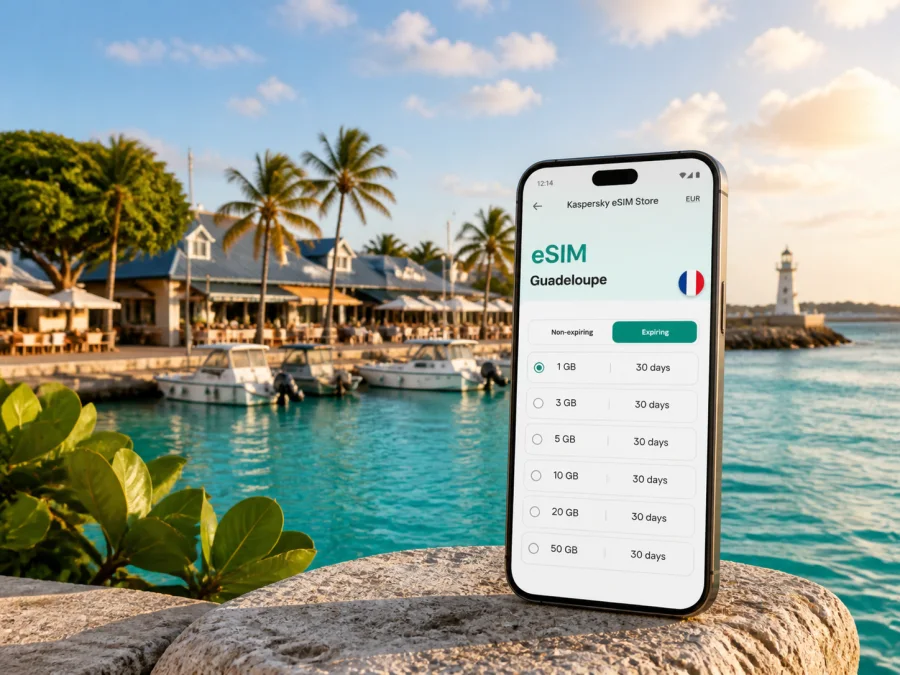
eSIM for Saint-Francois: Mobile Connection and Internet for Your Guadeloupe Trip
Saint-Francois is a practical base on the south-east of Grande-Terre in Guadeloupe. You may arrive through Pointe-à-Pitre, drive toward the coast, stay near the marina, and use the town as a starting point for beaches, coastal walks and boat trips. Mobile internet helps with navigation, accommodation messages, reservations, weather checks and contact with family or colleagues.
An eSIM, or digital SIM, can help you prepare that connection without replacing the physical SIM already in your phone. With Kaspersky eSIM Store, you can use the site or app to choose, arrange and activate an eSIM with a suitable data plan for an overseas trip. The goal is simple: have a mobile-data option for Guadeloupe before you leave or after you arrive, while keeping the conditions of the chosen plan in view.
Why mobile internet matters in Saint-Francois
Saint-Francois is more spread out than a compact city centre. The marina, the Bourg, the beaches around the coast, the golf area, the road toward Pointe des Châteaux and the places where boat excursions depart do not form one single pedestrian zone. A connection can therefore be helpful even when the purpose of your trip is mainly a beach holiday.
Here are the situations in which mobile data can make the biggest difference:
- Arrival and transfer: check the accommodation address, message your host, follow the route from the airport area and keep travel details available while you are still finding your bearings.
- Driving around Grande-Terre: use live navigation when moving between the town, Raisins Clairs, the eastern coast and the Pointe des Châteaux area. Road conditions and traffic can change, so avoid relying on a saved route alone.
- Marina and excursions: confirm meeting points, opening information or a booking message before walking to the marina or a departure point.
- Beach days: keep directions and emergency contacts accessible when you leave the central area. Some natural sites have fewer services than the town itself.
- Work trips: join a short video call, answer messages, send a document or use a cloud service from your accommodation when the Wi-Fi is inconvenient or unavailable.
- Communication: use internet-based messaging for everyday contact. An eSIM plan is normally intended for mobile data, not for a separate local phone number.
Saint-Francois as a connected travel base
From Pointe-à-Pitre airport to the coast
The main international airport for Guadeloupe is in Les Abymes, near Pointe-à-Pitre, rather than in Saint-Francois. The first part of the journey is therefore a transfer across Grande-Terre. Keep the accommodation address, booking details and route available, and test the eSIM before changing network settings in a hurry at the kerb.
The marina and the Bourg
The marina is one of the most useful reference points in Saint-Francois. Restaurants, shops, ice-cream stops and boats are concentrated around this waterfront area, and visitors often pass through it more than once. Mobile internet can help you find a reservation, share your position, compare a walking route with a short drive and keep an excursion confirmation on your phone.
Raisins Clairs, La Coulée and the eastern coast
The coast around Saint-Francois includes beaches and natural areas reached by road rather than by a single continuous urban promenade. Plage des Raisins Clairs is close to the town and is a familiar choice for a swim or a slower afternoon. The road toward Pointe des Châteaux leads past other coastal locations, including Plage de la Coulée and Les Salines.
These places show why an eSIM plan can matter beyond the hotel address. You may need the next turn, a location message or a booking while away from the marina. Pack water and essentials; do not assume that every natural site has shops, staffed facilities or nearby Wi-Fi.
Pointe des Châteaux as a day route
Pointe des Châteaux lies at the eastern end of Grande-Terre within Saint-Francois. It is known for its coastal landscape, walking paths and broad views toward neighbouring islands. The site is a natural setting rather than a dense commercial district, so prepare the route and practical information before setting out.
Choosing an eSIM plan for Saint-Francois
The plan should match the whole journey, not just the nights in town. If you combine Saint-Francois with other parts of Guadeloupe or an onward island, choose a country or regional scope that corresponds to the places you will visit.
Use this checklist before selecting an option:
- Define the route. Note the arrival airport, Saint-Francois accommodation, day trips and any onward islands or countries.
- Estimate your data habits. Messaging, maps and email usually require less data than video calls, social-video uploads, hotspot use or frequent photo backups.
- Choose a validity period. It should cover the intended period of use. Read when validity begins and whether activation or first data use affects the term.
- Compare the included data. Look for a volume that fits your habits and avoid choosing only by the shortest price label.
- Read the conditions. Check supported destination, expiry, top-up rules, restrictions on sharing data and any refund conditions.
- Keep a reserve. If you plan a lot of navigation, remote work or video uploads, leave room for heavier use or confirm how a top-up works.
For a short break, a modest allowance may be enough when accommodation Wi-Fi handles large downloads. Work, hotspot use or a multi-stop itinerary can require more; the useful choice reflects your route, duration and devices.
Once you have checked the destination and plan conditions, you can choose an eSIM plan for your trip to Guadeloupe. Review the current data volume, validity and price shown for the selected option before payment; these details belong to the chosen plan and can change.
Install the eSIM before you travel or after arrival
Installing before departure can make the first hours in Saint-Francois easier if you have stable internet and time to check settings. Installing after arrival is also possible when the plan allows it; keep the purchase information or QR code accessible.
Before installation
- Check that your phone supports eSIM and is not restricted by an operator. Check your device compatibility before payment.
- Charge the phone and keep the purchase email, profile details or QR code accessible.
- Connect to reliable Wi-Fi or another working internet connection for the installation process.
- Decide which SIM will handle calls and texts, and read when activation or first data use starts validity.
A practical installation sequence
- Open the mobile-network settings. Find the option for adding a mobile plan or eSIM.
- Add the eSIM profile. Scan the QR code or follow the profile instructions supplied after the order.
- Label the line. Use a clear name such as “Guadeloupe data” so it is easy to identify beside your regular SIM.
- Select the data line. Set the travel eSIM as the line for mobile data when you want to use the plan.
- Check data roaming. Some devices may require data roaming to be enabled for the eSIM. Follow the chosen plan’s instructions and review the setting carefully.
- Keep the primary line under control. If you want to avoid unexpected roaming charges on your usual SIM, review its data setting with your home operator.
- Test the connection. Open a lightweight page or messaging app and confirm that the eSIM is being used for data.
For platform-specific steps, use the Android eSIM installation instructions or the iOS eSIM installation instructions. The names of settings can differ by phone model, operating-system version and region of sale. If the profile does not connect, wait a few minutes, recheck the selected data line and consult the plan instructions before deleting anything.
What to check before leaving the accommodation
A short setup check can prevent confusion on the road to the beach or marina:
- The eSIM profile is visible in mobile-network settings.
- The travel eSIM is selected for mobile data.
- Data roaming is configured according to the plan instructions.
- Mobile data is enabled and airplane mode is off.
- Your phone can open a simple web page or send a message through data.
- Your regular SIM is configured as you intend for calls, SMS and home-network roaming.
- The accommodation address and key booking details are available offline.
- You know where to see balance, validity or top-up information in the app or profile.
If a connection disappears while travelling from Saint-Francois toward a natural site, move to a safe place before changing settings. Confirm the selected line, restart mobile data if needed and allow a few minutes for registration. Local network, terrain, congestion and plan conditions can affect performance, so keep basic route information offline.
Saint-Francois scenarios: which setup fits?
| Travel situation | Likely data use | Useful preparation |
|---|---|---|
| Two or three relaxed days near the marina | Messages, maps, reservations and occasional browsing | Save the hotel address, use Wi-Fi for large files and select a plan for the full stay |
| Beach holiday with drives along the coast | Navigation, location sharing, weather checks and photos | Charge the phone, keep an offline route and leave data capacity for the return journey |
| Remote work from a guesthouse | Email, cloud documents, calls and messaging | Confirm the accommodation Wi-Fi, estimate work data and check whether hotspot use is permitted |
| Family trip with several phones | Maps, group chats, bookings and media | Decide whether one device will share data and choose a plan with suitable allowance and conditions |
| Saint-Francois plus other Guadeloupe stops | Navigation and communication across the island | Verify that the country or regional scope covers the complete itinerary |
| Transfer or late arrival | Address lookup, host messages and route changes | Install and test in advance when possible; keep booking details offline |
This comparison is a planning aid, not a promise about a particular amount of data. Actual use depends on automatic updates, video quality, cloud synchronisation, hotspot settings and the number of connected devices.
For business trips and short stopovers
A business visitor may have only a few hours between the airport, accommodation and a meeting. Keep the meeting address, calendar invitation and transport details available before landing. An eSIM can support email, messaging, maps and a video call through mobile data, subject to the plan and local network conditions. If you need a laptop, check whether hotspot use is permitted and estimate data for calls and file transfers.
For a short stopover, connect after arrival, confirm the next transfer, send the required message and preserve enough data for the return route. Saint-Francois is not immediately beside the main airport, so transfer logistics matter as much as the final accommodation.
Limitations worth understanding
An eSIM is a digital profile, not a magic replacement for every communication service. In the context of Kaspersky eSIM Store, it is intended to help with mobile internet during an overseas trip. Unless the selected plan says otherwise, it does not include a conventional local phone number, ordinary voice calls or SMS. You can use messaging and calling apps over data, while your regular SIM may remain available for other functions if your operator and phone settings support that arrangement.
Frequently asked questions
Can I use the eSIM for normal calls and SMS?
Usually no, unless those services are expressly included in the selected plan. The travel eSIM is generally intended for mobile data; use internet messaging and calling apps when appropriate.
Should I install the eSIM before flying to Guadeloupe?
You can install it before departure if the plan allows it and you have reliable internet for setup. Installing early gives you time to check compatibility and settings. If you install after arrival, keep the QR code or profile details accessible and allow a few minutes for connection.
What if my eSIM does not connect in Saint-Francois?
Check that the profile is enabled, selected for mobile data and configured for data roaming when the plan requires it. Confirm that airplane mode is off, wait a few minutes and restart the phone if needed. If the issue continues, review the plan instructions and contact support; do not delete the profile before you understand the reinstallation conditions.
Is Kaspersky eSIM Store a mobile operator?
No. Kaspersky eSIM Store is an app and website that helps you choose, arrange and activate an eSIM with a suitable plan for mobile internet during an overseas trip. The service does not replace a local mobile operator or guarantee network performance in every location.
A calm connection plan for Saint-Francois
The most reliable preparation is a short sequence: confirm the route, check the phone, choose a plan for Guadeloupe, install the eSIM, select it for mobile data and test it before you need directions. Then keep offline copies of the accommodation address and key travel details for the drive from the airport, the marina, the beaches and Pointe des Châteaux.
When you are ready, choose an eSIM plan for Guadeloupe through Kaspersky eSIM Store. Check the destination, data allowance, validity and activation conditions, then install the profile on your compatible device and manage the plan through the app or site during your trip.


