Travel connectivity guide
Saint Jean eSIM for Mobile Internet | Saint Barthelemy
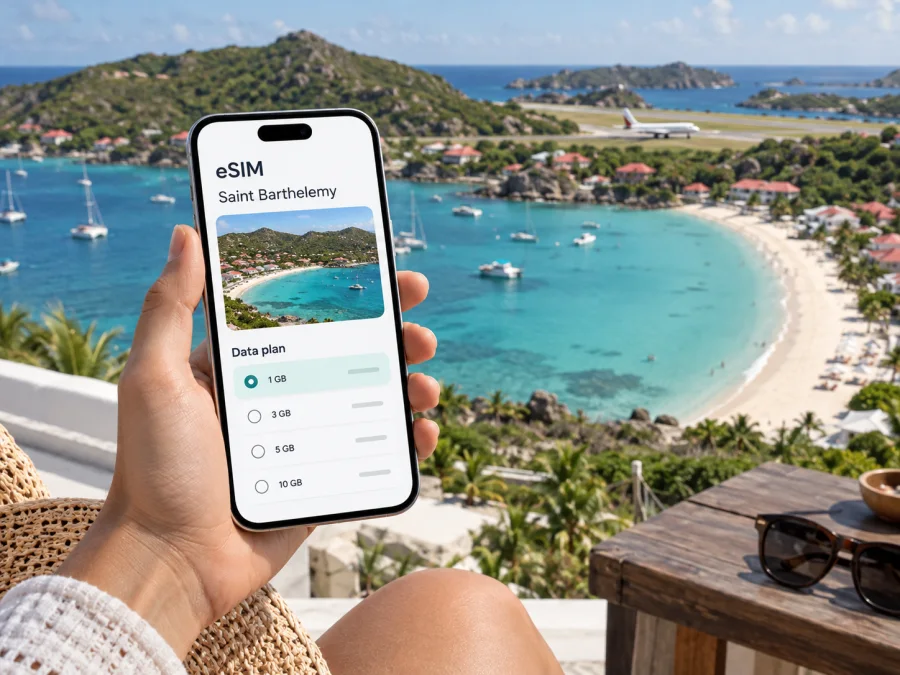
Saint Jean eSIM: plan your mobile connection and internet access
Saint Jean is a compact coastal area on Saint Barthelemy, close to the island’s airport and centered on a bay and beach. A visit may begin with a short flight arrival, continue with a hotel check-in or a swim, and include a drive to Gustavia or another part of the island. Mobile internet can help coordinate each step: confirm a transfer, open a map, message your host, check a reservation, or share a change of plan.
An eSIM can be a practical way to prepare data access for a trip without inserting a physical SIM card. With Kaspersky eSIM Store, you can use the app or website to choose, arrange, and activate an eSIM with a suitable plan for mobile internet abroad. The plan’s destination, validity, data allowance, and other terms matter more than the neighborhood name: Saint Jean is part of Saint Barthelemy, so check that the plan you select covers the island.
When mobile internet is useful in Saint Jean
Saint Jean combines several travel needs in a small area. The airport is in the bay of Saint Jean, and the beach, accommodations, and dining options are close by. That makes it easy to move between arrival tasks and holiday plans, but it still helps to have maps and booking details available on your phone.
At arrival: check a pickup message, contact your hotel or villa host, and confirm where the driver will meet you. If your flight plan changes, a working data connection can make it easier to send an update rather than relying on airport Wi-Fi or searching for a signal at the last minute.
At the beach: save a map pin for your accommodation and keep its address or directions handy for the return trip. A pin can be more useful than a broad place name if a driver needs to find a particular entrance or road.
At a restaurant or hotel: use online booking details, send a message about a reservation, or look up a route before leaving. If you are working during the visit, mobile data can also support email, calendars, and messaging when the accommodation’s Wi-Fi is unavailable or inconvenient.
For island outings: Saint Jean is a useful starting point for trips to Gustavia and other bays and beaches. A map helps with turn-by-turn directions and meeting points, while messaging helps coordinate a taxi, driver, or group when plans change.
A city eSIM page is not a promise that every building, road, beach, or part of the coast has identical reception. Service depends on the selected plan, its partner network, local conditions, and your device. Keep an offline copy of your accommodation details and any essential directions, especially before a longer drive.
Getting from Saint Jean airport to your stay
Saint Barthelemy’s airport sits in Saint Jean Bay. After landing, the first useful digital tasks are often simple: tell your host you have arrived, check the transfer arrangement, and confirm the exact accommodation address. Download or save that information before the trip as well, so you have a fallback if you cannot connect immediately.
The island tourism board lists taxis at the airport and car rental agencies at the airport and in Gustavia. It describes car rental as a common way for visitors to move around and recommends booking ahead, particularly in high season. There is no public bus service on Saint Barthelemy, so it is sensible to settle transport before you arrive rather than assume a scheduled bus will take you from the airport to your lodging.
For an airport pickup, agree on the meeting point and the name or contact method for the driver before your flight. If you are renting a car, keep the confirmation, agency contact, and pickup instructions available offline. Use mobile data to message if the arrival time changes, but make the actual meeting plan clear in advance; an internet connection does not replace a confirmed transfer.
A simple arrival checklist
- Save the accommodation’s full address, host’s number, and check-in instructions.
- Keep your taxi, car rental, or private transfer confirmation in an accessible place.
- Agree on a meeting point before landing, especially if more than one traveler is arriving.
- Check the selected eSIM plan’s destination and activation instructions before departure.
- Save a map of the area or take a screenshot of directions as a backup.
- Keep your regular SIM active if you need it for calls or one-time verification messages; check your home carrier’s roaming settings and charges.
These small preparations are useful whether Saint Jean is your base for a full stay or a first stop before continuing to another part of the island.
Moving around the Saint Jean area
Saint Jean is often navigated as a coastal neighborhood rather than a large city center. You may walk between nearby places, but do not assume every accommodation, restaurant, or beach access point is next door. The island has hilly terrain and roads that can be steep or winding, so check the distance and route before deciding to walk, cycle, or ride a scooter.
The tourism board describes taxis and rental cars as local transport options and notes that scooters suit experienced riders because of the island’s steep, winding roads; helmets are required. Choose the mode that fits your route, luggage, weather, and comfort. For longer or unfamiliar journeys, arranging a taxi or renting a car may be more practical than relying on a walk. If you choose a scooter, follow local requirements and ride within your experience level.
| Situation | What to plan | How mobile data can help |
|---|---|---|
| Airport to lodging | Confirm the pickup or rental arrangement and exact address | Message the host or driver and open the saved route |
| Beach to hotel | Save the accommodation pin and check the way back | Reopen directions without asking for the place name again |
| Saint Jean to Gustavia | Decide whether you will use a taxi or rental car | Check the route and share your estimated arrival |
| Dinner reservation | Save the venue name and booking time | Confirm details or notify the restaurant if delayed |
| Day trip elsewhere on the island | Agree on a meeting point and return plan | Coordinate with companions while plans are in motion |
Mobile data helps with navigation and communication, but it does not remove the need to plan road journeys. Check where you can park, how you will return, and whether your accommodation can arrange a driver. If several people are traveling together, share the destination pin and a clear pickup point before separating.
Choose an eSIM plan for Saint Jean
Because Saint Jean is in Saint Barthelemy, select a plan whose coverage terms include Saint Barthelemy. A plan name or a map graphic alone is not enough: read the destination list and conditions shown at purchase. If your itinerary also includes a connection through a neighboring island, confirm whether the plan covers that stop too; a Saint Barthelemy plan should not be assumed to cover every island on a multi-stop route.
Kaspersky eSIM Store is an app and website for choosing, arranging, and activating an eSIM with a suitable mobile-data plan for an international trip. Before you choose, compare the practical details shown for the plan:
- Destination: confirm Saint Barthelemy is included for the dates and route you have in mind.
- Validity: check when the plan begins and how long it remains active. Activation rules can differ, so follow the plan’s own instructions.
- Data allowance: estimate maps, messages, email, browsing, and any heavier use such as video or hotspot sharing.
- Network and device conditions: review the plan’s stated requirements, and remember that reception can vary by location and local conditions.
- What is included: do not assume a data plan includes a regular phone number, voice calls, or SMS unless its terms specifically say so.
You can review eSIM options for Saint Barthelemy and compare the information for the trip. A clear match between the destination, validity period, and your expected data use makes it easier to plan for the Saint Jean stay without relying on a guess about how much you will need.
Install and activate before you leave
If possible, set up the eSIM while you have a stable internet connection and enough time to read each step. Installation and activation are not always the same event: the eSIM may be added to the phone earlier, while the plan becomes active under the conditions stated for that plan. Follow the purchase instructions and avoid deleting an installed eSIM unless the instructions or support team tell you to do so.
Before installation, check that your phone supports eSIM and is not restricted by a carrier lock. You can check whether your device supports eSIM before choosing a plan. Keep the regular SIM line configured as needed for calls or SMS, and select the travel eSIM for mobile data when the plan instructions say it is ready to use.
A general preparation sequence is:
- Choose the destination and plan, then read its validity and activation terms.
- Connect to Wi-Fi and follow the installation steps supplied after purchase.
- Label the new line clearly, such as “Travel eSIM,” so you can recognize it in phone settings.
- Before departure, check which line is selected for mobile data and whether data roaming must be enabled for the eSIM under the plan instructions.
- On arrival, allow the phone to connect according to the plan’s directions. If it does not connect, check the selected data line and the troubleshooting steps provided with the plan.
For detailed device-specific steps, use the Android eSIM installation instructions or the iOS eSIM installation instructions. Phone menus can vary by model and operating system version, so use the current on-screen prompts on your device.
Using Saint Jean as a base for island trips
A stay in Saint Jean can include more than the immediate beach area. Visitors commonly plan time in Gustavia, the island’s main harbor town, as well as visits to other beaches and coastal areas. Saint Barthelemy’s tourism information highlights places such as Corossol, Salines, Shell Beach, and Saint Jean. Treat each outing as its own route: check the starting point, destination, transport plan, and return arrangement before setting off.
For a day in Gustavia, save the address of the shop, restaurant, or harbor meeting point rather than navigating only to the town name. For a beach outing, identify the correct access point and where your driver will wait. If your itinerary includes a boat or water taxi, confirm the departure location and time directly with the provider before leaving Saint Jean.
Connectivity is useful for checking a route or coordinating a change, but the island’s roads and shoreline are not a single continuous urban grid. Download essential information in advance, carry the accommodation address, and avoid making a return trip depend on a single live map session. If you are driving, set the route before moving and follow road signs and local conditions rather than handling the phone while driving.
Common questions about eSIM in Saint Jean
Is Saint Jean a separate city from Saint Barthelemy?
Saint Jean is an area on the island of Saint Barthelemy. The airport is located in Saint Jean Bay, and many visitors use the neighborhood as a place to arrive, stay, and reach other parts of the island.
Will one eSIM plan cover the whole island?
Check the plan’s destination and service terms. A plan that includes Saint Barthelemy may be intended for the island, but actual reception can vary with the local network, terrain, building, and other conditions. Do not treat a city or country label as a promise of uninterrupted service.
Can I use an eSIM for phone calls and text messages?
Travel eSIM plans are generally intended for mobile data unless the specific plan says otherwise. You can use internet-based messaging or calling apps over data, while keeping your usual phone line for calls and SMS if its settings and charges suit your trip.
Should I install the eSIM before flying?
If the instructions allow it, installing before departure gives you time to complete setup over a stable connection. Check when the validity period starts and follow the plan’s activation directions; installing the profile and starting service may be separate steps.
Is there public transport from the airport?
The island does not have a public bus service. The tourism board lists taxis and rental cars as options at or near the airport. Confirm the current arrangement for your arrival and book transport in advance when needed.
What if mobile data does not work after landing?
Check that the eSIM is selected for mobile data, that the plan is active according to its terms, and that the phone settings match the supplied instructions. Restarting the device may help in some cases. If service still does not start, use the support details associated with your plan and the saved airport or accommodation information while troubleshooting.
Prepare your Saint Jean connection
Before departure, confirm that your plan covers Saint Barthelemy, review its validity and data allowance, and install the eSIM by following the supplied instructions. Save your airport transfer and accommodation details, then decide how you will travel between Saint Jean, Gustavia, and other planned stops.
Use Kaspersky eSIM Store in the app or on the website to choose and activate an eSIM plan for your trip. Explore eSIM plans for Saint Barthelemy and select an option whose conditions fit your stay, route, and expected mobile data use.


