Travel connectivity guide
Saint-Laurent-du-Maroni eSIM: Travel Internet
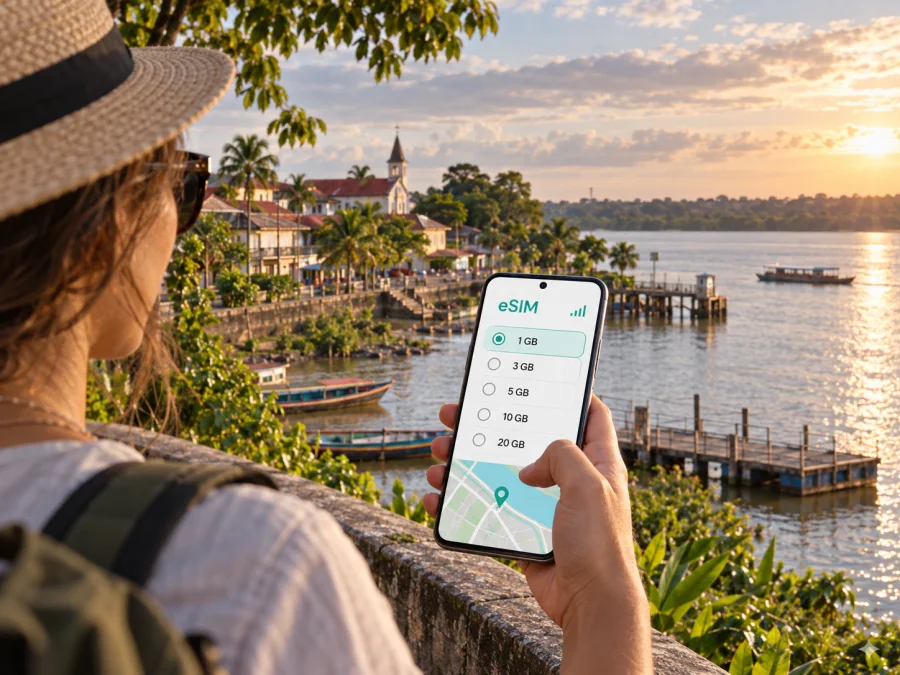
Saint-Laurent-du-Maroni eSIM: mobile connection and internet for your trip
Saint-Laurent-du-Maroni is a river town at the western edge of French Guiana, where journeys often begin with a transfer, a map check, or a plan for the next leg along the Maroni. A dependable way to get online can make those first decisions easier: confirm your accommodation, check directions, contact a driver, and keep useful travel details close at hand.
An eSIM is a digital SIM profile that you can install on a compatible phone. For a visit to Saint-Laurent-du-Maroni, it can provide mobile data for navigation, messages, bookings, and other online tasks without changing your physical SIM. The town is a more relaxed, spread-out destination than a dense capital, so it helps to plan connectivity around how you will arrive and where you expect to go.
What to plan before arriving in Saint-Laurent-du-Maroni
Many visitors reach the town overland from elsewhere in French Guiana. The RN1 connects Saint-Laurent-du-Maroni with Cayenne and towns along the coastal corridor; the journey is long enough that it is sensible to save key details before setting out. If your trip starts at Cayenne Félix-Éboué Airport, arrange the onward transfer in advance and keep the address of your lodging available offline as well as online.
The Maroni shapes the town’s geography and its travel rhythm. The centre, the riverfront, the market area, and residential neighborhoods are not one compact attraction zone. A map helps you understand distances, but a local driver or your host can clarify the best way to reach a particular address. Do not assume that a route which looks short on a screen is an easy walk in the heat or rain.
Before you leave for the town, prepare a small arrival pack on your phone:
- Save your lodging name, address, and a contact method.
- Download an offline map area and mark the arrival point and accommodation.
- Keep transfer details, reservations, and any onward travel information in a note or screenshot.
- Charge your phone and bring a power bank if you have a long road transfer.
- Decide whether mobile data should use your travel eSIM or your usual SIM before the journey begins.
These steps matter even if you expect to have data. A signal can vary by location, a device can run low on battery, and a long transfer may include stretches where you want to rely on saved information rather than repeatedly loading a map.
First hours: getting oriented after the journey
After arriving, take a moment to confirm where you are before navigating onward. Saint-Laurent-du-Maroni has a clear central reference around the town centre and the Maroni waterfront, while hotels and guesthouses may be farther from the places you plan to visit. Ask your accommodation whether it recommends a taxi, a local transfer, or another option for the time you arrive. If you are meeting someone, agree on a specific landmark or entrance instead of relying on a moving map pin alone.
Use mobile data for the tasks that benefit from live updates: messaging your host, checking a route, looking up a business, or confirming that a pickup is still on schedule. Keep addresses in the format your host provides, since a map search can return similarly named places or a pin on the wrong side of a large property. If a route appears unfamiliar, verify the final turn with the person you are meeting.
Arrival sequence
- Message your host or driver when you are ready to leave.
- Match the booking address to the map pin and confirm the pickup point.
- Save the route and lodging contact details before the ride.
- Ask your host about the easiest route to the centre and riverfront.
Moving around: centre, riverfront, and neighborhoods
The centre is a practical base for errands, food, and services. The market on Avenue Félix Éboué, at Place Flore Lithaw, is a useful orientation point as well as a place to see local produce and everyday commerce. The municipal market is held on Wednesday mornings in the town centre and on Saturday mornings in the centre and at Place Prével, where a fish market is also noted. Opening details can change, so check locally before making a special trip.
Camp de la Transportation is another important landmark. Its historic buildings and cultural activities give the area a different feel from the market streets. Check current opening arrangements before planning your day around a visit. Nearby streets are easier to explore when you have a little flexibility: allow time to stop, ask for directions, and adjust your route to weather or local activity.
Saint-Laurent-du-Maroni includes neighborhoods such as Centre Ville, Balate-Charbonnière, Fatima-Route de Mana, RN1-Les Sables Blancs, Saint-Jean, and Saint-Maurice. These are useful names to recognize on maps and in local directions, but they are not interchangeable tourist zones. Your lodging host can tell you which nearby streets are convenient on foot and when it makes sense to arrange a ride. Avoid choosing a hotel solely by its apparent distance from the river or town centre; check the walking route, access, and transport options as well.
| If you are going to… | Use your phone for… | Helpful preparation |
|---|---|---|
| The central market | Finding Avenue Félix Éboué and Place Flore Lithaw | Check the current market day locally |
| Camp de la Transportation | Confirming the entrance and current visiting details | Save the location before leaving your lodging |
| A meeting across town | Sharing your arrival status and confirming the exact address | Agree on a recognizable meeting point |
| Your hotel or guesthouse | Comparing the pin with the address supplied by the host | Save the host’s contact details offline |
| The riverfront | Orienting yourself and checking your return route | Carry water and leave time for changing weather |
Treat the table as a planning aid, not a substitute for local advice. A route planner can show direction and distance, but it cannot always tell you whether a route is comfortable at a particular time, whether a property entrance is obvious, or whether conditions have changed.
Navigation when the town is part of a larger journey
Saint-Laurent-du-Maroni is often a destination in its own right, but it can also be a staging point for travel in western French Guiana. For a river excursion or a trip farther upstream, confirm the departure place, time, luggage arrangements, and expected return directly with the organizer. Do not assume that a boat departure is at the central waterfront or that mobile data will remain available throughout a river journey. Save the organizer’s contact and instructions before departure.
For overland trips toward Cayenne or other coastal towns, check the current transport arrangement rather than relying on an old screenshot or an unverified schedule. The regional interurban network includes a Cayenne–Saint-Laurent connection, but days, stops, and times should be confirmed for your travel date. If you have a flight or appointment after the road journey, build in a buffer and keep the booking reference and destination address accessible offline.
Keep live tasks such as messages and route checks separate from saved details such as addresses, tickets, and booking references. Save key information before leaving Wi-Fi so your plan remains accessible if your battery is low or data is unavailable.
If you want to prepare before departure, choose an eSIM plan for French Guiana. Kaspersky eSIM Store is an app and website that helps you choose, arrange, and activate an eSIM with a suitable plan for mobile internet abroad. Review the plan details for your route, especially if your itinerary includes destinations beyond Saint-Laurent-du-Maroni.
Mobile internet for maps, messages, and everyday travel
In a town where you may move between a central street, accommodation, and a river departure point, data has a practical role beyond browsing. You might use it to send a location pin, translate a message, check business hours, or tell a host that your arrival is delayed. If you are travelling for work, access to email, shared documents, and video calls may also matter, though call quality depends on the connection available at the time and place.
A travel eSIM can keep mobile data separate from the physical SIM already in your phone. The exact service and coverage depend on the selected plan and its network partners, so read the destination, data amount, validity period, and activation terms before choosing. An eSIM data plan does not necessarily include a regular phone number, voice calls, or SMS. Keep your usual number available if you need it for calls or account verification, and use internet-based messaging only where the app and your contacts support it.
Choosing an eSIM for a visit to the town
Start with the shape of your trip rather than selecting a plan by name alone. A short visit with occasional map checks has different data needs from a work trip with frequent calls over apps, file transfers, and hotspot use. Your actual usage, plan conditions, and length of stay should guide the choice.
Consider these questions before checkout:
- How long will you need data? Match the plan validity to your arrival and departure dates, including any extra time for delays.
- How will you use your phone? Navigation and messaging use data differently from long video calls or frequent media uploads.
- Will you travel beyond Saint-Laurent-du-Maroni? Check that the selected destination covers every country or territory on your route. Crossing the Maroni toward Suriname is an international journey; do not assume that a French Guiana plan covers it.
- When does the plan begin? Read the activation and validity terms so you know whether installation and first use are treated separately.
- Can your phone use eSIM? Check whether your device supports eSIM and confirm it is not carrier-locked before purchase.
Estimate usage from your plans and leave a margin for a delay or extra day. Download large maps and documents over Wi-Fi where possible.
Install and activate before you need directions
Installing before departure can simplify arrival. Follow the selected plan’s timing and activation instructions, use Wi-Fi during setup, and do not delete the profile unless instructed. Menu names vary by device.
For step-by-step help, use the Android eSIM installation instructions or the iOS eSIM installation instructions. After installation, check that the eSIM line is visible in your device settings. At the right time, select it for mobile data and review whether data roaming must be enabled for that profile. Keep your primary SIM settings clear so you do not accidentally use the wrong line for data.
Before the journey checklist
- The phone is compatible with eSIM and is not restricted by a carrier lock.
- The selected plan includes French Guiana and matches the intended travel dates.
- The eSIM has been installed according to its instructions.
- You know which SIM is selected for mobile data.
- Offline maps, accommodation details, and travel confirmations are saved.
- Your phone is charged, with a charger or power bank available for the journey.
If you plan to cross into Suriname, check a separate plan for that destination and confirm what your existing plan covers. A border crossing changes the destination; a city name or nearby river does not guarantee that one plan applies on both sides.
Common connectivity questions
Is an eSIM useful in Saint-Laurent-du-Maroni?
It can help with maps, messages, accommodation coordination, and work tasks without replacing your physical SIM. Check destination, data, duration, and activation conditions.
Will an eSIM provide a local phone number?
A data-focused travel eSIM may not include a standard phone number, voice calls, or SMS. Check the terms of the specific plan. Internet messaging and calling apps may work over data, but they do not replace every use of a regular number.
Should I install the eSIM before travelling?
You can prepare it before departure if the plan instructions allow it. Read the activation terms carefully, since installing a profile and starting the plan’s validity may be separate events. Keep Wi-Fi available while installing.
Can I use one plan for Saint-Laurent-du-Maroni and Suriname?
Do not assume so. Suriname is across the Maroni and is a different country. Check the plan’s destination list and terms before crossing, and arrange connectivity for each destination you will visit.
What if the map does not show the exact entrance?
Compare the pin with the full address and contact your host, driver, or venue. Save the address before setting out; a map is a guide, while a local contact can identify the correct gate or meeting point.
Will mobile data work throughout a river trip?
Coverage can vary along a route, and an eSIM does not guarantee a signal in every location. Download directions and trip details beforehand, and follow the excursion operator’s instructions for communication and safety.
A practical way to stay connected
For Saint-Laurent-du-Maroni, prepare for the transfer as carefully as the town itinerary: keep the accommodation address offline, confirm rides directly, and use live data for maps and messages when available. Around the centre, the market, Camp de la Transportation, and the riverfront provide useful points for planning, while neighborhood and onward-trip details are best confirmed with local hosts and transport providers.
Before you travel, review your destination, data allowance, validity, and activation terms, then install the eSIM on a compatible, unlocked device. When you are ready, select an eSIM plan for your French Guiana trip through Kaspersky eSIM Store and keep your essential addresses and travel confirmations saved for the journey.


