Travel connectivity guide
Saint-Leu eSIM: Mobile Internet for Réunion
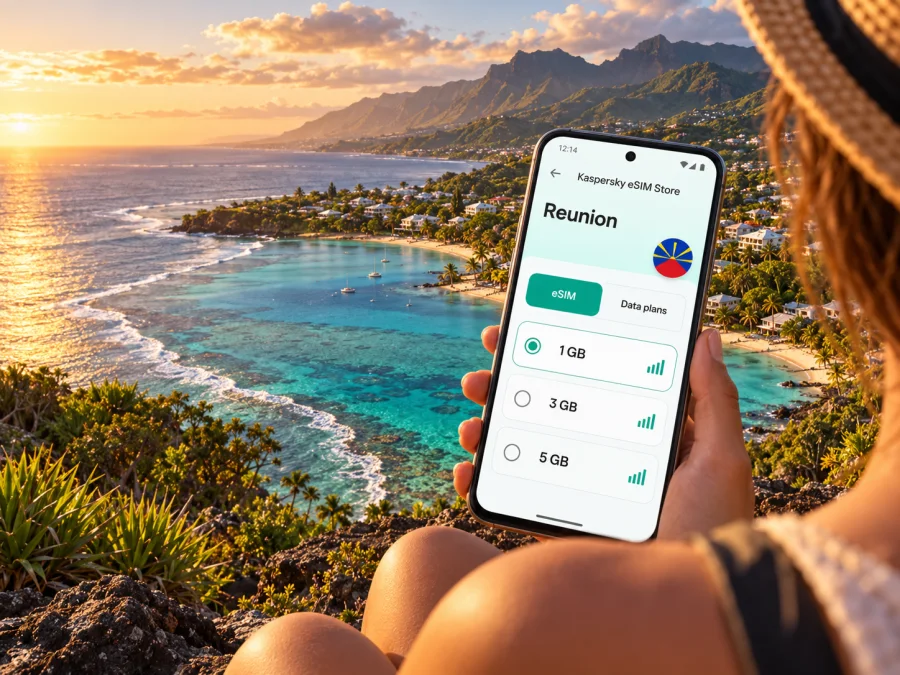
Saint-Leu eSIM: mobile connection and internet for your trip
Saint-Leu is a coastal commune on the west side of Réunion, where a day can move from the lagoon and seafront to green slopes and inland viewpoints. A working mobile connection helps with airport transfers, bus times, maps, accommodation messages and last-minute changes to an outing. An eSIM can provide mobile data without replacing the physical SIM already in your phone, provided your device supports eSIM and the selected plan covers your destination.
Réunion is a French overseas department and region in the Indian Ocean. It is part of France, but it is geographically far from mainland Europe; do not assume that a plan described as “France” or “Europe” includes Réunion. Check the destination list and terms for the exact plan before purchase. Saint-Leu is the commune covered here; some official and travel services write the island’s name as La Réunion or Reunion.
Why mobile data matters in Saint-Leu
Saint-Leu is not only a beach stop. You may use your phone to locate a guesthouse, check a bus connection, find the right turn from the coastal road, message a host about a late arrival, or look up opening information for a museum. If you are driving, navigation and traffic information can help you adapt the route between Saint-Paul, Saint-Leu and the south of the island. A connection is also useful for translating menus, sharing a location with your group, and checking weather before heading toward the coast or higher ground.
Quick planning view
| Part of the trip | What your phone can help with | Useful backup |
|---|---|---|
| Arrival from Roland Garros Airport | Transfer planning, messages and route checks | Save the address and transfer details offline |
| Saint-Leu centre and waterfront | Walking directions, meeting points and opening hours | Screenshot the map pin and booking confirmation |
| Lagoon and coastal stops | Checking conditions and finding your return route | Agree on a meeting point before separating |
| Inland visits and viewpoints | Navigation and route updates | Download maps and carry water; keep the car route available offline |
| Work or a longer stay | Email, messaging and hotspot use if permitted | Confirm data limits and keep accommodation Wi-Fi details |
Arriving from Roland Garros Airport
Roland Garros Airport is near Saint-Denis, in the north of Réunion. Saint-Leu is on the west coast, so the airport is not a short walk or a simple city-centre transfer away. You can arrange a rental car, taxi or pre-booked transfer, or check public transport options for your date. The airport’s current transport information lists the Car Jaune line T between Roland Garros Airport and Saint-Pierre, with stops including Mairie de Saint-Leu. Schedules, fares, stop arrangements and service days can change, so verify them before travel rather than relying on an old screenshot.
The island’s Route des Tamarins links the west-coast towns, with connections serving Saint-Leu and the wider area. Drivers should allow for traffic, junctions and the road conditions on the day. Keep navigation instructions available before setting off; a mobile signal may vary along a route and should not be treated as guaranteed. If you are driving, set the destination while parked, use a vehicle mount where possible, and let a passenger handle route changes.
Arrival checklist
- Save your lodging’s full address, phone number and check-in instructions.
- Download an offline map covering the airport, your stop in Saint-Leu and your first planned outing.
- Check the latest Car Jaune or local bus information if you are travelling by public transport.
- Confirm a transfer in advance if your arrival time is outside the bus service window or you have bulky luggage.
- Keep your usual SIM active for calls or verification codes if needed, while choosing which SIM uses mobile data.
- Keep a charger or power bank accessible; navigation, photos and hotspot use can drain a battery quickly.
Getting around town and along the west coast
Saint-Leu’s centre, waterfront and beach areas are straightforward to explore with a downloaded map and a few saved pins. For longer distances, the west-coast bus network and intercity services may help, while a rental car or arranged transfer can make it easier to visit places that are not close to a stop. The best option depends on your itinerary, the time of day, your accommodation and current timetables. Check the return leg too: a route that is easy to reach in the morning may have fewer convenient options later.
| Travel style | A practical approach in Saint-Leu |
|---|---|
| Short stay near the centre | Walk locally, save your accommodation pin, and check bus options for further stops |
| Beach-focused visit | Keep your route back to lodging saved and agree on a meeting point |
| Museum and heritage day | Check current opening details before leaving; plan transport between sites |
| Island road trip | Use Saint-Leu as one stop on the west-coast route and save the next destination offline |
| Remote work | Confirm accommodation Wi-Fi, test your mobile data early and avoid relying on one connection |
Choose a data plan for Réunion, not just a familiar label
Before buying an eSIM, verify that Réunion is explicitly included in the destination list for the plan you intend to use. A broad regional plan can have a different country list from a single-destination plan, and the wording “France” alone may refer to a different geographic scope. Read the plan’s coverage, validity period, data allowance, activation conditions and any restrictions on tethering. Product pages and availability can change, so review the current terms at checkout.
If you are comparing options, estimate your own use rather than selecting a package from trip length alone. Turn-by-turn navigation, maps, messaging and occasional browsing usually use less data than video calls, cloud backups, high-resolution video or using your phone as a hotspot for a laptop. If you expect to work remotely, review your likely daily usage and check whether the plan allows tethering. You can reduce surprises by disabling automatic photo and app backups over mobile data and downloading entertainment or maps while connected to Wi-Fi.
At the point in planning when your dates and route are clearer, you can review current eSIM options for Réunion. Check the exact destination and plan details shown there before choosing. Kaspersky eSIM Store is an app and website where travellers can select, arrange and activate an eSIM with a suitable data plan for an international trip; the mobile service and coverage depend on the selected plan and its underlying network arrangements.
Match the plan to your itinerary
- A few days around Saint-Leu: Focus on whether Réunion is covered, how much data you expect to use, and when the plan starts.
- A longer island visit: Compare the total allowance and validity period with your dates, including any days spent away from the coast.
- A multi-island or regional itinerary: Check each destination individually. Do not infer that inclusion in one island means coverage on another.
- A work trip: Confirm the data allowance, hotspot terms and whether your accommodation has dependable Wi-Fi for large downloads or video meetings.
- A short connection before continuing elsewhere: Make sure the plan’s start and expiry conditions fit the actual arrival and onward journey.
A useful rule is to choose a plan only after you can answer three questions: Is Réunion included? When does this plan begin and expire? Does its data allowance match the way I will use my phone? If any answer is unclear, check the full plan terms before paying.
Check your phone and prepare the eSIM
Not every phone supports eSIM, and support may depend on the exact model, regional variant, carrier lock and software configuration. The name printed on a device family is not enough to confirm compatibility. Before purchase, check whether your device supports eSIM, and confirm that the phone is unlocked for use with another service if your carrier or device restrictions could prevent activation. If you travel with a tablet or a second phone, check that device separately rather than assuming the same rules apply.
It is usually easiest to set up an eSIM while you have stable Wi-Fi and time to follow the prompts. Read the activation instructions for your operating system before beginning: installation steps for Android and installation steps for iOS. Keep access to the QR code or in-app installation flow until setup is complete. Some eSIM profiles can only be installed once or may be difficult to move to another device, so install on the phone you intend to carry.
A careful setup sequence
- Check eligibility. Confirm device eSIM support, regional variant and carrier-unlocked status.
- Read the plan conditions. Confirm that Réunion is included and note the allowance, validity and activation rules.
- Install while connected to Wi-Fi. Follow the steps for your phone and give the profile a clear label, such as “Travel data”.
- Keep your usual number available. If you need calls, SMS or login codes on your regular line, leave it configured as appropriate for your needs.
- Select the data line deliberately. In the phone’s mobile or cellular settings, choose the travel eSIM for mobile data when you are ready to use it.
- Check roaming instructions for that eSIM. Some travel plans require data roaming to be enabled on the eSIM line; follow the plan’s instructions and review your home carrier settings separately.
- Test before relying on it. Once the plan is meant to be active, check that mobile data works and that the correct line is selected. If it does not, use Wi-Fi to review the setup and contact support through the service you purchased.
A data eSIM may not provide an ordinary phone number, voice calls or SMS unless its specific terms say otherwise. Messaging and internet calls through apps can work over data, but they depend on your accounts and the other person’s access. Keep your primary number available if you need calls from home, banking codes or other services tied to that number.
Where you stay changes how you plan
Saint-Leu includes a compact centre and spread-out coastal and inland areas. If you are staying close to the town centre, you may be able to walk to some meals, shops or the waterfront. A stay on a hillside or outside the centre can mean more driving, a steeper route or fewer convenient bus options. Check the precise accommodation location and transport before booking, especially if you are not hiring a car.
If your connection is slow or unavailable
A simple troubleshooting order
- Confirm the correct eSIM line is switched on and selected for mobile data.
- Check the package’s activation date, remaining data and destination conditions.
- Toggle airplane mode once, then wait for the phone to reconnect.
- Restart only if the first checks do not help; avoid deleting the eSIM profile unless support instructs you to do so.
- Check whether the plan requires data roaming on its eSIM line.
- Use Wi-Fi or an offline map while you troubleshoot, and keep your home SIM settings in mind to avoid unintended charges.
- Contact support with the device model, destination, approximate location and the steps already tried.
Practical Saint-Leu scenarios
Airport arrival: Save your accommodation address and confirm your transfer. If using Car Jaune, verify the latest service details and which Saint-Leu stop serves your destination.
Coast and Kélonia: Save the museum pin and the route back to the centre. Check opening information and a return transport option before setting out.
Inland drive: Download maps over Wi-Fi and set the route before moving. Check access and local conditions for the specific destination; a phone map cannot confirm that every road or trail is open.
Remote work: Test accommodation Wi-Fi and mobile data early. Check hotspot permission and keep a low-data fallback for calls.
Short stop: Check each destination, activation trigger and validity period instead of relying on a broad regional label. Save tickets and addresses offline.
Frequently asked questions
Is Saint-Leu in mainland France?
No. Saint-Leu is on Réunion, an island in the Indian Ocean and a French overseas department and region. When choosing a data plan, verify Réunion by name in the plan’s destination list rather than relying on a general reference to France.
Does an eSIM work everywhere in Saint-Leu?
No plan can promise that. Actual service depends on the plan, the network it uses, your phone and the location. Terrain, buildings and network conditions can affect signal. Check current plan terms and keep offline directions for places where you expect to travel.
Can I use an eSIM just for mobile data and keep my usual SIM?
Often, a compatible phone can keep a physical SIM active while using an eSIM for data, but the exact options depend on your model and settings. Choose the data line deliberately and review your home operator’s roaming settings. A data-only eSIM generally does not replace your usual number for ordinary calls or SMS.
Should I install the eSIM before I fly?
If the plan and its activation rules allow it, installing before departure while you have reliable Wi-Fi can make arrival simpler. Read when the validity period starts; do not assume every plan begins at the same moment. If activation is scheduled or starts only on arrival, follow the conditions shown for your specific package.
Will I need a connection for buses and maps?
Live updates and route searches use data, but you can reduce dependence on a live connection by checking the journey in advance, downloading a map and saving stop names or booking details. Always verify current transport timetables close to travel because service details may change.
Can I use my phone as a hotspot?
That depends on both your phone and the plan terms. Check tethering permission and the data allowance before connecting a laptop or another traveller’s device. Hotspot use can consume data faster than basic navigation and messaging.
A reliable connection starts with a few checks
For a smooth visit to Saint-Leu, prepare the first transfer, save your accommodation details, and keep offline maps for the coast and any inland stops. Before choosing an eSIM, confirm that Réunion is explicitly covered, the validity period fits your dates, the phone variant is compatible, and the plan’s data allowance suits your use. Keep your usual number available if you rely on calls or verification texts, and follow the eSIM-specific setup instructions.
When your itinerary is set, browse current eSIM plans for Réunion in Kaspersky eSIM Store, compare the listed conditions, then choose and activate an option that fits your trip. Install it on a compatible, unlocked device and keep route details available offline for the moments when a mobile connection is unavailable.


