Travel connectivity guide
Saint-Louis eSIM: Mobile Internet in Senegal
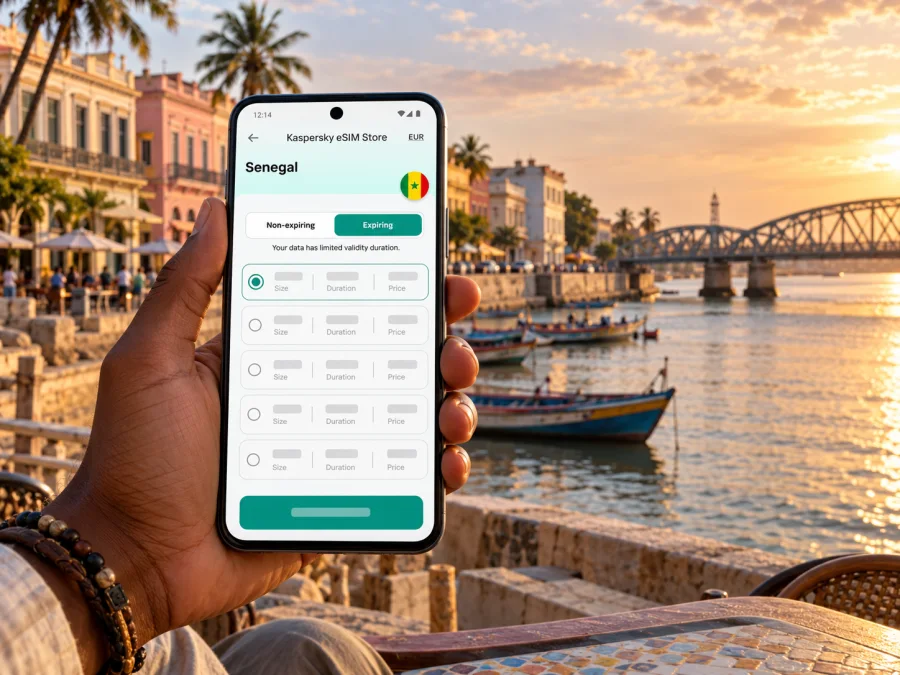
Saint-Louis eSIM: mobile connection and internet for your trip
Saint-Louis is a city where a phone can be useful before a walk even begins: to confirm a hotel, coordinate a pickup, check a route across the river and keep a map available while exploring the historic island. A travel eSIM can provide mobile data without replacing the physical SIM already in your phone. It is a practical option for visitors to Saint-Louis, Senegal, if the device is compatible and the chosen plan is currently available for the destination.
The city’s setting makes local orientation unusually tangible. The historic island lies at the mouth of the Senegal River, with quays, a regular street grid and colonial-era architecture. Faidherbe Bridge connects the island with the mainland and is a natural reference point when arranging a meeting or tracing a route. Mobile data can help you check directions and messages as you move between the waterfront, the island’s streets and other parts of the city, but it does not remove the need to confirm local arrangements in advance.
Why mobile data helps in Saint-Louis
Saint-Louis is a place where a day can include a guesthouse, the historic island, a riverside meeting point and an onward trip. Mobile data can help you:
- Open a map and check a route before setting out.
- Message a host or driver if arrival time or pickup details change.
- Check reservations, addresses and opening information while away from Wi-Fi.
- Translate a short message or keep in touch through internet messaging apps.
A map cannot tell you whether a local entrance is open or how a driver describes a pickup point. Save key addresses in writing and confirm arrangements with your accommodation.
Getting oriented: island, bridge and riverfront
The UNESCO-listed historic island is the most distinctive area for a first visit. Its quays and regular street grid offer useful landmarks, while Faidherbe Bridge connects the island with the mainland. Save your lodging address and note which side of the river your pickup point is on; “near the bridge” can be ambiguous when you are approaching from another direction.
Pin the hotel, planned meeting points and places you expect to revisit. Download an offline map if your navigation app supports it, and keep an address in a note as a fallback. These small preparations help if mobile data is delayed or reception is weak indoors.
| Situation | Useful preparation |
|---|---|
| Walking on the island | Save the lodging and a recognisable quay or street |
| Meeting a driver | Confirm the side of the river and exact pickup point |
| Restaurant or appointment | Save its name and address |
| Excursion beyond the centre | Confirm transport and return arrangements |
Reception and speed vary with the local network, building and device. For an important work call, download documents in advance and ask your hotel about Wi-Fi rather than relying on an assumed mobile speed.
Arriving in Saint-Louis and planning the first hour
Your first connection task may happen before you reach the city. Some travellers enter Senegal through Dakar and continue by a separate domestic or overland journey; others may already be elsewhere in the country. Check your own ticket and transfer details instead of assuming a particular service or timetable. Save your accommodation address, host details and any onward ticket while you have reliable internet.
Installation may require internet access, so set up the eSIM before departure or over trusted Wi-Fi, following the plan instructions. You can keep the profile installed and choose it for mobile data when you are ready, subject to its activation rules. Read the terms: installation, activation and the start of validity may be separate events.
On arrival, check that the profile is present, select it for mobile data when appropriate, and confirm which line handles calls and messages. If it does not connect immediately, wait briefly and follow the plan’s troubleshooting instructions. An offline arrival pack with a map pin, hotel address and pickup details is useful if setup takes longer than expected.
Choose a plan around the whole itinerary
eSIM plans are generally selected for a country or region, not an individual street. Check that Senegal is included, and verify each country separately if your itinerary crosses a border. A Senegal plan does not necessarily cover another destination. Kaspersky eSIM Store is an app and website where you can choose, order and activate an eSIM with a suitable plan for mobile data on an international trip. Availability and terms can change, so review the current details before choosing.
You can browse current destinations and plans in Kaspersky eSIM Store. The homepage is a place to check current destinations; it is not a Saint-Louis-specific tariff page. Confirm that Senegal is listed before selecting a plan.
Estimate data use from your habits. Maps, messages and occasional searches generally need less data than video calls, streaming, cloud backup or using a laptop hotspot. To choose:
- Count the days you need data, including transfers and time outside Saint-Louis.
- Note activities that use more data, such as video meetings or large uploads.
- Compare the current offer’s destination, allowance, validity and price.
- Check renewal, expiration, activation and tethering conditions.
- Keep your home SIM for its usual number if needed, and select the travel eSIM for mobile data when appropriate.
A plan listing Senegal does not guarantee reception at every hotel, on every road or inside every building. For a multi-country trip, check a regional plan’s included destinations rather than relying on its label alone.
Getting around and setting useful meeting points
Saint-Louis is organised around waterways, bridges, quays and distinct sides of the river. When you arrange a transfer, name the destination and the side of the river rather than relying on a broad landmark alone. Ask your host to send a map pin or a short written description of the entrance. If a driver uses a local place name that is unfamiliar, save it exactly as received and show it on your screen when you meet.
For a walk through the historic centre, keep the route simple: choose a starting point, save the return address and note a clear landmark such as the bridge or a quay. Street names and map pins can help, but a phone map is not always enough to identify a doorway or entrance. If you are meeting someone, agree on a visible point and share an approximate arrival time by message. For a ride, confirm the vehicle and pickup point directly with the provider or accommodation.
Trips beyond the historic island need a little more preparation. The Senegalese tourism agency highlights the island, Faidherbe Bridge, the Langue de Barbarie and Djoudj National Park among the region’s visitor places. They are different destinations and should not be treated as adjoining city blocks. Confirm the day’s transport, opening arrangements and return plan with a local host or tour provider; do not assume a map route means a service is running. Save directions and the contact details of the person arranging the visit before leaving the city centre.
If mobile data is slow or unavailable
A brief loss of data may reflect the building, the local signal, the phone settings or the plan. First check that the eSIM is on and selected for mobile data. Confirm that Senegal is included, the plan is active and data remains. If the instructions require roaming for that eSIM, enable the setting for the correct line. Move to a more open location and wait a few minutes before changing several settings at once.
If the problem continues, restart the phone only if the plan instructions recommend it. Do not erase the profile as a first step: some eSIMs cannot be installed again after removal. Keep an accommodation Wi-Fi option or another trusted connection available for support. When contacting support, have the order reference, phone model and a brief description of what the screen shows, but never send passwords or one-time login codes.
Prepare for short interruptions by downloading the map area, reservations and route details in advance. A saved address or screenshot can get you to the next stop even if a live map takes time to load. If only one app fails, try another service before assuming the eSIM itself is offline; the issue may be specific to that app or its settings.
Device compatibility and preparation
Check that your exact phone supports eSIM and is not carrier-locked before ordering. Support can differ between generations and regional variants. Review the manufacturer’s information and your settings, then check your device’s eSIM compatibility. If you cannot confirm the exact model, ask the manufacturer or seller.
Before departure:
- Update the operating system if recommended by the manufacturer.
- Make sure you can access the account or email that receives eSIM details.
- Keep a stable internet connection available for installation.
- Read destination, data, validity and activation terms.
- Decide which line handles calls, messages and mobile data.
- Enable data roaming for the travel eSIM only if its instructions require it; verify the correct line is selected.
- Avoid deleting an installed profile unless support or the plan instructions say to. Some profiles cannot be installed again after removal.
How to install and start using an eSIM
The screens vary by device and plan. Start with a compatible, unlocked phone, internet access and the QR code or guided installation method supplied after purchase. Follow the plan’s instructions because setup and activation timing may differ.
- Check the destination and terms. Confirm Senegal is included and the allowance and validity suit your trip.
- Install while online. Use the guided flow or scan the supplied QR code in mobile settings.
- Label the line. Give it a clear name such as “Travel data.”
- Choose the data line. Select the travel eSIM for mobile data when you intend to use it.
- Wait for registration. At the destination, allow a few minutes and follow instructions about network selection or data roaming.
- Check usage. Use the account tools described in the plan to monitor data and validity.
See the Android eSIM installation instructions or iOS eSIM installation instructions. If you install before travelling but want to use data later, check when validity begins and leave the travel profile unselected for mobile data until needed. Installation and plan activation are not always the same event.
Frequently asked questions
Is Saint-Louis in Senegal?
Yes. Saint-Louis is in north-western Senegal, on the Senegal River near its mouth. Faidherbe Bridge connects the historic island with the mainland.
Is there an eSIM specifically for Saint-Louis?
Travel eSIMs are usually listed by country or region. Check that Senegal appears in the current plan details; a country listing does not promise reception at every address.
Will an eSIM work throughout the city?
Reception depends on the local network, your surroundings, the plan and your phone. It may vary indoors or beyond the centre, so keep essential addresses and travel details offline.
Can I use the eSIM for calls?
Only if the offer explicitly includes voice service. Many travel eSIMs are data-only, without a regular phone number or SMS. Internet calling and messaging apps may work over data.
Should I install it before travelling?
You can install it before departure over a stable internet connection. Check the terms to understand when installation, activation and validity begin.
What if I also visit another country?
Check that the selected plan explicitly includes it, or review a regional option’s included destinations. Do not assume Senegal coverage extends across a border.
Can I use a hotspot?
That depends on your phone and the plan. Confirm tethering conditions before relying on it for a laptop.
Prepare once, then explore at your own pace
For Saint-Louis, a useful mobile setup is one that supports the real route: arrival, directions to your stay, movement between the island and mainland, and any onward journey. Confirm device compatibility, save important details offline and select a plan only after checking its country coverage, validity and data terms. Kaspersky eSIM Store helps you choose, order and activate an eSIM for mobile data on an international trip; the local network, device and plan determine where and how it connects.
When you are ready, browse current destinations and plans in Kaspersky eSIM Store. Check that Senegal is listed and review the current plan conditions before choosing an option for your visit to Saint-Louis.


