Travel connectivity guide
Saint-Marc eSIM: Mobile Internet in Haiti
Saint-Marc eSIM: Mobile Connection and Internet for Your Trip
Saint-Marc sits on Haiti’s western coast beside the Gulf of Gonâve, in the Artibonite department. It is a port city with a busy everyday rhythm: the Route Nationale 1 runs through the urban area, motorcycles and tap-taps share the road, and coastal streets lead toward the waterfront. For a visitor, mobile internet can help coordinate a pre-arranged pickup, message a host, check a route, translate a phrase, or keep work plans in view.
A useful connection plan begins before the flight. Haiti’s security conditions and transport can change quickly, and a phone signal cannot replace local advice, a trusted host, or a safe movement plan. Check your government’s current travel advice and confirm whether the trip itself should go ahead. If travel is necessary, arrange transport and accommodation with people who know current conditions; avoid improvising long road journeys based on a map alone.
This guide focuses on Saint-Marc: what to prepare before arrival, how to make navigation less dependent on a live signal, what an eSIM can and cannot do, and how to keep a workable backup. As of October 17, 2026, the U.S. Department of State advises against travel to Haiti, and the Government of Canada advises against all travel; Canada also identifies Artibonite as a department under a state of emergency. Recheck your government’s current advice before making plans. Network availability, service quality, prices, and plan terms vary by provider, location, and time; no mobile service is guaranteed in every street or during an interruption.
Start with a realistic connection plan
An eSIM is a digital SIM profile installed on a compatible, unlocked phone. A travel data plan can give you mobile internet without replacing a physical SIM card. It is useful for maps, email, web pages, and internet-based messaging, but a data-only plan does not automatically include a local phone number, ordinary voice calls, or SMS. Check the exact plan details before purchase.
In Saint-Marc, think of mobile data as one tool in a larger arrival plan. Save key information offline, share your itinerary with a trusted person, and confirm meeting points directly with your host or driver. Keep essential contact details in a place you can reach even if the phone battery is low or the mobile network is unavailable.
| Need during the trip | What mobile internet can help with | A sensible backup |
|---|---|---|
| Meeting a driver | Sending a message and sharing an approximate location | Agree on a named meeting point and a time in advance |
| Finding accommodation | Opening saved directions or contacting the host | Store the address offline and keep a written copy |
| Moving around town | Checking a route before setting out | Ask a trusted local contact to confirm the route and conditions |
| Work or family updates | Email, messaging apps, and cloud documents | Set check-in times and identify an alternate contact method |
| A data interruption | Looking for service status or support instructions | Carry downloaded maps and avoid depending on a last-minute online lookup |
A signal can be uneven between buildings, along the coast, on a road outside the urban centre, or during a local outage. A map may show a route that is technically present but not currently suitable for travel. Use mobile data to support decisions made with current local information, not to decide by itself that a route is safe or open.
Before you travel to Saint-Marc
Make the connection setup part of your preparation rather than a task for the roadside. Install or arrange the profile while you have reliable internet, read its activation instructions, and make sure you can access your account without relying on the new connection. If a QR code is needed, keep it available on another screen or in a secure place that remains accessible during setup.
Device and plan checks
Before choosing a plan, confirm all of the following:
- Your phone supports eSIM and is not locked to a carrier that prevents adding another profile. Device support can differ between regional variants with similar model names. Check whether your device is compatible.
- The plan explicitly covers Haiti. A plan labelled for the Caribbean or for a wider region may have different included countries, data allowances, validity, or activation rules; read the list and terms rather than relying on its name.
- The plan is suitable for your expected use. Navigation, translation, email, and messaging usually need less data than video calls, streaming, or uploading large files.
- You understand when the validity period begins. Some profiles can be installed before departure and activated later; others start on installation or first network connection. Follow the provider’s instructions.
- You have a reliable way to receive purchase or setup information, such as an accessible email account, and enough battery to complete installation.
- You know how to select the travel eSIM for mobile data while keeping your usual number available if your device and carrier allow it.
Estimate your data use
Choose an allowance around the tasks you expect to do, then leave room for unexpected messages or route changes. A short visit with mostly text messaging and occasional map checks will have a different pattern from a business trip with frequent video calls. Background syncing, automatic photo uploads, app updates, and high-resolution media can use data without being obvious.
A simple planning exercise helps:
- List the apps you expect to use each day: maps, messaging, email, translation, banking, or work tools.
- Mark which tasks need an internet connection and which can be prepared offline.
- Estimate how often you will use data-intensive features, particularly video and file uploads.
- Check the plan’s allowance, validity, tethering rules, and any limits on top-ups.
- Keep nonessential automatic updates and cloud uploads paused until you have Wi-Fi you trust.
Do not select a plan based only on the headline data amount. A smaller allowance may fit a light, prepared itinerary; heavier usage may need more data or a separate work arrangement. The right choice depends on the actual terms and your itinerary, and those terms may be revised by the provider.
Before leaving home, open the map and save a few useful points: your accommodation, the agreed arrival meeting place, and any confirmed work or family destination. Route Nationale 1 is a practical reference through the urban area, but a line on a map does not confirm road conditions or suitability. If an address is difficult to locate, ask the host for a landmark or local description and store it in your notes. Check the phone’s offline-map feature while on Wi-Fi; some apps require a separate download, and map areas may need refreshing.
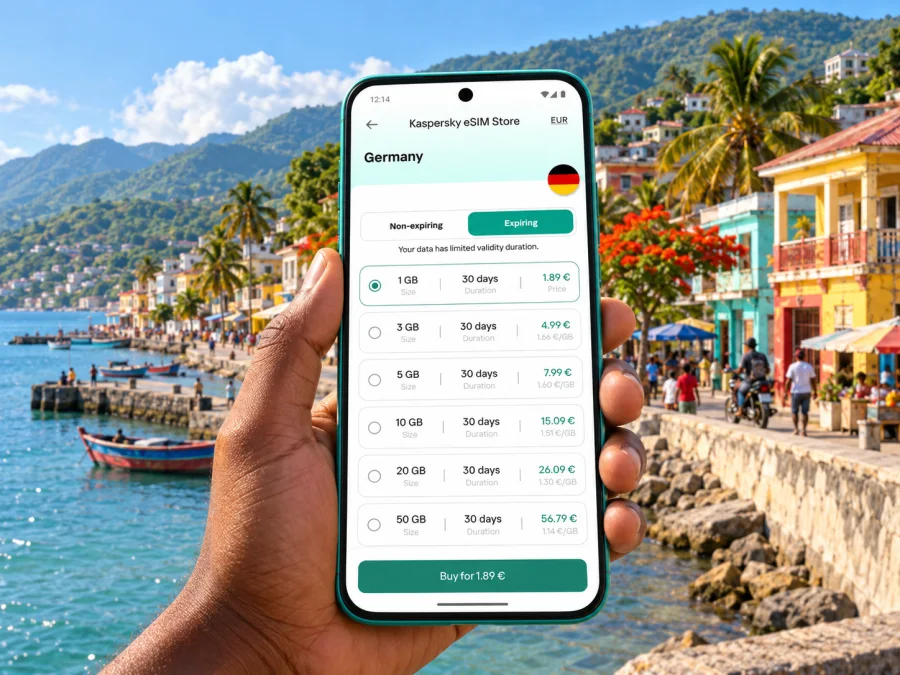
Kaspersky eSIM Store is an app and website where you can choose, purchase, and activate an eSIM with a suitable plan for mobile internet on an overseas trip. It is a way to prepare a travel eSIM, not a local mobile network. The available destination and plan details can change, so review what is shown for Haiti at the time you are arranging travel. For a current view of available options, open the Kaspersky eSIM Store homepage to browse current destinations and check available plan options.
What to expect around Saint-Marc
Saint-Marc is a coastal city in Artibonite, west of Port-au-Prince. The urban area is crossed by Route Nationale 1 and faces the Gulf of Gonâve. Local transport and street activity can be busy, and the wider commune includes both urban and rural areas. That mix matters for connectivity: an experience in the centre does not establish what service will be like on a rural road, near a beach, or elsewhere in the department.
The city’s port and market activity, roadside commerce, and everyday traffic make route timing less predictable than a simple map estimate suggests. Use a locally confirmed plan for transfers and appointments. Ask your host which landmarks are practical to use as meeting points, whether a route is currently passable, and which form of transport they recommend for the time of day. Avoid sharing sensitive travel details publicly.
Arrival and onward movement
Saint-Marc is not Haiti’s principal international air gateway. Do not assume you will land in Saint-Marc or that a route from an airport will be operating normally. Confirm your actual arrival point, onward transport, and current conditions before departure. Travel time estimates can be unreliable when road access, checkpoints, weather, or security conditions change.
For an onward transfer, save the accommodation address, driver contact, reservation details, and map offline before leaving dependable Wi-Fi. Share a check-in plan with someone you trust. If delayed, confirm the next step with your local contact instead of following an unverified automatic reroute.
A practical arrival checklist:
- Confirm the arrival airport or port and a direct onward plan with your host.
- Confirm the pickup name, meeting point, and a fallback if either party is delayed.
- Save the destination address in a format your driver can recognize; keep a copy offline.
- Download the relevant map area and check that it opens with mobile data switched off.
- Carry a charged power bank and charging cable in your hand luggage.
- Keep passport, cash, and phone discreet; avoid stopping in an unfamiliar place to troubleshoot settings.
Getting around in town
Tap-taps, motorcycles, cars, and pedestrians share Saint-Marc’s streets. The local transport picture can shift, so a route shown online is only a reference. If your host recommends a driver or a particular route, confirm the details with them before you set out. Do not assume a ride-hailing app, a fixed timetable, or a particular vehicle will be available.
For a short walk between known places, save the route first and ask whether walking is appropriate at that time. Use landmarks and locally understood place names rather than expecting every address to map cleanly. On longer journeys, confirm the departure point and destination with the driver before entering the vehicle. If a route is blocked or conditions change, follow current local guidance; do not take an unfamiliar detour simply because the phone suggests one.
Staying in touch from a hotel or guesthouse
Ask your accommodation how to reach staff if mobile data is unavailable and save that contact offline. Confirm any Wi-Fi network name with staff, and avoid sensitive tasks on an unknown network. For remote work, test essential tools before travel and agree on a contingency if service drops; a travel eSIM does not guarantee uninterrupted calls.
Haiti eSIM availability and local networks
An eSIM is a digital profile, not a single network or coverage promise. Haitian operators publish eSIM-related information, but a local subscription and an international travel data plan can differ in eligibility, activation, identity checks, payment, and included services. Confirm the current terms directly if you are considering a local operator plan.
A travel plan may connect through a local partner network. Check the network details in that plan’s terms; do not infer which Haitian operator it uses from an unrelated operator’s eSIM offer. Coverage and performance can vary with location, buildings, terrain, power or network interruptions, and congestion. A Haiti listing does not guarantee service in every street or on roads outside Saint-Marc.
If you keep your home SIM active, check its roaming charges and assign mobile data to the travel eSIM only when appropriate. Turn off data roaming on the home line if you want to avoid roaming data charges, while following the travel profile’s own instructions. A data eSIM does not automatically include a local phone number, ordinary calls, or SMS; check the specific plan terms.
Install and activate the eSIM carefully
Set up the profile with a compatible, unlocked phone, reliable internet, and the installation details supplied with the plan. Menu labels vary by device, so use the provider’s instructions if they differ from these general steps.
- Charge the phone and connect to trusted Wi-Fi. Keep the QR code or activation details accessible.
- In mobile network settings, choose Add eSIM and scan the QR code or enter details manually if offered.
- Label the new line “Travel data” and select it for mobile data when the plan is ready.
- Follow the plan’s activation timing. Confirm when validity starts and whether data roaming must be enabled for this profile.
- Once in the intended coverage area, check that the profile is on, selected for data, and active before changing other settings.
For detailed steps, see the Android eSIM installation guide or the iPhone and iOS eSIM installation guide. Keep home-SIM roaming separate from the travel profile.
If the eSIM does not connect, check the selected data line, profile status, plan validity, and the provider’s setup instructions. Contact the plan provider using the support channel in your purchase information. Do not delete the eSIM as a first troubleshooting step: depending on its terms, reinstallation may not be possible. Never leave a safe place solely to search for a signal.
Prepare for interruptions, not just for signal
Save essential information offline: download the map area, store accommodation and transport details, and keep key contacts in your address book. Carry a written note of the most important address and contact number in case your phone is out of battery or unavailable.
To conserve data and battery, pause automatic app updates, cloud photo uploads, and video autoplay; download translation packs in advance; and carry a power bank. Public Wi-Fi may help as a backup, but confirm the network name with staff and avoid sensitive tasks on an unknown connection. An eSIM can reduce dependence on Wi-Fi where its plan has service, but it cannot guarantee uninterrupted access.
Three practical Saint-Marc scenarios
Pre-arranged pickup: Install the eSIM in advance if the plan allows it, save the driver’s details and accommodation address offline, and agree on a meeting point and fallback. Use data to confirm the plan instead of arranging a new route in an unfamiliar place.
Work visit: Choose data based on your actual email, messaging, and meeting needs. Test work tools before travel, set check-in times, and agree on what to do if connectivity drops. A country listing does not promise continuous video-call quality.
Outing beyond the centre: First confirm the route, timing, transport, and return arrangements with a trusted local contact. Download directions before leaving town. An offline map is useful for orientation but cannot confirm that a road is safe or open; follow current local advice if conditions change.
Quick checklist before leaving for Saint-Marc
- [ ] Review current official advice for Haiti and Artibonite; reconsider travel if it is not advised.
- [ ] Confirm your arrival point, transport, accommodation, and route with trusted local contacts.
- [ ] Check that your exact phone variant supports eSIM and is carrier-unlocked.
- [ ] Read the plan’s Haiti coverage, activation, validity, data, and support terms.
- [ ] Download maps, save contacts and addresses offline, and prepare a check-in plan.
- [ ] Configure the travel and home SIM separately, and charge your phone and power bank.
Frequently asked questions
Is an eSIM useful in Saint-Marc?
It can help with mobile data if your device is compatible, the plan includes Haiti, and service is available where you are. It does not guarantee signal or replace a locally informed travel plan.
Does every Haiti eSIM include Saint-Marc?
Check the plan’s country and network terms. Service can vary by location and time, and a country listing does not guarantee coverage in every neighborhood or on roads outside town.
Can I use it for ordinary calls and SMS?
Only if the selected plan explicitly includes them. Many travel eSIMs are data-only; internet messaging and calling apps need data and an available app contact.
Can I install it before arrival?
Often, but activation timing varies. Read when validity begins and whether the provider recommends installation before departure or after arrival. Keep setup details accessible until the profile is active.
What should I do if data stops working?
Check the data line, profile status, plan validity, and setup instructions. Use offline maps and saved contacts while troubleshooting, then contact the provider. Do not remove the profile unless instructed.
Is mobile data a substitute for local advice?
No. Service can be interrupted or unavailable. Keep offline information and confirm transport and safety decisions with trusted local contacts and current official guidance.
Prepare your connection before the trip
Saint-Marc’s coastal setting and position along Route Nationale 1 make it a distinct destination, but day-to-day travel plans should be grounded in current local conditions. Confirm that travel is advisable, arrange transport with trusted local contacts, and keep your maps, addresses, and check-in plan available offline. For mobile data, check device compatibility, review the precise Haiti plan terms, and understand when activation begins.
When your itinerary is confirmed, use Kaspersky eSIM Store to review the options currently shown for Haiti and choose a suitable travel data plan. visit Kaspersky eSIM Store to browse current destinations and check plan options and complete setup while you have a reliable internet connection.


