Travel connectivity guide
Saint-Pierre eSIM: Mobile Internet in Martinique
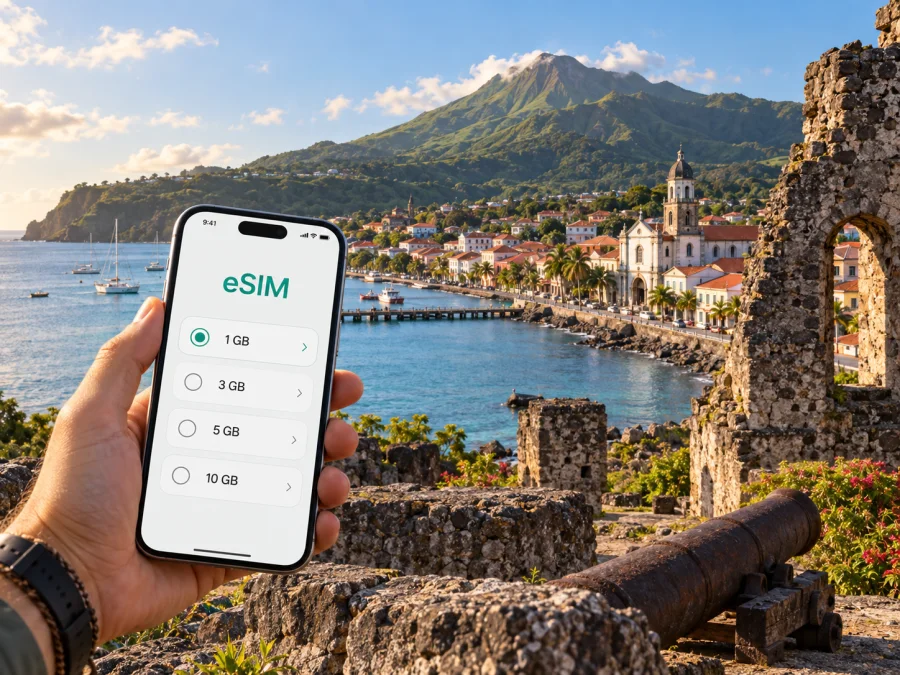
Saint-Pierre eSIM: mobile connection and internet for your trip
Saint-Pierre lies between the Caribbean Sea and Mount Pelée in northern Martinique. Its waterfront, streets and surviving ruins reward an unhurried visit. Mobile data can help you find accommodation, navigate the coast and check practical details as you explore.
Saint-Pierre is reached by road from Aimé Césaire International Airport near Fort-de-France. Plan connectivity for the transfer, your stay and any onward excursion. An eSIM can be prepared before departure; mobile data becomes available when the plan’s activation conditions are met and the device connects to a supported network.
What mobile data helps with in Saint-Pierre
Saint-Pierre rewards walking, but reaching it and planning each day often involves more than walking. A map can help you distinguish the town centre from the road that continues along the Caribbean coast, save your lodging location and keep track of a meeting point if your group splits up. Search and messaging are useful when opening times, local arrangements or weather affect the day’s plan.
Mobile data is especially practical for:
- checking directions between your accommodation, the waterfront and heritage sites;
- coordinating a pickup or meeting point after a visit or meal;
- confirming current opening information directly before setting out;
- downloading a map or saved information before heading into a less familiar area.
Coverage and speeds can vary with location, terrain, weather, network conditions and the plan you choose. The slopes of Mount Pelée and the island’s coastal roads create a very different setting from a dense city centre. Save key addresses and directions for offline use as a backup, especially before a hike or a longer drive.
Arriving from the airport
Aimé Césaire International Airport is near Fort-de-France, south of Saint-Pierre. The journey to the north is a road transfer rather than a short walk from an airport terminal. Depending on your itinerary, you may rent a car, arrange a transfer or connect through local transport. Check the route and current travel arrangements before you leave the airport; traffic, weather and service schedules can change the time needed.
Before departure, save your lodging address and booking details. Download the route while you have a stable connection; on the road, follow your driver’s instructions and do not interact with the phone while driving.
Before driving north, keep your lodging address and transfer details available offline. Once safely stopped, confirm the route, check which line is selected for mobile data and send an arrival update.
An eSIM is a convenient option for mobile internet, but its role is not the same as a local voice line. Unless the conditions of a particular plan say otherwise, do not expect it to include a conventional phone number, calls or SMS. Keep access to your usual number if you need it for banking codes or calls, and use internet messaging for chats when appropriate.
Getting around the town
Saint-Pierre’s historic centre is best approached on foot. The harbourfront, central streets and heritage remains are close enough to combine in a thoughtful walking visit, although surfaces can be uneven and some routes include slopes. Wear shoes suited to warm weather and rough pavement, carry water and leave time to pause. A map helps orient you, but it cannot replace signs, local advice or attention to the road.
For longer distances, the situation changes. Saint-Pierre is part of a coastal region where a car or an arranged ride can make it easier to reach accommodation outside the centre, continue towards the north or connect with a trailhead. Public transport and shared options may be available, but routes and timetables can change. Confirm the service for your date rather than relying on an old screenshot or a search result cached on your phone.
| Part of the visit | How mobile internet can help | Good backup |
|---|---|---|
| Walking around the centre | Keep a map open and find the next heritage stop | Save a map area and meeting point in advance |
| Moving between lodging and town | Share the address with a driver or host | Keep the full address written down |
| Continuing along the coast | Check the route and planned stops | Download directions before setting out |
| Joining a tour or water activity | Confirm the meeting place and any update | Save the operator’s message or booking details |
| Exploring near the mountain | Check the plan and communicate changes | Tell someone your route and expected return |
Reading Saint-Pierre as a place, not just a pin on a map
The town’s identity is closely tied to the eruption of Mount Pelée on 8 May 1902 and to the reconstruction that followed. The remains are part of the present-day town, woven into streets and everyday buildings rather than enclosed in one large site. A self-guided walk is more meaningful when you understand what you are looking at, so consider beginning with a memorial or interpretation centre and then taking time to notice the ruins in context.
The Memorial of the 1902 Catastrophe and the Centre for the Discovery of Earth Sciences are among the places visitors use to understand the event and the volcano. Check their current access and opening details before travelling there. Some stops are indoors and can make a useful change of pace during rain; outdoor remains are more comfortable when you can move slowly and take shelter as needed.
A practical way to structure a heritage visit is to save three map points: your starting place, the first interpretive stop and a place to pause afterwards. Keep the map available offline too. Mobile data can help with last-minute decisions, but looking up every detail while walking can pull attention away from the site and from traffic. Read the information where it is safe to stop.
The town is also a living community. Walk respectfully around homes, places of worship and working businesses. Ruins and memorial spaces carry difficult history; allow room for quiet, follow posted instructions and ask before photographing people. A phone is useful for directions and interpretation, but it should not become the centre of the visit.
Choosing an eSIM plan for a Saint-Pierre itinerary
A city name is a useful starting point for travel planning, while the right plan depends on the whole itinerary. If Saint-Pierre is one stop on a longer Martinique trip, check that the selected destination and plan conditions match the places where you expect to use data. Compare the data allowance, validity period, price and activation rules. Choose based on your likely use rather than assuming that a larger allowance is automatically necessary.
Think through the day before choosing:
- Light use: maps, messaging, checking opening details and occasional searches. Download offline maps and use Wi-Fi when convenient.
- Regular use: navigation throughout the day, photo sharing, translation and frequent messages. Estimate how often you will be online away from lodging.
- Data-heavy use: video calls, large uploads or streaming. These activities use more data; use Wi-Fi where suitable and review the plan’s allowance carefully.
Kaspersky eSIM Store is an app and website where you can choose, purchase and activate an eSIM with a suitable plan for mobile internet while travelling abroad. You can review the available terms for the destination before deciding. To prepare for the island portion of your trip, explore eSIM plan options for Martinique and compare the details with your dates and expected data use.
Remember that plan validity and activation triggers differ. Read the terms shown for the plan you select, including when its validity begins, whether a supported network is required for installation, and what happens if you install it before travel. Keep the confirmation accessible in your email or account. A short check before paying can prevent a mismatch between the plan’s conditions and your actual arrival schedule.
A practical setup checklist
Complete these checks while you still have dependable internet access:
- Check eSIM support and carrier-unlock status for your phone. Check your device.
- Confirm the plan’s destination, data allowance, dates, validity and activation terms.
- Install the eSIM when you have time to follow the steps, and keep your regular SIM available if needed.
- Save your lodging address, transfer details and key map areas offline.
- Check which line handles mobile data and whether the eSIM instructions require data roaming.
If you need help with the installation flow, use the appropriate Android eSIM installation instructions or iOS eSIM installation instructions. Follow the steps for your device and the plan. Menu labels can differ by operating system version, so read the prompts on your screen carefully. Avoid deleting an installed eSIM profile unless the instructions or support team tell you to do so.
When you arrive, check the line selected for mobile data and allow the phone a little time to connect. If data does not work, first confirm that the eSIM is enabled, the correct line is selected and the plan is active under its terms. Restarting the device may help in some cases. If the problem continues, use the support details associated with your purchase; do not assume that a weak signal in a particular spot means the setup has failed.
Staying oriented between the waterfront and the hills
Saint-Pierre rises from the sea towards the foothills, so weather and conditions can differ between the waterfront and higher ground. Check the forecast before an outdoor day, save directions and a return point, and follow current local guidance if you plan to hike near Mount Pelée. Mobile coverage can vary with terrain; treat your phone as a convenience rather than an emergency system.
For a coastal drive, set the next stop before moving and let a passenger handle navigation. Download the route in advance, stop somewhere safe before checking a detour, and keep the return address easy to find. On a short visit, choose a few priorities—perhaps a heritage stop, a walk through the centre and time by the bay—and confirm the return meeting point with your driver or tour operator.
Where to stay and how to plan the day
Accommodation may be in the centre, near the coast or farther from the heritage area. Check the address on a map before booking: a short straight-line distance can still mean a steep walk or a different road approach. Ask your host about arrival arrangements and parking, then save the answer for when you land.
For a one-day visit, start with the place that deserves the most attention, leave time for lunch and an unhurried walk, then decide whether another museum, distillery or coastal activity fits. Depaz Distillery and the northern landscape are possible additions, but confirm opening arrangements and transport first. If Saint-Pierre is your base for exploring the north, check road distances, weather and transport for each outing, and let someone know your plans for outdoor areas.
For a work trip, confirm whether your accommodation has Wi-Fi suitable for calls. Keep mobile data for directions, messages and backup access between appointments; download meeting details and files before leaving a stable connection. Video calls use more data, so review the plan allowance and use reliable Wi-Fi when available.
Short stopover: make the connection count
When Saint-Pierre is a brief stop between transfers or activities, prioritize live details: confirm the driver or meeting point, open directions to the first location and save the return pin. Spend the remaining time on the visit rather than trying to cover the entire north.
Before walking, check your return time. At each stop, use the map to orient yourself, then put the phone away while exploring. Confirm current opening information before moving on, and follow the agreed pickup plan. Saving the essentials reduces reliance on continuous data while leaving mobile internet available for updates.
Common questions
Is Saint-Pierre an airport arrival city?
No. Visitors generally reach Martinique through Aimé Césaire International Airport near Fort-de-France, then travel north to Saint-Pierre by road. Plan for that transfer as part of your connectivity needs.
Can I explore the town on foot?
Yes, the centre and many heritage points suit a walking visit. Expect uneven surfaces and some slopes, and plan separate transport for longer distances or places outside the centre.
Will an eSIM include ordinary calls and text messages?
Usually, travel eSIM plans are intended for mobile data unless the plan terms state otherwise. Keep your regular number available if you need calls or SMS, and use messaging apps over data for internet-based communication.
Should I rely on mobile data for a hike?
No. Save directions and relevant details in advance, follow current local trail guidance and tell someone your plans. Signal can vary with terrain, and a phone connection should not be treated as a safety guarantee.
When should I install the eSIM?
Follow the plan’s own installation and activation instructions. You can prepare before departure when you have stable internet, but check when validity begins so you do not activate earlier than intended.
Prepare mobile internet for Martinique
When you are ready to prepare mobile internet for your Martinique itinerary, choose an eSIM plan for your trip to Martinique through Kaspersky eSIM Store. Review the plan details, install the eSIM using the instructions for your device and keep your important travel information available offline as well.


