Travel connectivity guide
Saint-Pierre eSIM: Mobile Internet for Reunion
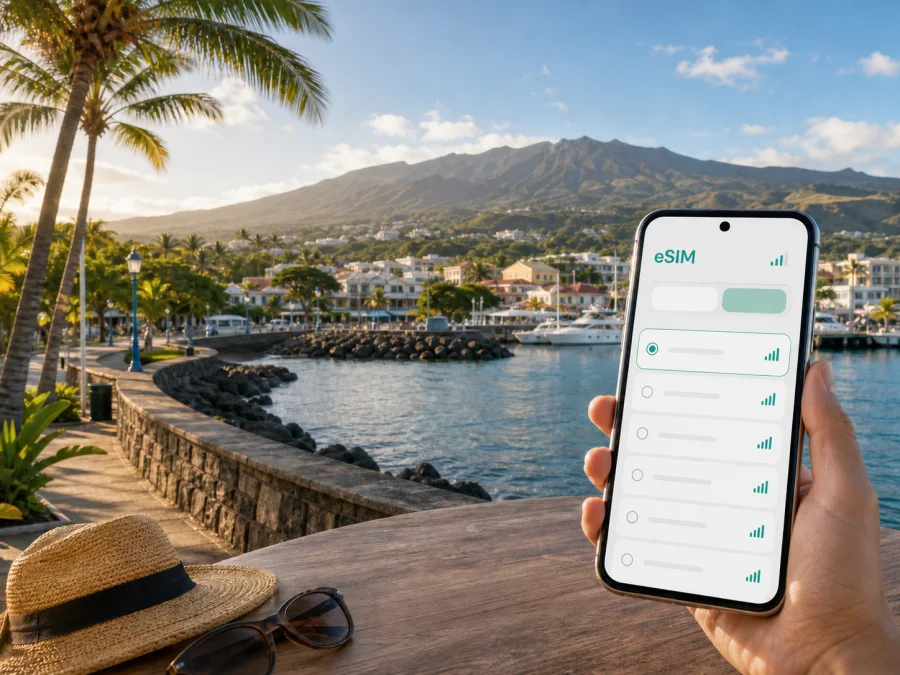
Saint-Pierre eSIM: mobile connection and internet for a trip to Reunion
Saint-Pierre is a practical base for discovering the south of Reunion. The city combines a seafront, a lagoon, a working centre, historic streets, restaurants and access to roads that lead towards the island’s highlands and volcanic coast. That mix creates a very specific connectivity need: you may use mobile internet for the first transfer from the airport, then for a walking route through the centre, a bus timetable, a hotel message, a work call or directions on a drive that leaves the city.
An eSIM, or digital SIM, can help you prepare mobile data for this journey without changing the physical SIM card in your phone. Kaspersky eSIM Store is an app and website where you can choose, arrange and activate an eSIM with a suitable tariff for mobile internet during an overseas trip. The right choice depends on the destination, the length of your stay, the amount of data you expect to use and the conditions shown for the selected tariff.
Why mobile internet matters in Saint-Pierre
Saint-Pierre is easy to enjoy at a relaxed pace, but a visit rarely stays within one small block. A morning can begin at the waterfront, continue through the market and central streets, and finish with a drive towards the uplands. Even when your accommodation has Wi-Fi, you still need data between stops.
Typical uses include:
- checking a route while walking between the seafront, the centre and Terre-Sainte;
- confirming a hotel check-in time or sending a message to a host;
- comparing a bus departure with a taxi or rental-car plan;
- finding a restaurant after arriving late or changing your evening route;
- sharing a location with travelling companions;
- keeping navigation available when a day trip leaves the main coastal road.
The value of an eSIM is continuity between stops. You can prepare the travel data line before leaving, keep your regular SIM for its own purpose and select the eSIM for mobile data after arrival.
Arriving in Saint-Pierre: plan the first hour
The arrival plan depends on your flight and itinerary. Saint-Pierre has Pierrefonds Airport, a local gateway in the south, while many international visitors arrive through Roland Garros Airport near Saint-Denis and continue south by road. The official airport information lists the Car Jaune T line between Saint-Pierre and Sainte-Marie, with a route that connects the airports along the western coastal area. Schedules and stops can change, so check the current information before travelling.
If you land at Pierrefonds, you are already close to the southern city and can arrange a transfer, taxi, rental car or bus connection. If you land at Roland Garros, the trip to Saint-Pierre is longer and route decisions matter more: keep your booking details, accommodation address and transport information accessible offline as well as online. Mobile data is useful for the live part of the journey, while saved details provide a backup if a signal changes in a tunnel or on a mountain road.
Before leaving for the airport, prepare this short arrival pack:
- Save the full name and address of your Saint-Pierre accommodation.
- Keep the first transfer instructions in a note or screenshot.
- Make sure the phone has enough battery for navigation and messages.
- Install the eSIM while you still have a reliable internet connection, if your device and tariff allow installation before departure.
- Keep the physical SIM enabled only for the functions you actually need, and review data-line settings before the flight.
Once you arrive, do not assume that every line will activate in exactly the same way. Follow the instructions for your phone, select the intended mobile-data line and check the tariff conditions. If activation takes time, avoid deleting the eSIM profile or repeating steps at random; first review the installation status and the device settings.
Choosing a tariff for a Saint-Pierre itinerary
A good data estimate starts with your daily routine rather than with the city’s name. A traveller who mainly walks, reads saved plans and uses messaging may need much less data than someone who streams video, uploads large files, shares a hotspot or works online every day.
Use this planning table as a practical guide. It describes usage patterns, not a promise about a particular tariff or a fixed amount of data.
| Trip pattern | What usually consumes data | What to look for |
|---|---|---|
| Short stopover | Maps, messages, arrival details and a few searches | A small package with a validity period covering the stop |
| City break | Navigation, photos, restaurant research and messaging | Enough data for several active days, with clear expiry terms |
| South-of-Reunion base | Repeated routes, day-trip planning and bookings | A package sized for regular use across the whole stay |
| Business visit | Video calls, email attachments and hotspot use | A larger allowance and conditions that suit work data |
| Shared travel planning | Several people checking routes and sending media | A personal line for each traveller or a clearly understood hotspot option |
Check four points on the product screen before you choose:
- destination: confirm that the tariff applies to Reunion and suits the route you plan to take;
- validity: understand when the period starts and how long it lasts;
- allowance: estimate maps, messaging, calls over data, photos, video and tethering realistically;
- conditions: review activation, supported services, top-up or renewal options and refund terms where shown.
The city name helps you plan the trip, but the tariff is selected for the supported destination shown in the store. If you will combine Saint-Pierre with Saint-Joseph, the Wild South, the highland roads or a longer island circuit, choose according to the full route rather than only the first hotel. For a simple way to review the available destination options, you can prepare an eSIM tariff for a trip to Reunion.
Moving around the city and the south
Saint-Pierre has several travel layers. The central streets, seafront and market area can be explored on foot, but the wider commune includes places that are more convenient by bus or car. Journeys out of the city may follow the coast, climb inland or change with weather and road conditions.
For local movement, look at the Alternéo network and its current route information. The network serves the south, and Saint-Pierre has urban and connecting services. Timetables are a live detail, so save the route you need before setting out and check the stop name rather than relying only on a landmark. A data connection is particularly useful when you need to compare departures, locate a transfer point or adjust after missing a bus.
For airport travel, Car Jaune provides regional connections, including the T line described by the airports. For taxis, car hire or a pre-arranged transfer, keep the destination written in a form you can show to a driver. A street name and accommodation name together are more useful than a vague reference to a neighbourhood.
If you drive, mobile data supports navigation, but it does not replace attention to the road. Download or save essential route information before a mountain excursion, charge the phone, and use a passenger to manage the map. Coastal roads, bends, changing weather and limited stopping places can make a small preparation step more valuable than constant screen use.
Work trips and short stopovers
Saint-Pierre can be a useful base for a meeting in the south, a research visit, a short project or a stop between coastal drives. Business travellers usually need predictable access to email, two-factor sign-in, messaging and video meetings. Before departure, identify which tasks require live data and which documents can be downloaded securely in advance.
For a work-focused stay:
- Check the accommodation’s desk, power and Wi-Fi arrangements.
- Keep the eSIM data line separate from your personal voice line if your phone supports dual SIM management.
- Check the selected tariff’s conditions for tethering before connecting a laptop.
- Save every meeting address and allow time for traffic, parking or a transfer.
For a stopover, you may need data only to leave the airport, reach a hotel, find dinner and return for the next departure. A smaller tariff can make sense when its period and allowance match that plan; a longer stay may call for more data if work and sightseeing both depend on it.
Installing and activating an eSIM
Install the profile when you have a dependable internet connection and enough time to read each screen. The exact menu names vary by device and operating-system version, but the general sequence is consistent:
- Confirm that the phone supports eSIM and is not restricted by an operator.
- Open the Kaspersky eSIM Store app or website and complete the selected purchase or arrangement steps.
- Retrieve the installation details or QR code provided for the tariff.
- Add a mobile plan in the phone’s cellular or SIM settings.
- Scan the QR code or enter the requested details, then wait for the profile to be added.
- Label the line clearly, such as “Reunion travel data”, so it is easy to select later.
- Set the eSIM as the line for mobile data when you are ready to use it.
- If the tariff instructions require data roaming for the eSIM, enable it for that line and review the settings on the physical SIM to avoid unintended data use.
For device-specific steps, use the Android installation instructions or the iOS installation instructions. If your phone, tablet or regional model may differ, check your device compatibility before purchase. Compatibility and operator-lock status should be confirmed before you depend on the eSIM for an airport transfer or a work meeting.
After activation, test a simple web page or message while stationary. If the line does not connect, check that the eSIM is switched on, selected for mobile data and configured according to the tariff instructions. Some phones also have an automatic data-switching option; review it so the device does not change lines unexpectedly. If the issue remains, gather the device model, operating-system version and the steps already completed before contacting support.
What to check before leaving for Reunion
Use this checklist the day before travel:
- [ ] The destination and validity of the selected tariff match the itinerary.
- [ ] The phone supports eSIM and is not operator-locked.
- [ ] The phone has enough storage, battery and current system access for installation.
- [ ] The QR code or installation details are available in the app, account or saved message.
- [ ] The physical SIM settings are understood, including which line handles calls and data.
- [ ] Data roaming is configured only where the eSIM instructions require it.
- [ ] Accommodation addresses, transfer details and key bookings are saved offline.
- [ ] A charging cable or power bank is packed.
- [ ] Important routes and transport information have been reviewed before departure.
There are also a few things not to assume. An eSIM tariff is generally intended for mobile data; it does not automatically include a normal telephone number, voice calls or SMS unless the specific conditions say otherwise. Internet calls and messages may work through the data connection, but their use depends on the chosen app and your contacts’ access. The tariff’s duration, traffic allowance, activation point and refund rules always take priority over a generic travel expectation.
FAQ about eSIM use in Saint-Pierre
Is an eSIM useful if I stay mostly in central Saint-Pierre?
Yes, it can still be useful between accommodation, the market, the waterfront, restaurants and transport stops. Central walking distances do not remove the need for messages, bookings, navigation or a quick route change.
Should I choose a city tariff or a country tariff?
Choose the destination and coverage scope shown for the available tariff. Saint-Pierre is in Reunion, so a Reunion option is the relevant starting point for a city stay. If your route extends beyond the city, check that the same destination scope suits the complete itinerary.
Can I keep my regular SIM active?
On a compatible dual-SIM phone, you may be able to keep the physical SIM active and select the eSIM for mobile data. Review call, SMS and data settings carefully, because the exact controls depend on the device. Disable automatic data switching if you want to choose the line yourself.
What if my phone does not connect after installation?
Check that the profile is installed and enabled, the eSIM is selected for mobile data, the phone has the required settings and the tariff has reached its activation point. If data roaming is required for that line, confirm it is enabled. Then contact support with the device and tariff details rather than deleting the profile.
Prepare your Saint-Pierre connection
The most useful eSIM setup is the one that matches the way you will actually use Saint-Pierre: a short arrival, a walkable city stay, a business schedule, a hotel outside the centre or a longer route through southern Reunion. Check compatibility, choose the destination and validity carefully, install the profile with time to spare and save the practical details that should remain available offline.
When you are ready, choose an eSIM tariff for your trip to Reunion, then follow the installation instructions for your device. With the data line prepared, you can spend less time looking for a connection and more time moving between the waterfront, the historic centre, Terre-Sainte and the roads beyond Saint-Pierre.


