Travel connectivity guide
Saint Roman eSIM: Mobile Internet in Monaco
Saint Roman eSIM: mobile connection and internet for your stay
Saint Roman, also written Saint-Roman, is a useful base for visitors who want to stay in the eastern part of Monaco, close to the Larvotto waterfront and the French border. It is a residential district rather than a compact sightseeing quarter, so your phone is likely to help with everyday decisions: finding the right building entrance, checking a bus stop, coordinating a taxi, messaging a hotel, or opening a map before a walk downhill.
An eSIM can make mobile internet easier to plan before you arrive. You choose a suitable travel data plan, install it on a compatible phone, and use it for online maps, transport updates, bookings, and messaging. This guide explains how that can fit a stay in Saint Roman, what to think through when moving around Monaco, and how to prepare for trips that cross into France.
What to expect in Saint Roman
Saint Roman sits at Monaco’s eastern end. The district’s streets rise and fall with the terrain, and everyday destinations are spread among residential buildings, hotels, shops, and routes toward the coast. The name may appear with or without a hyphen on signs, maps, and transport information, so it is sensible to try both spellings when searching for an address.
The experience differs from staying around the Casino Square or Port Hercule. Saint Roman is quieter in character and more residential, while many headline sights are elsewhere in the Principality. A map is useful for checking the route’s slope and entrance location, not only the distance: two places that look close on a screen may involve a steep street, stairs, a lift, or a longer road approach.
If your accommodation is in Saint Roman, save its full address and a map pin before travel. Keep the hotel or host’s arrival instructions available offline as well. A mobile connection is useful for last-minute messages and live route checks, but having the key details stored on your phone gives you a backup if your battery is low or you are temporarily offline.
Quick orientation
| Travel need | Why it matters in Saint Roman | Useful preparation |
|---|---|---|
| Finding accommodation | Buildings can have entrances on different levels or streets | Save the exact pin and entrance notes |
| Reaching central Monaco | You may combine a bus, a lift, a walk, or a taxi | Compare the full route, including elevation |
| Going to the waterfront | A short map distance can still include a slope | Check walking directions before setting out |
| Crossing into France | The border is close to the eastern district | Review the plan’s country coverage and terms |
| Meeting someone | Busy roads and multi-level access can complicate pickup points | Share a precise map pin rather than only a street name |
Arriving from Nice and reaching your address
Monaco does not have a conventional commercial airport. Many international visitors arrive through Nice Côte d’Azur Airport in France and continue to Monaco by train, road transfer, taxi, or another arranged service. Your best option depends on arrival time, luggage, budget, and whether you are travelling directly to Saint Roman or first stopping elsewhere.
Before leaving the airport, open your accommodation details and confirm how the final leg works. A rail journey brings you to Monaco-Monte-Carlo station; from there you still need to reach the eastern district, often by bus, taxi, or a combination with a walk. A road transfer can take you closer to the address, but traffic and the precise drop-off point matter. If you are using a pre-booked driver, agree on a clear pickup point and share the destination pin in advance.
A practical arrival sequence is:
- Keep the accommodation address, check-in time, and host contact details in a note you can open offline.
- Decide how you will travel from the airport to Monaco, taking your arrival time and luggage into account.
- Check the final leg from the station or drop-off point to Saint Roman, including elevation and access to your building.
- Once online, confirm any changed arrival instructions and send a short message if your estimated time has shifted.
- Before walking away from a stop, verify the street name and direction rather than relying only on a familiar landmark.
Getting around: buses, walking, and route checks
Monaco’s bus network is useful for moving between Saint Roman and other districts. The Compagnie des Autobus de Monaco lists routes 1 and 4 as serving Saint-Roman. Route 1 links the area with places including Monte-Carlo and Monaco-Ville, while route 4 connects Saint-Roman with Fontvieille. Stops and schedules can change, so check current information on the day rather than relying on a saved timetable from an earlier visit.
A phone helps you compare a bus journey with walking, especially when the route crosses steep ground or involves an unfamiliar stop. Search by stop name where possible, then confirm the direction of travel. If you are heading to a meeting, include time for the walk from the stop to the actual entrance; an address may sit above or below the road shown on a map.
Monaco also has public lifts, escalators, and pedestrian links that make some uphill journeys easier. Mapping apps may not always make these connections obvious or may show a route that is less convenient with luggage. Ask your hotel which pedestrian access is practical from its particular entrance, and follow local signs when using a lift or passage. For a first journey, a slightly longer, clearly signed route can be easier than the shortest path displayed on screen.
Keeping mobile internet useful, not distracting
The most valuable online tasks in Saint Roman are often small and practical: opening a map, confirming a reservation, checking a bus, translating a short message, sharing your location with a companion, or contacting a host. If you plan those needs before leaving home, it is easier to choose a data allowance that matches the trip rather than selecting by habit.
Think about your expected usage. Occasional navigation and messages use a different amount of data from frequent video calls, photo uploads, or streaming. Hotel Wi-Fi may cover some heavier activity, while mobile data is more useful when moving around. Review the plan’s data allowance, validity period, supported destination, and any fair-use conditions before payment. The exact terms belong to the selected plan, so avoid assuming that all plans work in the same way.
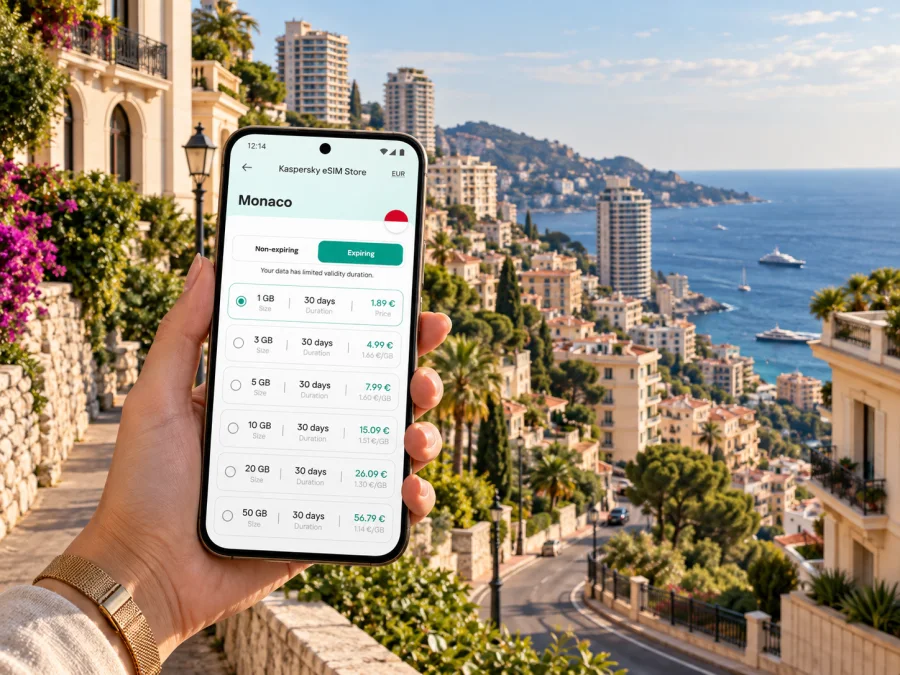
Kaspersky eSIM Store is an app and website where you can choose, arrange, and activate an eSIM with a suitable plan for mobile internet during an international trip. If you are preparing for Saint Roman, you can review eSIM plan options for Monaco and compare the plan details with your dates and expected use. Monaco is compact, but your data needs may include airport transfers, calls through internet messaging apps, work, and day trips beyond the Principality.
Remember that a data eSIM is not automatically a replacement for your usual phone number. Voice calls and SMS are not included unless a selected plan specifically says otherwise. Keep your regular SIM settings in mind if you need calls or verification messages on your home number, and use messaging or calling apps over data when that suits your needs.
The border is close: plan for the whole route
Saint Roman is close to France, and many visitors naturally combine a Monaco stay with a trip toward nearby French Riviera destinations. A map may show a continuous built-up area, but the national border still matters when choosing a mobile plan. A plan intended for Monaco should not be assumed to include France, and a France plan should not be assumed to include Monaco. Check the countries and regions named in the actual plan details before you travel across the border.
When travelling between countries, the phone may connect to different networks according to your plan and device settings. If service does not behave as expected, check that the eSIM line is enabled, that data roaming is set as directed for the plan, and that the phone has selected an available supported network. Avoid changing several settings at once; make one adjustment, wait briefly, and check again. Follow the plan’s installation and activation guidance, since timing can vary by eSIM.
Choose an eSIM for your actual stay
Start with the itinerary, not a guess about how much data a visitor “should” need. A short business trip with frequent map checks and email differs from a weekend with heavy photo uploads. A longer stay split between Monaco and France differs from a few days spent mostly around Saint Roman.
Before choosing, make a small estimate:
- Trip length: How many days will you need mobile data, including arrival and departure?
- Destinations: Will you remain in Monaco, or also travel through France or elsewhere?
- Main activities: Will you mainly use maps and messaging, or also take calls and upload files?
- Wi-Fi access: Is reliable Wi-Fi available at your hotel or meeting location?
- Validity and allowance: Do the plan’s stated period and data amount fit the full itinerary?
Before buying: device and plan checklist
Check that your phone supports eSIM and is not restricted by a carrier lock. Confirm that you can access the account or email used for the purchase, and review where the eSIM can be installed and activated. Check whether your device supports eSIM before selecting a plan.
Then check the plan itself:
- Monaco is listed among the covered destinations.
- France is also covered if your route enters France.
- Data amount and validity match the trip dates.
- Activation conditions are clear, including when the validity period begins.
- Your device has enough battery and access to Wi-Fi for installation if needed.
- You understand which SIM line will be used for mobile data after setup.
Installing before departure and activating with care
You can prepare the eSIM before travelling if the plan’s instructions allow it. Read the activation conditions first: installing a profile and starting its validity are not necessarily the same event, and timing depends on the selected plan. Keep the installation instructions available on another screen or in a saved note if you will need to scan a code from the phone you are setting up.
A careful setup sequence is:
- Connect to a stable Wi-Fi network and open the purchase or installation instructions.
- Add the eSIM profile using the method provided for your device.
- Label the line clearly, for example “Monaco data,” so you can identify it later.
- Leave your primary number configured as needed for calls and messages.
- Select the eSIM for mobile data when appropriate for your trip.
- Turn on data roaming only if the plan’s directions require it, and follow those directions for the eSIM line.
- After arrival, check that the line is enabled and that data works before relying on navigation.
For step-by-step device guidance, use the Android eSIM installation instructions or the iOS eSIM installation instructions. Menu names may vary by phone model and operating-system version, so follow what appears on your device and the directions supplied for your selected plan.
Avoid deleting an eSIM profile to troubleshoot unless the plan instructions or support team tell you to do so. Some profiles cannot simply be reinstalled after removal. If a connection is missing, first check the selected data line, airplane mode, roaming setting required by the plan, and whether your current location is covered. Then restart the device if needed and consult the installation guidance.
Common questions about mobile internet in Saint Roman
Is Saint Roman a good area for exploring Monaco?
It can be a practical base if your accommodation and plans suit the eastern side of the Principality. You can reach other districts by bus, taxi, and on foot, but Monaco’s slopes mean that route length alone does not tell the whole story. Check terrain and the exact starting point before setting out.
Can I use an eSIM just for a visit to Saint Roman?
An eSIM is associated with a country or region plan rather than a single district. Choose a plan that lists Monaco and check its allowance, validity, and activation terms. If your trip also includes France, make sure those destinations are covered as well.
What should I do if the eSIM does not connect after arrival?
Check that the eSIM line is switched on, selected for data, and configured according to the plan’s roaming directions. Confirm that you are in a listed destination and that airplane mode is off. If the issue continues, consult the plan instructions or support rather than removing the profile.
A connected stay starts with a clear plan
For Saint Roman, the practical value of mobile internet is simple: reach the right entrance, check a route across Monaco’s hills, confirm a bus or transfer, and stay in touch as your plans change. Save your accommodation details, allow for the terrain, and remember that crossing into France can change which destinations your plan needs to cover.
Before travelling, check device compatibility, compare the listed countries with your itinerary, and review the data amount, validity, and activation conditions. Kaspersky eSIM Store helps you choose, arrange, and activate an eSIM with a suitable plan for an international trip. Choose an eSIM plan for your stay in Monaco and prepare your phone before you set out for Saint Roman.


