
Travel connectivity guide
Saksun eSIM for Mobile Internet
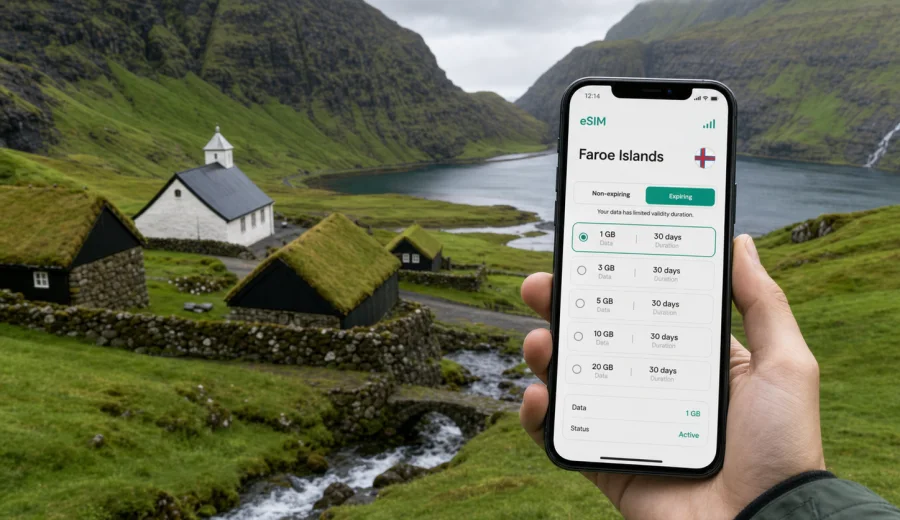
Saksun eSIM: mobile connection and internet for a Faroe Islands trip
Saksun is one of the most remote and atmospheric places many travelers visit in the Faroe Islands. The village sits in a green valley on Streymoy, with turf-roof houses, a white church, a tidal lagoon, steep hills, narrow roads, and weather that can change several times in one afternoon. Here, mobile internet matters less for scrolling and more for practical travel: route checks, accommodation messages, maps, and timing decisions.
An eSIM can be a useful part of planning a trip to Saksun because it lets you prepare mobile data before you arrive in the Faroe Islands. You do not need to look for a physical SIM card after landing, and you can keep your main SIM in your phone for calls or messages from home if your device supports dual SIM use. For a small village with limited services, that preparation is more important than in a large city.
This guide focuses on mobile connection and internet for Saksun itself: airport arrival, navigation around Streymoy, hotel check-ins, short walks, day trips, stopovers, and data planning for a Faroe Islands itinerary.
Why mobile internet is different in Saksun
Saksun is not a city with metro stations, shopping centers, and public Wi-Fi on every corner. It is a small settlement reached by road, usually as part of a wider route across Streymoy. Many visitors arrive by rental car, private transfer, tour vehicle, or as part of a longer day trip from Torshavn, Vagar, Eidi, Gjogv, Tjornuvik, or other island stops. A short visit can still depend on maps, weather checks, parking information, hotel messages, and digital confirmations.
For many travelers, an eSIM is useful because it supports the small decisions that make the day smoother:
- loading driving directions before leaving Torshavn or Vagar;
- using messaging apps with your host, guide, or rental company;
- keeping booking confirmations available without relying on hotel Wi-Fi;
- checking the best onward route to Tjornuvik, Eidi, Gjogv, or the capital.
Saksun is a good example of why mobile data should be planned for the full route, not only for the destination. The important online moments often happen between places: at a junction, in a parking area, or while deciding whether to continue to the next village.
Arrival: getting online before the road to Saksun
Most international travelers reach the Faroe Islands through Vagar Airport, then continue by road toward Streymoy. Saksun is not beside the airport, and it is not normally the first place where travelers solve connectivity problems. If you wait until you are on the way, you may be dealing with rental car paperwork, luggage, rain, or a tight schedule.
Preparing mobile internet before arrival can reduce that friction. With an eSIM, you can install the profile while you still have a stable connection at home, at your departure airport, or at your hotel before starting the day. Activation details depend on the selected plan and device, so you should read the plan conditions before travel and keep the QR code or installation instructions available.
Here is a practical arrival sequence for a Saksun trip:
1. Choose a data plan for the Faroe Islands and check the validity period.
2. Install the eSIM on a compatible phone while connected to reliable Wi-Fi.
3. After landing, select the eSIM for mobile data when you are ready to use it.
4. Save the route to Saksun and at least one backup stop in case weather affects your plan.
This order is especially helpful if you are driving soon after landing, when you should be focused on the road, weather, and route.
Saksun travel scenarios where eSIM helps
Different visitors use mobile data in different ways. A photographer may care about weather windows and cloud cover. A family may need messaging, maps, and restaurant searches. A business traveler may need email between meetings in Torshavn and a short sightseeing detour. A solo traveler may care most about navigation and sharing location.
| Travel scenario | Why mobile data matters in Saksun | Practical eSIM use |
|---|---|---|
| Day trip from Torshavn | You may adjust the route based on weather, daylight, and road timing. | Use maps, messaging, and quick searches without hunting for Wi-Fi. |
| Rental car route from Vagar | The first online needs often happen before reaching the village. | Load navigation, check documents, and message the rental desk if needed. |
| Photography stop | Weather and light change quickly in the valley. | Check forecasts, cloud movement, and storage backups when available. |
| Guesthouse or hotel stay nearby | Check-in details may be digital and arrival times can change. | Keep messages and booking details available on the road. |
| Short stopover or business add-on | Time is limited, so delays from connectivity setup are costly. | Prepare mobile data before arrival and keep essential messages available. |
The main benefit is not that you will be online every second. The benefit is having a prepared data option for the moments when you need a decision, confirmation, or route change.
How much data to plan for Saksun
Saksun itself does not require a large data allowance unless you plan to upload many photos or videos. For a simple day trip, navigation, messaging, and occasional searches may use a modest amount of data. Video calls, cloud backups, map downloads, and social media uploads can increase usage quickly.
Use this simple planning method:
- Start with trip length: one day, long weekend, or full week.
- Add your route style: one base in Torshavn, a multi-island road trip, or an airport stopover.
- Estimate heavy usage: video, photo uploads, tethering, cloud documents, or frequent calls through apps.
- Check whether hotel Wi-Fi will cover evenings, so mobile data is mainly for daytime movement.
- Choose a validity period that covers arrival and departure, not only the day you visit Saksun.
If you use maps heavily, download offline map areas before the trip. eSIM is still useful for live route changes, searches, and messaging, while offline maps reduce unnecessary data use.
Choosing an eSIM plan for Saksun and the Faroe Islands
For a city article like this, the relevant plan is the country destination, not a separate plan for the village. Saksun belongs to the Faroe Islands, so the plan you compare should cover the Faroe Islands for the dates and data volume you need. In Kaspersky eSIM Store, you can check available mobile data options for the Faroe Islands and compare the details before you travel.
When you review a plan, look beyond the headline data amount. The right option for Saksun depends on timing, route, and device setup.
Important details to compare:
- data volume, such as a small plan for maps and messages or a larger plan for a full island route;
- validity period, especially if you arrive late or leave early;
- when the plan starts counting usage or validity;
- whether tethering is allowed under the selected plan conditions;
- whether the plan is data-only or includes any calling and SMS features;
- whether your phone can keep your usual SIM active alongside the eSIM.
Most travel eSIM plans are primarily for mobile data. If ordinary voice calls and SMS are important, check your home operator’s roaming terms or use internet-based calling apps where appropriate. Do not assume that a data eSIM includes a local phone number unless the plan conditions explicitly say so.
Device checks before you leave
Before buying a plan, confirm that your phone or tablet supports eSIM and is not locked to a single carrier. This matters more than the destination. Even the right country plan will not help if the device cannot install or activate an eSIM profile. You can check your device compatibility before choosing a plan.
A quick pre-trip checklist:
- Your device supports eSIM.
- Your device is carrier-unlocked if required.
- You have a stable Wi-Fi connection for installation.
- Your operating system is up to date enough to manage eSIM settings reliably.
- You know which SIM should handle mobile data after arrival.
- You understand whether data roaming needs to be enabled for the travel eSIM profile.
If you use dual SIM, label the profiles clearly in your phone settings. For example, keep your home SIM for calls and messages, and set the travel eSIM as the mobile data line after arrival. This helps avoid accidentally using your main SIM for roaming data.
Installing an eSIM for the Saksun route
Installation is usually easiest before the trip, while you have reliable Wi-Fi and time to check settings. After arranging a plan, follow the instructions for your device and keep the installation details available. If you need a step-by-step guide, use the Android installation instructions or the iOS installation instructions.
A simple installation flow looks like this:
1. Open the eSIM details in your account, app, or confirmation email.
2. Install the eSIM profile using the QR code or on-screen instructions.
3. Give the eSIM a clear label, such as Faroe Islands data.
4. Keep your usual SIM selected for calls if you need your normal number.
5. Set the eSIM as the mobile data line when you are ready to use it.
6. Check the plan conditions before turning on data roaming for the eSIM profile if required.
Do not delete an installed eSIM profile unless you are sure you no longer need it. Reinstallation and transfer rules depend on the selected plan and profile terms.
Using mobile data on the way to Saksun
The drive to Saksun is part of the experience. You may pass tunnels, open roads, small settlements, and weather that changes quickly. Mobile data helps most when it supports route confidence and small adjustments.
Before starting the drive:
- save your destination in maps;
- save your accommodation address if you are not returning the same day;
- check fuel or charging plans if relevant;
- keep a weather app or forecast page ready;
- download offline maps as a backup;
- send your expected route or arrival time to someone if you are traveling alone.
During the drive, let a passenger handle updates or stop safely before changing the route. If you are taking a tour or private transfer, mobile data is still useful for pickup details, host messages, and checking the next stop.
Local movement around Saksun
Saksun is compact, but local movement can still involve practical decisions. You may walk between the church, the old farm area, viewpoints, and paths near the lagoon. Treat mobile internet as a planning aid, not a substitute for signs and local guidance.
Use data for:
- checking the return route before you start walking;
- confirming whether your next stop is still realistic before daylight fades;
- messaging a group member if you split up briefly;
- checking tide or weather information when it affects your plan;
- translating short notices if needed;
- finding the correct route back to your car or pickup point.
Download key information in advance, carry suitable clothing, and follow posted instructions. In the Faroe Islands, weather can make a short walk feel very different from the map distance.
Hotels, guesthouses, and overnight plans
Many travelers visit Saksun as a day trip, but some stay nearby or use it as part of a slower route through Streymoy. Accommodation logistics can depend on digital communication: self-check-in details, arrival windows, door codes, parking notes, or messages from hosts. Hotel Wi-Fi may be enough once you are inside, but mobile data helps on the road and during arrival.
For overnight planning, keep these items available offline as well:
- booking confirmation;
- address and map pin;
- host or reception contact details;
- check-in instructions;
- parking notes;
- emergency contact information;
- ferry or tunnel timing if your route continues the next morning.
Offline copies reduce stress if signal is weak or your battery is low.
Common questions about eSIM in Saksun
Is Saksun covered by a separate city eSIM plan?
Usually, you choose a destination plan for the Faroe Islands rather than a separate plan for Saksun. The village is part of the wider route, so check the country destination and plan conditions.
Can I install the eSIM after I arrive in Saksun?
It is better to install it before you travel or while you have reliable Wi-Fi. Installation requires an internet connection, and it is easier to resolve settings questions before you are in a remote village.
Will an eSIM give me a phone number for local calls?
Many travel eSIM plans focus on mobile data. Check the selected plan conditions if calls or SMS matter for your trip.
Can I keep my normal SIM active?
On many compatible dual SIM devices, yes. You can often keep your regular SIM for calls or messages and use the eSIM for mobile data.
Is public Wi-Fi enough for a Saksun visit?
Public Wi-Fi may help in hotels or airports, but Saksun travel involves roads, parking areas, outdoor viewpoints, and route decisions. Mobile data is more practical for movement.
Prepare mobile internet before your Saksun trip
Saksun is small, but the journey around it is full of moments where a prepared connection helps: landing at Vagar, collecting a rental car, driving across Streymoy, checking the weather, messaging a host, finding the next viewpoint, and returning before the light changes. An eSIM is not a replacement for good route planning, but it can make mobile internet easier to arrange before you arrive.
With Kaspersky eSIM Store, you can choose a destination, review data volume and validity, arrange the selected eSIM plan, and activate it on a compatible device. Before your trip, choose an eSIM plan for travel in the Faroe Islands, install it while you have reliable Wi-Fi, and keep offline backups for the road to Saksun.