Travel connectivity guide
Salalah eSIM: Mobile Internet in Oman
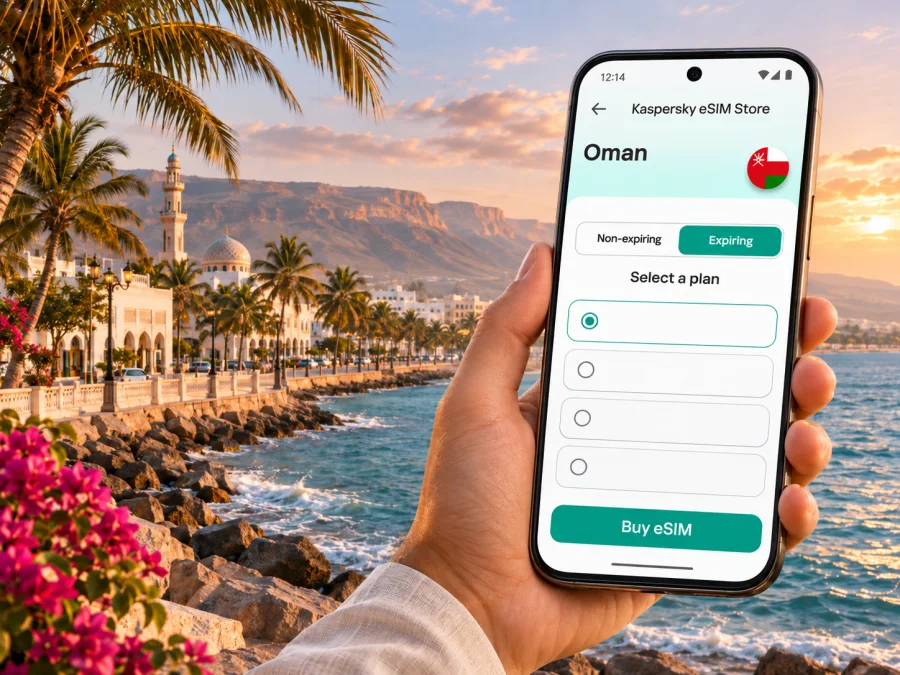
eSIM for Salalah: mobile connection and internet in Oman
Salalah is a southern Omani city on the Arabian Sea and the main urban base for exploring Dhofar. A mobile data connection can make the first hours after landing simpler: check your hotel address, message your driver, open a map, and confirm a booking without relying on a public Wi-Fi network. An eSIM can be prepared before departure, provided your device supports it and is not carrier-locked.
This guide focuses on practical connectivity in Salalah: arrival at Salalah International Airport, getting around town, choosing a data allowance, and planning trips beyond the city. Mobile service depends on the selected plan, its partner network, local conditions, and your phone settings. No eSIM can promise the same signal in every building or on every road, so save essential details offline and check coverage information before travelling.
Why mobile data helps during a Salalah stay
Many visitors use Salalah as both a city break and a starting point for seeing Dhofar. Your phone may need to handle navigation from the airport, hotel messages, ride or transfer coordination, restaurant searches, tickets, translation, and contact with family. If you work while away, maps and messaging may be only part of the load: video calls, file uploads, and hotspot use can consume considerably more data.
A travel eSIM is a digital SIM profile installed on a compatible device. Depending on the plan, it can provide mobile data in a destination without removing your home SIM. Before selecting one, check where it works, how long it lasts, what data allowance it includes, when validity begins, and whether tethering is allowed. These details matter more than a headline data number.
| Salalah situation | What you may use mobile data for | Useful preparation |
|---|---|---|
| Landing and leaving the airport | Confirming a pickup, contacting your accommodation, opening directions | Save the accommodation address and driver details before boarding |
| Exploring central Salalah | Maps, opening hours, restaurant information, messaging | Download an offline map and keep a written destination name |
| Visiting a site outside town | Route planning, checking opening information, contacting a guide | Check the full route and conditions before setting out |
| Working from a hotel or café | Email, cloud files, calls, hotspot | Estimate work traffic separately and confirm hotspot terms |
| Moving between Dhofar destinations | Navigation and itinerary updates | Do not assume service is continuous outside settled areas |
These examples are not a guarantee of network performance at a specific location. Download maps in advance; live traffic, new searches, and messages require data.
Arrival at Salalah International Airport
Salalah International Airport (SLL) is the air gateway for the city and Dhofar. After immigration and baggage collection, your next steps may include meeting a pre-booked transfer, arranging a taxi, or confirming your hotel’s directions. Keep those details available offline: airport Wi-Fi or cellular service can be useful, but neither should be the only way to locate your driver or accommodation.
If you install an eSIM before flying, complete the setup while you have stable internet and enough time to read each screen. Some plans can be installed in advance but only start their validity when they connect to a supported network; others may follow different rules. Read the plan’s activation instructions carefully. Do not delete an installed profile just because it does not connect before the destination: first check whether the provider says it should activate only after arrival.
A simple arrival checklist:
- Save your hotel name, address, booking reference, and a local contact number.
- Confirm who is meeting you, where the meeting point is, and what to do if your flight is delayed.
- Keep your home SIM available for calls or verification messages if you still need it.
- Set the travel eSIM as the mobile data line only when you intend to use it.
- Enable data roaming for that eSIM only if the plan’s instructions require it; roaming settings do not mean you should enable roaming on your home line.
- Check that mobile data works before leaving the terminal, if possible.
If data does not connect immediately, pause before changing several settings at once. Verify that the eSIM line is switched on, the correct line is selected for mobile data, the plan is active, and airplane mode is off. A restart or manual network selection may help in some cases, but follow the plan provider’s instructions and avoid deleting the eSIM unless support tells you to do so.
Moving around the city
Salalah’s attractions and daily destinations are spread across a broad urban area. You may move between accommodation, beaches, shops, heritage sites, and meeting points by car or taxi. A connected phone can help you compare routes, send a pin to a driver, check a destination’s current opening information, and update companions if plans change. It is still sensible to confirm the final destination with the driver, especially when a place has similar names or a large entrance area.
Keep an offline backup for the parts of the trip that should not depend on a live signal. Download the map area you need, take screenshots of booking confirmations, and note the Arabic or English name of a hotel or landmark. If a map suggests a route that seems unsuitable, ask locally before continuing. Navigation apps are aids, not a substitute for local advice or road signs.
The exact route matters when you travel beyond central Salalah. Dhofar includes coastal areas, mountains, wadis, and desert landscapes; a route that looks close on a small screen may involve different road conditions or a longer drive than expected. For a guided outing, confirm the meeting point, return arrangements, and whether your guide expects you to have mobile service. For independent travel, check road and weather conditions, fuel, daylight, and vehicle suitability before leaving town. Do not rely on a phone signal as an emergency plan.
A practical connectivity routine for a day out
- Before leaving your accommodation, open the route while online and save or download the relevant map area.
- Share your itinerary and expected return time with someone travelling with you or a trusted contact.
- Charge your phone and, for a long drive, carry a power bank and a car charger.
- Keep an offline copy of your booking, tour details, and important addresses.
- Use live data for changes and messages when available, but follow local signs and your guide’s directions.
- When returning to town, check your route before setting off rather than waiting until you reach an unfamiliar junction.
A data plan cannot make an isolated route safe or guarantee service in remote areas. For unfamiliar terrain, consider a local guide or organised tour.
Seasonal visits to Dhofar
Dhofar’s well-known Khareef season runs from June to September, when mist and light showers bring a different atmosphere to the plains and mountains around Salalah. If your visit falls in this period, allow flexibility for weather and changing day-trip plans; outside it, do not expect the same seasonal landscape. Check current local conditions before setting out, and keep routes, bookings, and meeting details saved offline in case a live connection is unavailable.
Choosing an eSIM plan for Salalah
Start with the actual itinerary rather than choosing by the largest allowance or the lowest displayed price. If you will stay mostly in town and use messaging, maps, and occasional searches, your needs differ from a week of video calls, hotspot use, or frequent uploads. Estimate your daily use from your normal phone habits, then add a reasonable margin for unexpected navigation and booking changes.
Before checkout, review these points in the plan details:
- Destination: Confirm that the plan includes Oman. A regional plan may list countries individually, so check that Oman is explicitly covered.
- Network and coverage: Read the available network information and coverage notes. The name of a destination in a plan does not mean every location has service.
- Data allowance: Decide whether you need occasional maps and messaging or heavier work and media use. Background updates and photo backups may use data without you noticing.
- Validity: Check the number of days and the event that starts the validity period. Installation and activation are not always the same step.
- Tethering: If you plan to connect a laptop or another device, make sure the plan permits hotspot use and account for the additional data.
- Calls and texts: Travel data eSIMs may be data-only. Do not assume that a plan includes an Omani phone number, traditional voice calls, or SMS unless the listing says so.
- Renewal and top-up: Check whether the plan expires, can be topped up, or requires a separate purchase if you need more data.
- Device requirements: Confirm that your phone supports eSIM and is not locked to a carrier.
Kaspersky eSIM Store is a website and app where travellers can choose, arrange, and activate an eSIM with a suitable plan for mobile internet on an international trip. To review current options for the country, browse the eSIM plans for Oman. Check the live plan information before purchase: availability, supported networks, package size, validity, and terms can differ between plans and may change.
Device compatibility and setup
A phone’s model name alone may not prove that its particular regional version supports eSIM. Availability can differ between device variants, and carrier restrictions may prevent adding a profile even when the hardware supports it. Check the manufacturer’s information for your exact device variant, look for an option to add an eSIM in the mobile-network settings, and confirm that the phone is unlocked. You can also check whether your device is compatible before selecting a plan.
If your phone has a physical SIM and an eSIM, it may allow you to keep your usual number available for incoming calls while using the travel eSIM for data. The available dual-SIM behaviour depends on the device and configuration. Choose the data line explicitly, and review your home operator’s roaming settings so calls, texts, and data do not incur charges you did not expect. Keep in mind that a data-only eSIM may not receive ordinary SMS verification messages.
Install before departure
The exact menu names vary by phone, operating-system version, and plan. Follow the instructions shown by the provider and on your device. In general, setup involves connecting to reliable Wi-Fi, opening the eSIM installation flow or scanning the supplied QR code, confirming the new mobile plan, and labelling it clearly, for example “Oman travel.” Use the provider’s step-by-step Android eSIM installation guide or iPhone and iOS installation guide for the device-specific process.
Before travel, verify that the new profile appears in your phone’s cellular settings. If plan rules say to wait until arrival to turn it on or select it for data, follow those rules. Keep the QR code and account details private, and do not share them in a public chat or screenshot. Some QR codes can only be used once; if setup fails, consult support rather than repeatedly scanning or removing the profile.
At your destination
When you are ready to use the travel plan, select it as the mobile data line and apply the plan’s instructions about data roaming and network selection. Leave your home line configured according to your own roaming preferences. A few minutes may be needed for the profile to register. If it remains offline, check the basics in order: the eSIM is enabled; mobile data is assigned to the correct line; airplane mode is off; the plan’s validity has started; and the settings match the provider’s instructions.
Avoid deleting an eSIM as a first troubleshooting step. Removing the profile can make reinstallation difficult, especially if its QR code cannot be reused. If toggling the line or restarting the phone does not help, contact the plan provider through the support route listed in your purchase details. Keep a second way to access those details, such as an offline note or saved email.
Local operator eSIMs and travel-plan distinctions
Oman’s local mobile market and an international travel eSIM are different ways to arrange service. For example, Omantel currently publishes a Tourist eSIM Pack for visitors, with its own package terms, eligibility process, and activation requirements. That is an operator-specific local offer. It should not be confused with a plan selected through Kaspersky eSIM Store, and its package details should not be assumed to apply to a Kaspersky-listed plan.
If comparing options, check the exact product and provider shown at checkout, what identification or registration is required, where you can activate it, the data and validity terms, and whether voice or SMS is included. Local operator offers can be useful when you need local calling or a locally issued number, but conditions are set by the operator and can change. A travel data plan may be more convenient for a visitor who mainly needs internet access, but the included services depend on that plan. Choose based on your needs and the current written terms.
Do not infer coverage from an operator’s presence in Oman or from a package advertised for tourists. The relevant question is whether the exact plan you intend to use lists Oman, which network or networks it can access, and whether the places on your itinerary are covered. For remote sites or long drives, keep offline maps and arrangements regardless of which eSIM you choose.
Troubleshooting checklist
If the phone is offline, check that the eSIM is enabled and selected for data, the plan includes Oman and is active, and the roaming or network settings match the plan instructions. Toggle airplane mode or restart the phone if needed. If the issue continues, contact the provider through your purchase details. Do not delete the profile as a first step; reinstallation may require a new QR code. Connection problems can result from device settings, plan status, local coverage, or temporary network conditions. Keep QR codes and account details private.
Frequently asked questions
Is Salalah in Oman?
Yes. Salalah is a city in Dhofar Governorate in southern Oman. It is the main urban centre for visitors using the city as a base for exploring the region.
Does an eSIM work automatically as soon as I land?
Not necessarily. The profile may need to be installed, enabled, selected for data, and configured according to the plan instructions. The validity start event also depends on the plan. Complete as much setup as possible before travel, then follow the activation steps for arrival.
Will a travel eSIM give me an Omani phone number?
Do not assume that it will. Many travel eSIM plans are intended for mobile data and may not include a conventional phone number, voice minutes, or SMS. Check the exact package details if you need local calls or text messages. Messaging and voice apps can use data, subject to their own requirements.
Can I keep my regular SIM active?
Often a compatible dual-SIM phone can keep a physical SIM and an eSIM installed, but which lines can remain active together varies by device and settings. Choose the travel eSIM for data if that is what you intend, and check roaming costs with your home operator before leaving its network.
Can I rely on mobile data on a Dhofar day trip?
Treat coverage as location-dependent. A network may be available in town and vary along a road, in mountainous terrain, or at a remote attraction. Download maps, save bookings, and arrange transport before you go. Ask a local guide about the route and conditions.
How do I choose between a local operator eSIM and a travel eSIM?
Compare the exact current terms. A local operator offer may include a local number or calling benefits, while a travel plan may focus on data for a visitor. Check registration requirements, activation method, coverage, validity, data, voice, SMS, and support for the specific option.
What should I do if the phone is not compatible?
You can use another eSIM-compatible, unlocked device, check whether your home operator’s roaming service suits your trip, or ask about a local physical SIM option. Confirm current requirements and costs before relying on any alternative.
Before you leave for Salalah
Use this final checklist to make the first day easier:
- Confirm that your phone’s exact regional variant supports eSIM and is unlocked.
- Choose a plan that explicitly includes Oman, and read its validity and network terms.
- Estimate data needs from maps, messaging, work, streaming, and hotspot use.
- Install the eSIM on reliable Wi-Fi and keep the setup instructions available offline.
- Save your accommodation address, airport pickup information, bookings, and essential map areas.
- Decide which line should handle mobile data and review home-line roaming settings.
- For trips outside Salalah, confirm route, transport, return timing, and local conditions in advance.
When you are ready to prepare, use Kaspersky eSIM Store to review the live details and choose an eSIM plan for your trip to Oman. Install and activate it according to the instructions for your device and the plan you select, then keep offline copies of the information you may need on arrival.


