Travel connectivity guide
Salazie eSIM: Mobile Internet for Your Reunion Trip
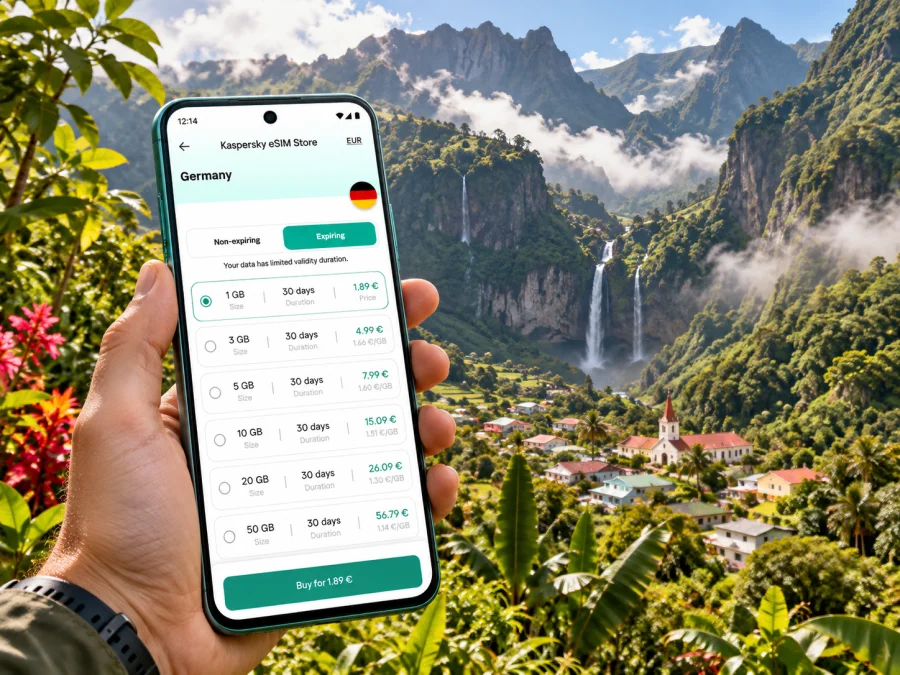
Salazie eSIM: mobile connection and internet for a mountain stay
Salazie is not a compact city with a single centre. It is a commune and a dramatic natural cirque in the mountainous interior of Reunion, with villages and hamlets spread along winding roads. Hell-Bourg is its best-known village; Grand-Ilet and other localities sit farther into the cirque. That geography shapes every practical decision about mobile internet: your route, accommodation, walking plans and the time you spend away from the main road all matter.
A travel eSIM can help you use maps, check messages, confirm a booking or look up road information without swapping out your physical SIM. It is especially useful when you are arranging the trip from Saint-Denis, driving from the coast, or staying in a guesthouse while exploring on foot. An eSIM is a mobile-data option, though: it does not guarantee reception in every valley, on every trail or inside every building. Prepare for patchy service and keep important information available offline.
First, understand the place you are visiting
Salazie is both the name of a commune and of one of Reunion’s three natural cirques. The cirque is known for its green slopes, waterfalls and small settlements. You will see the name used for the wider destination, while Hell-Bourg is often the practical base for visitors looking for village accommodation, local services and access to walks. Grand-Ilet is another important settlement, especially for routes that continue toward the highlands and trailheads.
This is a countryside and mountain itinerary, not an urban break. There are no assumptions of a dense grid of shops, frequent transport or a signal that follows you everywhere. Distances on a map can be misleading because roads curve through steep terrain and travel times depend on weather, traffic and road conditions. Build in slack time, particularly if you have a timed activity, onward reservation or flight later in the day.
From the airport to Salazie
Most air arrivals begin at Roland Garros Airport, near Saint-Denis. The usual road approach to the cirque goes east toward Saint-André and then inland on the RD 48. The route passes through the Rivière du Mât gorge and continues toward the village of Salazie. From there, roads branch toward Hell-Bourg and Grand-Ilet. If you are collecting a rental car, check the airport’s current arrival and vehicle-pickup details before you travel; timings and availability can vary by flight and season.
Navigation is useful for the drive, but do not rely on a live map alone. Before leaving the airport, download an offline map of the relevant part of Reunion, save the accommodation address and note the planned route. If you are driving, set the destination before moving and let a passenger handle any changes. The road is scenic, but attention belongs on the bends, weather and other traffic rather than on a screen.
The RD 48 journey is a transition from the coast into a steep, green interior. Waterfalls and viewpoints may tempt you to stop, but only pull over where parking is permitted and safe. Do not stop in the road or at a blind bend for a photograph. Heavy rain can affect visibility and road conditions; check current local information before setting out and be prepared to delay the drive if conditions are poor.
Plan each leg, not just the final destination
Public transport may be an option for some parts of an itinerary, but service patterns and connections should be verified for your specific date and destination. Do not assume that a bus will take you to a trailhead or provide a convenient return after a walk. If you intend to travel without a car, confirm the current route, timetable, stop location, luggage arrangements and last return service directly with the transport provider before booking accommodation or committing to a hike.
Choosing where to stay
Hell-Bourg is a practical choice if you want a village atmosphere, guesthouses and access to local points of interest. The tourist information office is located in the village, and local visitor information describes accommodation options ranging from guesthouses and seasonal rentals to Creole-style lodging and hiking gîtes. Check directly with your chosen property about check-in, parking, meals, payment methods and whether mobile reception or Wi-Fi is available in the room. A listing that mentions Wi-Fi does not tell you how it performs in every room or during busy periods.
Grand-Ilet can suit travellers whose plans focus on the higher parts of the cirque, the Col des Bœufs area or routes toward Mafate. It is farther from some village services, so confirm what is available at your accommodation and how you will reach meals, supplies and your next stop. If you are staying in a smaller hamlet, ask the host for a precise location pin and written directions. A map pin can be imprecise in steep terrain, and a saved address is useful if data access is intermittent.
When comparing accommodation, think beyond the nightly rate. Check whether you need a car, whether there is secure parking, what time the kitchen or reception closes, and how far you will be from the start of your planned activities. For remote stays, ask whether the property has Wi-Fi and whether guests should arrive with food or water. Keep the host’s phone number and booking details accessible offline in case a message cannot be delivered on the road.
Mobile internet in a mountain destination
In Salazie, a mobile connection is most useful for tasks that benefit from current information: navigation, messaging your host, checking weather updates, sharing a location with someone, or confirming a change in plans. It is less wise to depend on continuous coverage for a long walk. Steep ridges, deep ravines, forest and distance from populated areas can interrupt a signal, regardless of the eSIM profile installed on your phone.
Before you select a travel eSIM, check whether the destination is listed for the offer and read the current plan conditions. Make sure the included data volume and validity period fit the whole trip, including arrival, the drive to Salazie and any onward travel around Reunion. A city-specific plan is not necessarily available for a commune or cirque; select the destination that matches the actual country or region shown in the plan details. Do not infer network coverage from the name of a place or from a map pin.
Kaspersky eSIM Store is an app and website where you can choose, arrange and activate an eSIM with a plan for mobile data during an international trip. It helps you prepare the digital SIM and review the conditions shown for the selected destination. The underlying mobile service and coverage depend on the relevant local network and plan. To compare the options currently shown for the island, browse the Reunion destination page. This is a country-level destination page; check its current terms rather than assuming it represents a special Salazie tariff.
How much data should you plan for?
Downloading offline maps, accommodation details, tickets and walking notes before you leave a reliable connection can reduce data use and give you a backup. Disable automatic video playback and large photo uploads if you want to conserve your allowance. These are useful habits even when the phone shows a strong signal, since reception and speed can change as you move through the cirque.
Before you buy or install an eSIM
Check the exact device you will carry, not just the product family name. eSIM availability can differ between regional versions of the same phone, and a device may also be locked to a carrier. Confirm that the phone supports eSIM, can add another mobile plan and is not restricted by a network lock. If you use a tablet or a second phone, verify that specific model separately. Check whether your device supports eSIM.
Also review the plan’s coverage destination, data allowance, validity, activation instructions and any requirements for data roaming. Read the rules for installation and transfer before starting: an eSIM profile may not be reusable on another device, and deleting it could make recovery difficult. Keep the QR code or setup details available as instructed, and do not install the profile on a phone you will not take with you.
Pre-trip checklist
- [ ] Confirm that the handset supports eSIM and is carrier-unlocked.
- [ ] Check the plan’s destination, data volume, validity and activation conditions.
- [ ] Save your accommodation address, host contact and arrival instructions offline.
- [ ] Download offline maps for the airport approach, Salazie and your walking area.
- [ ] Keep your usual SIM active if you need its number for calls or verification codes.
- [ ] Bring a charger or power bank; navigation and photography can use battery quickly.
- [ ] Tell someone your walking plan and expected return time.
Install before departure, activate with care
If you have stable Wi-Fi before travelling, setting up the eSIM in advance can make arrival simpler. Follow the instructions supplied with your plan and your phone’s own setup flow. Some plans start their validity at installation, while others use a different activation trigger; the terms for the selected plan decide this. Confirm the start condition before installing if you want the validity period to cover a specific date.
A typical setup sequence is:
- Check that the phone is connected to Wi-Fi and has enough battery.
- Open the mobile or cellular settings and choose the option to add an eSIM.
- Use the QR code or manual details supplied for the plan, following the on-screen prompts.
- Give the new line a clear label, such as “Travel data,” so it is easy to identify.
- Keep your primary line selected for calls and texts if you still need its number; choose the travel eSIM for mobile data when appropriate.
- Turn on data roaming for the travel eSIM only if the plan instructions require it.
- Check the plan’s activation conditions and test data when the plan is due to work.
The exact menu names differ by phone and operating-system version. Use the Android eSIM setup guide or the iOS eSIM setup guide for the relevant device. If the profile is installed before the flight, avoid changing or deleting it unless the instructions tell you to do so. Keep a copy of the setup information in a safe place, and do not share a QR code publicly.
After landing, check which SIM is selected for mobile data and whether the travel profile is enabled. If data does not connect, first confirm that the plan is active, the correct line is selected and the phone’s network settings follow the plan instructions. Restarting the phone can help refresh registration, but do not reset or remove the eSIM as a first troubleshooting step. If the connection still fails, use the support details provided with the plan while you have Wi-Fi.
Getting around without depending on a signal
A mobile connection can make spontaneous changes easier, but Salazie rewards a prepared approach. Save the route from the main road to your accommodation, identify a safe place to park and note the walking time to any nearby services. If you plan to visit a viewpoint or waterfall, check access and weather conditions before leaving. Conditions and trail access can change, so an old screenshot or cached search result should not be treated as a current notice.
Use a navigation app as one input alongside road signs and local instructions. If a route suggests a narrow or unsuitable road, stop somewhere safe and reassess rather than following it automatically. Avoid handling the phone while driving. In villages and at trailheads, ask locally if you are uncertain about parking or access; a short conversation can prevent a wrong turn or an unsafe stop.
For a hike, download the route information and any map you need before setting out. Carry enough water, suitable footwear, weather protection, a charged phone and a backup navigation option. Share your itinerary and expected return time with a trusted person. Do not treat a phone signal as an emergency plan: it may be unavailable in a ravine or on a remote path. Choose a walk that matches your fitness and experience, and respect signs, closures and local advice.
A practical day plan
Morning: Check the weather and any local access information while connected at your accommodation. Save the route and destination details. If you are driving, make sure your phone is mounted safely and begin with a full battery.
On the road: Follow signs and use navigation for orientation. Stop only in designated or clearly safe places. If you lose data, continue with the offline map and your saved directions rather than repeatedly searching for a signal while moving.
At a village or viewpoint: Send any messages that need to go through while service is available. Keep a note of your return route and the location of your vehicle. Do not assume the same reception will be available farther along a trail.
Before returning: Check the weather and road situation again if possible. Tell your host if your plans have changed, and allow time for the winding drive back toward the coast or airport.
Short stop, overnight stay or work trip?
| Travel style | Connectivity priorities | Useful preparation |
|---|---|---|
| Short stop in Hell-Bourg | Directions, a booking message and essential updates | Download maps and confirm where to park before leaving the coast |
| Overnight guesthouse stay | Contact with the host, local plans and return navigation | Save check-in instructions and ask about Wi-Fi and mobile reception |
| Hiking-focused visit | Offline route access and emergency readiness | Share your plan, check trail access and do not depend on live coverage |
| Work between locations | Messaging, email and calls over internet apps | Confirm connectivity at the accommodation and keep files available offline |
| Island road trip | Data for navigation across several stops | Check that the plan covers the whole destination and lasts for the full itinerary |
An eSIM is generally designed for mobile data unless the specific plan explicitly says otherwise. Do not expect it to provide a conventional local phone number, voice minutes or SMS. You can continue using your usual number for calls and texts if your home plan allows it, while setting the travel eSIM as the data line. Check your home operator’s roaming terms before departure to avoid unexpected charges.
Common questions
Is Salazie a city?
Salazie is the name of a commune and a natural cirque in Reunion. Hell-Bourg, Grand-Ilet and other settlements are within the wider destination. For a travel plan, use the precise village or accommodation address rather than treating “Salazie” as one compact town centre.
Will an eSIM work throughout the cirque?
No provider can responsibly promise reception everywhere. Coverage depends on the local network, terrain, weather, device and plan. Expect service to vary between the road, a village, a building and a trail. Download essential information in advance and keep a non-digital backup for important directions.
Can I use a travel eSIM for phone calls?
Usually, a data-focused travel eSIM does not include a regular phone number, voice calls or SMS unless the selected plan states otherwise. Internet calling and messaging apps may work when a data connection is available. Keep your usual SIM if you need its number, and check your home plan’s roaming charges.
Should I install the eSIM before reaching Salazie?
You can install it before departure if the instructions and validity terms suit your dates. Some plans begin their validity at installation; others activate differently. Read the selected plan’s conditions first, and use a stable Wi-Fi connection for setup.
What if there is no signal on a walk?
Use the map and directions you downloaded earlier, follow marked routes and local signs, and do not rely on live tracking. Tell someone your route and expected return time before setting out. If you need emergency help, follow local emergency guidance; a mobile-data connection cannot be assumed in remote terrain.
Is Wi-Fi enough for a visit?
It may be enough for some travellers, especially if accommodation provides a usable connection and you download information in advance. A travel eSIM adds a mobile-data option while moving, subject to coverage. Ask your accommodation about Wi-Fi and plan around the activities you have scheduled.
Make the connection plan part of the itinerary
Before travelling, check that your device supports eSIM, read the selected plan’s destination and validity terms, and complete setup over Wi-Fi when appropriate. Kaspersky eSIM Store helps you choose, arrange and activate an eSIM for mobile data on an international trip. Review the current Reunion destination options and choose a plan only after checking its stated conditions for your itinerary. Then install it using the appropriate Android guide or iOS guide, and keep offline directions ready for the green valleys and mountain roads of Salazie.


