Travel connectivity guide
Salima eSIM: Mobile Data for Malawi Travel
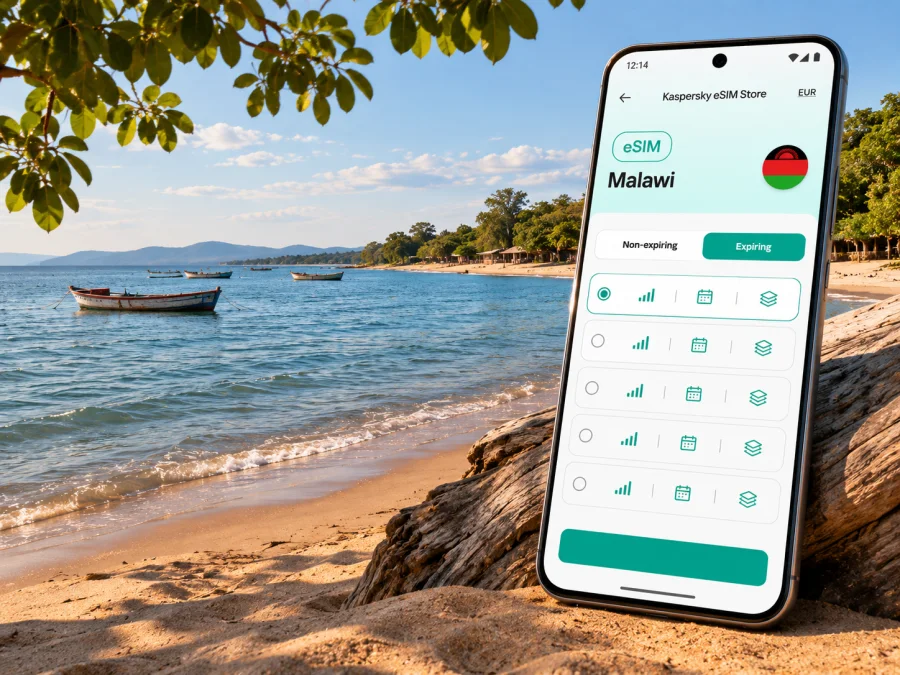
Salima eSIM: Mobile Connection and Internet for Your Trip
Salima is a useful stop in central Malawi for travelers heading to Lake Malawi. The name can refer to the town or the wider district, so it helps to plan with the map pin in mind: Salima town is inland, while Senga Bay and its lakeside lodges are farther east. A mobile data connection can help you coordinate a transfer, check a booking, navigate between these places, and keep in touch while you travel. An eSIM is one way to prepare that connection without swapping a physical SIM, provided your device and the selected plan support it.
This guide covers arrival, local travel, and choosing a plan for your route. Coverage and plan terms vary by location and provider, so check current details before relying on mobile data for an important journey.
Salima town, the district, and the lakeshore
Salima is in Malawi’s Central Region. The town is a local service and trading centre near the junction of the M14 toward Lilongwe and the M5 lakeshore road. Senga Bay is a separate lakeside destination within the broader Salima area; it is not the same place as the town centre. Tourism information describes Salima town as inland from the lake and gives a road distance of about 110 km from Lilongwe, while other local travel descriptions use different distances and journey times depending on the start point and route. Treat estimates as planning guidance rather than a guaranteed travel time.
That distinction matters when you search a map, share your location, book accommodation, or arrange a pickup. A reservation may say “Salima” while the property is actually at Senga Bay, Leopard Bay, or elsewhere along the shore. Confirm the exact pin and the pickup point with your host or driver before departure. Do not assume a hotel address in Salima District is close to the town centre.
| Place or route | What to expect | Useful preparation |
|---|---|---|
| Salima town | Inland town with shops, services, and road connections | Save the town centre and your meeting point offline |
| Senga Bay | Lakeside resort area east of Salima town | Confirm the lodge pin and the final transfer in advance |
| Chipoka | Lake port and transport point on the lakeshore | Check departure details locally; schedules can change |
| Lilongwe to Salima | Road journey using the central route toward the lake | Agree on a pickup point and allow time for the journey |
| Salima to Senga Bay | A separate leg from the town toward the shore | Arrange local transport rather than assuming a direct walk |
Use the table as a planning aid, not a timetable. Confirm pickup arrangements, road conditions, and onward travel with your accommodation or transport provider. Save contact details before a journey that depends on a boat or lodge transfer.
When mobile data is useful in Salima
In and around Salima, data may help you coordinate an airport transfer, contact a lodge, check a route, translate a message, or update someone if your arrival time changes. Near the lake, it can help with bookings and excursion arrangements. These are reasons to plan for connectivity, not a promise of signal at every point.
On arrival in Malawi
Many travelers reach central Malawi through Kamuzu International Airport in Lilongwe and continue by road. Save the driver’s number, meeting place, and accommodation details before your flight. A data plan can help with a map check or last-minute message, but keep a copy of pickup instructions offline. Before leaving the airport, check whether the eSIM has connected to a supported network. Airport Wi‑Fi availability can change, so avoid a tight plan that depends on it.
Along the M14 and M5
The Lilongwe–Salima trip is a road journey through both built-up and rural areas, so service may vary. GPS can show your position without data, but fresh map tiles, traffic updates, and online searches may not load. Download the map area and pin your destinations in advance.
If you are travelling with a driver, use the journey to confirm the precise destination, not just “Salima.” For Senga Bay, share the resort name and map pin; for a stop in town, share the correct town address. At a fork or when entering a less familiar area, follow the driver’s local knowledge and road signs rather than making a sudden turn because a map refreshed late.
In town and at the market
In Salima town, mobile data can help you find a shop, confirm a meeting, or message a driver. Confirm changing details such as opening hours and transport with a local contact. A map is an aid, not a substitute for asking directions when a street or landmark is unclear. Keep your phone charged, store your accommodation address offline, and agree on a clear return point and time before separating from your group.
At Senga Bay and on the water
At Senga Bay, accommodation is spread along the shore, and activities may involve a boat or meeting point away from the main road. Ask your lodge about signal at the property and save transfer details before leaving. Do not count on service while out on the lake or at a distant shore. Keep the return plan and contacts offline, and follow local guidance on lake conditions and safety.
Plan an eSIM around your route
A suitable eSIM plan depends on the coverage area named in its terms, the length of your stay, your expected data use, and whether you will travel beyond Salima. Kaspersky eSIM Store is an app and website where you can choose, arrange, and activate an eSIM with a plan for mobile data on an international trip. The particular plan’s supported destination, data allowance, validity period, price, activation rules, and network arrangements are the details to review before purchase; they can change and should not be inferred from a city name.
For a trip based in Salima, look at the full itinerary. If you will also visit Lilongwe, continue along the lake, or travel to another country, confirm that the plan covers every destination where you expect to use it. A Malawi plan is not automatically a regional plan, and a plan described for a region may have its own country list and restrictions. Read the destination list rather than relying on a map image or a broad label.
Estimate the data you will use
Think in terms of activities rather than choosing a package by habit. Messaging and occasional map checks generally use less data than long video calls, uploading many photos, streaming, or using a phone as a hotspot for a laptop. Navigation can continue to use data when it refreshes maps or searches for new places, even if the route itself appears simple.
Estimate use from your travel days and online tasks:
- Light: messages, occasional email, and searches; save maps and tickets offline.
- Regular: repeated map checks, ride coordination, browsing, and photo sharing.
- High: video calls, frequent uploads, streaming, or tethering a laptop.
These are patterns, not measured allowances. Photo quality, backups, and background updates change consumption. Check your phone’s data-use screen, disable automatic downloads, and use Wi‑Fi for large updates where suitable. A plan limit is a budget to monitor, not a speed guarantee.
Check the plan terms before you pay
Read the plan page and purchase details carefully. Confirm:
- Destination: Malawi is explicitly included, and any other countries on your route are listed if needed.
- Data amount: the included traffic is enough for your intended use, or the plan explains how additional data works.
- Validity: check how long the plan lasts and when that period begins. Activation rules differ by plan.
- Network and access: review any stated network, speed, hotspot, or fair-use conditions; do not assume every service has the same terms.
- Installation: note whether you will install through the app, a QR code, or another supported flow, and whether the profile can be installed only once.
- Device: confirm eSIM support and that the device is not locked to a carrier that prevents another profile from being used.
If a detail is not displayed or is unclear, check with the service’s support team before buying. Do not assume that a local mobile operator’s eSIM offer, an international travel eSIM, and a phone’s ability to store an eSIM are the same thing. They are separate questions.
You can review eSIM plan options for Malawi and compare the current terms for your trip. This is the country destination page, not a special Salima tariff. Check the plan details displayed there and select only an option whose coverage area and conditions match your route.
Device compatibility and setup
Your phone must support eSIM, and it must be permitted to use a profile from another provider. The exact device model and regional variant matter: phones sold under a similar product name can differ by market, and some carrier-locked devices restrict activation. Check the manufacturer’s specifications for your exact variant and review the phone settings. You can check whether your device supports eSIM before choosing a plan.
Install the profile while you have a stable internet connection, preferably before leaving for Malawi. Follow the instructions supplied for the plan and your phone. If installation uses a QR code, display it on another screen or print it if your phone cannot scan its own display. Keep access to your account and installation details until you have confirmed that the profile appears in the device settings.
Before departure
- Update your phone and back it up if that is part of your normal routine.
- Confirm the exact model variant supports eSIM and that the phone is carrier-unlocked.
- Check whether the plan should be installed before travel or closer to departure, and when its validity starts.
- Install the profile using the provided steps while connected to Wi‑Fi or another reliable connection.
- Label the profile clearly, for example “Malawi data,” so it is easy to identify beside your home SIM.
- Keep your normal number available for calls or SMS if you need it, and review its roaming charges with your existing provider.
- Download offline maps for Lilongwe, Salima, and the road toward your accommodation; save booking and transfer details.
For platform-specific steps, use the Android eSIM installation guide or the iOS eSIM installation guide. Menu names vary by operating system version and device manufacturer, so follow the on-screen prompts for your own phone.
After landing
Once you are ready to use the travel profile, open the mobile network settings and select it for mobile data. Keep your home SIM enabled for calls or messages only if that is what you want, and verify which line is selected for data. Some plans require data roaming to be enabled on the travel eSIM; others may not. Follow the instructions and terms for your specific plan instead of switching roaming on for every line by default.
Give the phone a little time to register. If the data connection does not start, check that the correct eSIM is enabled, mobile data is assigned to it, airplane mode is off, and the device has selected a supported network automatically. Restarting the phone may help. Do not delete an installed eSIM profile as a first troubleshooting step: a profile may not be reusable after removal. If the issue continues, use the plan’s documented network-selection steps or contact support while connected to Wi‑Fi.
Choosing between eSIM, a local SIM, and roaming
The right option depends on your phone, length of stay, need for a local number, roaming charges, and current Malawi plan terms.
| Option | May suit you when | Check first |
|---|---|---|
| Travel eSIM | You want to arrange a data profile before or during the trip and your phone supports it | Destination, network terms, activation timing, data limit, and device compatibility |
| Local physical SIM | You need a local number or prefer an in-country purchase and your phone accepts a physical SIM | Current registration and purchase requirements, store availability, coverage, and top-up process |
| Home-provider roaming | Keeping your usual number and service is the priority | Rates, included data, roaming activation, and charges outside any bundle |
| Wi‑Fi only | Your plans are mostly at accommodation or other known Wi‑Fi locations | How you will navigate and communicate between locations without mobile data |
A travel eSIM focused on data may not include a regular phone number, voice calls, or SMS unless the individual plan says otherwise. You can still use internet-based messaging and calling apps when data service is available. Keep your home number for account verification or essential calls if necessary, but check your provider’s terms so it does not generate unexpected roaming charges.
No option guarantees uninterrupted service on every road, at every lodge, or offshore. If continuous access matters for work or safety, make a backup plan: share your itinerary, keep important phone numbers offline, carry a power bank, and agree on check-in times that do not rely only on a live map.
A connectivity checklist for a Salima trip
Use this short checklist the evening before travel and again before leaving Lilongwe:
- [ ] Confirm whether your destination is Salima town, Senga Bay, Chipoka, or another point in the district.
- [ ] Save the exact accommodation and pickup pins, plus a written address or landmark.
- [ ] Confirm your driver’s name, number, meeting point, and expected arrival time.
- [ ] Download offline maps and save booking confirmations and any onward transport details.
- [ ] Check the eSIM plan’s destination list, data allowance, validity, and activation instructions.
- [ ] Confirm that the eSIM profile is installed and your phone is unlocked and compatible.
- [ ] Carry a charger or power bank; navigation and photography can drain a battery.
- [ ] Keep a backup way to contact your accommodation if mobile data is unavailable.
For a return from Senga Bay, agree with your host on where and when to meet the vehicle. If your onward journey is time-sensitive, confirm it the day before and again locally. Do not assume that a boat departure or road transfer will appear accurately in a map app or calendar.
Common questions
Is Salima a city or a district?
Salima is used for both the town and the district in Malawi’s Central Region. For travel planning, distinguish Salima town from lakeside places such as Senga Bay. Check the map pin and accommodation address so a driver takes you to the correct place.
Is Senga Bay in Salima town?
No. Senga Bay is a lakeside destination in the broader Salima area, east of the town. Travel between the town and a property on the shore requires a separate road transfer. Confirm the final distance and pickup with your host or driver.
Will an eSIM work everywhere around Salima?
That cannot be guaranteed. Service depends on the plan’s network arrangements, local coverage, terrain, buildings, and your device. Verify current plan terms and ask your accommodation about its own experience at the exact property. Download maps and essential details in advance.
Can I install an eSIM after I arrive?
Usually you need an internet connection to install or activate a profile, but the exact process depends on the plan and device. Installing before departure while connected to a reliable network can reduce steps on arrival. Follow the plan’s instructions, especially any notes about activation timing.
Does a travel eSIM replace my usual phone number?
Not necessarily. A data-only eSIM generally provides mobile data rather than a separate local number, voice service, or SMS. Check the terms of the specific plan. You can keep your regular SIM active for your number, while reviewing its roaming settings and charges.
What should I do if the phone shows signal but apps are offline?
First check that mobile data is assigned to the eSIM and that the correct profile is enabled. Confirm any required data-roaming setting in the plan instructions, then toggle airplane mode or restart the phone. If that does not help, connect to Wi‑Fi and contact support without deleting the eSIM profile.
Is mobile data enough for a trip to the lakeshore?
It can help with route checks and coordination when service is available, but it is not a substitute for an offline plan. Save the route and contacts, bring a charged device, and confirm excursion and transfer details directly with your accommodation. Expect a connection to vary between the town, the road, the lodge, and the lake.
Prepare for the route, not just the destination
For Salima, the most useful connectivity plan is the one that matches the full journey: arrival in Lilongwe, the road east, any stop in town, and the final transfer to Senga Bay or another lakeside address. Verify the destination and terms, install the eSIM on a compatible unlocked device, and save essential information offline. That combination gives you useful options if data is available and a workable backup if it is not.
Before you travel, use Kaspersky eSIM Store to choose an eSIM plan for Malawi that fits the destination, duration, and data use shown in the current terms. Install it by following the instructions for your device, then keep your route, accommodation contact, and transfer details accessible offline for the trip to Salima.


