Travel connectivity guide
Salmiya eSIM for Mobile Internet in Kuwait
Salmiya eSIM Guide: Mobile Connection and Internet for Your Trip
Salmiya is a useful base for a Kuwait visit that combines the Gulf waterfront, shopping, restaurants, family attractions and meetings across the capital area. A working mobile connection helps you check an address, coordinate a pickup, message your hotel and adjust plans while moving between the coast and central Kuwait. An eSIM can provide mobile data without swapping out your physical SIM, provided your phone supports eSIM and the plan you choose is available for Kuwait.
Salmiya is an area in Hawalli Governorate, on Kuwait’s Gulf-facing urban strip. It is not a separate country or a standalone mobile market: a plan for travel here is a Kuwait plan, and its network access depends on the plan’s terms and local partner coverage. Keep that distinction in mind when comparing destinations or planning a route that continues beyond the city.
When mobile data is useful in Salmiya
Salmiya is not a single sightseeing point. You may move from a hotel or apartment to the waterfront, a restaurant, a shopping centre, a meeting in Hawalli or a day trip toward Kuwait City. A map and messaging connection can make those changes easier, especially when a street name, building entrance or pickup point is unfamiliar.
A travel eSIM may be useful for:
- opening maps and checking a route before leaving a hotel;
- sharing your location or pickup details with a driver or travel companion;
- confirming a restaurant, appointment or attraction time;
- translating a short message or checking opening information while out;
- using messaging and other internet-based services between Wi-Fi connections;
- keeping your home SIM in the phone for calls or verification messages, if your device supports dual SIM use.
This is a data-planning option, not a promise that every service or site will work in every situation. Network availability, speed and indoor reception can vary with the local network, building, device and congestion. Save essential addresses and booking details offline as a backup.
Plan your first hour after landing
Kuwait International Airport is outside Salmiya, so allow time for the ride across the metropolitan area. The airport’s official transport information lists Salmiya among its taxi destinations. It also publishes current taxi and bus information, which is useful to check again close to your arrival because routes, operating hours and fares can change. Do not assume that a bus shown for the airport will take you directly to your hotel door.
Before boarding, save your accommodation’s full address and a map pin. Salmiya includes many streets and blocks, and a clear destination is more useful to a driver than only the district name. If you use a taxi or an app-based ride, confirm the pickup point and destination in the service you select. For a late arrival, luggage, children or a tight connection, a direct ride may be simpler than changing transport; compare the live options available when you land.
A short arrival checklist:
- Connect to airport Wi-Fi or use your existing roaming briefly if you need internet before the travel eSIM is active.
- Check the eSIM’s installation and activation instructions before leaving the terminal.
- Confirm the hotel address, building name and a map pin.
- Check current airport transport information and follow the marked pickup guidance.
- Once in the vehicle, verify that the route is heading toward Salmiya before settling in.
If the eSIM is already installed, select it for mobile data when you are ready to use it. If you have not installed it yet, do so while you have a stable internet connection and enough time to read the on-screen prompts. Avoid deleting an installed profile to troubleshoot unless the instructions for that specific plan tell you to do so; some profiles cannot simply be downloaded again.
Moving around the district
Salmiya’s coastal orientation makes a map especially helpful: a destination may be close to the Gulf but still require a road route rather than a direct walk. Heat, traffic, the time of day and the exact block all affect how comfortable a journey feels. Check both the route and the conditions before setting off, and use a taxi when walking is impractical.
For local trips, enter the destination’s exact name and address rather than relying on a broad search for “Salmiya.” A hotel, clinic, shopping destination or waterfront venue may have more than one entrance. When a ride service shows a pickup point, compare it with your position on the map; a nearby road or building entrance can be easier to reach than the pin’s general location.
| Your plan | What to prepare on your phone |
|---|---|
| Airport to hotel | Full address, map pin, transport pickup details and a way to contact the property |
| Hotel to a meeting | Exact building name, entrance or floor details, calendar entry and an alternate route |
| Waterfront outing | Destination pin, return pickup point and offline copy of the meeting place |
| Dinner or shopping | Venue name, current opening details and a saved route back to your accommodation |
| Trip to another part of Kuwait | Check that the plan is valid throughout the intended destination and route |
Mobile data is useful for navigation, but do not interact with a phone while driving. Set the route before the vehicle moves, use voice directions where available, and let a passenger handle changes. If you are walking, pause somewhere safe before checking directions, particularly near busy roads and crossings.
The waterfront, attractions and meeting days
The Scientific Center is located in Ras Salmiya and is a recognizable stop for visitors interested in marine life, science exhibits and films. Check its current opening hours, programme and ticket information before travelling; schedules can change. A saved location pin and a return-trip plan are practical if you are visiting with children or arranging to meet someone there.
For a relaxed coastal outing, use your map to identify the exact promenade, café or meeting point you have chosen. “By the sea” is too broad when you need to meet a driver or another person. Share the place name and pin in advance, and agree on a fallback meeting spot in case your group gets separated.
Business travel calls for a slightly different setup. Save the office or venue address, contact name, appointment time and a second way to reach the host. If a meeting is in another district, check the route before leaving rather than estimating distance from the map view. Traffic can change travel time, so build a buffer around important appointments.
For visitors staying several days, make a small offline pack before each outing: the destination address, a screenshot of the booking, the return location and any ticket or appointment reference. A data connection makes it easy to update plans, while offline copies help if reception drops inside a building or you need to conserve data.
Choosing an eSIM plan for a Salmiya stay
Start with the full itinerary, not only the number of days in Salmiya. If Kuwait is your only destination, check the Kuwait plan details. If you will cross a border or continue to another country, verify that the plan covers each destination; a Kuwait-only plan should not be assumed to work elsewhere.
Use these questions to compare the available options:
- Where is it valid? Confirm that Kuwait is explicitly included and review any regional limits.
- How much data do you need? Maps, messaging and email usually require less than frequent video calls, large uploads or streaming. Estimate your own use and leave a margin.
- How long is it valid? Compare the validity period with your dates, including the day you expect to activate or first connect.
- When does validity begin? Read the plan’s activation rules. Installation, activation and the start of the validity period are not always the same event.
- Can you share data? If hotspot use matters, check whether tethering is allowed by the selected plan and supported by your device.
- What does it include? A data eSIM does not automatically include a local phone number, ordinary voice calls or SMS. Check the plan terms and keep your usual line available if you need those services.
- Which network conditions apply? A plan may connect through a local partner. The displayed plan information and terms are the place to confirm service details; do not infer local coverage from the appearance of an eSIM menu.
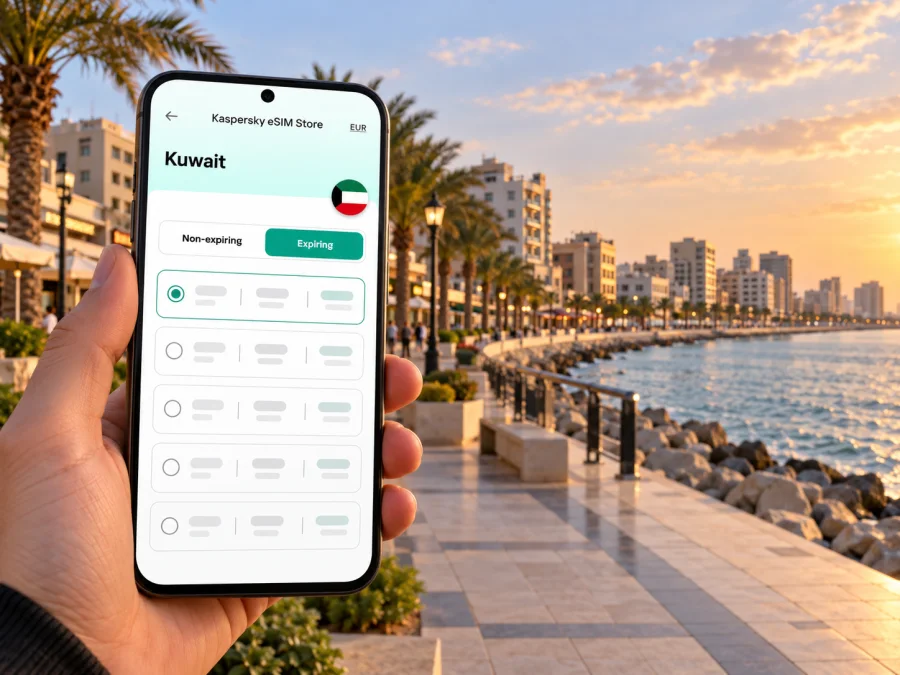
Kaspersky eSIM Store is an app and website where you can choose, arrange and activate an eSIM with a suitable plan for mobile internet while travelling abroad. You can review the current Kuwait options for a Salmiya trip and check the plan details shown there before making a decision. When checked for this guide, the Kuwait listing identified Ooredoo as the local telecommunications provider for its displayed plans. Provider information and offers can change, so confirm the current listing at purchase. A country page is for Kuwait as a destination; it does not promise a particular signal at every address in Salmiya.
For a quick estimate, list the tasks you expect to do each day:
| Typical use | Planning note |
|---|---|
| Maps, messages and ride coordination | Allow for repeated map loading and sharing photos or pins |
| Email, browsing and translation | Include work attachments and pages that load images |
| Video meetings or frequent uploads | These can use substantially more data; check your usage and plan limits |
| Entertainment over mobile data | Download media on Wi-Fi when possible and monitor consumption |
These are usage categories, not fixed data allowances. App settings, video quality, automatic backups and background updates can change consumption considerably. If your phone supports it, review its mobile-data usage screen during the trip and disable automatic downloads on the travel profile if you want tighter control.
Check compatibility before you buy
The phone must support eSIM, be able to add a digital mobile plan and be free of a carrier restriction that prevents use with another provider. Support can differ between regional variants of the same device family. A model name alone may not settle the question, especially if the phone was purchased for a different market.
Before checkout:
- look for an eSIM or “Add eSIM” option in your device’s mobile-network settings;
- check the manufacturer’s support page for the exact model number and sales region;
- confirm that the phone is not carrier-locked;
- make sure you can access email or the app where the purchased eSIM details will appear;
- keep a reliable internet connection available during installation.
If you are unsure, check whether your device supports eSIM and verify the exact regional model with its manufacturer or seller. Do this before purchase, not while trying to board a vehicle at the airport.
Install before departure or after arrival
Installing before you leave can reduce setup work after landing, but the best timing depends on the plan’s activation rules. Read the instructions for your specific eSIM and determine whether validity starts at installation, activation or first connection to a supported network. If you prefer to wait until Salmiya, make sure you have a working internet connection and enough time to complete the setup.
The general process is:
- Prepare. Confirm compatibility, remove any carrier restriction, connect to Wi-Fi and keep the eSIM QR code or setup details available on another screen if needed.
- Open mobile settings. Choose the option to add a mobile plan or eSIM. The wording varies by phone.
- Add the profile. Scan the QR code or follow the provider’s manual steps. Do not share the QR code publicly; it is part of your setup information.
- Label the line. Give the new profile a clear name such as “Kuwait data” so you can distinguish it from your home SIM.
- Choose mobile data. Select the travel profile for data when you want to use it, and keep your home line selected for calls or messages if that suits your needs.
- Review roaming settings. Enable data roaming for the travel profile only if the plan’s instructions require it. Check the plan terms before changing this setting.
- Wait for registration. Connection can take several minutes. If it does not connect, follow the plan’s troubleshooting steps and check that the selected profile and data line are correct.
Use the relevant step-by-step guide for your device: eSIM installation instructions for Android or eSIM installation instructions for iOS. Keep both the home and travel profiles named clearly so you can avoid switching off the wrong line.
If you install the eSIM before the trip but do not want to use it yet, follow the plan’s instructions for when to enable it. Do not remove the profile simply to pause data. At the end of your stay, check whether you may need the eSIM again on the itinerary before deleting it; profile transfer and reinstallation depend on the specific plan.
Keep your setup reliable while you travel
A little preparation makes mobile data easier to manage across the airport, hotel and city:
- Download an offline map of the areas you expect to visit.
- Save your accommodation address in English and, if provided, Arabic.
- Keep reservation details and essential phone numbers somewhere accessible offline.
- Turn off automatic photo backups or large app updates over mobile data if you want to limit usage.
- Check which SIM is selected for mobile data after restarting the phone or changing settings.
- Use hotel or trusted Wi-Fi for large downloads, while avoiding sensitive activity on networks you do not trust.
- Carry a charger or power bank for long days that involve navigation and photos.
A low-data situation is easier to handle if you decide in advance what matters most. Keep map access, messages and ride coordination available first. Pause video, cloud backups and automatic updates until you can use Wi-Fi or review your remaining allowance.
Common questions
Is Salmiya a separate mobile destination from Kuwait?
No. Salmiya is an area in Hawalli Governorate, Kuwait. For travel-plan purposes, check the destination as Kuwait unless the itinerary includes additional countries.
Will a Kuwait eSIM work at every hotel or building in Salmiya?
No plan can guarantee identical reception at every indoor location. Service depends on the applicable local network, the plan and its terms, your device, building materials and local conditions. Check the current plan information and keep offline essentials available.
Does an eSIM provide a local phone number?
Not necessarily. A travel eSIM may be data-only. Review the selected plan’s terms for calls, SMS and number availability, and use your regular line or internet messaging for other communication as appropriate.
Should I install the eSIM before I fly?
Often it is convenient, but first check when the plan’s validity begins. If installation could start the validity period earlier than you want, wait until the instructions say it is appropriate. You will need internet during setup.
Can I use one plan for Kuwait and another country?
Only if both destinations are included in the plan terms. A plan labelled for Kuwait should not be treated as a regional plan unless that is explicitly stated.
What if mobile data does not connect after setup?
Check that the eSIM line is switched on and selected for mobile data, confirm any required roaming setting, and follow the plan’s troubleshooting guidance. Restarting the phone may help. If the issue continues, contact the service’s support team with the device model and the steps you have already tried.
Prepare for your Salmiya trip
Before you travel, confirm your phone’s eSIM compatibility, choose a Kuwait plan that matches your itinerary and data habits, and save the addresses you will need offline. When you are ready, review the current Kuwait eSIM options in Kaspersky eSIM Store, compare the displayed validity and data terms, and install the profile at the time recommended for that plan. A few checks before departure can make the first ride, a waterfront visit and everyday navigation around Salmiya easier to manage.


