Travel connectivity guide
Salt Cay eSIM: Mobile Internet & Travel Tips
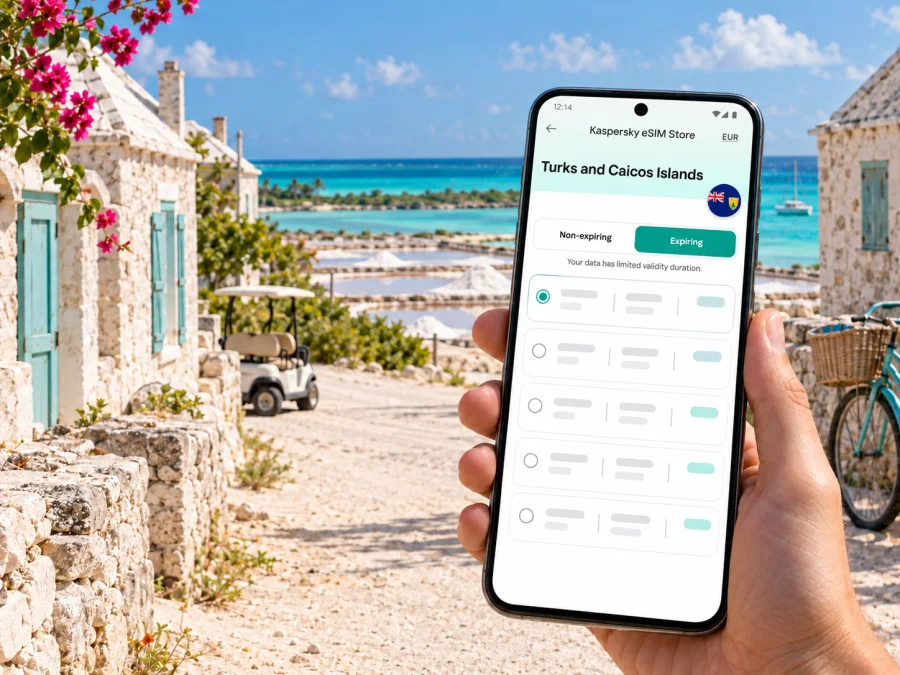
Salt Cay eSIM: Mobile Connection and Internet for Your Island Trip
Salt Cay is a small inhabited island in the Turks and Caicos Islands, not a conventional city. Its main settlement, Balfour Town, sits close to the airport and ferry dock, while beaches, old salt ponds, historic buildings and quiet lanes shape the rest of the visit. That scale changes what “staying connected” means: you may need mobile internet for arrival details, a host’s directions, maps and messages, but you should not plan as if Salt Cay were a densely served urban destination.
An eSIM can help prepare mobile data if the selected plan covers the Turks and Caicos Islands and its partner network is available where you stay. Signal varies by location and provider, so check current terms and keep essential details offline.
Salt Cay is an island destination, not a city break
Salt Cay belongs to the Turks Islands group in the Turks and Caicos archipelago. The island’s settled centre is Balfour Town, known for historic architecture associated with the area’s salt industry. The airport and Deane’s Dock, used by the passenger ferry from Grand Turk, are both a short distance from the main town. The island is compact, but that does not mean every journey is a quick paved-road transfer: many roads are rough or unsurfaced, and transport choices are limited.
Visitors come for quiet coasts, history, diving and seasonal humpback whale watching. Transport is limited: arrange a golf cart or bicycle with your accommodation rather than expecting a taxi or bus. Ask about arrival pickup and included transport before you travel.
This matters for mobile connection planning. On a large city trip, a phone can often fall back on nearby businesses, public transport screens or another network location. On Salt Cay, a weak signal may remain weak until you move closer to a settlement or a suitable outdoor spot. Download maps, save your accommodation details, and agree on a meeting point before leaving a dependable connection.
Getting to Salt Cay and planning the first hour
There is no international airport on Salt Cay. International arrivals to the Turks and Caicos Islands generally pass through Providenciales International Airport (PLS), then continue by domestic flight or connect through Grand Turk. Salt Cay Airport (SLX) is a small local airport. Scheduled services are limited compared with the main routes, and timetables can change, so check the airline’s current schedule and baggage rules directly when booking.
A passenger ferry also connects Salt Cay with Grand Turk. It is a community service with limited departures rather than an all-day urban transit route. Published schedules may change with operations, weather or local circumstances. Verify the date, departure point, return time and luggage arrangements close to travel. Do not assume there is a direct passenger ferry from Providenciales to Salt Cay.
| Arrival stage | What to plan | Why mobile data may help |
|---|---|---|
| International arrival at Providenciales | Confirm the onward domestic flight or island transfer before booking a tight connection. | Check updated messages, reservation details and changes while still at the airport. |
| Transfer through Grand Turk | Confirm whether your onward flight or ferry leaves from the expected point and allow time between legs. | Share your arrival time with your Salt Cay host if plans shift. |
| Arrival at Salt Cay Airport | Agree on pickup or directions before boarding the local flight. | Find a saved contact or send a short arrival message if data is available. |
| Ferry arrival at Deane’s Dock | Ask your accommodation how to reach it from the dock. | Use an offline map as a backup; a live map may not load consistently. |
A useful arrival routine is simple: save the host’s phone number and address, take a screenshot of the booking, download the island map area, and keep the airline and ferry confirmation in your email or a travel folder that works offline. If you need to contact someone, send a concise message before leaving an area with a reliable signal. Avoid making your arrival depend on being able to call a taxi once you step off the aircraft or boat.
Getting around Balfour Town and the rest of the island
Salt Cay is small enough that travellers may walk or cycle for some trips, but the sun can be strong and shade is limited away from the settlement. Off-road golf carts are a common way to explore; availability and pickup arrangements vary by accommodation and rental business. There are no scheduled city buses, and visitors should not assume they can find a taxi on demand. Ask about transport when reserving lodging, including whether a cart or bicycle is included, whether it must be booked in advance, and where it will be handed over.
Use mobile maps for orientation, not as your only navigation method. Roads can be rough or unsurfaced, and a suggested route may not reflect conditions or access restrictions. Ask your host for local directions and respect private property and protected areas.
Before setting off, pin your lodging and meeting points, download the map, ask your host which roads suit your vehicle, and share your route and expected return time. Carry water, sun protection and a charged phone; keep directions available offline.
You do not need to be continuously online. Check the route or send a message when needed, then protect the phone from heat, salt air and sand. Carry a charged power bank on longer outings.
Where mobile internet fits into an island itinerary
On Salt Cay, mobile data is most useful for checking a flight, confirming a pickup, opening a map, messaging your host or viewing a reservation. Save routine browsing and video streaming for Wi-Fi or offline use, especially if signal is variable or the plan is limited.
Do not treat a country-level coverage label as a promise of equal service across every cay. Turks and Caicos Islands mobile services include local brands Flow and Digicel, but that does not establish signal quality at a particular villa, beach, road or dock. At the time of review, the Kaspersky eSIM Store destination page identifies CWC as the service supplier for its listed plans. That plan-level detail is not a Salt Cay coverage guarantee; check the specific offer’s partner, supported area and terms before purchase.
Before deciding how to connect, compare the practical choices:
| Option | What it can be useful for | What to check |
|---|---|---|
| Home carrier roaming | Keeping your existing number available for calls or messages. | Daily charges, data limits, activation settings and whether roaming is enabled. |
| Local SIM or eSIM | A local service option when you need a local number or local account features. | Purchase and registration requirements, where it can be obtained, compatible device and island coverage. |
| Travel data eSIM | Preparing mobile data without replacing a physical SIM card. | Country inclusion, partner network, validity start, data allowance, tethering rules and whether voice/SMS are excluded. |
| Wi-Fi at lodging or a business | Larger downloads, backups and calls over apps when a suitable connection is available. | Availability, password, speed and whether the network is private and appropriate for the task. |
A data-only eSIM normally has no traditional phone number, voice or SMS unless the offer says otherwise. Messaging apps need data and an existing account. If you keep your regular SIM active for verification messages, check roaming charges and data-line settings.
If you want to review current options for the destination, see eSIM plans for the Turks and Caicos Islands. That page is for the country-level destination, not a Salt Cay-specific coverage guarantee. Compare the current allowance, validity, price, partner information and terms with your itinerary before you choose.
How much data should you plan for?
There is no universal data amount for a stay on Salt Cay. A traveller who checks a map, sends text messages and confirms a few bookings may use much less than someone who uploads many videos, makes long video calls or streams entertainment. Estimate from your own habits and the length of the trip rather than choosing a package solely because it appears large or small.
Use this checklist to estimate a realistic allowance:
- Maps and directions: download the area in advance; live map refreshes and searches still use data.
- Messages: text messages generally use little data, while photos, voice notes and video clips use more.
- Calls: app-based voice calls use data; video calls and repeated calls can use substantially more.
- Work: email and documents are often manageable, but large attachments, cloud sync and video meetings can use a lot.
- Photos: automatic backup can consume data in the background. Set it to Wi-Fi only if your plan is limited.
- Entertainment: download music, podcasts, books and films before travelling if you expect to use them offline.
- Other devices: a tablet, laptop or hotspot connection can add traffic quickly. Confirm whether tethering is allowed.
A practical rule is to reserve mobile data for tasks that need a live connection and use Wi-Fi or offline content for large transfers. Check your remaining allowance in the relevant app or account during the trip. If your plan allows top-ups, confirm the terms in advance and do not assume you can add data while offline.
Choosing an eSIM plan for Salt Cay
Start with the exact route, not just the island name. If your trip includes Providenciales, Grand Turk and Salt Cay, verify that the chosen plan covers the Turks and Caicos Islands as a destination and review its supported network arrangements. A regional package may include several destinations, but inclusion on a list does not guarantee the same performance on every island. If you will continue to another country, check that destination separately rather than assuming a Turks and Caicos plan extends beyond the territory.
Then compare the plan’s terms in this order:
- Destination: Confirm that Turks and Caicos Islands are explicitly included.
- Network and service notes: Read the current partner and coverage information; ask support if Salt Cay availability is unclear.
- Data amount: Match the allowance to maps, messaging, work and media use.
- Validity: Check when the period begins. Some plans start on installation or activation, while others begin on first connection; follow the exact displayed terms.
- Top-ups: See whether additional data can be added and how it affects expiry.
- Voice and SMS: Confirm whether the plan is data-only or includes calling features.
- Device restrictions: Check compatibility, carrier lock status and any limits on moving the profile to another device.
Kaspersky eSIM Store is an app and website where travellers can choose, purchase and activate an eSIM with a suitable plan for mobile data abroad. The eSIM products and related services shown for the destination are supplied through a technology partner and local telecommunications providers, as described in the current offer. The selected plan’s terms—not the fact that a page lists the country—determine what is included and how it works.
Check your phone before you travel
Your device needs eSIM support and must not be restricted by a carrier lock that prevents use with another provider. Support can differ between model variants sold in different markets, even when the product family name looks identical. Check the settings and manufacturer information for your exact device and regional variant, and check whether your device supports eSIM before purchasing.
Also consider whether the phone can keep your regular SIM and travel eSIM available at the same time. Dual-SIM behavior varies. Decide which line handles mobile data, which line receives calls and messages, and whether data switching is enabled. If your primary number must remain reachable, confirm roaming charges with your home carrier. Make a note of the original settings so you can restore them after the trip.
Before departure, confirm that:
- the phone is eSIM-compatible and unlocked;
- the operating system is up to date enough for the eSIM installation method;
- you can access the account or email containing the activation details;
- the QR code can be displayed on another screen if your phone cannot scan its own display;
- you have a stable internet connection for downloading the profile;
- the eSIM is stored on the device you intend to use, since transfer after activation may be restricted;
- the plan applies to the Turks and Caicos Islands and its allowance suits your route.
Installing and activating the eSIM
If possible, add the eSIM before leaving home while you have reliable Wi-Fi, but follow the plan’s instructions about when activation begins. Installing a profile and starting its validity are not always the same event. If the displayed terms say the plan starts on first connection in the destination, you can install it earlier and select it for data after arrival; if the rules differ, follow the specific offer.
A typical setup sequence is:
- Open the Kaspersky eSIM Store app or website and complete the purchase for the intended destination.
- Open the eSIM installation instructions and keep the activation code or QR code available.
- Add the eSIM in your phone’s mobile or cellular settings.
- Label the line clearly, for example “Travel data,” so it is easy to identify.
- Choose which SIM handles mobile data and leave your primary line settings as intended.
- When appropriate under the plan terms, enable the travel eSIM and data roaming for that line if the setup requires it.
- Allow time for registration, then check whether a data connection is available before relying on it.
For device-specific steps, follow the Android eSIM installation guide or the iOS eSIM installation guide. Menu names differ by device and software version. Do not delete a working eSIM profile while troubleshooting unless support or the plan instructions tell you to; a one-time activation code may not be reusable.
If your connection is slow or unavailable
On a small island, troubleshooting should begin with basic checks and a sensible fallback. First make sure airplane mode is off, the travel eSIM is enabled and the correct line is selected for mobile data. Restarting the phone or toggling the line may help it register, but avoid changing several settings at once. Confirm that the plan is active, has data remaining and has not expired.
If the phone shows a network but apps do not load, check the plan’s data-roaming instruction and any data limit on the device. If no network appears, move to a safe outdoor location near your accommodation or Balfour Town and allow the phone to search again. Do not walk or drive into an unfamiliar area solely to chase a signal. If it still does not connect, use Wi-Fi if available, contact the provider through a working channel, and rely on your saved offline details until you can resolve it.
Keep these details handy for support: the exact phone model and regional variant, operating system version, the eSIM line label, the time and place where the issue occurred, and any error message. Never share a one-time security code or account password in an open message.
Frequently asked questions
Is Salt Cay a city?
No. Salt Cay is an island in the Turks and Caicos Islands. Balfour Town is its main settlement. This article uses Salt Cay as the requested travel destination while describing its geography accurately.
Can I fly internationally directly to Salt Cay?
No international airport serves Salt Cay. Travellers generally arrive in the territory through Providenciales or another international gateway, then continue by a domestic flight or via Grand Turk. Check current airline schedules and connection requirements before booking.
Will an eSIM work everywhere on Salt Cay?
No coverage can be guaranteed at every location. Signal depends on the plan’s partner network, local infrastructure, terrain and your exact position. Verify current plan details and keep offline directions and contacts.
Does a travel eSIM give me a local phone number?
Usually a travel data eSIM provides mobile data only. It does not include a traditional phone number, voice calls or SMS unless the selected plan explicitly says otherwise. Apps can support calls and messages when data is available.
Prepare your Salt Cay connection
A smooth Salt Cay visit starts with realistic expectations: arrange your transfer and local transport in advance, keep essential details offline, and use mobile internet as a helpful tool rather than the only way to navigate the island. Before buying, compare the destination, data allowance, validity, partner and device requirements. Then install and activate the eSIM according to the selected plan’s instructions.
When you are ready, choose an eSIM plan for your trip to the Turks and Caicos Islands through Kaspersky eSIM Store and review the current conditions before checkout. Set up the profile on a compatible, unlocked phone, confirm which line will handle data, and save your key Salt Cay details for offline access.


