Travel connectivity guide
Salt eSIM: Mobile Internet & Connection Guide
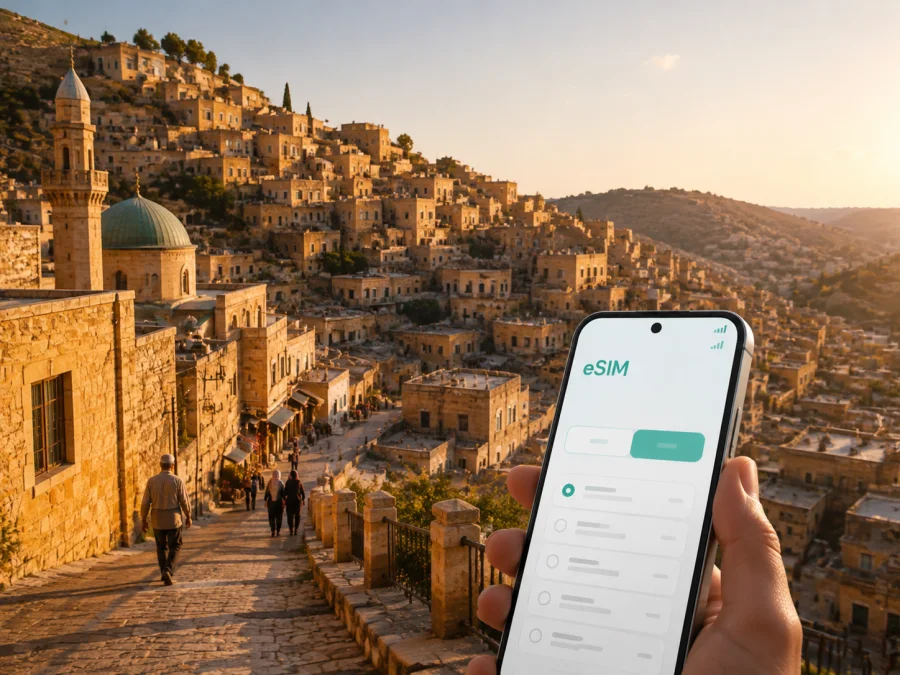
Salt eSIM: Mobile Connection and Internet Guide for Jordan
Salt is close enough to Amman for a day trip, a business itinerary, or a quieter base. Mobile data is particularly useful here because the historic center climbs across hills, with lanes, stairs, and viewpoints that can turn a short walk into a longer route. A working connection helps you check directions, coordinate a ride, translate a sign, and message a host while you move through town.
An eSIM, or digital SIM, can prepare mobile internet for a trip to Salt. You choose a prepaid Jordan tariff, install it on a compatible phone, and use it for data while keeping your primary SIM available if your phone supports dual SIM. The right setup depends on your device, dates, data use, and the selected tariff’s conditions.
This guide is about using mobile internet in Salt itself: arriving from the airport or Amman, finding accommodation in and around the center, moving between neighborhoods, visiting the old town, working during a short stay, and planning onward trips through Jordan.
Why mobile data is useful in Salt
Salt rewards unhurried walking, but its historic parts are not a flat, modern grid. Streets rise and descend, lanes can narrow, and a nearby destination may require a less direct route. Mobile data lets you reassess the route instead of relying on one screenshot saved at the hotel.
Data is useful for more than maps. In a typical Salt itinerary, you may need to:
- confirm the meeting point for a guided visit or a local activity;
- contact a hotel, guesthouse, driver, or colleague through a messaging app;
- check a translation when reading menus, directions, or practical notices;
- request a ride or share your live location when plans change;
- check weather conditions before choosing a long walk through the hills;
- search for a pharmacy, café, grocery shop, or ATM near your current position;
- send photos and updates without repeatedly looking for public Wi-Fi.
Public Wi-Fi can help in a hotel or café, but it may be limited to one building or require a local password. An eSIM gives you a separate data option outdoors and between stops. It does not replace every local service, and performance depends on the local network, location, device, and tariff.
The Salt travel pattern in one view
| Situation | What mobile data helps you do | Useful preparation |
|---|---|---|
| Arrival day | Reach your accommodation and contact your host | Install the eSIM before departure or while you still have reliable Wi-Fi |
| Historic-center walk | Recheck a route, save a pin, and coordinate meeting points | Download important addresses and keep the map app ready |
| Visit for work | Join a call, exchange files, and find the next appointment | Estimate work-related data separately from sightseeing use |
| Short stopover | Move efficiently between a few planned places | Use a modest data plan only if the itinerary is light |
| Trip onward from Salt | Confirm transport details and navigate back to a main road | Keep the eSIM active until the final transfer is complete |
Arriving in Salt with a connection plan
Many visitors reach Salt after landing in Jordan and continuing by road from Queen Alia International Airport or Amman. Prepare your accommodation address in a note and ask for the best vehicle drop-off point: in the historic center, the nearest drivable street may not be the best pedestrian entrance.
At arrival, check:
- Keep your primary SIM available for your usual number if needed.
- Check which line is selected for mobile data before opening maps.
- Enable data roaming for the travel eSIM only if the instructions or tariff conditions require it.
- Share the accommodation pin with your driver or companion.
- Check the eSIM balance before starting a long day outside.
Taxis and private rides can help with luggage, hills, and appointments outside the center. Public transport and shared rides may also be useful, but confirm current routes and pickup points locally.
Choosing an eSIM tariff for Salt
Choose according to the full Jordan itinerary, not only the hours spent in Salt. A visitor who mainly uses maps, messaging, and occasional browsing has a different pattern from someone making video calls, uploading photos, using a hotspot, or driving between several cities.
Kaspersky eSIM Store is an app and website that helps you choose, arrange, and activate an eSIM tariff for mobile internet during an overseas trip. It does not replace a local mobile operator. Where relevant, review the selected tariff details for its local operator or partner. Compare the destination, data volume, validity, price, and activation conditions shown for the option you are considering.
When you are ready to review the destination options, you can choose an eSIM tariff for a trip to Salt. The Jordan page is the appropriate destination link for a city visit because a tariff is selected for the country rather than for an individual neighborhood.
Match the tariff to your habits
Maps and text messages usually require less data than video calls, automatic photo backup, or hotspot use. Ask yourself:
- How many days include Salt, and how many additional days include Jordan?
- Will you navigate continuously or only between planned stops?
- Will work calls, cloud files, or photo uploads happen away from Wi-Fi?
- Will another device use your phone’s hotspot?
| Travel pattern | What to allow for |
|---|---|
| Light visit | Navigation when needed, text messages, and occasional searches |
| Full sightseeing day | Frequent maps, ride coordination, browsing, and photo sharing |
| Business stay | Calls, documents, cloud tools, and backup connectivity |
| Multi-city route | Every travel day and the final transfer before validity ends |
Leave room for changes and use Wi-Fi for large downloads.
The historic center: navigation on a hillside
Salt’s old city is known for yellow-limestone architecture, traditional streets, and a built environment shaped by slopes. Its historic city was inscribed on the UNESCO World Heritage List in 2021 as As-Salt — The Place of Tolerance and Urban Hospitality. For travelers, the useful detail is physical: a heritage walk can combine busy streets, quieter lanes, stairs, and viewpoints.
Before leaving one attraction, café, or meeting point, confirm the next destination and the return route. A map pin is more useful than “near the old buildings” if a group separates. Keep your phone charged, carry a small power bank for a long walk, and save the accommodation address offline.
A practical hill-walking routine
- Search for the exact venue or street name.
- Check whether the route includes stairs or a steep section.
- Set a recognizable meeting point on an accessible street for any vehicle pickup.
- Keep the property name, entrance, and contact in a note.
- Recheck the return route after reaching a higher neighborhood or viewpoint.
Mobile internet is most useful here as a quiet background tool: directions, translations, messages, and short searches. Conserve battery by checking the map at decision points.
Hotels, transport, and nearby plans
Accommodation may be in the historic center, on a hillside, or along a road toward neighboring urban areas. At check-in, confirm the exact property name in the map app, the best pedestrian entrance, the vehicle drop-off point, and how to contact the property if you arrive late. These details matter more than a simple distance measurement when streets climb or narrow.
Divide a day in Salt into three kinds of movement:
- Walking: historic lanes, cafés, markets, and viewpoints; comfortable footwear and an offline address help.
- Road travel: airport transfers, luggage, hotel changes, and meetings beyond the center; keep a precise pin ready.
- Contingency: a changed pickup, heat, a late return, or a decision to shorten the route; reserve battery and data for this part.
If Salt is combined with Amman or another Jordan destination, choose a tariff whose destination and validity cover the entire route, and keep the eSIM available until the final transfer.
Salt for business and short stopovers
For work, mobile data is useful between Wi-Fi locations. A meeting can move from a hotel to an office, a driver can wait on another street, or you may need to send a document while walking between appointments. Save each address and contact, pin the pickup point, download essential documents, restrict background data for nonessential apps, and send a test message before leaving the hotel.
Video calls and screen sharing can consume much more data than email or text. If hotspot use is permitted by the tariff and supported by your phone, test it before relying on a laptop. A data eSIM normally does not include a regular phone number, voice calls, or SMS unless the selected tariff says otherwise; internet-based messaging and calling apps can be used for work when appropriate.
For a short stopover, decide in advance where luggage will stay, which two or three places are priorities, and how you will return to Amman, the airport, or your next accommodation. Open the map before leaving the vehicle, save the return point, and use mobile data for live coordination rather than unnecessary video or automatic backups.
Preparing and installing the eSIM
Your phone must support eSIM and may need to be unlocked for another network. Compatibility varies by model, region, and carrier status, so check whether your device supports eSIM before choosing a tariff. Install over reliable Wi-Fi, keep the QR code or activation details secure, and label the line clearly, such as “Jordan data.”
The general sequence is:
- Check device compatibility and operator-unlock status.
- Connect the phone to reliable Wi-Fi.
- Open cellular or mobile-network settings.
- Add a mobile plan or eSIM.
- Scan the QR code or enter the activation details.
- Label the new line clearly.
- Select the travel eSIM for mobile data when ready.
- Enable data roaming for that line if required by the instructions or tariff.
- Keep the primary SIM for calls and SMS if desired.
- Review the primary SIM’s roaming settings.
- Test a message or web page.
- Verify which line handled the data.
For device-specific help, use the Android eSIM installation instructions or the iOS eSIM installation instructions. Installation, activation, and the start of validity can be separate events, and connection may take several minutes. Do not delete a profile just because it is installed but not yet selected for data.
Managing mobile data in Salt
Review the mobile-network settings after arrival: confirm the travel eSIM is on, selected for data, and not being replaced by automatic SIM switching. Disable background data for apps that do not need updates while you walk. Each day, check remaining data and unintended roaming on your primary SIM.
If data seems unreliable, move to an open area, check the selected line, confirm airplane mode is off, and restart the mobile connection. A building, hillside, or crowded location can affect service. If the issue continues, review the tariff conditions and contact support with your phone model, installation status, and the message shown on screen.
Before you leave for Salt
- [ ] The phone supports eSIM and is not carrier-blocked.
- [ ] The Jordan tariff covers the dates of the full itinerary.
- [ ] Data volume reflects navigation, messages, work, media, and hotspot use.
- [ ] Installation details and the QR code are stored securely.
- [ ] The accommodation address, entrance, and contact are saved offline.
- [ ] A power bank is packed for a long walking day.
- [ ] You know which line handles mobile data and which handles ordinary calls and SMS.
- [ ] You understand the tariff’s activation and validity conditions.
Frequently asked questions
Is an eSIM useful for a one-day visit to Salt?
It can be useful for navigation and ride coordination. Compare the tariff’s validity and data volume with the rest of your Jordan route, and plan light use around maps, messages, and essential searches.
Can I keep my usual number?
On a compatible dual-SIM phone, you can often keep the primary SIM enabled and select the travel eSIM for data. Exact behavior depends on the device and home operator. A data eSIM normally does not provide a regular number, calls, or SMS unless its conditions say otherwise.
Will the connection be identical everywhere in Salt?
No. Performance can vary by local network, terrain, indoor construction, device, and tariff. Check the line settings first and contact support if a problem persists.
Should I install before arrival?
Installing over dependable Wi-Fi before departure can simplify the first transfer. Follow the tariff instructions to understand when activation and validity begin.
What if there is no data after installation?
Check that the eSIM is switched on, selected for mobile data, and configured as required. If data roaming is required, enable it for the travel line. Confirm that airplane mode is off and that the tariff is active before contacting support.
A simple connection plan for Salt
Salt is easier to explore when your plan respects the city’s shape: allow time for slopes, separate walking routes from road transfers, and keep the return visible. Prepare over reliable Wi-Fi, choose a Jordan tariff for the full itinerary, and check the data line before opening maps.
When your phone and itinerary are ready, prepare an eSIM tariff for your trip to Salt through Kaspersky eSIM Store. Select the option whose destination, data volume, validity, and conditions fit your plans, then install and activate it on your compatible device.


